Job Scheduling Software: What Field Service Teams Need Most
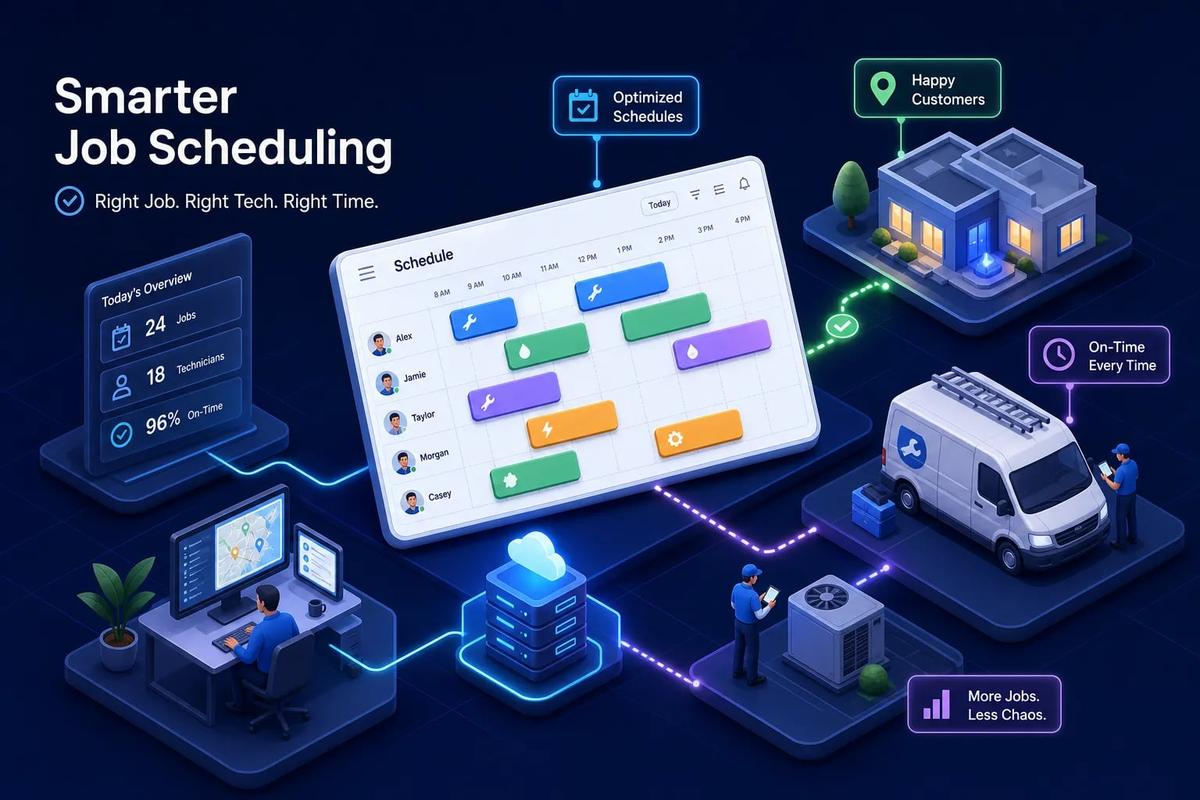
The phrase "job scheduling software" covers a lot of ground. A roofing company dispatcher searching for a better way to manage crews and a corporate IT team trying to automate overnight batch processes are using the same search term, and they need completely different tools. Many comparison articles lump all of these categories together, which is why buyers often end up trialing the wrong thing and walking away frustrated.
The real question is not which platform scores highest on a review site. It is which class of tool fits your actual operation. For field service businesses, many companies benefit more from an integrated platform than from a standalone scheduler. The businesses pulling ahead are running systems where scheduling is natively connected to CRM, dispatch, invoicing, and crew management, not sitting in a separate app that talks to nothing else. Disconnected tools create manual handoffs, and manual handoffs are where jobs get dropped and money gets left on the table.
This guide breaks down what field service teams actually need from job scheduling software, compares the leading tools across all three use cases, and gives you a concrete checklist to choose and trial the right fit without wasting weeks on the wrong demo.
The Three Categories of Job Scheduling Software
These are not the same product with different logos. Field service scheduling, workforce scheduling, and enterprise IT job orchestration each solve a fundamentally different problem. Confusing them is how businesses end up buying shift-planning software when they need crew dispatch, or enterprise orchestration tools when they need appointment and crew scheduling.
Field service scheduling coordinates physical crews, customer appointments, and jobs happening out in the field. Workforce scheduling handles shift and labor planning for hourly teams, most commonly in retail, hospitality, or healthcare. Enterprise IT job orchestration automates batch processes, data pipelines, and server workloads, which has nothing to do with routing a plumbing crew across three zip codes. The tools built for each category look completely different under the hood.
Field service scheduling carries a distinct level of complexity compared to the other two categories. It involves real-time GPS location, appointment-to-job conversion, customer-facing communication, dynamic rerouting when jobs run long or technicians call out, and direct revenue impact on every dispatched job. A shift scheduler does not care about invoice generation. An enterprise job orchestrator does not route an HVAC technician. Field service demands a purpose-built solution, and trying to adapt tools from the other two categories creates more friction than it solves.
Here is a quick self-identification test. Do you dispatch physical crews to customer locations? Does your schedule directly affect cash flow and job revenue? Do your jobs require coordination between scheduling, customer records, and billing? If you answered yes to all three, you are firmly in the field service scheduling category, and the rest of this guide is built for you.
Must-Have Job Scheduling Software Features for Field Service Teams
Drag-and-drop dispatch is the baseline expectation, not a differentiator. Dispatchers need to move jobs, reassign crews, and handle last-minute cancellations without opening multiple windows or re-entering data. What to look for: color-coded job status so the board is readable at a glance, technician availability visible without clicking into a separate profile, and instant confirmation triggers that notify customers and crews when a job moves. Platforms missing those three capabilities tend to generate more dispatcher work than they eliminate.
Most scheduling tools show you who is available. Fewer show you who is overloaded. Crew load balancing distributes jobs across technicians based on skill set, location, and current workload rather than just availability. Uneven job distribution is a persistent operational problem: one technician burns out while another sits idle between calls, and neither outcome is good for your business. Automated load balancing addresses both ends of that problem without requiring a dispatcher to manually audit every technician's queue.
The friction between appointment and dispatched job is one of the most consistent pain points in field service operations. A customer books through a form, a phone call, or a sales rep. That appointment then needs to become a confirmed job with crew assignment, materials, and customer details attached. Without automation, a dispatcher manually recreates all of that data, which takes time and introduces errors. One-click or rule-based appointment-to-job conversion eliminates that step entirely. In fully automated workflows, customers report cutting scheduling lag from hours or even days down to under six minutes.
For businesses running maintenance contracts or repeat service agreements, recurring job templates are not optional. They are the difference between a contract that gets managed and one that gets forgotten. Pair recurring job support with SLA alerts that notify dispatchers when a committed time window is at risk. That combination protects both customer relationships and the revenue tied to those service agreements.
GPS Tracking and Real-Time Field Visibility
Real-time technician location changes how dispatch works in a practical, immediate way. When dispatchers can see where every crew member is on a map, dynamic rerouting becomes possible without waiting for a phone call. If a job finishes early, the nearest available technician can be redirected before they even check in. This reduces response time, improves on-time arrival rates, and makes customer ETAs accurate instead of approximate.
GPS-verified clock-in and clock-out removes one of the most persistent pain points in field service: self-reported hours that do not match actual time on site. When clock-in is triggered by arrival at a job location, timesheets become accurate automatically. That accuracy flows directly into payroll and job costing without manual reconciliation. In practice, GPS-verified clock-in eliminates most time-on-site disputes and produces cleaner payroll approval cycles.
Not every job site has reliable cell coverage. Rural properties, building basements, and active construction zones are common dead zones for field crews. The scheduler and the mobile app both need to cache job details, forms, and status updates locally and sync when connectivity returns. Without offline functionality, technicians revert to paper notes or phone calls, which breaks the data trail and forces someone in the office to manually reconcile what happened in the field. This is not an edge case. It is a daily reality for many field service teams.
Why Scheduling Can't Live in a Silo
A standalone scheduler does one thing reasonably well and creates manual work everywhere else. When scheduling is disconnected from your CRM, the dispatcher does not know the customer's service history when the job comes in. When it is disconnected from invoicing, someone creates an invoice manually after the job closes. When it is disconnected from workforce management, crew hours live in a separate system and payroll requires reconciliation. Each disconnection is a manual handoff, and each handoff is where errors accumulate and delays compound.
Consider what this costs in real terms. The typical field service dispatcher in an eight-technician operation spends around fifteen hours per week on manual scheduling and rescheduling tasks. When job scheduling software is disconnected from the rest of the business, much of that time is not spent on actual scheduling decisions. It is spent copying data between systems, chasing down job statuses, and fixing errors that originated in the gap between tools. That is nearly two full workdays per week doing administrative work that should not exist.
Platforms built with scheduling as an integrated layer rather than a standalone module work differently. When a job closes, an invoice generates automatically based on configured rules. When a lead converts, it drops directly into the scheduling queue without re-entry. Customer data, job history, and crew assignments exist in one place from the first customer interaction to the final payment. URBLD is built on exactly this model: scheduling is wired into the same execution layer as lead management, dispatch, crew tracking, and invoicing, so data moves through the system automatically rather than depending on manual bridges between tools.
The productivity case for integration is strong. URBLD customers moving from siloed tools to the platform report 50 to 80 percent reductions in scheduling admin time and 20 to 30 percent lower overtime costs. The bigger gains do not come from the scheduler itself. They come from eliminating the manual work that lives in the gaps between a disconnected scheduler and everything else it needs to communicate with.
Comparing Leading Platforms Across All Three Categories
Field Service Scheduling Platforms
For field service businesses that need scheduling natively connected to CRM, dispatch, invoicing, and workforce management, URBLD is purpose-built for this category. It replaces the disconnected stack entirely: no separate GPS app, no third-party e-signature tool, no manual invoice creation after job close. Everything runs inside one execution layer, which means the platform is not just tracking work but actually executing the next step automatically when a trigger is met.
Joblogic is a workable option for teams that prioritize mobile offline support and need compliance workflows built in, particularly for regulated industries. FieldPulse fits smaller teams that want real-time GPS tracking without a heavy implementation process. BuildOps is worth evaluating for commercial contractors with complex job costing needs, particularly in construction-adjacent trades. Each of these serves a legitimate use case, though none are designed with the same breadth of native revenue-cycle integration that URBLD offers field service businesses.
Enterprise IT Job Schedulers and Workload Orchestration
RunMyJobs by Redwood is a capable SaaS-first option for enterprise environments heavily built around SAP. It handles complex batch job scheduler requirements and integrates well with SAP workflows. ActiveBatch offers cross-platform workload automation, functioning effectively as task scheduler software across Windows, Linux, and cloud environments, with a visual workflow builder. BMC Control-M handles broad cloud and data pipeline integrations and is a common choice in large enterprises with complex batch processing requirements. Stonebranch UAC fits hybrid environments and is built around an API-first design that integrates well with modern DevOps tooling.
All of these platforms are custom-quoted, require an IT-specific evaluation process, and are typically implemented over weeks with dedicated admin resources. None of them are appropriate for field service crew dispatch. They solve a different class of problem entirely, and evaluating them as field service tools wastes everyone's time.
Lightweight Workforce Schedulers for Shift-Based Teams
Deputy, Sling, and Planday are built for hourly shift scheduling in retail, hospitality, and light-service environments. Published pricing starts around $2.70 to $5.50 per user per month, making them accessible for small teams. They are easy to use, handle shift swapping and availability well, and do not require a long implementation cycle. They are also not designed for field dispatch, GPS tracking, or job-to-invoice workflows. If you run a coffee shop, one of these tools is probably right. If you run a roofing company, they will create more problems than they solve within a few months of use.
What Job Scheduling Software Actually Costs
Field service platforms range from lightweight tools starting around $100 per month for small teams to full business operating systems priced on a per-seat or per-location basis for growing operations. Most mid-market field service platforms land in the $100 to $400 per month range depending on team size and feature tier. The mistake most buyers make is comparing this number to the sticker price of a standalone scheduler without accounting for everything else they still need to buy.
A realistic all-in monthly software spend for a small field service business running separate CRM, scheduler, invoicing, and GPS tools typically lands between $500 and $2,000 per month once you count all the tools, paid integrations, and mobile user licenses. A platform like URBLD consolidates four to six of those tools into one. The comparison is not per-tool price versus per-tool price. The comparison is total software spend on a stack of disconnected tools versus total software spend on one integrated platform. When you run that math honestly, the integrated platform usually wins before you factor in the hours saved on manual work.
Enterprise IT schedulers like Control-M, ActiveBatch, RunMyJobs, and JAMS are all custom-quoted with no published list prices. Expect vendor conversations, proof-of-concept phases, and annual contracts. These are not tools you trial in an afternoon. For IT teams managing large-scale batch workloads and workload automation pipelines, the cost is usually justified by the scale of what they are automating. For field service businesses, these tools are simply the wrong category and should not be part of the evaluation.
A Checklist for Choosing and Trialing the Right Tool
Before you book a single demo, answer these five questions. They will cut your list in half immediately and save you hours of evaluating tools that are not built for your use case.
- Do you dispatch physical crews to customer job sites? If yes, enterprise IT schedulers are eliminated immediately.
- Does your scheduling need to connect to customer records, invoicing, or payroll? If yes, standalone schedulers are eliminated.
- How many active jobs does your team run per week on average? This determines the tier of platform you need.
- Do your crews work in areas with unreliable cell coverage? If yes, offline functionality is non-negotiable.
- Are you replacing one tool or consolidating several? If you are consolidating, the total cost comparison matters more than any single sticker price.
During a free trial or demo, run this exact workflow: create a job from a lead, assign it to a crew member, move it on the calendar to a different time, close the job, and watch what happens next. Does an invoice generate automatically? Does the timesheet update? Does the customer receive a notification? A platform that completes that entire workflow in a matter of minutes is doing real work. A platform that requires three manual steps between each action is showing you exactly where your dispatcher's time will go for the next few years.
Watch for these red flags during any trial. First, the platform requires a third-party integration to connect scheduling to invoicing, third-party integrations require ongoing maintenance and testing, and reliability should be verified before you commit. Second, GPS tracking is an add-on module at extra cost. If real-time field visibility was a design priority, it would be built in, not sold separately. Third, the mobile app requires an internet connection to function. For field teams working in low-signal environments, this is not a minor limitation, it means your crews revert to paper the moment they lose signal, and someone reconciles that manually when they return. Fourth, there is no native appointment and crew scheduling view that lets dispatchers see both open slots and crew availability on a single screen. If any of these surface during a trial, monitor team frustration closely and plan for a structured 30-to-90-day pilot before committing.
The Right Platform Becomes Clear Within an Hour of Real Use
Most job scheduling software debates focus on the wrong question. Teams argue about which tool has the cleanest calendar UI when the real problem is that their scheduler does not talk to their CRM, their invoicing runs two days behind their closed jobs, and their dispatchers are burning fifteen hours a week on manual handoffs between apps that were never designed to work together.
For field service businesses, job scheduling software is only as good as what it connects to. Drag-and-drop dispatch is table stakes. Real-time GPS tracking is expected. But the teams that actually pull ahead are running systems where scheduling, customer data, crew management, and invoicing are wired together so that a job closed in the field triggers everything else automatically. That is not a feature. That is a fundamentally different way of operating.
Use the checklist in this guide to identify which category of tool you actually need. Run the workflow test during your trial and pay attention to what happens after the job closes. You should be able to surface major usability and integration gaps within an hour of real use. If you want to see how URBLD handles the full cycle from lead to payment in one connected system, reach out to our team and ask for a walkthrough of the dispatch and invoicing workflow.
Related articles
Estimate forms for contractors: build one right
Estimate forms for contractors don't have to be a time sink. Learn the right fields, pricing math, and formats, and see how URBLD builds them from photos.
Best Lead Management Software for Field Service in 2026
Compare the best lead management software for field service businesses. See which features, pricing tiers, and platforms keep every lead on track to a booked job.
Best Software for HVAC Contractors: A 2026 Buyer's Guide
Find the best software for HVAC businesses in 2026. Compare top platforms by features, size fit, and pricing, then use our 5-step checklist to choose fast.

Best Facebook Lead Capture Software for Service Businesses
Compare the best Facebook lead capture software for home service businesses. See which tools connect Meta lead ads to your CRM, scheduling, and follow-up automatically.

How Many AC Tons Per Square Foot Does Your Home Need?
Find out how many AC tons per square foot your home needs with a simple sizing chart, climate and insulation adjustments, and tips on when to get a Manual J calc.
ServiceTitan vs Jobber vs All-in-One: Which Wins?
ServiceTitan vs Jobber vs all-in-one platforms compared on pricing, features, integrations, and scalability. Find out which field service software fits your business.
Explore the URBLD platform
CRM
Feature pages
CRM with Inventory Management
Glossary
Unsold Estimate
Glossary
FieldPulse Alternatives for Growing Service Teams
Comparisons
How to Automate Field Service Billing
Solutions
Scheduling & Dispatch
Feature pages
How to Reduce Lead Loss in Service Businesses
Solutions
ServiceTitan Alternatives for Growing Service Businesses
Comparisons
Found this useful? Share it with another contractor or service business owner.