Best Facebook Lead Capture Software for Service Businesses
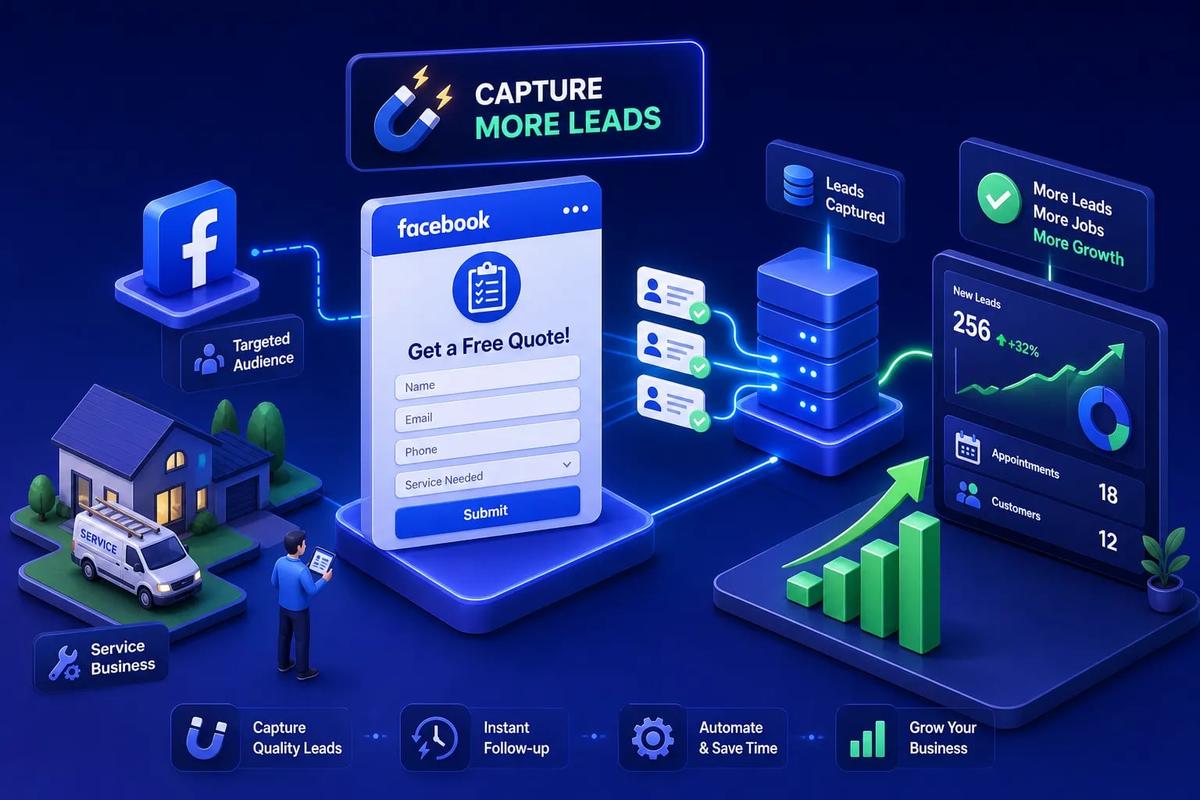
The best Facebook lead capture software for home service businesses connects a Meta lead form submission directly to your CRM, your scheduling queue, and your first follow-up message without any manual steps in between. For most contractors, the shortlist comes down to three categories: an all-in-one field service platform like URBLD, an agency-style CRM like GoHighLevel, or a dedicated connector like LeadSync paired with a standalone CRM. The right choice depends on where you are today: no existing CRM, a CRM you want to keep, or a fragmented stack you're ready to replace entirely. This guide breaks down which option fits which business, what each costs, and how to get moving this week.
If you've been spending real money on Facebook ads without knowing which campaigns became booked jobs, you're not alone. The problem isn't usually the ads, it's everything that happens after the form is submitted. For a contractor running any real volume, that gap between form submission and first human contact is where jobs are lost, and it's exactly what Facebook lead capture software is designed to close.
Key takeaways
- Response speed is the job: According to pipelineon.com, leads contacted within five minutes are about 21 times more likely to qualify than those contacted after 30 minutes. The software you choose determines whether that happens automatically.
- Native beats patched: A native Meta integration routes leads in real time without a third paid connector sitting in between. Each additional handoff is a point where leads can go cold or disappear.
- URBLD closes the full loop: URBLD connects a Facebook ad click directly to your CRM, scheduling queue, and automated follow-up with full attribution built in and no integrations required.
- Capture method changes lead quality: Meta instant forms typically lower cost per lead but attract lower-intent prospects. Landing pages cost more but produce leads that convert at higher rates to booked jobs.
- Stack the real price: Connector-only tools like LeadSync or Zapier require a separate CRM subscription, so always calculate the combined monthly cost before comparing.
Why home service businesses keep losing Facebook leads
The problem isn't that Facebook ads don't work for roofing, HVAC, solar, and home improvement businesses. The problem is what happens the moment someone fills out your form. A lead submits a Meta instant form, and then it sits in Facebook's Leads Center until someone manually exports it, opens a spreadsheet, and copies it into a CRM, a common workflow in businesses that haven't yet connected a dedicated lead capture tool. By the time it reaches anyone with a phone, the lead is already cold.
This disconnect between ad spend and booked revenue is what we call the attribution gap. Most contractors can't answer the question "which Facebook ad produced this job?" because the data breaks somewhere between platforms. You know what you spent on ads. You know which jobs you closed. But you can't connect the two, so you can't optimize, cut waste, or double down on what's working.
The response-time numbers make this painfully clear. Only about 20% of home service companies respond to Facebook leads within an hour, according to brandrocket.net, and only about 7% respond within five minutes, meaning roughly 93% of service businesses fail to meet the window that actually drives bookings. Meanwhile, responding within one minute correlates with roughly 391% higher conversion compared to a 30-minute response, according to estatehub.io. That gap is not a sales skill problem. It's a software problem. The businesses closing more jobs from the same ad spend have automated the path from form submission to first contact.
Native Meta lead forms vs. dedicated landing pages: which works better?
Before choosing your Facebook lead capture software, you need to decide where you're capturing leads. The two main options are Meta instant forms (the native in-app forms that pre-fill from a user's Facebook profile) and external landing pages that you host yourself. Each has a distinct trade-off, and the right answer depends on what you're selling and how much qualifying you need to do upfront.
Meta instant forms typically produce a higher raw conversion rate. According to leadsync.me and pipelineon.com, instant forms can generate two to five times more form completions than an external landing page and often cut cost per lead by 30 to 50%. Users never leave Facebook, and their information is already filled in, which removes friction. That's a meaningful efficiency gain when you're running broad-audience campaigns for free estimates or inspections. The trade-off is lead quality: because submission requires almost no effort, you attract more people who filled out the form impulsively. Landing-page leads convert to booked jobs at roughly 15 to 30%, while instant form leads run closer to 5 to 15%, according to pipelineon.com.
Dedicated landing pages give you control that Meta's native forms don't. You can add qualifying questions, show reviews and project photos, and filter out low-intent browsers before they ever enter your pipeline. Tools like Typeform or Heyflow support conditional logic that adjusts follow-up questions based on earlier answers, and both can route submissions directly into a CRM via webhooks. The practical guidance: use instant forms for volume campaigns targeting broad audiences, and use a landing page for retargeting campaigns, high-ticket services, or any situation where a cleaner lead list matters more than raw submission volume.
What to look for in Facebook lead capture software
Not every tool marketed as a Facebook lead ads tool does the same thing. Some are connectors that move a lead from Meta to your CRM and stop there. Others are full platforms that handle routing, follow-up, scheduling, and attribution inside a single system. The difference determines whether you're solving the capture problem or the whole lead-to-job problem.
The first thing to evaluate is integration depth. There is a real difference between a native integration and a connector built through Zapier or Make. A native integration routes leads in real time, within seconds of form submission, with no intermediate service that can fail, delay, or require a separate subscription. A Zapier connector adds latency, adds cost, and adds a breakpoint that nobody monitors until a lead disappears. For home service businesses where response speed directly affects booking rates, native integrations are generally preferable to connector-based solutions. Ask any vendor directly: does the lead enter my CRM the moment the Meta form is submitted, or does it sync on a schedule or delay?
The second thing to evaluate is automation logic. Good Facebook lead management software does more than deliver a contact record. It assigns the lead to the right rep based on service area or workload, fires an immediate SMS or email to the prospect, creates a task or appointment prompt for your dispatcher, and logs the originating ad campaign. Attribution tracking, the ability to trace a booked job all the way back to the specific Facebook ad creative that generated it, is the feature that separates useful reporting from useless vanity metrics. If your software can't answer "how much revenue did this campaign produce?", it isn't fully solving your problem.
Best Facebook lead capture software for home service businesses
The tools below cover the full range of use cases, from simple connectors to complete operating systems. URBLD leads this list as an option built specifically for field service, with end-to-end attribution from ad click to closed job and no third-party connectors required.
URBLD: built for field service, not patched together
URBLD's built-in advertising and lead capture module connects a Facebook ad click directly to the CRM, scheduling queue, and follow-up automation without a third-party connector sitting in between. The moment a Meta lead form is submitted, a CRM record is created, the lead source is tagged to the originating campaign, and the automated follow-up sequence begins. From there, AI-powered lead qualification and routing runs without waiting for a staff member to act. You can trace every booked job back to the specific ad, audience, and creative that produced it, which is what makes scaling Facebook spend rational rather than speculative. URBLD is a strong fit for roofing, HVAC, solar, and home improvement businesses running Facebook campaigns at volume.
GoHighLevel: the agency-manager option
GoHighLevel offers a native Meta lead ads integration with built-in SMS, email, pipeline automation, and appointment booking. The best fit is businesses working closely with a marketing agency or operators managing multiple client accounts. GoHighLevel requires meaningful configuration upfront and is not purpose-built for field service operations, so scheduling, crew management, and job-to-invoice workflows will still require workarounds or additional tools.
LeadSync: fastest path from form to CRM
LeadSync connects Facebook Lead Ads to more than 30 CRMs in near real-time, often under 60 seconds, according to leadsync.me. LeadSync is the right choice for businesses that already have a CRM they want to keep and just need reliable, fast lead delivery from Meta. It doesn't provide automation logic, routing rules, or attribution beyond delivery, so it solves the capture problem without solving the follow-up or scheduling problems.
HubSpot: solid for marketing-driven teams
HubSpot offers a native Facebook Lead Ads sync through its Meta Ads integration, with strong workflow automation for email sequences and pipeline stages. For most service contractors, that's more platform than the job requires. HubSpot makes sense when you have a dedicated marketing team and a content-heavy demand generation strategy, not when you need jobs booked and crews dispatched.
LeadsBridge: the marketing stack synchronizer
LeadsBridge specializes in direct Facebook Lead Ads integrations and real-time lead syncing, routing submissions to CRMs, email platforms, call systems, and advertising tools, according to leadsbridge.com.
How pricing stacks up across the top tools
The sticker price on any single tool rarely reflects the true monthly cost. Connector-only tools require a separate CRM, a separate scheduling system, and sometimes a separate invoicing tool. Before comparing line items, calculate what you're currently spending across all the platforms a given tool would replace.
The hidden cost of a stitched-together stack isn't just subscriptions. It's the sync delays, the missed leads when a Zap fails at 2 a.m., and the staff hours spent managing breakpoints that no tool owns. With Facebook leads averaging $43 to $46 each according to skillmammoth.com, even one or two missed deliveries per month adds up fast, and that's before you factor in the job value those leads represented.
How do you connect Facebook lead ads to your CRM and scheduling system?
The connection method you choose shapes how reliable that handoff actually is. The setup process looks very different depending on whether you're working with a native integration or building a connector chain.
Native is straightforward: authorize your Meta account inside the platform, map your form fields to the corresponding CRM fields, set your routing rules, and save. The lead arrives in your CRM within seconds of form submission. There's no intermediary service to manage and no additional subscription to keep current.
The connector approach, typically Facebook to LeadSync or Zapier to a CRM to a scheduling tool, creates multiple handoffs. Each handoff is a potential failure point: a token expires, a field mapping breaks after a form update, or a Zap hits a task limit. Most of these failures are silent. The lead simply doesn't arrive, and nobody knows until a prospect calls back complaining they never heard from anyone. For home service businesses, where Facebook leads average $43 to $46 each and roofing leads can run $40 to $80 according to sotrosinfotech.com, each missed delivery has a real dollar value.
The ideal sequence when a lead arrives is: form submission triggers an instant CRM record with the lead source tagged to the specific campaign, an automated SMS or email goes out within 60 seconds, and a task or appointment prompt appears for your dispatcher or assigned rep. Most service businesses manage the first step reasonably well and stop there. The tools worth paying for automate the entire sequence without human input, including converting the lead directly into a scheduled appointment. In URBLD, this sequence runs natively, covering the path from ad click to CRM record to scheduled job without a human bridging any of the gaps.
What does good lead follow-up automation actually look like?
The follow-up sequence that books jobs has a specific structure. The first message goes out immediately, within five minutes at the absolute latest, and it references the specific service the prospect requested. A generic "thanks for your inquiry" message performs noticeably worse than a message that speaks to the service category, the offer they responded to, or the location they entered. The goal of that first message is to confirm receipt and either book a call or route them to a scheduling link automatically.
If the first message gets no response, the sequence continues over the next 24 to 72 hours. That means a second SMS, an email with a booking link, and optional voicemail drops if your platform supports them. Assignment logic should run in parallel: the lead gets routed to the right rep or dispatcher based on service area, crew availability, or lead score, not whoever happens to check their phone first. This is the distinction between a notification and a workflow. A notification tells someone a lead arrived. A workflow assigns it, follows up with the prospect, and creates a task if no contact is made.
Generic CRMs without built-in appointment booking break at the scheduling step. The rep gets notified, finishes the job they're on, calls back two hours later, and the prospect has already booked with a competitor. According to getpraktivo.com, 52.1% of leads received no call attempt within a week in a 2026 paid-lead analysis, which shows how common this failure actually is. The right Facebook lead capture software removes every manual handoff between form submission and confirmed appointment. That's the gap that costs jobs, and it's the gap this category of software is designed to close permanently.
How to choose the right tool and start your trial this week
The right tool depends on where your business is today. If you're running Facebook ads with no existing CRM, start with URBLD or GoHighLevel. Both include CRM functionality and automation in a single platform, which means you're not building a stack from scratch. If you have a large marketing team already invested in HubSpot, use its native Meta integration and layer automation workflows on top. For multi-location or franchise operations, URBLD's multi-tenant isolation, role-based access control, and full attribution tracking are built for exactly that structure.
Here's a simple three-step plan you can run this week:
- Audit your current lead path. Pick three Facebook leads from last week and time how long each one took to enter your CRM, receive a follow-up, and get assigned to a rep. That number is your baseline, and it's likely longer than you expect.
- Pick one tool from your shortlist and run a 7 to 14 day trial against a live Facebook campaign. Don't test with archived campaigns or hypothetical setups. Use real ad spend and real lead volume so you're seeing actual performance.
- Measure two numbers: time-to-first-contact and lead-to-appointment conversion rate. These two metrics will tell you everything you need to know about whether the software is doing its job. Ignore submission volume as a primary metric. Booked appointments are the number that matters.
The best Facebook lead capture software isn't the one with the longest feature list. It's the one that gets a lead from form submission to booked appointment with the fewest gaps in between. For home service businesses spending real money on Meta campaigns, that means a platform with native integration, built-in scheduling, automated follow-up, and full attribution in a single system. Test your shortlist against a live campaign, measure your response time, and let the data decide.
If you want to see how URBLD connects your Facebook campaigns directly to your CRM, dispatch queue, and follow-up automation without any connectors or manual steps, reach out to our team and we'll walk you through the platform.
Frequently asked questions about Facebook lead capture software
What is Facebook lead capture software?
Facebook lead capture software automatically pulls contact information from Meta lead form submissions and delivers it to your CRM, scheduling system, or follow-up automation, without manual exports or spreadsheet work. The best Facebook lead capture software also triggers an immediate response sequence so prospects hear from you within minutes of submitting the form.
How does Facebook lead automation work for service businesses?
Facebook lead automation connects your Meta ad account to a platform that receives form submissions in real time. When a prospect fills out your lead form, the software creates a CRM contact, tags the originating campaign, fires an SMS or email to the prospect, and routes the lead to the right rep or dispatcher, all without human input. The entire sequence can run in under 60 seconds.
What's the difference between a native Meta integration and a connector like Zapier?
A native Meta integration routes leads directly from Facebook into your platform in seconds, with no third-party service in between. A Zapier or Make connector adds latency, a separate subscription cost, and potential failure points that are often silent, meaning you may not know a lead was lost until a prospect complains they never heard from you.
Which Facebook lead capture software is best for home service businesses?
For roofing, HVAC, solar, and home improvement businesses, the strongest options are platforms that combine native Meta integration with built-in CRM, scheduling, and follow-up automation. URBLD is built specifically for field service with end-to-end attribution. GoHighLevel works well for agency-managed accounts. LeadSync is a low-cost starting point for businesses that already have a CRM in place.
What CRM integrations for Facebook leads should I look for?
Look for a platform that syncs lead data in real time, maps all form fields automatically, tags each record to the originating campaign, and triggers follow-up automation without manual steps. CRM integrations for Facebook leads that run on a delay or polling schedule will cost you response speed, and response speed is directly tied to booking rates.
Related articles
Estimate forms for contractors: build one right
Estimate forms for contractors don't have to be a time sink. Learn the right fields, pricing math, and formats, and see how URBLD builds them from photos.
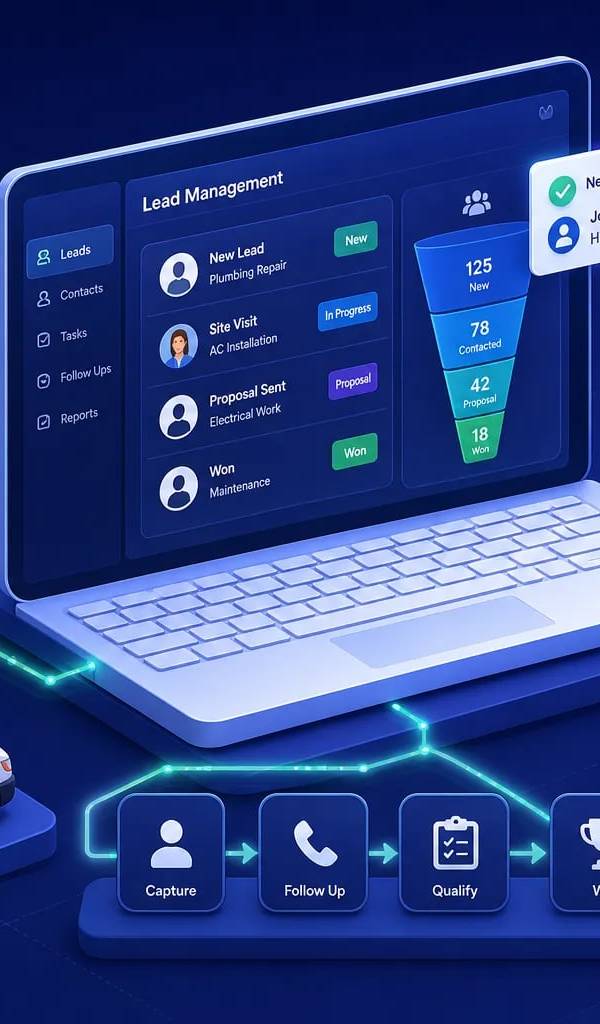
Best Lead Management Software for Field Service in 2026
Compare the best lead management software for field service businesses. See which features, pricing tiers, and platforms keep every lead on track to a booked job.
Best Software for HVAC Contractors: A 2026 Buyer's Guide
Find the best software for HVAC businesses in 2026. Compare top platforms by features, size fit, and pricing, then use our 5-step checklist to choose fast.
How Many AC Tons Per Square Foot Does Your Home Need?
Find out how many AC tons per square foot your home needs with a simple sizing chart, climate and insulation adjustments, and tips on when to get a Manual J calc.
ServiceTitan vs Jobber vs All-in-One: Which Wins?
ServiceTitan vs Jobber vs all-in-one platforms compared on pricing, features, integrations, and scalability. Find out which field service software fits your business.
Best HVAC Software for Small Businesses: 2026 Guide
Find the best HVAC software for small business teams in 2026. Compare top picks for scheduling, invoicing, and dispatch. Start your free trial today.
Found this useful? Share it with another contractor or service business owner.