Best HVAC Software for Small Businesses: 2026 Guide
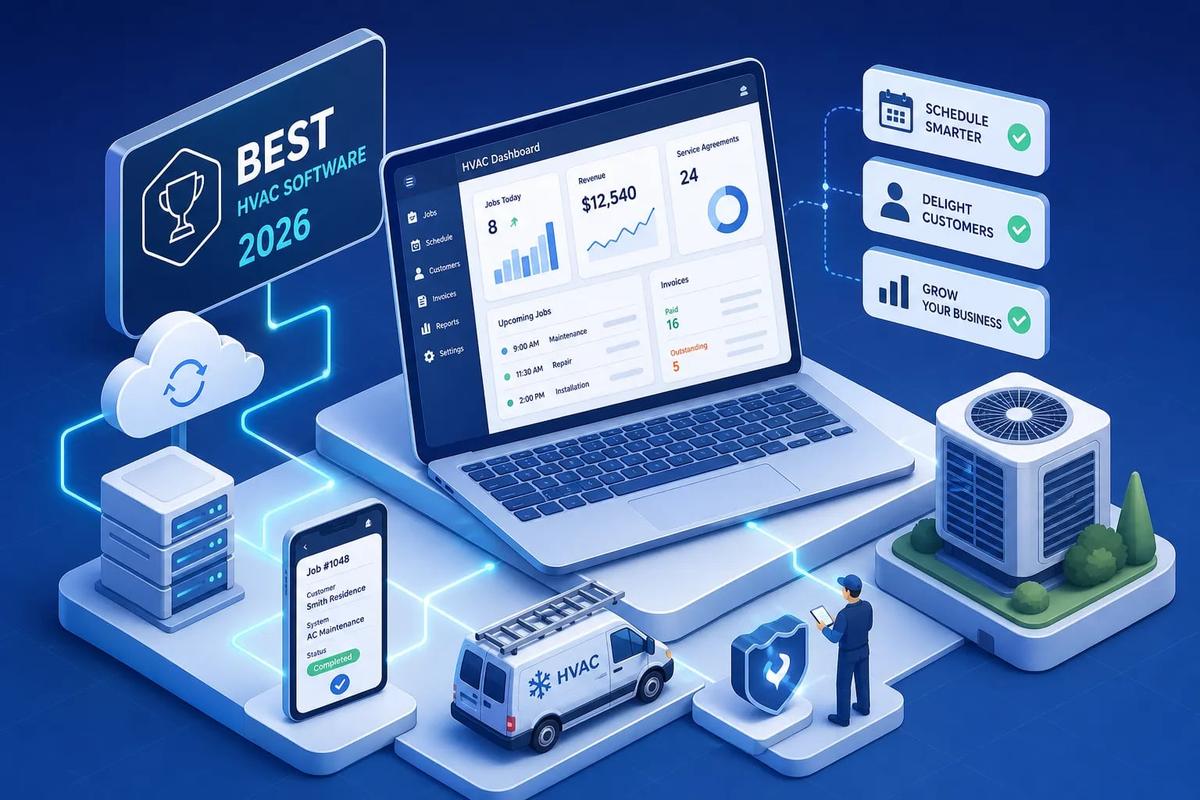
Finding the best HVAC software for small business owners in 2026 starts with three capabilities that separate genuinely useful software from expensive overhead: mobile access, scheduling and dispatch, and fast invoicing. The most frequently recommended options for a shop running 1 to 10 technicians are Jobber, Housecall Pro, and HVACBizPro. Get those core capabilities right and you can substantially reduce the coordination chaos, delayed payments, and missed callbacks that quietly drain a small HVAC operation every week.
This guide is a decision tool, not a feature catalog. By the end, you'll know which platform fits your team size and budget, what QuickBooks integration actually means in practice, and how long it really takes to get your crew running on new software. We'll also flag a common mistake: choosing a tool that fits your business today but forces a painful migration in two years. For owners who already know they're building toward 20 or 30 technicians, that migration risk matters as much as the monthly price.
Key takeaways
- Mobile access tops the list: According to Capterra, 87% of HVAC software reviewers rate mobile access as critical or highly important. It's the feature your technicians will use most.
- Onboarding is faster than you think: Most small HVAC teams are running live jobs in Jobber within about one week and in Housecall Pro within about two weeks, based on vendor implementation guidance.
- QuickBooks integration varies widely: Most platforms push data one way only. True two-way sync is rarer and matters more as your bookkeeper's workflow grows.
- Residential and commercial are different categories: The best software for homeowner service calls is not the same as what handles multi-site maintenance contracts.
- Migration has a real cost: Switching platforms at the 15-technician stage is expensive and disruptive. Choosing a platform that scales from the start is worth the early evaluation effort.
What features actually matter when you're running a small HVAC team?
Before you get dazzled by AI-generated reports and enterprise dashboards, take a moment to ground yourself in what a 1-to-10-technician shop actually needs to run tighter. Capterra data shows that 87% of HVAC software reviewers rate mobile access as critical or highly important. That finding sets the priority order: mobile first, then scheduling and dispatch, then invoicing. Everything else is secondary until those three are solid.
The reason these three dominate is straightforward: they're where things break down operationally when you don't have them. A tech who can't pull up job details on the phone calls the office. A dispatcher who can't see technician availability double-books or leaves gaps. An invoice written up two days after job completion often leads to longer collection cycles and a growing receivables backlog.
Scheduling and dispatch without a dedicated office person
Drag-and-drop scheduling sounds like a convenience feature. For a 5-technician team without a full-time dispatcher, though, visual scheduling with real-time availability is the difference between reacting to the day and controlling it. When one tech calls out sick at 7 a.m. or a job runs two hours long, a dispatcher who can see the full board reassigns work in minutes rather than burning through phone calls.
One-click job assignment and route visibility also reduce the constant back-and-forth that eats into everyone's day. Technicians stop calling the office asking where to go next. Customers stop getting vague arrival windows. The day just runs cleaner. Good HVAC scheduling and dispatch software makes this possible even for the smallest teams.
Invoicing that gets you paid the same day
On-site invoicing is a cash flow feature, not just an administrative shortcut. When a technician closes a job in the app and the customer pays on the spot, you've closed the gap between completion and collection. The manual alternative: the technician finishes the job, writes notes on paper or texts the office, office staff re-enters the information, creates the invoice, emails it, and then follows up if the customer doesn't respond. That process can stretch a payment window to two weeks or longer.
The best HVAC contractor software eliminates re-entry entirely. Job details, parts used, labor time, and customer information flow directly into the invoice without anyone typing it twice. For a small HVAC business, that efficiency defines whether cash flow is predictable or perpetually behind.
Automated follow-ups before a lead goes cold
A small HVAC shop typically doesn't have a dedicated salesperson. That means if a lead comes in on a busy Tuesday and nobody follows up by Thursday, that job is probably gone. Automated follow-up sequences inside your HVAC CRM and invoicing software make a 3-tech shop competitive with larger companies that have office staff dedicated to callbacks.
Best HVAC software for small business: how much does it actually cost?
The sticker price for most HVAC field service software is more approachable than people expect. The real cost sits in what you don't get at each tier and in the manual processes you're currently paying for in time and lost revenue. Frame the monthly fee against what one dropped lead or one missed invoice costs your business.
Entry-level plans
Jobber's Core plan starts at $29 per user per month billed annually, according to Jobber's published pricing page. At that tier you get scheduling, quoting, invoicing, and client management, everything a very small residential HVAC team needs to get organized. Housecall Pro's Basic plan starts at $59 per month billed annually, per Housecall Pro's pricing page, and covers scheduling, dispatch, invoicing, and payment collection. Both platforms offer a 14-day free trial with full feature access and no credit card required, so there's no reason not to run both and see which workflow fits your team better.
Mid-range plans and what they actually unlock
At this level you get more automation, better reporting, additional user seats, and more sophisticated customer communication tools. For a small HVAC team, the jump to mid-tier makes sense once you have more than two or three technicians and you're starting to lose time to manual follow-up and reporting. Below that threshold, the entry-level plans handle most of what you actually need day to day.
Best HVAC software for small business: quick comparison
Use this as your starting shortlist, not your final answer, the right fit depends on your workflow, not the feature count.
Jobber: best for simple end-to-end job management
Jobber holds a 4.6 out of 5 rating on Capterra from 1,487 reviews, with strong marks specifically in the small business category. It covers the full workflow from customer request to paid invoice, including quoting, scheduling, job tracking, invoicing, and client communication. For a residential HVAC shop that primarily handles service calls and wants a clean process without heavy customization, Jobber is the most straightforward path from disorganized to operational. Most small teams are running live jobs within about one week.
Housecall Pro: best for mobile-first field execution
Housecall Pro scores 4.7 out of 5 on Capterra from 2,749 reviews, and its iOS mobile app scores 4.8 out of 5. That mobile rating reflects what technicians actually experience in the field, not just what looks good in a demo. Housecall Pro is built for teams where the technician's phone serves as the office: same-day dispatch updates, on-site payment collection, and customer communication all flow through the HVAC mobile app for technicians. Budget about two weeks for a full rollout when you factor in customer data migration and staff training.
HVACBizPro: the highest-rated HVAC-specific option
HVACBizPro earns a 4.9 out of 5 on Capterra in the HVAC software category, the highest score among the tools reviewed here. It's built specifically for HVAC workflows, covering billing, maintenance scheduling, mobile access, service history, and technician management natively. If you've tried general-purpose field service management (FSM) for HVAC and found the tools too generic, HVACBizPro is worth a demo. The specificity of the feature set means less configuration to make it work the way an HVAC business actually operates.
How does QuickBooks integration actually work across these platforms?
"QuickBooks integration" means different things depending on which platform you're looking at. Most HVAC owners assume it means both systems stay in sync automatically. The actual behavior differs by platform, and the gap matters for how your bookkeeper works.
One-way sync vs. two-way sync: what's the real difference?
With a one-way sync, the FSM platform is the system of record and QuickBooks receives completed data downstream. Jobber syncs one-way to QuickBooks Online: invoices, payments, clients, and line items flow from Jobber into QuickBooks after the fact. Housecall Pro works similarly, syncing one-way to both QuickBooks Online and Desktop. This works well when your technicians and office staff do all their work inside the FSM tool and your bookkeeper simply reconciles in QuickBooks.
Two-way sync means changes in either system update the other. FieldEdge and Knowify offer strong two-way sync among HVAC platforms. That depth matters when your bookkeeper is actively making entries on the QuickBooks side, or when purchase orders, bills, and job costs need to flow in both directions. One critical limitation to flag: Jobber only connects to QuickBooks Online, not QuickBooks Desktop. If your bookkeeper is on Desktop, that narrows your options significantly.
How long does it actually take to get a small HVAC team running?
Most owners underestimate setup time and overestimate the day-one disruption. The realistic picture: a small HVAC team can run live jobs in Jobber or Housecall Pro within a few days if they're starting fresh. A full operational rollout, including customer records, QuickBooks connection, pricing setup, and trained staff, typically takes about one week for Jobber and about two weeks for Housecall Pro, based on vendor implementation guidance. FieldPulse involves a more structured vendor-assisted process and generally takes two to six weeks.
What a realistic two-week launch looks like
Days one through three cover the foundational setup: creating your services, setting up users and roles, configuring your scheduling defaults, and loading your most-used pricing. Days three through five add invoicing defaults, notification settings, and payment processing. Week two is where you connect QuickBooks, run test jobs end-to-end, clean up your customer records, and get your technicians logged in and comfortable with the mobile app. A shop migrating years of customer data takes longer; a shop starting fresh can be usable in two or three days.
The part nobody plans for: getting your techs to actually use it
Technical setup is the easier half of any software rollout. The harder part is getting technicians to consistently update job statuses in the app, attach photos, collect customer signatures, and close jobs properly before they leave the site. That behavioral shift typically takes 30 to 90 days after launch. Plan for it deliberately: don't measure success by the go-live date, and don't assume that access equals adoption. Budget time for follow-up training in the first month.
Are you picking residential software when you need something more?
One of the most common and costly mismatches in HVAC software selection is buying a residential-optimized tool when the business is drifting toward commercial accounts or maintenance contracts. These are genuinely different product categories, not just different price points.
Tools built for residential calls and why they cap out
Housecall Pro, Jobber, and ThermoGrid are residential-first platforms. They excel at scheduling individual homeowner calls, collecting payment on-site, sending arrival notifications, and managing service history per customer. They're excellent at what they do. They start to strain, though, when the business takes on complex commercial maintenance contracts, multi-site assets, or project-based billing with progress invoicing. At that point, the features you need simply aren't there, and no amount of workarounds will substitute for them.
When your software needs to handle commercial accounts
BuildOps, ServiceTrade, and Simpro serve true commercial service and maintenance contract work. They handle multi-site assets, recurring agreements with contract terms, and complex financial workflows that residential platforms don't support. ServiceTitan straddles both residential and commercial but carries a correspondingly heavier implementation and price tag. As a general rule of thumb, if a significant share of your revenue is coming from commercial accounts with recurring contracts, your software selection criteria change substantially, the "simple and fast" residential tools will start costing you in workarounds and manual tracking before long.
What happens when your HVAC business grows past 10 techs?
Most small-business HVAC software is built for the 1-to-10 technician range. It's priced for that stage, designed for that volume, and optimized for simplicity over operational depth. That's not a flaw; it's a product decision. The problem surfaces when your business grows past it and you face a choice between staying in a tool that's holding you back or going through a platform migration at the worst possible time.
The migration problem most small businesses don't see coming
When you've built your customer records, pricing templates, recurring service agreements, and dispatch workflows inside Jobber or Housecall Pro, switching platforms at the 15-technician stage is expensive and disruptive. Staff training resets. Customer data has to be cleaned, exported, and re-imported. Automations, custom fields, integrations, and report templates have to be rebuilt from scratch. Moving from an entry-level FSM tool to a mid-market or enterprise platform commonly takes 30 to 90 days and can stretch to several months before the team reaches full proficiency.
The hidden cost is real: rebuilding a pricebook, configuring recurring maintenance agreements, and retraining technicians on a new mobile workflow represents a significant time and revenue disruption. The "affordable starter tool" carries a long-term cost that isn't visible in the monthly line item.
Platforms designed to scale without forcing you to start over
Some platforms are designed specifically to avoid this problem, built to carry a business from its first five technicians to fifty without forcing a rebuild. URBLD falls into that category and is worth evaluating early, particularly for HVAC and plumbing operators who start small but know they're building toward 20 to 50 technicians. URBLD is an AI-powered field service management platform built as a true operating system for field service and installation businesses. It handles scheduling and dispatch, automated invoicing, lead follow-up, crew management, inventory tracking, and accounting sync natively in a single connected platform, with no third-party integrations or manual data re-entry required.
What makes URBLD structurally different from the tools above is the AI execution layer. It doesn't just track work; it autonomously executes workflows, qualifying leads, booking crews, generating invoices, and drafting purchase orders without waiting for a human to trigger each step. A growing HVAC business running 5 technicians today can run 50 on the same platform without rearchitecting its workflow or retraining staff on a new system. That distinction separates building on a solid foundation from building on one that will need to be torn up later.
For owner-operators who are currently stitching together a CRM, a scheduling app, QuickBooks, and a separate e-signature tool, URBLD replaces all of it with one connected system. If your growth is being slowed by the gaps between your tools, that's the right time to have the conversation, not mid-season with 15 technicians and a broken workflow.
How to pick the best HVAC software for small business in 2026
The right choice comes down to five factors: budget, team size, whether your workflow is mobile-first or office-managed, how deeply you depend on QuickBooks, and where you expect to be in three years. Overcomplicating the decision doesn't serve you; a clear framework does.
Here's a simple starting point:
- 1 to 3 technicians, residential-only, need to keep costs low: start with Jobber or Housecall Pro on an entry-level plan. Both offer 14-day trials with no credit card, so you can test both before committing.
- 4 to 10 technicians, want HVAC-native features and the highest-rated option in the category: evaluate HVACBizPro and FieldPulse side by side.
- Planning to grow past 10 technicians without migrating tools or rebuilding workflows: evaluate URBLD now, before you're forced to later by the limitations of a smaller platform.
One final point worth repeating: the most expensive software decision is usually not the tool you chose. It's the one you have to rip out and replace two years later, mid-growth, when disruption costs the most. Spend a little extra evaluation time now on platforms that can grow with you, and that investment pays for itself many times over.
If you're ready to find your fit, start a free trial with the option that matches your stage today. And if you're thinking beyond 10 technicians, get in touch with our team at URBLD. Start that conversation before a mid-season workflow breakdown makes it for you.
Frequently Asked Questions
How do the free trials for Jobber and Housecall Pro work?
Both Jobber and Housecall Pro offer a 14-day free trial with full feature access and no credit card required. You can run both trials to compare workflows without any upfront payment. Use the trial period to test mobile access, scheduling, and on-site invoicing with your team.
Will Jobber sync with QuickBooks Desktop?
No, Jobber only connects to QuickBooks Online and does not support QuickBooks Desktop. That limitation matters if your bookkeeper uses Desktop as it narrows your integration options. If Desktop is required, consider platforms that explicitly support two-way sync with Desktop.
How long does FieldPulse take to onboard a small HVAC team?
FieldPulse generally takes two to six weeks for implementation. That timeframe reflects a more structured, vendor-assisted setup compared with entry-level tools. Plan accordingly if you need a faster go-live window for running live jobs.
How long should we expect before technicians consistently use the mobile app?
Technician adoption typically takes 30 to 90 days after launch. The technical setup is quicker, but changing field behavior, updating job statuses, attaching photos, collecting signatures, requires deliberate follow-up training. Budget time for that adoption period rather than judging success solely by the go-live date.
Does URBLD require third-party integrations to handle scheduling, invoicing, and accounting sync?
No, URBLD replaces those point tools with a single connected platform and does not require third-party integrations or manual data re-entry. It handles scheduling and dispatch, automated invoicing, lead follow-up, crew management, inventory tracking, and accounting sync natively. That design aims to let a business scale from five to fifty technicians without rearchitecting workflows.
Found this useful? Share it with another contractor or service business owner.