HVAC CRM Buyer's Guide: Features, Pricing, and Real ROI
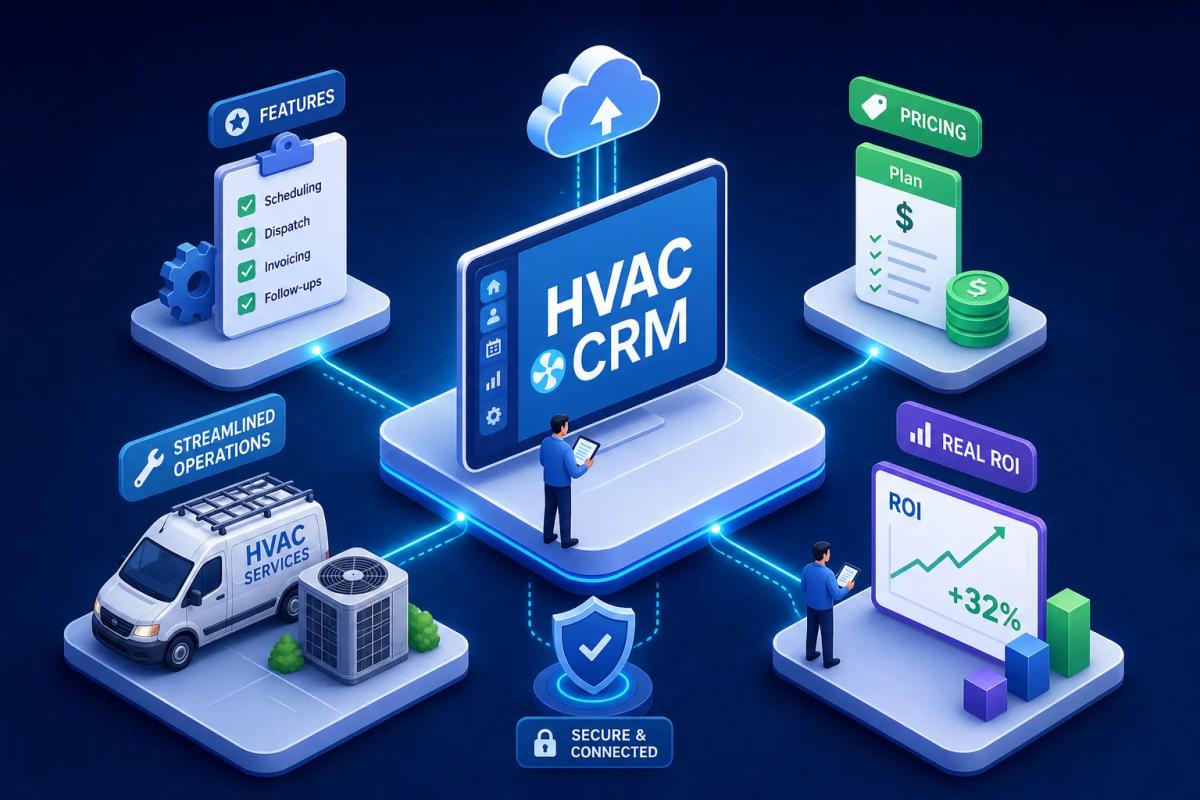
Most HVAC business owners already have an HVAC CRM, and most of them are using it as an expensive contact list. The problem is not that they picked the wrong tool. The problem is that they picked a tool built for a software sales team, then tried to run a service crew with it.
A real CRM for HVAC contractors has to do things a sales-focused CRM was never designed to do: pull up equipment history tied to a property, trigger seasonal maintenance reminders without a staff member manually sending them, hand off a booked appointment directly to the dispatch board, and generate an invoice when the job closes. If your current system makes you leave the platform to do any of those things, you likely have a gap that is costing you money every week in admin overhead, missed follow-ups, and double-entered data.
This guide covers what to demand from an HVAC service management platform, how the major options compare on features and price, what real operators are seeing in terms of ROI, and how to know when you have outgrown a standalone CRM entirely. There are companies like URBLD quietly redefining what "CRM" even means for field service businesses, and we will get to that at the end.
What your HVAC CRM software should actually do
An HVAC CRM is not a phone book. For HVAC, it is the operational backbone that ties your leads, your jobs, your customers, and your cash flow into one connected picture. The bar is higher than it is for a SaaS company using a generic sales pipeline tool, specifically because HVAC operations require property-based equipment records, dispatch integration, and maintenance agreement automation that generic tools simply were not built to handle.
Contact management is the floor, not the ceiling
Your CRM should store every interaction, but it should also surface a customer's installed equipment, full service history, and open quotes the moment your dispatcher picks up the phone. Most generic CRM platforms stop at the contact record. That is not enough for a business where the reason someone is calling is tied to a piece of equipment installed three years ago by a different tech on a different job.
Job history tied to the property, not just the person
HVAC service lives at the address. When a homeowner calls about a unit installed four years ago, your team needs to see the make, model, serial number, and every prior visit without digging through a notes field. Property-based records are a baseline requirement for any CRM for HVAC contractors worth paying for. The moment ownership changes or a renter calls in, a contact-based system fails you.
Automated follow-ups that run without supervision
A capable HVAC business management platform handles seasonal tune-up reminders, un-booked estimate follow-ups, and post-job review requests automatically. If someone on your team is manually sending those messages, they are doing the software's job. That time has a cost, and it scales badly as your volume grows.
The HVAC-specific features most CRMs skip
Generic CRM platforms are built around pipeline stages and deal values. HVAC businesses run on equipment lifecycles, maintenance schedules, and warranty windows. These are fundamentally different data structures, and most off-the-shelf tools were not built to handle them.
Equipment tracking and warranty management
The strongest contractor CRM solutions tie equipment records directly to the service address: unit type, installation date, model and serial number, warranty expiration. Without this, your techs arrive on-site without context and your sales team misses every warranty upgrade conversation. Field service case studies consistently show that technicians with full equipment history on their mobile device before entering a job close more add-on work and generate higher average ticket values than those going in blind. That is a feature gap with a real dollar value.
Maintenance agreement software built into the workflow
Recurring service agreements are one of the highest-margin revenue streams in HVAC, and they are one of the most commonly mismanaged. Industry surveys suggest fewer than 35% of residential HVAC companies actively sell maintenance agreements, which means the ones that do hold a significant competitive advantage. A real HVAC business management platform tracks which customers are on agreements, when renewals are due, and automatically schedules seasonal visits without dispatcher involvement. Platforms with automated renewal reminders and stored-payment billing tend to show strong retention rates, with top operators in published case studies reporting retention above 85%, though individual results vary.
Mobile access with full field context
If your technicians open the mobile app and see only a name and an address, the app is not doing its job. They need equipment history, prior notes, open quotes, and agreement status before they knock on the door. Offline capability matters too, for basements and rural service areas with spotty connectivity. A strong mobile experience pays back in faster diagnosis, more confident upsell conversations, and fewer callbacks from techs asking the office for information they should already have.
Scheduling and dispatch: the feature that breaks daily operations
Many HVAC owners buy a CRM and then buy a separate scheduling tool, spending months keeping those two systems synced. That gap between the CRM and the dispatch board is where jobs fall through and customers get missed. HVAC scheduling and dispatch should live in the same system as your CRM, not across an integration.
How dispatch integration changes daily operations
When a lead converts to a booked appointment, that appointment should drop directly into the dispatch board, assign to the right crew based on location and availability, and trigger a technician notification, without a coordinator manually moving information between two platforms. Every manual handoff in that process is a place where something gets delayed, forgotten, or entered twice.
Crew load balancing and eliminating data re-entry
Overscheduling one crew while another runs light is a capacity problem that costs money. Field service management (FSM) software with load balancing distributes jobs intelligently, especially during peak seasons when call volume spikes and every hour counts. Beyond that, one of the most underrated time sinks in HVAC operations is data re-entry: an appointment booked in the CRM, re-typed into the job management tool, re-typed again into invoicing. A connected service management platform eliminates each of those handoffs. That is not a convenience feature. It is a structural efficiency gain that compounds every day.
Pricing breakdown: what HVAC CRM software actually costs
The plan price is rarely the full price. Most buyers get surprised in year one when add-ons, implementation, and training costs hit the invoice alongside the subscription.
Entry-level and mid-market options
Jobber and Housecall Pro are both positioned as accessible small-business tools, with plans typically in the low hundreds per month for small teams. They are faster to set up and carry less implementation overhead. The tradeoff is fewer HVAC-specific features, particularly around deep maintenance agreement tracking and property-level equipment records. For a solo operator or a shop with two or three techs, either platform can work as a starting point. They will start showing limitations as you add crews and volume.
Enterprise platforms and true total cost of ownership
ServiceTitan is the most widely cited enterprise option in the HVAC market. Based on publicly available market analyses and user-reported pricing, estimates put it at roughly $245 to $500 or more per technician per month depending on the tier, with implementation fees commonly reported between $5,000 and $50,000 in year one. For a five-tech shop, total year-one cost can reach $25,000 to $40,000 once add-ons, training, and modules are included. For a ten-tech operation, that figure climbs to $50,000 to $90,000 by most market estimates. Pricing is frequently negotiated and varies by region and feature set, so treat these as planning benchmarks rather than fixed quotes. Those numbers are not wrong for what ServiceTitan delivers, but they are numbers you need to see clearly before signing.
The hidden costs that do not show up in demos
Paid add-ons for marketing, pricebook management, and dispatch features are standard across the larger platforms. Factor in integration costs if your CRM does not natively connect to your accounting software, and add staff training time. FieldEdge offers real-time, two-way QuickBooks sync, a meaningful differentiator over platforms that route accounting connections through Zapier. A Zapier-based integration works until it does not, and when it breaks in the middle of invoicing week, the cost is more than just a support ticket.
Feature comparison by company size
Not every HVAC business needs the same tool. A solo tech and a 20-technician operation have entirely different operational requirements. Buying too much platform too early creates just as many problems as buying too little.
Solo operators and small shops (one to five technicians)
At this size, speed of setup and ease of use matter more than feature depth. You need a CRM that lets you track jobs, send estimates, collect payment, and follow up with customers without a dedicated operations person managing the software. Housecall Pro and Jobber are commonly mentioned at this level and are generally reported to be configurable in hours rather than months. The tradeoff is real: both will start showing limitations once maintenance agreements scale, crew count grows, or you need equipment-level tracking at the address.
Growing mid-market operations (five to twenty-five technicians)
This is where feature gaps start costing money in visible ways. You need property-based equipment records, automated maintenance agreement renewals, more sophisticated dispatch, and reliable two-way accounting sync. Platforms like ServiceTitan and FieldEdge become relevant here, but so does a more fundamental question: whether a standalone HVAC CRM is even the right category of tool anymore. One industry benchmark report puts ServiceTitan's average time to full adoption at roughly five months for companies under 20 technicians, a real implementation burden to plan and budget for.
Integrations that matter: accounting, payments, and automation
A CRM that does not sync cleanly with your accounting software creates double entry. Double entry creates errors. Errors create cash flow problems. The integration layer is not a secondary concern.
QuickBooks compatibility and what "sync" actually means
QuickBooks is the dominant accounting integration across the HVAC CRM software market. The critical question is whether your platform offers two-way sync, customer records, invoices, and payments flowing in both directions, or just a one-way export that pushes data from the CRM into QuickBooks without pulling anything back. FieldEdge is recognized for real-time, two-way QuickBooks Online and Desktop sync. Housecall Pro uses Zapier for this connection in some configurations, which adds a dependency and a potential failure point. Know which kind of sync you are buying before you commit.
Payment processing and native automation
Payment workflows should close the loop without taking the tech or dispatcher out of the job. Native card and ACH acceptance is the benchmark to hold platforms to, not a third-party bolt-on that requires a separate login. Faster payment collection directly improves cash flow, which is the operating metric that matters most for a service business running tight margins. On the automation side: if your CRM relies on Zapier to handle anything critical in your day-to-day workflow, that is a signal the platform was not built for field service. Native automation is more reliable, faster, and does not break every time a connected app updates its API.
Real ROI benchmarks: what HVAC operators are actually seeing
Most available case study numbers are vendor-published, so treat them as directional rather than scientific. That said, the patterns across those sources are consistent enough to use as a rough planning framework, with the understanding that methodology varies and individual results will differ.
Operational KPI improvements
In one vendor-published case study, a seven-person HVAC company reported removing 15 admin hours per week after implementing automated follow-ups and scheduling automation. Multiple case studies report response time dropping from several hours to under five minutes after CRM automation went live. One field service benchmark compilation cited a 35% reduction in service delays tied to faster dispatch response; another reported 41% faster job completions. These are vendor-sourced figures, so take them as illustrative rather than guaranteed, but the operational pattern they describe is consistent across sources. Faster handoffs, less manual coordination, more capacity redirected toward growth.
Revenue and close rate gains
Close rate improvements of 15 to 20 percentage points are commonly attributed to automated follow-up sequences on un-booked estimates in vendor case studies, with some HVAC companies reporting movement from 22% to 28% close rates and others showing jumps from the high 20s into the mid-40s. Average ticket value increases of 18 to 35% are reported in cases where technicians had full equipment history on their mobile device before entering the job. One documented vendor case study put reactivation revenue at $15,000 from 1,000 existing contacts over two weeks, contacts already in the system, not new leads. Again, these are marketing-published figures; your baseline and execution will determine your actual results.
When a standalone CRM stops being enough
The businesses that get the most from their HVAC software are not the ones with the most features. They are the ones who stopped running on five disconnected tools and moved everything into one connected system.
The real cost of stitching tools together
Most HVAC operations run on some combination of a CRM, a scheduling app, a QuickBooks account, an invoicing tool, and a spreadsheet for whatever does not fit anywhere else. Each handoff between those tools is a place where information gets lost, delayed, or entered twice. That is an operational tax, paid in hours and errors every single week. The businesses hitting growth ceilings are often not understaffed, they are under-systematized. The tools they have do not talk to each other, so people fill the gaps manually.
What an all-in-one HVAC operating system actually looks like
This is where URBLD sits in a different category from conventional HVAC CRM software. Rather than replacing one tool in the stack, URBLD is designed as a connected operating system covering the entire revenue cycle. That means lead intake, CRM and automated follow-ups, scheduling and dispatch, estimates with photo-based AI input, contracts and e-signatures, job management, and invoicing triggered on job completion, all feeding into accounting sync without manual re-entry. AI handles the operational handoffs that would otherwise require a coordinator. For HVAC businesses that have outgrown their patchwork of apps, it is not an upgrade to a better CRM. It is a replacement for the whole stack, built from the ground up for how field service actually works.
Conclusion: choosing the right HVAC CRM for your crew
If you are a solo operator or a small shop under five techs, start with a simpler platform and focus on follow-up automation and scheduling first. Do not over-buy. The cost of a platform you cannot implement is higher than the cost of a simpler one that actually gets used. If you are running five or more technicians and hitting manual bottlenecks, staying on an entry-level CRM is probably costing you more than an upgrade would. Missed leads, admin overhead, and double entry have a dollar value even when they do not show up on an invoice.
Before shortlisting, define three criteria: how your equipment history is stored today, whether maintenance agreements can automate renewals, and whether your accounting sync is two-way or just an export. Those three criteria will eliminate most options quickly. Platforms that cannot answer all three clearly are not HVAC-first tools.
Get into trials with two or three platforms. Ask each vendor for a demo of a complete workflow from lead to paid invoice, not just a feature tour. Choose an HVAC CRM that ties equipment history, scheduling, and accounting together, and eliminates the costly handoffs between them. If a platform requires you to leave it to finish a job, you already have your answer.
Found this useful? Share it with another contractor or service business owner.