Best Lead Management Software for Field Service in 2026
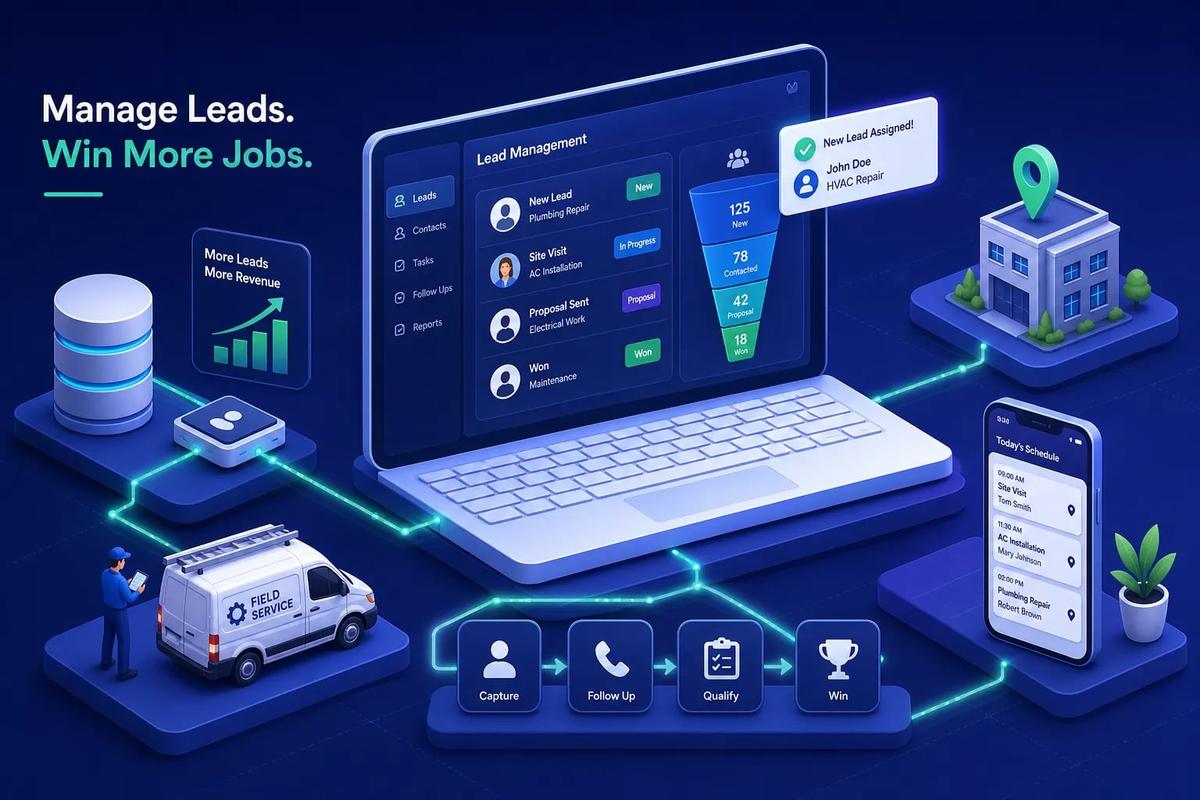
Lead management software captures incoming prospects, scores them by readiness, routes them to the right person, and triggers follow-ups automatically so no potential job disappears into a spreadsheet or an unanswered inbox. For field service businesses specifically, the stakes are higher than in a typical sales environment: slower response times consistently lose business to whoever calls back first. This article walks through what these platforms actually do, which features matter most for contractors and service operators, and how the top options in 2026 compare on price, capability, and fit.
If you run crews and book jobs, the platform you choose has to do more than track names in a pipeline. It has to connect the lead to the appointment, the appointment to the estimate, and the estimate to the signed contract, without anyone manually rebuilding the record in a second system. One of the options in this comparison, URBLD, was purpose-built for exactly that operational reality.
Key takeaways
- Speed determines conversion: Responding to a field service lead within 5 minutes makes it roughly 21 times more likely to qualify than waiting 30 minutes, according to PipelineOn.
- Scoring needs two dimensions: Activity-based scoring tells you when to engage; fit-based scoring tells you who to prioritize. The best platforms track both separately.
- Attribution breaks at the handoff: Most standalone lead tools stop tracking at the lead stage, so businesses can't connect ad spend to closed jobs without stitching systems together.
- Free tiers are useful for testing: HubSpot, Zoho, and Freshsales all offer free plans, but full automation and multi-channel sequences typically require paid tiers.
- Field service needs more than a CRM: General-purpose lead platforms don't cover scheduling, estimating, contracts, or invoicing, which creates data gaps at every handoff.
- Implementation takes real time: Small-business deployments typically take 4 to 8 weeks; growing service businesses should plan for 8 to 12 weeks minimum.
What lead management software actually does (and what it doesn't)
The core job is straightforward: take a stranger who raised their hand, create a record, qualify them based on rules you set, get them to the right person, and make sure someone follows up. A lead management system handles the pre-sale stage of the customer journey. It is not the same as a full CRM, which extends into service history, renewals, account management, and long-term customer records.
The practical difference matters when you're choosing a platform. A lead management system prioritizes speed and conversion before the sale. A full CRM handles cross-functional customer lifecycle management after the sale is closed. If your main problem is losing or misrouting incoming inquiries, a lead-focused system solves it faster than a sprawling enterprise CRM with features you'll never configure.
Field service businesses fit the lead management profile almost perfectly. High lead volume, multiple sources running simultaneously, dispatchers who can't manually triage every inquiry, and a close rate that depends directly on first-response time. These are exactly the conditions where dedicated lead capture, scoring, routing, and follow-up automation earn their keep.
Which lead management software features matter most for field service?
Generic lead tools are built for inside sales teams calling on software buyers. Field service operators need specific capabilities that most of those tools under-build or skip entirely, for example, a typical inside-sales platform may handle email sequences well but have no way to route a lead directly into a scheduling calendar. The features below are the ones that actually move the needle for contractors and service companies.
Lead capture from every channel you run ads on
Field service businesses commonly run ads on Google, Facebook, and lead marketplaces simultaneously, and leads coming in from each source need to be captured and tagged without manual sorting. Multi-channel capture, covering web forms, landing pages, inbound calls, social lead ads, and referral intake, is the foundation. Attribution starts at the capture stage. If your platform can't tag a lead with its source the moment it arrives, you'll never know which campaigns are generating actual revenue.
Activity-based scoring that separates hot leads from tire-kickers
Lead scoring assigns points based on behaviors and fit criteria. A lead who submitted a "get an estimate" form on a storm damage page scores differently than one who clicked a generic brand awareness ad. Activity-based scoring tells you when to engage; fit-based scoring tells you who to prioritize. The strongest platforms maintain both scores separately and use them together for routing decisions, so a highly engaged but poor-fit lead doesn't jump the queue ahead of a better-qualified prospect.
Automated follow-up built around job-booking windows
The follow-up window in field service is narrow. According to PipelineOn, responding within 5 minutes makes a lead roughly 21 times more likely to qualify than responding after 30 minutes. One home-services benchmark reports 62% conversion for responses within 2 minutes, compared to 28% at the 42-minute industry average. A follow-up sequence that fires the moment a form is submitted, without anyone touching it manually, removes the human delay that most businesses lose leads to.
Source attribution from ad click to closed job
Without attribution, you can't tell which campaigns are driving actual revenue versus just lead volume. The full attribution loop runs from ad click to lead capture, to booked appointment, to closed job, to invoiced revenue. Most standalone lead tools stop tracking at the lead stage, which makes complete attribution impossible unless you connect several other systems. For field service businesses spending money on Google and paid marketplaces, this gap is a serious problem.
Lead scoring and routing: how the best platforms handle it
Scoring and routing are where the difference between lead management platforms becomes concrete. HubSpot uses behavioral and fit scoring natively. Salesforce uses Einstein AI alongside configurable assignment rules and territory management. Zoho CRM uses its Zia scoring engine and custom rule logic. Each approach works, but the configuration required varies significantly depending on how specific your routing needs are.
Routing mechanics fall into a few clear patterns. Round-robin assignment distributes leads equally across reps. Territory-based routing serves businesses with geographic coverage zones. Conditional routing fires based on job type or lead score. Breaking these into separate decisions makes configuration more manageable. Manual lead assignment is a bottleneck that scales poorly, when a dispatcher is handling three active calls and a new estimate request arrives, that new lead waits. Automated routing removes that dependency entirely.
When routing fails, the downstream effect is concrete and costly. A lead sits unassigned, no follow-up fires, the prospect calls a competitor, and the business has no visibility into the miss. This is not a hypothetical. It's the standard outcome when lead capture and scheduling live in separate systems with no automated connection between them.
How follow-up automation stops leads from going cold
The average first-response time for home-service leads is roughly 42 minutes, according to contractor CRM data from PipelineOn. That number should be treated as a competitive disadvantage, not an industry benchmark. The businesses winning on first contact are running automated sequences that fire before a human has a chance to check their inbox.
A well-configured sequence looks like this: a homeowner submits a roofing inspection request. The system sends an immediate SMS confirmation, creates a task for the sales rep, fires an email with a scheduling link, and queues a second SMS for 24 hours later if no appointment is booked. Nobody needs to touch it manually. Platforms like HubSpot, ActiveCampaign, and Zoho handle this kind of sequencing, though full multi-channel automation typically requires a paid tier or add-on rather than the base free plan.
Multi-channel follow-up outperforms single-channel. Field service prospects respond differently depending on channel and time of day. A platform that sequences email, SMS, and a rep call in one automated flow outperforms one that only sends emails. HubSpot, ActiveCampaign, and Brevo support broad multi-channel follow-up natively. Other platforms may require integrations for SMS or additional channels, which adds configuration overhead and another point of failure.
Top lead management platforms compared for 2026
The table below covers the most commonly evaluated platforms for field service and contracting businesses. Pricing reflects typical advertised entry rates as reported by vendor pricing pages and comparative sources including Rankite, Toolradar, and resources.rework.com. Confirm current pricing directly with each vendor before purchase, since annual billing, user minimums, and promotional terms can materially change the effective cost.
For free options worth testing, HubSpot offers the broadest free tier with the most room to grow. Zoho supports three users and up to 5,000 records at no cost (per Zoho's published plan details), and Freshsales includes built-in calling on its free plan for up to three users (per Freshsales' published plan details). User review data from Capterra backs these up: HubSpot carries a 4.5/5 rating from 4,492 reviews, Pipedrive a 4.5/5 from 3,064 reviews, and Zoho a 4.3/5 from 7,008 reviews. The recurring trade-off across all of them is consistent: easier products earn stronger usability scores, and more powerful platforms bring higher costs and steeper learning curves.
For growing service businesses on paid plans, Salesforce Starter works well for operations needing enterprise-level customization. Pipedrive works for teams that primarily need pipeline visibility without heavy configuration. None of these platforms were designed with field service workflows in mind, which creates gaps once a lead converts to an appointment.
Where standalone lead tools break down for field service teams
A typical field service software stack looks like this: one platform for leads, a separate tool for scheduling, another for invoicing, and a fourth for contracts. Each handoff between tools requires either manual data re-entry or a fragile automation connection. When a lead converts to an appointment, someone has to rebuild that record in the scheduling tool. When a job closes, someone has to create the invoice manually. This is where lead data gets corrupted, delays accumulate, and attribution breaks down completely.
Consider a concrete scenario: a lead comes in through a Google ad, gets scored and routed in a CRM, and converts to an appointment. But that appointment lives in a separate scheduling system with no link back to the original lead record. Now there's no way to know which ad generated that booked job, whether the estimate was sent, or whether the invoice matched the original scope. The lead management system did its job, but the business has no complete picture of what happened. The lead became invisible the moment it crossed into a different tool.
This is the integration tax: the cumulative cost of keeping multiple systems in sync. Beyond the time spent on re-entry, it creates audit gaps, delays cash collection, and makes it impossible to measure true cost per acquired job. As the number of disconnected tools in a stack grows, these integration gaps increasingly limit growth, each new system adds another handoff where data can break down or get lost.
How URBLD connects lead management to your entire job workflow
URBLD is built as an AI operating system for field service businesses, not a lead management add-on. A lead captured from a Google ad, a web form, or an inbound call lands in the same platform that manages crew scheduling and dispatch. There's no export, no integration step, and no re-entry. The lead gets scored based on activity, routed to the right workstation, and can be converted to a scheduled appointment in one click because the CRM and the calendar are the same system.
The full cycle runs inside one execution graph: lead capture, automated follow-up, appointment scheduling, photo-based estimate generation, e-signature request, job scheduling, crew dispatch, job completion, and invoice auto-generation based on owner-configured rules, followed by accounting sync. Attribution is preserved across every step because nothing leaves the platform. When a job is invoiced, the system still knows which ad campaign generated the original lead.
URBLD's built-in advertising and lead capture module tracks attribution from ad click to closed job. Field service businesses running paid campaigns on Google or Meta can see exactly which campaigns produced invoiced revenue, not just lead volume. That level of visibility is only possible because lead management, scheduling, estimating, contracts, and invoicing all run on the same platform rather than five separate ones.
Choosing lead management software for your field service operation
Before committing to a trial, ask yourself a short set of concrete questions. Does this platform capture leads from every channel you run ads on? Does the scoring logic reflect actual job-readiness signals, like an estimate form submission, or just generic email opens? Does routing connect directly to your scheduling workflow, or does it create another handoff? Will you need a third-party tool to send SMS follow-ups? Can you get full attribution from ad spend to invoiced revenue without building a custom integration? The answers will quickly narrow the field.
Implementation timelines are realistic to plan around. Small-business deployments typically take 4 to 8 weeks. Growing SMBs should plan for 8 to 12 weeks to account for configuration, automation setup, data cleanup, and training. Mid-market deployments often run 12 to 20 weeks. According to a HubSpot CRM study, 76% of users considered less than half of their CRM data accurate and complete. Data quality going in is almost always the biggest variable in how smooth the launch is. Platforms built for a specific workflow tend to reduce configuration time because the defaults match the actual process rather than requiring extensive customization.
The most practical way to shortlist two or three platforms is to start with your three biggest lead management problems. If the main issue is leads going unanswered, prioritize platforms with fast follow-up automation. If it's missing attribution, look for native ad-to-invoice tracking. If it's scheduling friction after a lead converts, you need a lead management system where lead capture and job scheduling are the same platform. Start with a free tier or a trial, and test on real lead volume, not demo data. For field service businesses managing crews and job-based revenue, the trial question isn't "does this track my leads", it's "does this connect my leads to my jobs."
The right tool runs all the way through to the invoice
Lead management software exists to make sure fewer potential jobs go unanswered and unbooked. For general sales teams, a platform like HubSpot or Zoho solves most of the problem. For field service businesses running crews, estimating jobs, and closing contracts, the right lead management software isn't just a CRM module. It's a system that stays connected to the work itself, through scheduling, estimating, contracts, and invoicing, without gaps or manual handoffs.
Every platform in this comparison handles the pre-sale stage reasonably well. The difference shows up the moment a lead becomes a job. General-purpose platforms hand off to other tools. URBLD keeps the record intact from the first ad click to the final payment, with AI executing the workflow at each step so your team focuses on the work rather than the administration around it.
If your current stack relies on disconnected tools and manual re-entry to move a lead from inquiry to invoice, that's the problem to solve in 2026. See how URBLD compares with other lead management software, contact the URBLD team directly to walk through how the full cycle works for field service and installation businesses, without the integration tax of stitching everything together yourself.
Frequently Asked Questions
Can a lead management tool also handle scheduling, estimating, and invoicing so we don't re-enter data?
Yes, but only if the platform is built to run the entire job workflow rather than stop at the lead stage. General-purpose lead tools commonly hand off to separate scheduling and invoicing systems, creating re-entry and attribution gaps; platforms like URBLD keep lead capture, scheduling, estimating, contracts, and invoicing in the same system so the record stays intact from ad click to final payment.
Are free tiers worth testing for a field service business?
Yes, free tiers are useful for testing basic capture and workflows. HubSpot, Zoho, and Freshsales all offer free plans that let you evaluate core features, but full automation, multi-channel sequences, and workforce-scale capabilities typically require paid tiers.
Will a standalone lead tool give us complete ad-to-invoice attribution?
No, most standalone lead tools stop tracking at the lead stage and can't provide full ad-to-invoice attribution without additional integrations. Complete attribution requires the same platform to follow the record through booking, job completion, and invoicing, which is why integrated systems preserve attribution across every step.
How long should we plan for implementation and what affects the timeline?
Plan for several weeks: small-business deployments typically take 4 to 8 weeks, growing SMBs should expect 8 to 12 weeks, and mid-market deployments often run 12 to 20 weeks. Data cleanup and the accuracy of data going in are the biggest variables, and platforms built for your specific workflow tend to reduce configuration time because defaults match real processes.
Explore the URBLD platform
CRM with Inventory Management
Glossary
Lead Qualification
Glossary
CRM
Feature pages
How to Reduce Lead Loss in Service Businesses
Solutions
How to Automate Field Service Billing
Solutions
FieldPulse Alternatives for Growing Service Teams
Comparisons
ServiceTitan Alternatives for Growing Service Businesses
Comparisons
Found this useful? Share it with another contractor or service business owner.