Best Software for HVAC Contractors: A 2026 Buyer's Guide
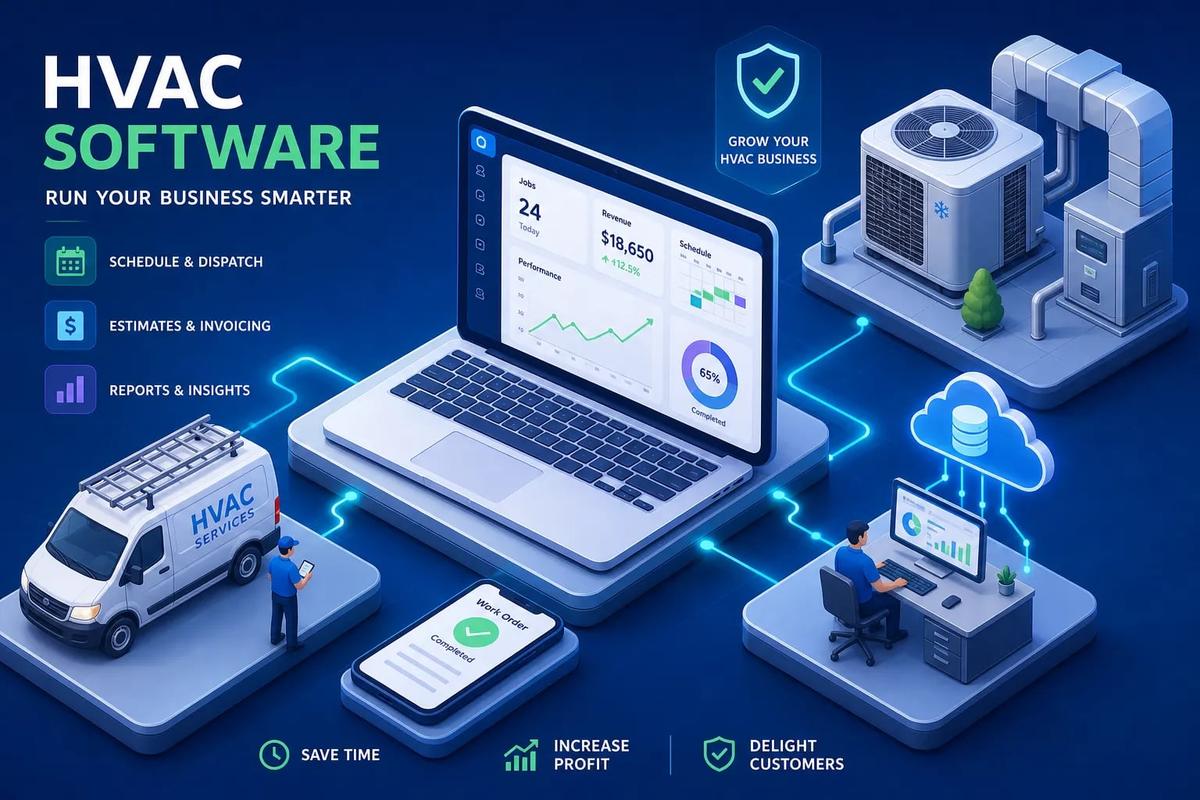
The best software for HVAC businesses in 2026 depends almost entirely on where your operation sits right now. For solo operators and very small shops, QuoteIQ and Jobber cover the basics without overwhelming you. Housecall Pro is the go-to for small-to-midsize residential contractors who want a clean, proven platform. FieldEdge fits established multi-truck operations that need flat-rate pricing and deep QuickBooks integration. ServiceTitan is built for large or multi-location fleets willing to invest in a serious implementation. And URBLD is the choice for contractors who are done stitching together a separate CRM, scheduling tool, estimating app, invoicing software, and accounting sync, and want one AI-powered system to run all of it.
The right platform isn't the one with the most features or the biggest marketing budget. It's the one that fits how your business actually operates: how many technicians you run, how complex your billing is, and how many disconnected tools you're managing right now. This guide gives you a fast, honest framework for narrowing the field without spending months evaluating the wrong options.
Key takeaways
- Size drives the decision: Solo operators and large multi-location fleets need fundamentally different platforms. Match the software to your current scale, not your aspirational one.
- Scheduling and dispatch are load-bearing: These features determine technician utilization more than any other capability. Weak dispatch is expensive at any company size.
- Invoicing automation has real cash flow impact: HVAC businesses that automate invoicing on job completion report roughly 20–30% faster cash collection, based on industry benchmarks.
- Integration complexity is usually understated: QuickBooks Online is manageable. QuickBooks Desktop is a project. Supplier pricebooks are the hardest integration of all.
- Implementation takes longer than vendors suggest: Enterprise platforms require 12–16 weeks minimum. Even fast-start tools need 2–4 weeks for clean data migration and accounting validation.
- Fragmented stacks have a real cost: Office teams in disconnected operations typically spend 5–10 hours per week re-entering job data into accounting and invoicing systems.
What makes HVAC software actually worth paying for?
Most platforms claim to do everything. Scheduling, dispatch, estimating, invoicing, CRM, GPS tracking, reporting, the feature list covers everything. The problem is that "supporting" a feature and actually executing it well are two different things. Before you evaluate a single demo, you need a clear picture of what your non-negotiables are and what you're willing to work around.
The operational core: scheduling, dispatch, and job management
Scheduling and dispatch are the load-bearing features of any HVAC field service software. A basic calendar tool lets you block time and assign technicians. A real dispatch engine does something different: it balances crew loads, coordinates inbound and outbound appointments, surfaces skill-match conflicts before they become truck rolls, and converts a booked appointment into a job record without anyone touching a keyboard. The gap between those two things is where most manual operations lose money.
To see why this matters, consider an illustrative scenario: a 10-technician HVAC operation running 30 service calls a day. When dispatch runs on a shared calendar and group texts, you get double-bookings, one technician sitting idle while another runs over, and missed service windows that turn into negative reviews. The admin overhead alone, managing real-time changes throughout the day, can consume most of a dispatcher's shift. AI-driven crew routing, like what URBLD uses, recalculates assignments when a job runs long, a tech calls out, or an emergency comes in, without waiting for someone to manually reassign the board.
Estimating, invoicing, and payment: when they live in the same system
Disconnected estimating and invoicing tools create cash flow gaps that are easy to overlook until they compound. When an estimate lives in one tool, a job record in another, and invoicing in a third, someone has to manually transfer data between all three. That manual step is where errors enter, where delays happen, and where jobs fall through the cracks between completion and billing.
The cleaner model is a system where the estimate becomes the job, the job becomes the invoice, and the invoice syncs to accounting automatically on completion. No export-import. No re-keying. No waiting for someone in the office to notice the technician marked the job done. Platforms that handle this natively reduce billing delays and the administrative overhead that comes with them, time that simply doesn't exist in a connected system.
Mobile access and field execution for technicians
A technician mobile app for HVAC isn't just a job details screen. It needs to handle photo capture for documentation and estimating, e-signature for approvals and job completion, time tracking, status updates that push back to dispatch in real time, and it needs to work when there's no signal. That last point matters more than vendors usually admit.
HVAC technicians work in basements, crawlspaces, mechanical rooms, and rural areas where connectivity drops out. Simpro and Workever have documented offline capability with automatic sync when connectivity returns. For other platforms, offline support is either unconfirmed or inconsistent, so it's worth verifying before you sign anything. A mobile app that fails in a mechanical room isn't a minor inconvenience, it breaks the field-to-office data loop entirely.
Best software for HVAC contractors: top platforms compared in 2026
Use this as a starting point, not a final decision.
Best fit by business size: matching the platform to where you are now
Solo operators or very small teams are well-served by QuoteIQ, Jobber, or ServiceM8, which offers a free plan limited to 10 jobs per month. These platforms get out of your way and let you quote, schedule, and invoice without a lengthy setup.
Established multi-truck HVAC companies with complex flat-rate pricing and QuickBooks Desktop workflows should look at FieldEdge, which requires a custom quote and runs 4–12 weeks to go live. And for contractors currently running separate CRM, scheduling, estimating, invoicing, and accounting tools, URBLD is the alternative worth evaluating before committing to yet another category-specific subscription.
What the user ratings tell you, and what they don't
Capterra gives you the broadest market coverage and the easiest volume comparisons. FieldPulse sits at 4.6/5 from 500 Capterra reviews, GorillaDesk at 4.8/5 from 278, and Commusoft at 4.7/5 from 212, figures drawn from each platform's Capterra listing, which you should verify directly since review counts update continuously. These are meaningful signals, but they represent a mixed pool of business sizes and use cases. G2 uses a standardized scoring model that combines satisfaction with market presence, so a smaller platform with excellent reviews won't automatically outrank a larger one with broader adoption. The HVAC category average on G2 was approximately 4.24/5 in 2026. TrustRadius offers longer, identity-verified reviews that are better for understanding what went wrong during implementation rather than comparing star ratings side by side.
The practical takeaway: use Capterra to build your shortlist and compare volume, use G2 for a normalized satisfaction comparison, and use TrustRadius to stress-test the vendors you're seriously considering. Consistent scores across all three platforms signal a safer bet than a vendor that dominates only one.
Why scheduling and dispatch matter more than most contractors expect
When contractors evaluate HVAC service management software, they typically lead with scheduling as a checkbox item. Can it book appointments? Yes. Next feature. That's the wrong frame. Dispatch is the operational lever that determines how many jobs your technicians actually complete in a day, and how many service windows you keep or miss. For any contractor also managing recurring maintenance agreements, HVAC maintenance software that links service schedules to dispatch is the piece most evaluation checklists overlook entirely.
The real cost of manual dispatch
Manual scheduling at scale doesn't just create inconvenience. It creates double-bookings when two dispatchers assign the same technician to overlapping windows. It creates idle time when a nearby job finishes early and nobody reassigns the tech. It creates missed service windows when a job runs long and nobody recalculates the rest of the day's board. In operations of any meaningful size, these are not edge cases, they accumulate into real revenue loss.
The admin overhead alone can consume most of a dispatcher's shift. Managing real-time changes through spreadsheets or a basic calendar means someone is always firefighting instead of planning. And when that firefighting involves texts and phone calls, you lose the data trail that should be feeding your invoicing, payroll, and job history records.
What automated dispatch and crew coordination actually look like
Modern HVAC dispatch and scheduling software handles inbound and outbound appointment coordination, balances crew loads across technician skills and locations, surfaces real-time job status updates from the field, and converts a completed appointment into a job record with one click. The difference between "automated" and "assisted" dispatch matters here: assisted tools help a human dispatcher make better decisions; automated tools make routing decisions and surface exceptions for human review.
AI-driven dispatch, like the crew routing built into URBLD, goes further. It operates continuously without waiting for human input, recalculating assignments when cancellations, emergencies, or overruns occur in real time. Industry benchmarks suggest AI-powered dispatch can raise technician utilization meaningfully per shift, which for a 10-technician team translates to additional completed calls at existing labor cost, worth modeling against the platform investment when you evaluate options.
Invoicing automation: the feature most HVAC contractors undervalue
Most HVAC businesses spend the bulk of their evaluation time on scheduling and estimating. Invoicing gets treated as an afterthought. That's a mistake that shows up directly in cash flow.
Where the money disappears between job completion and payment
The invoicing delay problem follows a predictable pattern. The technician finishes the job and marks it complete on paper or in an app. The paperwork goes back to the office, sometimes at the end of the day, sometimes at the end of the week. Someone in the office creates the invoice manually. It gets reviewed, edited, and sent, sometimes days after the work was done. Payment follow-up starts only after the net terms clock runs out.
Each of those steps is a gap where money sits idle. Industry benchmarks consistently identify manual re-entry and invoicing delays as top sources of cash flow gaps in service businesses. For a company running dozens of jobs per week, a two-to-four-day invoicing delay across the entire job volume adds up to a significant float of unbilled receivables at any given time.
How automated invoice triggers change the billing cycle
The better model is a system that triggers invoicing automatically the moment a job is marked complete, within owner-configured rules, with real-time accounting sync. URBLD works this way: invoicing fires on job completion without a manual handoff, and the data syncs to accounting without anyone re-entering it. No waiting for office staff to process end-of-day paperwork. No invoices sitting in a queue.
It's worth understanding the difference between "automation" and "assisted billing." Assisted billing generates a draft invoice and puts it in a queue for human review before sending. That's better than fully manual, but it still requires a human step. True automation sends the invoice within a configured window after job completion with no human intervention required. HVAC businesses that implement the latter approach report roughly 20–30% faster cash collection, based on industry benchmarks for automated invoicing in field service operations.
What HVAC software integrations actually involve
Before you sign, ask one question that most contractors skip: what happens when this platform needs to talk to QuickBooks, your parts distributor, or your GPS fleet tracker? The answer tells you more about real-world fit than any feature demo.
QuickBooks integration: Online is not the same as Desktop
QuickBooks Online integrations are generally low-to-moderate effort. You authorize the connection via OAuth, map your chart of accounts, set sync direction, and test it with a few transactions. It's manageable for most businesses. QuickBooks Desktop is a different project entirely. It often requires the QuickBooks Web Connector, a dedicated Windows machine running continuously, scheduled syncs, and additional troubleshooting when records don't match.
ServiceTitan, FieldEdge, Service Fusion, and FieldPulse all support both QuickBooks Online and Desktop. Jobber supports QuickBooks Online only, with a generally one-way sync from Jobber to QuickBooks. If you're on Desktop, that narrows your options and adds complexity you need to plan for before you commit to a platform.
Supplier pricebooks, GPS fleet, and what vendors understate
Parts supplier integration is the hardest integration to get right. Matching SKUs, units of measure, markup rules, regional price files, and obsolete items across distributor catalogs is a real technical and data challenge. SimPRO is among the stronger documented options for direct supplier price-file and invoice imports, which matters for contractors who need their pricebook to stay current without manual updates.
GPS integration ranges from straightforward to complex depending on how much data needs to move. When a vendor natively supports a specific GPS provider, setup is typically low-to-moderate effort. FieldEdge and Service Fusion both use FleetSharp as their documented GPS integration. Where things get complicated is when fleet location, mileage tracking, geofencing, and payroll data all need to synchronize across systems that weren't designed to share them. Before signing, require a vendor to walk you through exactly how job status, technician location, and time data flow between the dispatch system and your payroll and accounting tools. Don't evaluate this on a feature list, see it work in a live environment.
How long does switching HVAC software actually take?
Vendors often undersell implementation timelines. The honest answer depends heavily on your company size, how much data you're migrating, and how many integrations you need to configure. Here's the realistic breakdown.
Fast-track implementations: small businesses can be live in days
Jobber is the fastest to implement of the established platforms. Basic setup can be completed in roughly 50 minutes according to published guides, and most small teams are operational within a few days to two weeks. There's no separate implementation fee for standard onboarding, and the training burden is light: get the owner configured first, then walk office staff and technicians through scheduling, quoting, job forms, and the mobile app over a few sessions.
Housecall Pro moves at a similar pace for small teams, with many businesses going live the same day or within two weeks when data migration is straightforward. The MAX onboarding tier structures the process over approximately 60 days, including training calls and post-launch refinement, a better fit for teams that want more hand-holding during the transition. Neither of these platforms charges a separate implementation fee for standard self-service onboarding.
Larger implementations: treat this as a project, not a software switch
FieldEdge typically runs 4–12 weeks to go live, with real-world implementations sometimes reaching 70–120 days depending on scope. Plan for structured training covering office staff, dispatchers, and technicians, plus price-book setup, accounting integration, and a supervised go-live period.
ServiceTitan is in a different category. User training often runs 8–20 hours per person across dispatchers, CSRs, managers, technicians, and administrators. BuildOps follows a similar timeline at 12–16-plus weeks, with enterprise, quote-based pricing and substantial role-based training requirements. Even when the vendor does most of the configuration work, internal effort for a serious implementation commonly runs 80–200 hours. When reviewing any proposal, confirm explicitly whether the quote includes data migration, pricebook construction, role-based training, testing, go-live support, and post-launch changes. Those items are frequently bundled differently across vendors, making proposals look cheaper than they are.
How to choose the best software for HVAC contractors: a 5-step checklist
The contractors who make a bad software choice don't usually pick the wrong platform because they didn't research hard enough. They pick the wrong one because they evaluated features instead of workflows, or they fell in love with a demo environment that didn't reflect how their operation actually runs. Here's a checklist that avoids both mistakes.
Steps 1 and 2: nail down your must-haves and build a shortlist of three
Step 1 is to write down the specific workflows that are costing you money right now. Not "better scheduling" or "easier invoicing", specific things: dispatch conflicts that cause double-bookings twice a week, invoices that go out three days after job completion, leads that come in through the website and never get followed up, inventory shortages that delay jobs. The more specific you are here, the easier the rest of the process gets.
Step 2 is to match those pain points to platforms by size and feature depth, then build a shortlist of no more than three. Running 10 or more technicians, or currently managing three or more separate software tools? Put URBLD on that shortlist before committing to a category-specific tool. The ROI of consolidating HVAC CRM software, scheduling, estimating, invoicing, accounting sync, and workforce management into one connected system is different from the ROI of upgrading just your scheduling tool.
Steps 3, 4, and 5: trial, stress-test, and decide with confidence
Step 3 is to get hands-on with the platforms before you commit. QuoteIQ offers a 14-day free trial. Housecall Pro offers a 14-day trial with no credit card required. ServiceM8 has a free plan capped at 10 jobs per month. For enterprise platforms like ServiceTitan, FieldEdge, and BuildOps, require a live demo that goes beyond the sales deck. Ask to see your specific workflows, not theirs.
Step 4 is to run a real job through the system end-to-end: create an estimate, convert it to a job, schedule and dispatch a technician, mark the job complete, generate the invoice, and sync to accounting. This single test reveals more about real-world fit than hours of feature comparisons. If anything in that sequence requires a manual workaround or a human step you didn't expect, that's what your daily operation will look like.
Step 5 is to ask three questions that reveal real integration depth before you sign. First: can you show me a job going from estimate to paid invoice without manual re-entry? Second: what happens to my QuickBooks data on day one of the migration? Third: what does post-launch support look like after the onboarding period ends? A vendor that can answer all three questions clearly and specifically, with a live demonstration, is a vendor you can trust with your operation.
Choosing the best software for HVAC businesses: making the call
The best software for HVAC businesses is the one that fits your operation as it runs today, not the one with the longest feature list or the biggest case study library. Solo operators and small teams need speed and simplicity. Growing teams need dispatch depth and invoicing automation. Established multi-truck operations need QuickBooks integration, flat-rate pricing, and training that actually sticks. Large fleets need enterprise controls and a serious implementation partner.
For contractors still managing separate tools for CRM, scheduling, estimating, invoicing, and accounting sync, the real ROI opportunity isn't upgrading one of those tools, it's consolidation. The time your office team spends re-entering data across disconnected platforms, and the leads and jobs that fall through the gaps between them, represent a recoverable cost that a connected platform eliminates. URBLD is built specifically for field service and installation businesses ready to run their entire operation from one AI-powered system, with no manual handoffs, no re-entry, and no sync jobs between tools.
To find the best software for HVAC operations at your scale, use the 5-step checklist above, trial two or three platforms, and base your decision on how a real job flows through the system from start to payment. That's the only evaluation that matters. Reach out to our team if you want to see how URBLD handles the full workflow for an HVAC operation your size.
Frequently Asked Questions
How should we test HVAC software before committing?
You should get hands-on and run a real job through the system end-to-end as part of your trial. Use available trials, QuoteIQ offers a 14-day trial, Housecall Pro offers a 14-day trial with no credit card required, and ServiceM8 has a free plan capped at 10 jobs per month, and perform a full sequence: create an estimate, convert to a job, schedule and dispatch, complete the job, generate the invoice, and verify accounting sync; also ask the vendor to demonstrate a job going from estimate to paid invoice without manual re-entry, explain the QuickBooks migration impact on day one, and describe post-launch support.
Which platforms support QuickBooks Desktop?
ServiceTitan, FieldEdge, Service Fusion, and FieldPulse all support both QuickBooks Online and Desktop. Jobber supports QuickBooks Online only, so if you use QuickBooks Desktop that narrows your options and requires planning for a more complex integration.
Found this useful? Share it with another contractor or service business owner.