Best Jobber Alternatives for Field Service Businesses in 2026
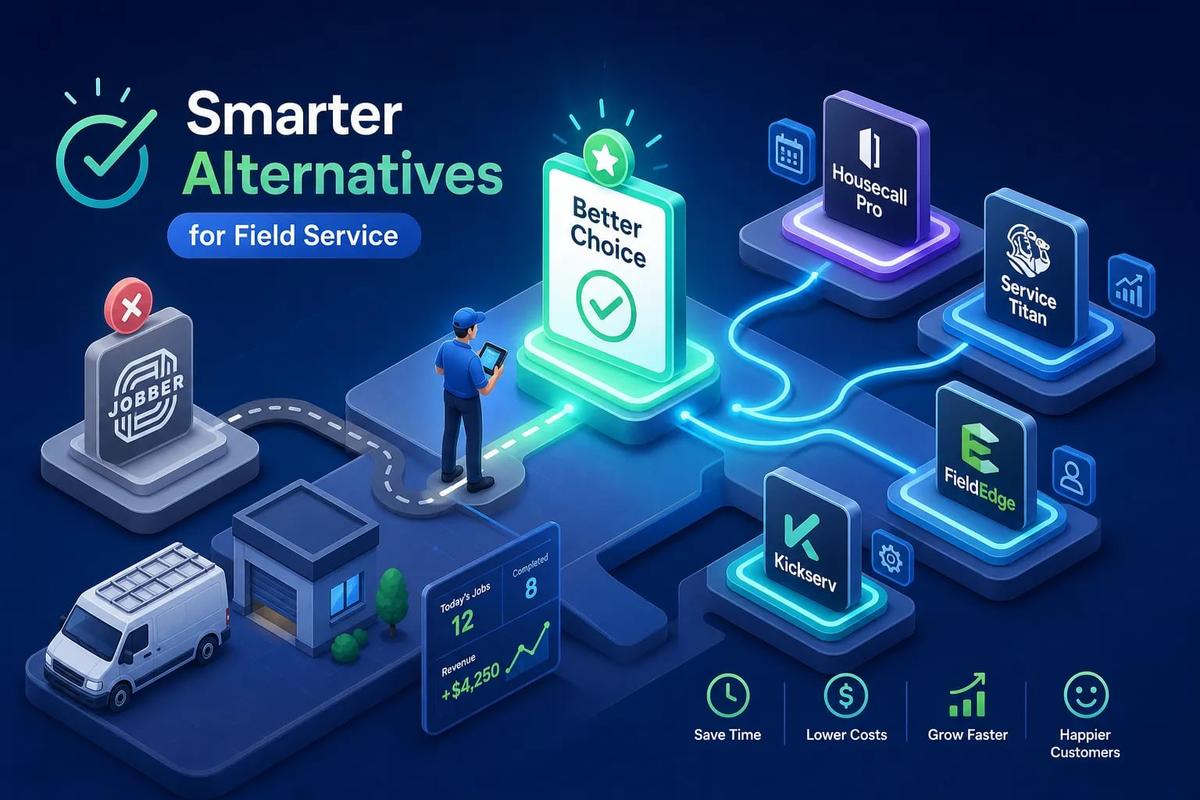
If you're evaluating jobber alternatives for a growing field service business, this guide breaks down the options that actually scale beyond Jobber's limitations. Jobber works fine until it doesn't. For solo operators running a handful of jobs a week, it covers the basics without much friction. But the moment you add more technicians, more leads, and more complexity, Jobber starts showing its seams. You end up bolting on QuickBooks for accounting, DocuSign for contracts, a separate CRM for leads, and then you're left wondering why nothing talks to anything else. The stack grows, the manual handoffs multiply, and the administrative overhead becomes its own part-time job.
This guide breaks down the best jobber alternatives in 2026, evaluated specifically on four criteria that actually matter for growing field service businesses: automation depth, native invoicing, CRM capability, and AI. One of those alternatives, URBLD, takes a fundamentally different approach from everything else on this list. By the end, you'll know which platform fits your team size and operational stage, and which one to trial first.
Why Jobber leaves growing contractors stuck
Jobber is a well-built scheduling and invoicing tool, but it was designed for a specific kind of service business: one where most of the workflow is still managed by a human in an office. That design works at a certain scale. Past it, the cracks appear fast. Contractors managing more than five technicians consistently report the same set of frustrations: the scheduling view isn't a true dispatch board for larger crews, reporting is too thin for meaningful job-cost analysis, and the per-user pricing scales poorly as the team grows.
The integration debt Jobber creates
Jobber doesn't handle accounting natively, so you need QuickBooks or Xero running alongside it. It doesn't manage contracts or e-signatures, so you add DocuSign. It doesn't run a real CRM, so leads pile up in spreadsheets or a disconnected HubSpot account. Every tool in that stack is a manual handoff point where data gets re-entered, leads get dropped, and invoices get delayed. The result isn't a business system; it's a collection of subscriptions held together by habit and workarounds.
Where Jobber's automation actually stops
Jobber includes automation features like follow-up emails and quote reminders, but these are trigger-and-template tools, not true workflow automation. There's no AI layer making decisions, no automatic invoice creation on job completion, and no lead scoring to tell your team who to call first. For a business processing 20 or 30 jobs a week, that gap in automation translates directly into administrative overhead that compounds as the team grows. Recognizing this ceiling is the first step to finding the right replacement.
The four things a real Jobber replacement needs to do well
Most comparison guides rank field service software on feature count. That's the wrong lens. A platform that has 50 features you don't need but is missing the three that would actually change your operation isn't a better tool. Before looking at specific platforms, it helps to define what "better than Jobber" actually means for a growing field service business in 2026.
Automation depth: does it execute or just notify?
A real alternative needs to run workflows autonomously, not just send reminders. That includes auto-routing leads, triggering invoices when a job closes, and pushing data to accounting without a nightly sync job. The difference between a tool that notifies you and one that acts for you is significant when you're managing multiple crews simultaneously. Notification-based automation still requires a human to act on the notification; execution-based automation moves the job forward without waiting.
CRM, native invoicing, and AI: the gaps most job management apps skip
Most FSM platforms include a basic contact list and call it a CRM. A real CRM for a field service business includes lead scoring, activity-based follow-ups, and pipeline visibility from the first ad click to a closed job. Native invoicing means the invoice is generated and sent from inside the same system where the job lives, with no export-and-reformat step in between. AI features in 2026 go beyond chatbots: the best platforms use AI to qualify leads, generate estimates from photos, and draft purchase orders automatically. Use these four criteria as your filter as you read through every platform listed below.
Top jobber alternatives for growing teams in 2026
The platforms below represent the most viable alternatives to Jobber across different business sizes and operational needs. Each one is evaluated against the four criteria above, not just feature count.
URBLD: the alternative that replaces Jobber and everything built around it
Most jobber alternatives swap one tool for a slightly better tool. URBLD is built on a different premise: the real problem isn't Jobber specifically, it's the disconnected software stack that surrounds it. URBLD is an AI operating system built specifically for field service and installation businesses, designed to cover the entire revenue cycle in one connected platform with no integrations required. Where Jobber requires you to stitch together five tools to run your business, URBLD runs as one execution layer from demand to payment.
What URBLD does that Jobber and its competitors don't
URBLD natively handles CRM and lead management with activity-based scoring, automated follow-ups, and full pipeline visibility from the first ad click through the closed job. Scheduling and dispatch include crew load balancing, inbound and outbound coordination, and one-click appointment-to-job conversion. Estimates are generated from photo input using AI, which eliminates the back-and-forth that slows most contractors down in the field. Contracts and e-signatures are built in, so there's no DocuSign subscription running in parallel.
Invoicing triggers automatically on job completion based on rules the owner configures and syncs to accounting in real time. Beyond that, URBLD also covers inventory management, GPS-based clock-in and clock-out, workforce tracking, and built-in advertising with full lead attribution from ad to appointment to job. That's the entire stack Jobber requires five separate tools to cover, handled natively inside a single system.
How the AI layer works in practice
URBLD's AI doesn't sit in a chatbot sidebar. It operates inside workflows: qualifying incoming leads before a human touches them, routing crews based on location and current load, and generating estimates from field photos. When inventory hits a configured threshold, the system drafts purchase orders automatically. For a business running 10 or more technicians, that level of autonomous execution replaces several administrative functions while reducing the errors that manual handoffs between tools create. The practical result is that your operation moves faster without adding headcount to keep up.
Who URBLD is built for
URBLD is the right fit for roofing contractors, HVAC operators, solar and home improvement installation businesses, and any growing service company currently running four or more disconnected tools. It's especially well-suited to businesses that have hit the ceiling of Jobber plus QuickBooks plus a CRM and need one system that actually executes instead of just tracking. If you're managing multiple crews, dealing with high lead volume, or losing time to manual data re-entry between tools, URBLD is built to solve the exact problem Jobber creates at scale.
FieldPulse: a strong like-for-like Jobber alternative for mid-sized teams
If you're not ready to move to a full AI operating system, FieldPulse is consistently rated among the top overall Jobber alternatives on G2. It covers scheduling, dispatch, invoicing, estimates, and customer management in a more cohesive package than Jobber offers, and its user ratings are strong particularly from teams in the five-to-twenty technician range.
Where FieldPulse outperforms Jobber
FieldPulse handles more of the job lifecycle inside a single interface than Jobber does. Its workflow flexibility works well for growing service companies that run multiple trade types or need more customization in their job stages. On pricing, Jobber's published tiers show a slight cost advantage at five technicians, but FieldPulse tends to become more cost-effective around the ten-technician mark due to how each platform structures per-seat scaling. For a team in that range, the economics can shift meaningfully over a full year.
Honest trade-offs to know before you sign up
FieldPulse doesn't have a native AI layer, and it still relies on QuickBooks or Xero for accounting. You're replacing Jobber with a better FSM tool, but you're not reducing your software stack in any meaningful way. Pricing isn't consistently published at public tiers, which makes direct comparison harder without going through a demo. Teams that want a straightforward upgrade from Jobber without rethinking their full stack will find FieldPulse a reasonable next step. Teams that want to stop running four tools in parallel will need to look further.
Jobber vs. Housecall Pro: ease of use versus automation depth
Housecall Pro is one of the most recognized names in residential field service software. Its setup is faster than most platforms on this list, and its mobile app has a polished experience that technicians pick up without much training. For small residential teams, it often gets described as a cleaner version of Jobber rather than a fundamentally different alternative to it.
What Housecall Pro does well
Housecall Pro handles scheduling, dispatching, invoicing, payments, and online booking in a clean interface. Its review automation and customer messaging tools are genuinely useful for residential contractors who rely on repeat business and referrals. Pricing tiers are publicly available: plans run from $59 per month on annual billing for the Basic plan up to $299 per month for MAX, with per-user add-ons layered on top. The platform also includes CSR AI, an AI-powered call handling feature that can answer inbound calls and book jobs directly, which is a practical tool for capturing leads outside of business hours.
Where it falls behind as a Jobber replacement
Housecall Pro's automation is largely notification-based rather than execution-based. Beyond the inbound call AI, there's no meaningful workflow automation engine, and CRM functionality is limited compared to what a dedicated lead management system provides. Like Jobber, it integrates with QuickBooks rather than handling accounting natively. Small residential teams that want a cleaner version of what Jobber already offers will find Housecall Pro adequate. Businesses managing high lead volume or complex installation job types will hit the same ceiling Jobber creates, just wrapped in a better-looking interface.
ServiceTitan: when you need enterprise-grade operations and the budget to match
ServiceTitan is the largest FSM platform in the market and is built for HVAC, plumbing, and electrical businesses operating at significant scale. It covers dispatch, invoicing, CRM, reporting, and field operations at a depth that smaller tools don't attempt. It's also priced, contracted, and implemented in a way that reflects that positioning.
What ServiceTitan gets right
ServiceTitan's dispatch board, revenue reporting, and service agreement management are solid features for businesses running 20 or more technicians. It handles multi-location operations, complex billing scenarios, and technician performance tracking at a level of detail that Jobber and most mid-market alternatives don't reach. If your operation is large enough to absorb the cost and implementation timeline, the depth is real.
The trade-offs that matter for smaller contractors
ServiceTitan runs on custom pricing with minimum annual contracts. Onboarding typically runs two to six months, with implementation costs ranging from $5,000 to $50,000 depending on team size and complexity. That makes it inaccessible for businesses under a certain revenue threshold, and the ongoing administration required to maintain the platform is significant. For a contractor currently on Jobber and looking to scale, ServiceTitan is a legitimate option but not a lightweight one. For businesses that want deep automation and AI without the enterprise price tag and multi-month onboarding process, the gap between ServiceTitan and a platform like URBLD is worth evaluating closely before committing to an annual contract.
Workiz, Kickserv, and QuoteIQ: honest picks for smaller operations
Not every contractor needs a full AI operating system or an enterprise FSM platform. For solo operators and very small crews, there are more targeted options that cover specific parts of the workflow without the complexity or cost of a full business platform. Some of these also function as free Jobber alternatives at the entry tier, which makes them worth considering for businesses just getting started.
What each platform actually covers
Workiz includes a free tier for up to two users and covers scheduling, invoicing, communication tools, and phone integration, making it a good fit for trades like HVAC, locksmith, and appliance repair that run high call volume. Its native CRM layer handles centralized client profiles, job history, invoices, and communication records, though accounting sync and external marketing tools still require integrations. Kickserv is a budget-friendly option for teams already using QuickBooks who want simple job management layered on top of their existing accounting tool, without a major platform migration. QuoteIQ targets solo operators who prioritize fast estimating and flat-rate pricing above all else, with low-cost entry plans suited to one-person operations.
What you give up at this price point
The trade-off at this tier is straightforward: you're getting point solutions, not platforms. None of these tools meaningfully reduce your software stack over time. Workiz still needs an accounting integration. Kickserv's CRM is basic. QuoteIQ is primarily an estimating tool, not a full job management app. For a business just getting started, these options make sense as a first step. For any contractor managing five or more technicians and actively trying to improve operational efficiency, the limitations show up quickly and the workarounds start to look familiar.
How to choose the right platform for where your business is right now
Picking from the available jobber alternatives is easier when you start with your actual operational bottleneck rather than a feature checklist. The right tool for a solo operator billing $200K a year is a completely different conversation from the right tool for a roofing contractor running eight crews and $3M in annual revenue. Start with where the friction is, not where the marketing is.
Solo to five technicians: start with the workflow you hate most
If your biggest frustration is chasing unpaid invoices, start with a platform that automates invoicing on job completion, for example, a system that fires the invoice automatically when a technician marks a job complete in the field, without anyone touching it in the office. If you're losing leads because follow-up falls through the cracks, prioritize CRM capability and automated follow-up sequences. At this stage, price sensitivity is real, and a tool like Workiz or FieldPulse may cover enough ground to be worth starting with before committing to a more comprehensive system.
Five or more technicians: this is where Jobber's ceiling becomes expensive
Once you're running multiple crews, scheduling conflicts, inventory shortfalls, and manual data re-entry between tools start costing you real money every month. This is where the case for a connected platform becomes concrete. The question stops being "which tool is cheaper" and becomes "how much is the gap between my tools costing me in lost time, missed leads, and delayed cash flow." At this stage, the math almost always favors a platform that eliminates the stack rather than adding another layer to it.
The one question to ask before signing anything
Before you commit to a trial, ask the vendor directly: how many other tools will I still need to run alongside this one? The answer tells you whether you're replacing Jobber or just rearranging the stack around it. If the answer is more than one, you're still running a fragmented operation, just with a different anchor tool. That question alone will separate the real alternatives from the lateral moves on this list.
Picking the right fit instead of just picking a different tool
The best jobber alternatives in 2026 aren't necessarily the ones with the most features or the lowest price. The right choice is the one that closes the specific operational gap your business is hitting right now. For solo contractors and very small teams, Workiz, QuoteIQ, or FieldPulse are solid starting points that cover the basics without overcomplicating the setup. For mid-sized residential service businesses, Housecall Pro offers cleaner mobile usability and built-in review automation compared to Jobber. For enterprise contractors with the budget and timeline to match, ServiceTitan covers ground no other platform does at that scale.
But for growing field service businesses that have already tried stitching together Jobber, QuickBooks, a CRM, and DocuSign and are done with the manual handoffs, URBLD is the only platform on this list built to replace the entire stack. It doesn't just track your business; it runs it. The AI layer qualifies leads, routes crews, generates estimates, and triggers invoices without waiting for a human to move each step forward. That's the operational difference between a tool and a system.
If your software stack is costing you more than it's saving you, the logical next step is to see these jobber alternatives in action. Book a demo of URBLD to see exactly how the AI execution layer replaces the manual handoffs your team is still doing today, and compare it directly against whatever you're running now. The question worth asking isn't which Jobber alternative looks best on a feature comparison chart. It's whether you want a better tool or a contractor scheduling software platform that actually runs your business end to end.
Related articles
Estimate forms for contractors: build one right
Estimate forms for contractors don't have to be a time sink. Learn the right fields, pricing math, and formats, and see how URBLD builds them from photos.
Best Lead Management Software for Field Service in 2026
Compare the best lead management software for field service businesses. See which features, pricing tiers, and platforms keep every lead on track to a booked job.

Best Software for HVAC Contractors: A 2026 Buyer's Guide
Find the best software for HVAC businesses in 2026. Compare top platforms by features, size fit, and pricing, then use our 5-step checklist to choose fast.
Best Facebook Lead Capture Software for Service Businesses
Compare the best Facebook lead capture software for home service businesses. See which tools connect Meta lead ads to your CRM, scheduling, and follow-up automatically.

How Many AC Tons Per Square Foot Does Your Home Need?
Find out how many AC tons per square foot your home needs with a simple sizing chart, climate and insulation adjustments, and tips on when to get a Manual J calc.
ServiceTitan vs Jobber vs All-in-One: Which Wins?
ServiceTitan vs Jobber vs all-in-one platforms compared on pricing, features, integrations, and scalability. Find out which field service software fits your business.
Found this useful? Share it with another contractor or service business owner.