Best Plumbing Estimating Software for Contractors in 2026
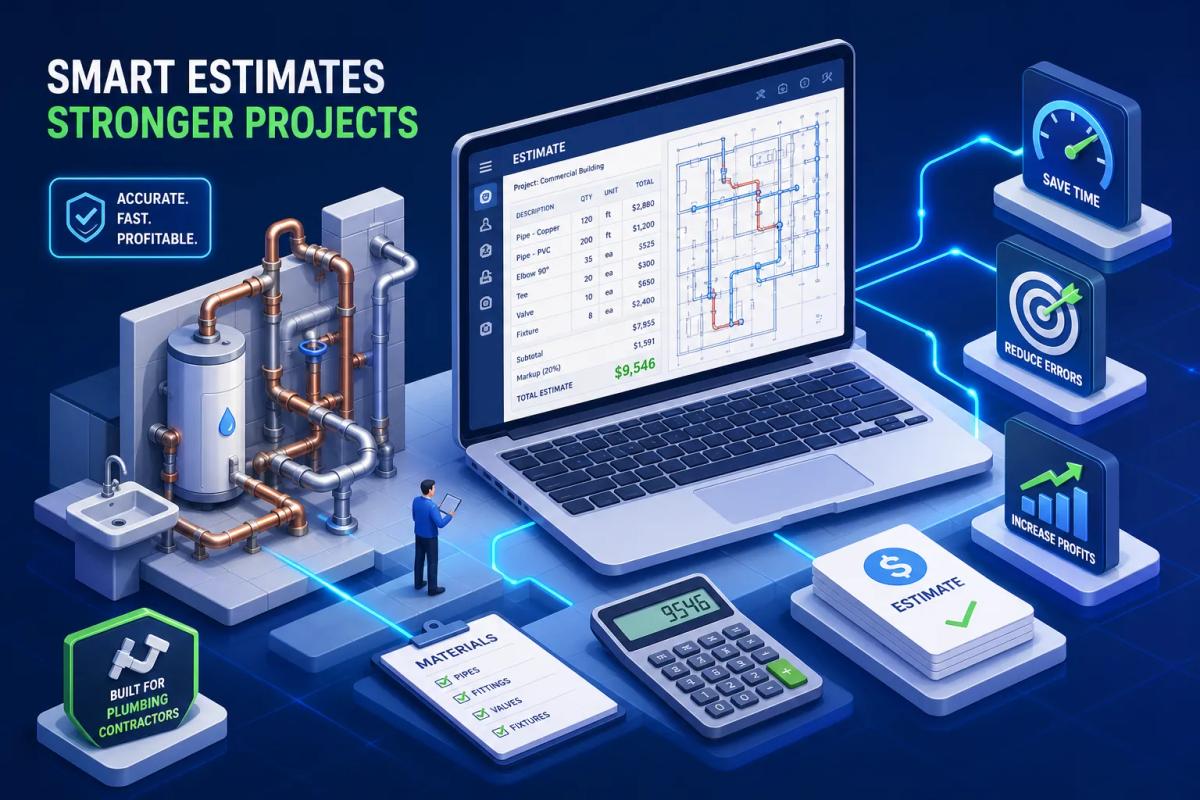
Many contractors lose jobs not because their price was wrong, but because the estimate showed up three days late, had a format that looked like a homework assignment, or buried a materials error in row 47 of a spreadsheet nobody double-checked. The job goes to someone who sent a clean, professional bid in two hours. That's a workflow problem, not a pricing problem.
Plumbing estimating software exists to close that gap. But the tools in this category are not all solving the same problem. Some are purpose-built for pipe takeoff and assembly-based estimating with deep material databases and labor productivity tables. Others are lightweight quoting apps that get a proposal out the door fast. And a newer category treats the estimate as the first step in a connected job lifecycle: once the client approves, scheduling fires, the contract sends, and invoicing is already configured. Knowing which type you need changes everything about your buying decision.
This guide covers the core features every plumbing estimating platform must have, how pricing breaks down across the market, which platforms are worth trialing in 2026, and how to match a tool to your shop size and workflow. By the end, you should be able to narrow your list to two or three realistic options and know exactly how to test them.
What good plumbing estimating software is actually solving
Manual estimating is expensive in ways that don't always show up on a single invoice. A plumber building estimates in Excel spends roughly 1 to 4 hours per proposal, depending on job complexity, with a large portion of that time on material pricing lookups alone. Purpose-built plumbing estimating software cuts that to 10 to 30 minutes. Multiply that by the number of bids your shop sends each month and the math gets uncomfortable fast.
The accuracy problem is just as costly. Hand-keyed material costs go stale between the day you build the estimate and the day the client signs. Labor hours get underestimated because there's no productivity table forcing you to think through task-by-task crew time. One missed fitting type in a copper domestic water run or one incorrect linear footage for a drain stack can shave points off your margin before the job even starts.
Why general-purpose quoting tools fall short for plumbing work
Generic PDF builders and basic quoting apps have a fundamental gap: they have no understanding of plumbing work. There's no pipe assembly library that auto-populates fittings, hangers, and labor hours when you select a pipe size. There's no labor productivity table that knows a 4-inch PVC DWV run takes a different manhour rate per linear foot than a 3/4-inch copper press line. These tools can generate a document that looks like a quote, but the estimating brain behind it is still entirely the contractor's spreadsheet.
What separates a real plumbing estimating platform from a document tool is structured data: material databases with current pricing, task-based labor units you can override, assembly libraries that reflect how plumbing systems are actually built, and markup controls that protect your margin at the bid level. Those four things are the filter for every platform reviewed in this article.
Core features every plumbing estimating software must have
Material pricing databases that actually stay current
A material database is only useful if its pricing reflects what your supplier is actually charging today. The leading standard in the industry is RSMeans, which offers 17,000-plus line items and over 1,200 assemblies with plumbing-specific coverage. The PHCC Labor Unit Database, available through platforms like CINX, is the strongest choice for plumbing-specific workflow integration. Procore's material price tracker provides regional pricing updates for common plumbing materials including copper, PEX, and ABS, making it useful for market-rate validation.
The key question when evaluating any platform is how frequently its database updates. An estimate built on pricing from four months ago can erode your margin before the first pipe is cut, especially in periods of material cost volatility. Look for supplier pricing feeds, regional cost variation support, and a clear update cadence before you commit to any platform.
Labor rate tables and crew productivity factors
Labor estimating in plumbing is not a single number. It's a calculation: base manhour rate per task type, multiplied by a productivity factor for field conditions like height, congestion, and occupied spaces, then divided by crew size and hours per day to get duration. A 1-inch copper press run carries a different base rate than a 4-inch cast iron stack, and the rates change again when you're working in a tight mechanical room versus open ceiling space.
Platforms with built-in labor tables encode these rates as defaults you can override from your own field history. Platforms without them force you to maintain a separate spreadsheet, which means you're still doing the hard part of estimating outside the tool. For any shop handling commercial plumbing work, task-based labor productivity support is a non-negotiable feature.
Markup, overhead, and profit margin controls
A professional estimate layers costs in a specific order: direct material cost, direct labor, overhead allocation, and then the desired profit margin to arrive at the final bid price. Tools that flatten this into a single percentage markup field give you one control where you need four. That becomes a problem when you're running multiple bid templates for different job types or when overhead allocation differs between a residential service call and a commercial rough-in.
Built-in markup controls also protect your margin across the lifecycle of a bid. If material costs change between when you build the estimate and when the client signs, a platform with locked-in markup logic will flag the variance. A spreadsheet will not.
Digital takeoff built for pipe systems and fixture counts
How on-screen takeoff works for plumbing plans
Digital takeoff replaces the physical wheel on a printed blueprint. You upload a PDF of the plan set, scale the drawing, and measure pipe runs by clicking on the screen. The software locks the scale and calculates linear footage automatically. The accuracy improvement over hand-measurement isn't marginal; it's structural, because digital takeoff eliminates the transcription step where errors compound.
For plumbing specifically, this matters because a single residential plan might have hundreds of feet of pipe across multiple systems: domestic cold, domestic hot, gas, DWV, and potentially hydronic. Manual counting of fixtures and fittings across those systems on a large plan set is where errors happen and where time gets lost. This is exactly where dedicated plumbing takeoff software earns its keep.
Pipe-specific assemblies and what they save you
Assembly libraries are where plumbing estimating tools separate from general construction takeoff software. When you select a 3/4-inch copper domestic cold water run in a plumbing-specific platform, the software auto-populates the fittings, pipe footage, labor hours, and material cost associated with that assembly. You're not building line items from scratch; you're selecting a real plumbing system configuration and letting the tool calculate the cost components.
McCormick, Trimble Estimation/AutoBid Mechanical, and FastPIPE have deep assembly libraries in this category for commercial plumbing and mechanical work. Each platform's assembly logic is structured around how plumbing systems are actually installed, not generic construction line items dressed up with plumbing labels. For a mechanical/plumbing estimator working on commercial projects, that specificity is what makes the tool worth using.
When automated takeoff is worth the upgrade
AI-driven takeoff tools take a different approach: they extract pipe runs and fixture counts directly from the plan without manual clicking, applying labor units automatically. Speed is the clear advantage here, but you get less visibility into the assembly-level detail that experienced estimators often want to verify before a bid goes out.
For high-volume estimating environments where speed matters more than deep assembly review, AI takeoff makes sense as an upgrade. For complex commercial jobs where margin variance on a missed assembly can cost real money, traditional assembly-based takeoff with human review remains the stronger choice. A good plumbing estimating app will let you toggle between approaches depending on job type.
The estimate-to-invoice gap where most tools fall short
What happens after you send the estimate
Here's the typical workflow breakdown for a plumbing contractor using separate tools: the estimate lives in the estimating platform, the contract gets drafted in Word or sent through a standalone e-signature tool, scheduling happens in a shared calendar or on a whiteboard, and invoicing happens in QuickBooks after someone manually re-enters the line items from the estimate. None of these systems talk to each other, and every handoff between them is a data re-entry event.
The specific failure points are predictable. Someone pulls line items from an old estimate version when building the invoice. Scheduling doesn't know what was promised in the estimate, so crew assignments don't reflect the scope. A signed contract doesn't automatically trigger anything in the scheduling or inventory workflow. These aren't user errors, they're architecture problems built into disconnected software stacks.
Why disconnected tools create real business risk
Missed change orders, invoices sent with wrong line items, jobs scheduled before contracts are signed: each of these outcomes has a direct dollar cost. The cumulative effect on a shop running 20 to 50 jobs per month is not trivial. And when a client disputes an invoice because the line items don't match what was estimated, the paper trail scattered across four different tools makes resolution slow and expensive.
Most plumbing estimating platforms are built to solve the estimating problem and stop there. Integration with the rest of the job lifecycle is left to the contractor to wire together, usually through exports, Zapier workflows, or manual copy-paste. That works until the volume of jobs makes it unsustainable.
The question every buyer should ask before choosing a platform
Before you start any trial, ask one question: does this tool handle the estimate alone, or does it connect to the rest of my job lifecycle? The answer determines whether you're buying a better estimating tool or a better operating system. Both are valid purchases, but they're not the same purchase, and confusing the two is how shops end up with a great estimating tool still stitched to three other platforms through manual workarounds.
How platforms like URBLD connect the estimate to the full job lifecycle
AI-powered estimating that flows directly into scheduling
URBLD takes a different approach to the estimate than standalone plumbing bid software. According to the vendor, photo-based inputs feed an AI engine that generates a structured, ready-to-send estimate without manual line-item building. Once the estimate is approved, it connects directly to scheduling and crew dispatch without re-entry. The data that went into the estimate drives the job rather than sitting in a separate system waiting to be synced.
This is the direct contrast to the export-then-import workflow that most standalone plumbing bidding software requires. When you approve an estimate in a traditional tool and then need to schedule the job, someone has to manually transfer the scope and timeline. URBLD's approach is designed to eliminate that step.
Native contracts, e-signatures, and automated invoicing in one system
After the estimate, URBLD is designed to generate contracts from the same estimate data, send them for e-signature, and store the signed document inside the same platform. No separate DocuSign subscription, no contract template in Word, no PDF emailed back and forth and filed in a folder someone has to remember to check. When the job closes, invoicing triggers automatically based on owner-configured rules, with line items pulled from the original estimate.
The intended result is minimal data re-entry between estimate and invoice. Line items don't drift. Pricing doesn't get pulled from an old version. The invoice reflects what was sold because it was generated from the same data structure, not rebuilt from memory or a PDF. These are vendor-described capabilities; evaluate them directly during your trial with a real job.
Why this matters for plumbing businesses managing multiple crews
For a plumbing operator running five to twenty technicians, the value of a connected job lifecycle scales with job volume. Every job moving from estimate to schedule to invoice on a single execution path eliminates one manual handoff per stage, per job. At 30 jobs per month, that translates to dozens of potential re-entry events and compounding errors that get removed from the equation, along with the administrative time that goes with them.
URBLD is built for field service businesses, which makes it a natural fit for plumbing and HVAC operators who have outgrown patchwork software stacks. If your current setup involves a separate CRM, scheduling tool, contract workflow, and accounting system, URBLD is worth evaluating as a platform that addresses all four in one connected system.
Top plumbing estimating software options to consider in 2026
Specialized plumbing and pipe estimating tools
TurboBid is a desktop-based platform with a TurboCloud add-on, available at $99 per month plus a $300 setup fee, or as a $1,395 one-time perpetual license. It's best for shops that want dedicated plumbing and electrical estimating with a proven assembly workflow. A 14-day free trial is available on the monthly subscription SKU.
FastPIPE is purpose-built for piping takeoff, with strong material databases and labor standards developed specifically for mechanical and plumbing work. It's a specialized choice for commercial plumbing contractors who need deep pipe assembly automation without the broader overhead of an enterprise platform.
McCormick operates at the enterprise end of the market, with deep assembly libraries, QuickBooks integration, and Autodesk compatibility. It's best suited for larger commercial plumbing operations where the volume of complex bids justifies the investment. Pricing requires a demo conversation; there's no self-serve trial.
Cloud-based platforms with strong estimating depth
STACK offers a free tier for basic takeoff, with paid plans that vary by plan level and billing cadence, annual pricing is typically in the range of $1,899 to $2,999 per year depending on the tier selected. It's browser-based, with CRM, project management, and accounting integrations. For a mid-market shop that needs cloud accessibility and doesn't require deep pipe assembly automation, STACK is a reasonable option worth trialing with the free tier first.
Trimble Estimation / AutoBid Mechanical brings assembly-based automation with deep labor and material databases, positioned for commercial mechanical contractors. It's built around the same workflow logic as McCormick, with strong appeal for estimators who run structured bid processes on complex commercial projects.
All-in-one platforms where estimating is part of a larger workflow
URBLD connects AI-powered estimating natively to scheduling, contracts, and invoicing, with no additional integrations required. It's a strong fit for plumbing businesses that want a single operating system from first contact to final payment, rather than a standalone plumbing estimating app stitched to the rest of their stack.
ServiceTitan is an enterprise FSM option, at approximately $245 per technician per month, with estimating built into a broader platform. It's better suited to large plumbing operations with IT support and onboarding resources to handle implementation. Demo only, no free trial.
Pricing breakdown and free trial options across the market
What free and low-cost options actually give you
Genuine free options exist in this category, but they come with functional limits that matter for an active shop. ServiceM8 offers a free plan for one user covering up to 30 jobs per month, including quoting, scheduling, and invoicing. STACK's free tier covers basic takeoff. FieldCamp has a free plan with estimating and scheduling for small teams. These are evaluation tools, not production tools for a shop running consistent job volume.
The limitations you'll hit on free plans are consistent across the category: volume caps on jobs or documents per month, single-user restrictions, feature gating on automation and integrations, and no offline access for field use. They're worth using to test the interface and basic workflow. They're not worth building your operations around.
Mid-market pricing expectations for growing plumbing businesses
The $99 to $249 per month range covers most of the tools a growing plumbing shop will seriously consider. TurboBid's monthly plan sits at $99 plus the setup fee. STACK's paid tiers vary by plan; check directly with the vendor for current pricing based on your team size and billing preference. Joist starts at $10 per month for simple document-based quoting with a five-document cap, which is better suited to solo operators than growing crews.
What changes when you pay is mostly about volume, users, and automation depth: more job volume per month, multiple users with role-based access, automated workflows between estimate and invoice, and better integration depth with accounting and scheduling tools. For a shop sending 15 or more bids per month, the mid-market paid tier pays for itself in time saved on the first two or three estimates.
When enterprise pricing is the right investment
McCormick and ServiceTitan represent the enterprise end of the market, where the cost-per-estimate math only works at scale. A shop running 10 complex commercial bids per month has a different ROI calculation than a residential service company sending three to five quotes per week. The right metric isn't the monthly software fee; it's the cost of a missed change order or a botched invoice.
For larger commercial plumbing operations, a missed change order on a single job can easily exceed several months of enterprise software fees. When the job complexity and bid volume reach that level, the investment in a platform with deep assembly libraries, structured bid management, and job-cost reporting becomes straightforward to justify.
How to choose the right tool for your shop size and workflow
Questions to answer before you start a trial
Three questions will narrow your list faster than any feature comparison matrix. First: how many estimates do you send per month? A shop sending five residential service quotes needs a different tool than one managing 30 commercial bids. Second: do you need plumbing-specific assemblies and pipe takeoff, or are you mostly quoting service calls where speed and presentation matter more than assembly depth? Third: does your estimate need to connect to scheduling and invoicing, or does it just need to go out fast and look professional?
Your answers map directly to the categories in this guide. Assembly depth and pipe takeoff point toward TurboBid, FastPIPE, or McCormick. Cloud flexibility at mid-market cost points toward STACK. A connected job lifecycle from estimate to payment, without stitching tools together, points toward URBLD. Getting clear on which problem you're actually solving before you start comparing feature lists saves significant time.
Red flags to watch for during your trial period
Test the tool on a real job, not toy data. Generic sample projects hide the friction that appears when you load your actual material list, apply your real labor rates, and try to send a proposal in your company's format. Watch for these specific warning signs: slow loading on mobile, no offline functionality for field use, hidden per-user fees that inflate the real cost well above the advertised base price, and poor support response times. If you hit a configuration issue mid-bid and support takes hours to respond, that's a problem worth surfacing during the trial period, not after you've committed.
Also test what happens after the estimate. Can you generate a contract from the estimate data? Can you trigger a job in your scheduling workflow without re-entering the scope? Can you produce an invoice with the correct line items without rebuilding it manually? The answers to those questions tell you whether you're buying a plumbing estimating app or a full business operating system.
Next steps to migrate without disrupting active bids
A clean migration starts before you go live. Export your current material list and labor rate table first, then build your templates in the new tool before routing any active bids through it. Run one or two completed jobs through the new platform end-to-end, from estimate to invoice, before committing fully. This surfaces configuration gaps without risking a live bid.
For shops that want to solve both the estimating problem and the workflow problem in one move, URBLD is worth testing first. The AI estimating, native contract workflow, and automated invoicing are designed to eliminate the three most common manual handoffs between the estimate and the final payment, and the platform is built for field service businesses that have hit the ceiling of their current software stack. Start your trial with a real job and test the full workflow from estimate approval to invoice generation before you make a final call.
The right plumbing estimating software depends on what you're actually trying to fix
Plumbing estimating software ranges from dedicated pipe takeoff tools with deep assembly libraries to full business operating systems where the estimate is just the beginning of a connected job workflow. The right choice depends entirely on whether you need a better estimate or a better end-to-end process from first contact to final payment.
For estimation depth on commercial plumbing and mechanical work, TurboBid and FastPIPE are strong purpose-built options. For cloud-based flexibility at mid-market cost, STACK is worth trialing with the free tier. For contractors who want the estimate connected to scheduling, contracts, and invoicing without stitching tools together, URBLD is the platform built to replace the entire stack.
Start your trial with real job data. Test the full workflow, not just the estimate-creation step. Choose the platform that eliminates the most manual steps between the estimate and the payment, because that's where the real time and margin losses are happening in your business right now.
Found this useful? Share it with another contractor or service business owner.