Best material tracking software for contractors in 2026
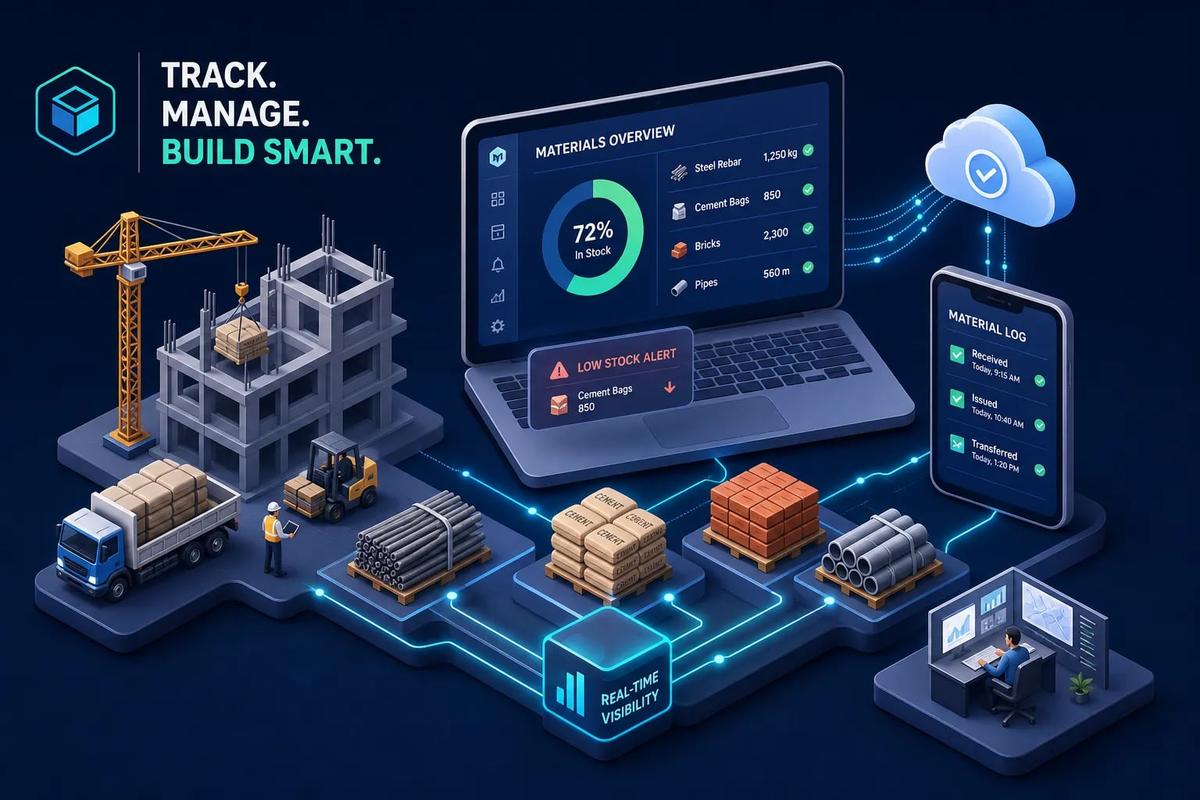
A crew shows up at a job site at 7 AM. The materials aren't there. The foreman makes several calls, nobody has a clear answer, and by 9 AM you're paying for idle labor while the customer texts asking for an update. That single breakdown is almost never a one-time accident. It's what happens when a business has grown past the point where informal coordination works, but hasn't yet built a real system to manage material flow. When that informal coordination breaks down consistently, material tracking software gives you the visibility to stop job delays and idle labor before they compound into budget overruns.
A real system gives you live visibility into what you have, where it is, which job it's assigned to, and what needs to be ordered before the next crew ships out. The difference between a business that runs smoothly across five active job sites and one that's constantly scrambling is often a systems difference, not a people one.
What's changed in 2026 is where that tracking lives. More field service businesses are moving away from standalone tracking tools and toward platforms where inventory is native: connected to jobs, purchase orders, vendor records, and invoicing inside a single system. This article covers what to look for, which tools are worth evaluating, and how to build a short list you can actually act on.
1. Why missing materials kill job timelines and profit margins
Poor material visibility isn't an inconvenience. It's a direct hit to labor efficiency, job profitability, and customer satisfaction. When you run multiple job sites simultaneously, the problem compounds: stock moves between sites without any record, duplicate orders pile up because no one trusts the counts, and the business ends up with no single accurate picture of what's on hand.
The direct cost of stock-outs on active sites
A single stock-out triggers a cascade. Labor idles while someone tracks down the missing material. The job gets rescheduled, which ripples into the next job's timeline. Emergency purchases happen at premium pricing, often from local distributors with markups that don't appear on the original estimate. According to figures published by construction industry associations and vendor research, contractors who implement proper tracking systems have reported material waste reductions in the range of 15 to 20 percent, and teams managing inventory manually often spend roughly 6 to 12 hours per week on reconciliation work alone. Results vary based on company size and prior process maturity, but the direction is consistent: manual tracking costs real time and money. That's time your team is spending on a problem that a system should handle automatically.
The ROI timeline on material management software is faster than most people expect. For a field service business running on a $100,000 annual parts base, shrinkage and waste can account for an estimated $2,000 to $5,000 per year before you count the labor cost of manual counting. Based on typical implementation patterns reported by vendors, many businesses reach break-even inside three to six months, though that window depends on company size, data quality going in, and how quickly the team adopts the system.
How overbooking materials creates budget bleed
The opposite problem is just as real. When crews don't trust the system, they over-request materials as a buffer. Nobody wants to be the foreman who ran short on shingles or refrigerant with a customer waiting. That habit drives up inventory carrying costs, creates excess stock that ages out or gets misplaced, and inflates job-cost estimates in ways that aren't visible until the project closes. Over time, it makes your estimates less competitive because your assumed material cost is padded with a buffer that better material management software would eliminate.
2. What material tracking software actually does on the job site
A real materials tracking system isn't a spreadsheet in the cloud. It's a live record of stock levels, movement logs, purchase orders, and material consumption, all tied to specific jobs and locations. The core operational loop is straightforward: receive materials, assign them to a job or location, track consumption, flag when stock drops below a set threshold, and trigger a reorder or PO draft automatically.
Core features that separate useful tools from expensive databases
The table-stakes features for any serious materials inventory app include barcode and QR code scanning, real-time quantity updates, location-based stock assignment, PO creation, and low-stock alerts. Mobile access is essential for field crews who spend most of their day on site. The best tools work offline and sync automatically when connectivity returns, which matters on job sites where signal is unreliable.
Beyond those basics, look for multi-unit-of-measure support (critical for materials like aggregate, concrete, and lumber that are bought and consumed in different units), transfer workflows that document material movement between locations with dispatch and acknowledgment states, and proof-of-delivery capture that ties a photo to a specific receipt record. These features are also central to sound time-and-materials tracking, where the accuracy of what was used directly drives what gets billed.
Mobile capture capabilities that field crews actually use
Barcode scanning, photo attachments, GPS location tagging, and timestamped logs are what allow a job site foreman to verify a delivery in the field and have that receipt sync back to the main system without emailing a photo to the office. Among the well-regarded options in 2026, GoCodes and Orca Scan both support all four: mobile barcode and QR scanning, offline sync, photo capture, and automatic GPS coordinate logging on each scan. These aren't extras. They're what close the gap between what the field knows and what the office sees. Any field materials tracking software you evaluate seriously should be able to check all four of those boxes.
3. Construction, field service, and warehouses: why the use case changes everything
Not all material tracking needs look the same. A warehouse optimizing pick routes has completely different requirements than a roofing crew tracking shingles across five active jobs in different zip codes. Before evaluating any tool, get clear on which category your operation fits.
What construction materials tracking demands
Construction sites are not static environments. Materials move between the yard, the store, the floor, different subcontractors, and multiple locations on the same project. That means the system needs fine-grained site location tracking (block, level, area, work package), multi-UOM support, proof-of-delivery with photo capture, and transfer workflows with dispatch and acknowledgment states. General-purpose inventory tools fail here routinely because they assume materials stay in one place.
Construction materials tracking also needs strong links to procurement, scheduling, and project management so that site-level updates actually affect the project plan, not just an isolated stock count. Bill of materials tracking becomes especially important on complex projects where procurement decisions cascade across subcontractors and cost codes. Without it, the gap between estimated and actual material cost tends to surface only at project closeout, when it's too late to course-correct.
What field service businesses need that's different from both
For HVAC, roofing, solar, and home service contractors, the priority is tying materials to specific jobs and technicians in the field. The inventory doesn't just need a location; it needs to be connected to a job record so the business can reconcile what was consumed against what was estimated. Without that job-level sync, material data stays disconnected from billing, and cost leaks go undetected until the job closes over budget with no clear explanation. This is where standalone warehouse tools and even some construction-focused platforms fall short: they track stock, but they don't connect it to the operational layer where invoicing and job costing actually happen.
4. Integrations that matter: connecting inventory to your existing systems
A standalone material tracking tool is only as useful as the systems it connects to. If your inventory lives in one app, your job data lives in another, and your accounting runs in a third, you're still managing a fragmented picture, just with more software subscriptions and more monthly fees.
ERP and accounting connections: QuickBooks, Sage, Procore
Leading material management software integrates with QuickBooks Online through direct API sync, covering items, purchase orders, bills, invoices, and inventory adjustments. QuickBooks Desktop integrations typically run through the SDK or Web Connector, which makes them feel more like a connector than a native sync. Sage integrations usually require middleware depending on the Sage product and edition. Procore's integration model is project-centric, syncing cost codes, budgets, vendor billing, and job cost data rather than warehouse-style stock counts, which makes it especially useful when materials need to tie to project budgets rather than just a quantity on hand.
A practical note on any of these setups: clean your item master before you sync. Map your accounts and cost codes carefully. Test in a sandbox with a small batch of transactions before enabling live sync. These steps are non-negotiable. The deeper the integration, the more expensive a bad data migration becomes to unwind.
When integrations create more work than they solve
This is an honest point that most software comparison guides skip. If your material tracking software connects to your FSM platform through a third-party connector, every sync is a potential failure point. Data maps break when either vendor pushes an update. Field updates lag behind office records. Authentication tokens expire and syncs stop quietly until someone notices a discrepancy. Common failures include conflicting updates that get silently overwritten, schema drift when a vendor changes field names, webhook delivery failures during brief outages, and timestamp drift that makes material movements appear at the wrong time across dispatch, inventory, and billing views.
For businesses running five or more systems, the integration overhead alone can eat the efficiency gains the tracking software was supposed to deliver. That's the practical case for a platform where inventory is native rather than bolted on.
5. Comparing the top material tracking software options for 2026
Different tools serve different operations. The goal here is matching the right tool to the right use case, not ranking everything as if it all competes for the same buyer.
Best for small contractors and simple inventory needs
Sortly offers a free plan with paid tiers starting at $49 per month. GoCodes starts at $500 per year for up to 200 assets and three user logins. Both support mobile barcode and QR scanning, photo attachments, and basic location tracking. They work well for businesses with a single location or straightforward stock management needs. One limitation worth knowing upfront: neither may offer native job-record or FSM workflow sync. Verify each vendor's current integration documentation before committing, since capabilities change with product updates. You're tracking materials, but that data may live separately from your scheduling, invoicing, and job costing.
Best for large construction projects
Procore and Autodesk Construction Cloud are purpose-built for project-scale tracking, with strong connections to BIM, procurement, and job costing workflows. Both are enterprise-grade and custom-quoted, with implementation timelines and costs to match. Fieldwire and Katana also serve this segment with more accessible entry points. If your primary need is managing materials across large commercial projects with complex cost code structures, these platforms are worth including in your evaluation.
Best all-in-one for field service businesses
For roofing, HVAC, solar, and home service contractors who need inventory connected directly to jobs rather than managed as a separate function, URBLD is the option worth evaluating first. Its inventory module isn't an integration: it's native to the platform. Stock levels sync with job records, purchase orders, and vendor accounts inside a single system, which means the material data is already where you need it when it's time to invoice or run job cost reports.
6. Why URBLD users don't need a separate material tracking tool
The framing here isn't that URBLD is a better version of Sortly or GoCodes. It's that URBLD solves a fundamentally different problem. For a field service business, the real issue isn't just tracking stock. It's knowing what stock is tied to what job, who used it, when, and how that feeds into invoicing and vendor payments. Standalone material tracking tools address the stock side. URBLD connects stock to operations, natively.
Inventory synced directly to jobs, POs, and vendor records
When a job is created in URBLD, materials are assigned to it. When a purchase order is drafted, it connects to a vendor record and a specific job. When the job completes, the inventory consumed is already documented inside the same platform that handled scheduling, dispatch, and execution. There's no re-entry, no export, no sync job to run, and no third-party connector to maintain. Low-stock alerts trigger automatically based on thresholds the owner configures, and PO drafting happens inside the same system that manages the rest of the revenue cycle.
This matters most at the billing stage. Because material consumption is tied to job records throughout the job, the invoice reflects what was actually used. Billing disputes in HVAC and roofing frequently trace back to materials that were consumed but not logged, or logged to the wrong job. When material tracking is native to operations, that problem is far easier to prevent.
Multi-location tracking without the spreadsheet juggling
For businesses running multiple crews across multiple job sites, URBLD tracks inventory across locations without requiring separate logins or reconciliation sessions between systems. The platform knows which location holds which stock and flags discrepancies as they appear, not after the fact during a monthly count.
This replaces what most contractors are currently doing: a combination of spreadsheets, text message threads, and manual inventory counts between jobs. That patchwork works until it doesn't, and when it fails, it fails during a job. URBLD's approach to field materials tracking software brings all of that into one place:
- Stock is visible per location, per crew, and per job simultaneously
- Transfer workflows document material movement between sites with acknowledgment states
- Low-stock alerts and PO drafting happen inside the same system managing scheduling and dispatch
- No third-party connector required, no sync lag, no data map to maintain
7. How to build your short list and evaluate your options
You now have enough context to evaluate tools against your actual operation rather than a generic feature checklist. The evaluation process only works if it starts with honest answers about where your current process breaks.
Questions to answer before you evaluate any tool
Start by mapping your current material tracking process end to end, then identifying where it fails. Is the breakdown at delivery verification, because no one confirms what actually arrived on site? Is it at consumption, because materials get used but never logged against a job? Is it at reorder, because low-stock alerts happen too late or not at all? The answer determines which feature category matters most for your operation.
Then work through these questions before opening a single product demo:
- Do you need inventory connected to job records, or is standalone stock visibility sufficient for your current operation?
- How many locations or job sites are you managing simultaneously, and do crews move materials between them without logging the transfer?
- Does your field team need offline mobile access, and do they actually have the time to scan items consistently?
- What does your current accounting setup look like, and how important is native sync versus a connector integration?
- Does your existing FSM platform have an inventory module you haven't fully explored yet?
Choosing the right material tracking software for your workflow
Once you've answered those questions, the short-listing process is straightforward. Identify your primary use case first: construction project tracking, field service job-level tracking, or general warehouse management. That single decision eliminates most of the tools in the market from serious consideration. Then determine which integrations are non-negotiable for your accounting and operations setup, and verify that the tools on your short list actually support those connections at the depth you need, not just a surface-level sync.
Request a sandbox or trial for at least two tools before making a decision. Test mobile functionality with an actual field crew member, not just the office manager who set up the account.
Verify that your item master data is clean before any migration: duplicate part numbers, inconsistent unit-of-measure labeling, and orphaned vendor records create problems that no software can automatically fix. Implementation success depends heavily on data quality going in and clear ownership of the system once it's live. Assign one person as the system owner before you go live, not after the first issue surfaces. For businesses already using an FSM platform, ask whether that platform has a native inventory module before adding another tool to the stack. The integration overhead is real, and it compounds over time.
The clearest path forward
Material tracking software closes a gap that most field service businesses don't realize is costing them money until a crew stalls on a job site or a job closes over budget with no clear reason why. The right system gives you visibility into what you have, where it is, and what's tied to which job, without rebuilding that picture manually across three different apps every week.
For businesses running a high volume of jobs across multiple locations, the strongest move is often skipping the standalone tool entirely and choosing a platform where inventory is native to operations. That's what URBLD is built around: materials that are always connected to jobs, purchase orders, and billing, not managed separately in a system that has to sync and hope for accuracy. If you're ready to see how that works in practice, schedule a live demo and we'll walk you through it against your actual workflows.
Start with the questions in section seven. Trial two or three options. Make the decision based on what actually fits your operation, not which tool has the most features on a comparison page. The best material tracking software is the one your crews actually use, connected to the systems that run your business.
Found this useful? Share it with another contractor or service business owner.