Lead Follow-Up Automation for Field Service Businesses
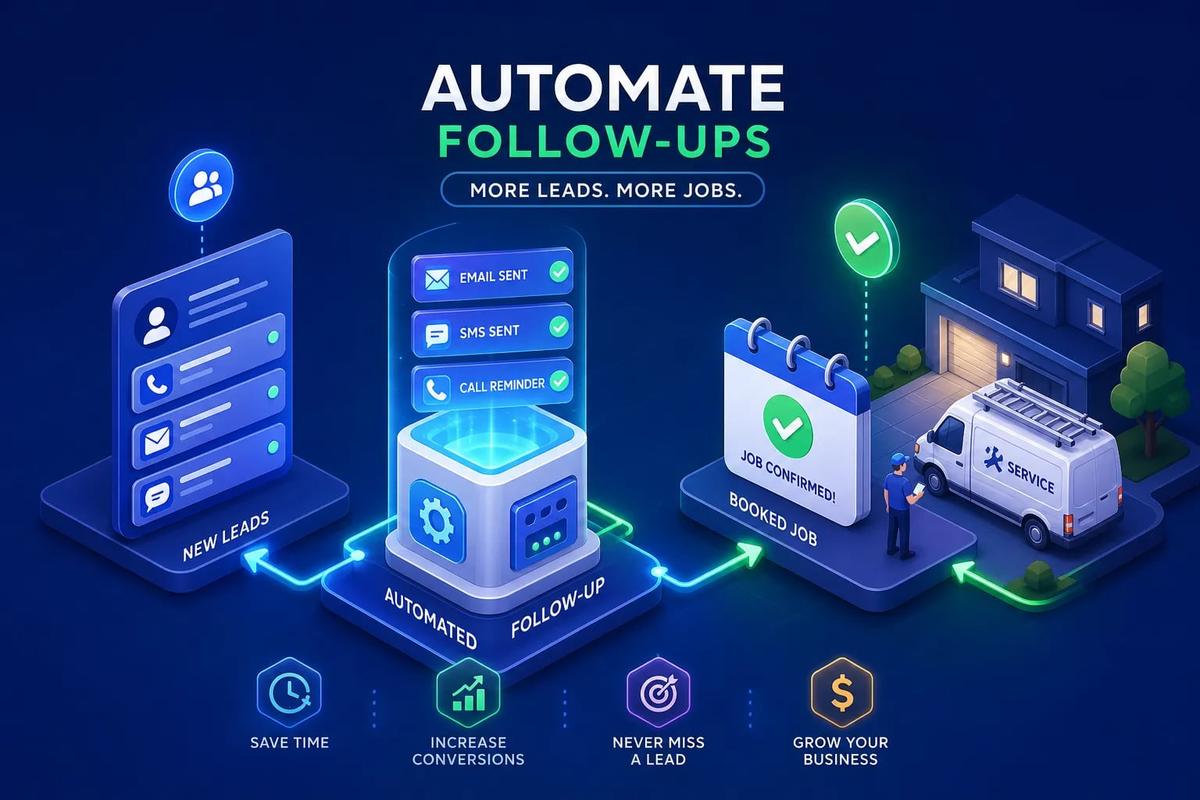
Lead follow-up automation is the difference between a business that books jobs while competitors are still composing replies and one that loses opportunities to whoever showed up first. Seventy-eight percent of home service leads hire the first business that responds to their inquiry. For a roofing or HVAC company fielding 50 leads a month, a one-hour average response delay isn't a minor inconvenience. It's a pipeline leak that compounds every single day. Your competitors are getting those jobs, not because they're better, but because they showed up first.
The fix isn't hiring someone to sit at a desk and refresh a form inbox. It's building a system where every new lead gets an immediate, personalized response the moment they raise their hand, whether it's 2 PM on a Tuesday or 9 PM on a Friday. The businesses that have lead follow-up automation running well are booking jobs while their competitors are still composing a reply. Some field service platforms have this baked directly into the CRM so there's nothing to connect or configure separately. Most businesses are still stitching it together across a form tool, a texting app, and a spreadsheet. This guide covers exactly how to build it the right way.
Why field service leads go cold before anyone even calls back
A homeowner who just searched "roofing estimate near me" and submitted your form is at the peak of their buying intent in that exact moment. That window closes faster than most business owners realize. Research from the Lead Response Management Study shows that contacting a lead within the first five minutes dramatically increases conversion rates, yet the average HVAC contractor takes roughly 47 hours to respond. In a market where the large majority of HVAC businesses take more than five minutes to reply, the contractors that respond in under a minute are consistently winning more jobs.
Manual follow-up breaks down not because your team doesn't care, but because of where they are. Your technicians are on job sites. Your dispatcher is managing crew schedules and inbound calls. Your office admin is handling invoicing and permits. Nobody is stationed at a desk waiting to respond to web form submissions in real time. This isn't a staffing problem; it's a systems problem, and you can't solve a systems problem by adding headcount.
What's actually happening to your unconverted leads is simple: they didn't say no. They moved on. That homeowner submitted the same request to three other contractors, and the one that texted back in 45 seconds got the appointment. The remaining two got a polite "we already found someone, thanks", or nothing at all. Automated follow-up sequences fix this by removing the human delay entirely, so the response happens whether your team is available or not.
How lead follow-up automation actually works
At the core of any automated lead nurturing system are triggers: events that fire actions automatically without requiring a human to initiate them. A new form submission triggers an immediate SMS. A sent estimate that hasn't been signed after 48 hours triggers a follow-up message. A missed call triggers an email with a callback link. You define the rules once, and the system executes them every time the event occurs.
Triggers, conditions, and actions
A complete lead follow-up automation system has three elements: a trigger (the event that starts the sequence), a condition (the rule that determines what happens next), and an action (the message, task, or routing step that fires). When all three are connected inside your CRM and properly configured, every new lead enters a defined sequence the moment they arrive, regardless of what time it is or who's in the office.
The breakdown for most businesses happens at the connection point. A typical patchwork setup looks like this: a web form that emails leads into a shared Gmail inbox, a team member who manually copies them into a CRM when they get a chance, a texting app someone logs into when they remember, and a Zapier workflow that syncs everything together. It all works until a field is renamed or an API limit is hit and the whole chain silently breaks. Every handoff between systems is a place where a lead can fall through unnoticed.
Lead follow-up automation: timing rules that make or break your conversion rate
Speed-to-response is the single most important conversion variable in home service lead follow-up. A lead that receives an automated SMS within 60 seconds of submitting a form is dramatically more likely to reply than one that gets a call two hours later. The first message doesn't need to be complex or clever. It just needs to arrive before the competitor's message does. Something as simple as "Hi [Name], we got your request for a roofing estimate, here's when we can come take a look" is enough to establish your presence before anyone else does.
After the first touch, the cadence needs to be deliberate rather than aggressive. A practical timing sequence for field service looks like this: an immediate SMS at the moment of submission, a follow-up email within 30 minutes, a second SMS on day two if there's been no reply, and a check-in email on day five. If the lead still hasn't responded after day seven, a final "last check-in" message closes the active sequence. After that, a monthly nurture message keeps your business visible for prospects who weren't ready to buy yet but might be in 60 days.
The difference between a useful follow-up sequence and spam comes down to spacing and relevance. Sending three messages in the first hour signals desperation and will get you blocked. One well-timed SMS followed by an email the next morning signals professionalism. The goal of your timing rules is to stay present without becoming annoying, which means giving each touch enough room to breathe before the next one fires.
Choosing your channels: SMS, email, or both
For home service leads, SMS is the highest-response channel, and it's not particularly close. Text messages get opened within minutes. They don't require the prospect to sort through a promotions folder or remember to check a secondary inbox. A short, direct text from a local contractor feels personal and immediate in a way that a branded email simply doesn't. If you're only running email follow-up sequences right now, adding SMS as the first touch will produce a noticeable lift in reply rates.
Email earns its place in the sequence by handling depth and detail. It's the right channel for sending estimates, including job photos, requesting reviews, and delivering longer follow-ups that explain your process or showcase past work. In a multi-channel follow-up sequence, SMS handles speed and directness while email handles context and credibility. Both serve a purpose, and the combination outperforms either channel used alone.
Building a two-channel sequence without overwhelming the lead requires one important rule: the moment a prospect replies or books, the sequence stops. Sending a follow-up SMS to someone who already scheduled an appointment is a fast way to lose their trust before you even show up. Your automated outreach tools need to detect a conversion event and exit the lead from the sequence automatically, not just run the full queue regardless of what happens in between.
How to build a trigger-based lead follow-up workflow
The first 24 hours of a new lead's lifecycle carry more conversion weight than everything that comes after. A well-structured sequence for a field service business in that window looks like this:
- Minute zero: An automated SMS fires acknowledging the request and setting an expectation.
- 30-minute mark: An email delivers more context, what to expect, a link to your reviews, or a simple next-step prompt.
- Hour four: If there's been no reply, a second SMS sends a low-friction ask like "Would tomorrow afternoon work for a quick visit?"
- 24-hour mark: If the lead still hasn't responded, an email with a different angle, a testimonial, a before-and-after photo, or a FAQ, gives you one more shot.
From day two through day seven, the sequence shifts to slower-burn touches. A day-two SMS, a day-five email, and a day-seven "last check-in" message round out the active cadence without flooding the prospect. Every message in this phase should carry a single, clear CTA and feel conversational rather than corporate. Leads at this stage either forgot about their original request or are still comparing options. A short, human-sounding message often gets a reply when a polished marketing email won't.
Good automated lead nurturing also knows when to stop. The exit triggers for your lead follow-up workflows should be clear: the lead replies, they book an appointment, they request removal, or they reach the final step without engaging. What you never want is a sequence that keeps running after someone has already become a customer or explicitly said they're not interested. Setting clean exit rules is what keeps your automation from damaging relationships instead of building them.
Lead scoring automation and smart routing inside a field service CRM
Lead scoring in field service doesn't require a complex formula. The most useful signals are behavioral: did the lead open your email, click a link, reply to a text, or visit your estimate page? A lead who replies to your first SMS within 10 minutes is far more sales-ready than one who opened an email three days later but didn't respond. Score for action, not just presence. Engagement events should carry more weight than passive ones.
Lead follow-up automation and lead scoring thresholds
Once a lead crosses a score threshold, the system routes them differently without requiring anyone to manually review their file. A high-engagement lead might trigger an immediate call task for a team member or auto-schedule an appointment based on crew availability. A low-engagement lead stays in the nurture sequence and continues receiving spaced touches until they either engage or reach the sequence end. CRM follow-up automation at its best removes the manual decision entirely; the system reads the behavioral signals and acts accordingly.
Negative signals matter just as much as positive ones. Leads who haven't engaged after 14 days, who bounced your email, or who explicitly said they're not interested should exit your active pipeline and move to a long-term re-engagement cadence, or be closed out entirely. Letting unresponsive leads clog your active follow-up queue makes it harder to see where real opportunities are, and it wastes outreach capacity on prospects who have already moved on.
Why native automation beats a patchwork of connected tools
The most common field service automation setup is also the most fragile: a form tool that sends leads to a Gmail inbox, a CRM that someone manually updates when they have time, a texting app that sends messages when a team member logs in, and a Zapier workflow holding everything together. It all works until a field is renamed or an API limit is hit and the whole chain silently breaks. Zapier can take anywhere from a few seconds to 15 minutes to poll for new data depending on your plan, and that delay can be the difference between being first and being fourth.
When lead capture, CRM, automated follow-up sequences, and SMS delivery all live in the same platform, the trigger fires without any external sync step. There's no polling delay, no failed webhook, no broken field mapping. A new lead enters the system and the response is immediate because the automation engine and the lead record share the same data layer. That's what separates a natively built system from a connected one: reliability and speed that don't depend on external APIs staying healthy.
One platform built around this model is URBLD. Lead follow-up automation is built directly into its CRM, with no third-party connectors or middleware required. The moment a lead enters the system, through a web form, an ad, or an inbound call, an AI-driven response fires automatically based on the rules you set. SMS, email, lead scoring automation, and routing all execute inside the same platform, so there are no gaps between when a lead arrives and when they hear from your business. For high-volume roofing, HVAC, or solar companies, that immediacy is the difference between a booked job and a lost one. If you want to see how it works for your operation, reach out to the URBLD team directly.
KPIs to track as you optimize your follow-up system
Four numbers tell you whether your sales follow-up automation is actually working. Lead response time measures how fast your first message fires after a lead enters the system. Reply rate tracks what percentage of leads respond to your sequence. Lead-to-appointment conversion rate shows how many leads become booked jobs. Sequence exit rate reveals how many leads reach the end of your sequence without ever engaging. Tracking these four metrics monthly gives you a clear picture of where your funnel is leaking.
For field service, a first-response time under two minutes is the target. SMS reply rates on well-timed home service sequences typically run 15 to 30% when messages are relevant and personalized. Lead-to-booked-job benchmarks vary by trade: HVAC businesses with strong systems tend to convert 35 to 45% of qualified inbound leads, while roofing, because of longer consideration cycles and more comparison shopping, typically runs 8 to 15%. If your reply rate is under 10%, the issue is almost always timing or message tone, not the volume of messages you're sending.
When the numbers aren't moving in the right direction, look at the specific drop-off point. If response time is fast but reply rates are low, your message content is likely too generic. If reply rates are healthy but appointments aren't converting, the handoff from automated sequence to a live team member needs tightening, the prospect engaged but got lost in the transition. Multi-channel follow-up works best when all of this data is visible in one place, so you can see exactly where each lead stalled and make a specific fix instead of a general one.
Build the system once, let it run
Lead follow-up automation isn't about replacing your team. It's about making sure no lead hits a dead end because everyone was busy doing the actual work. The businesses winning in roofing, HVAC, and home services right now are the ones where a new lead gets a response in under a minute, a follow-up sequence runs on its own, and a booking can happen before a competitor even picks up the phone.
Getting there doesn't require a complex tech stack or a six-month implementation. It requires a system where the trigger, the channel, and the CRM all live in the same place, so nothing breaks, nothing delays, and nothing falls through the cracks because a Zapier workflow decided to stop working on a Saturday morning. Once the sequence is configured, it runs every time, for every lead, regardless of what your team is doing.
URBLD is built exactly for this. If you're still manually chasing leads or relying on a patchwork of tools that don't always talk to each other, the automation is ready when you are. Get in touch with the URBLD team to see how the system handles lead follow-up from the first submission all the way to a booked job.
Explore the URBLD platform
Found this useful? Share it with another contractor or service business owner.