Best CRM for the Service Industry: 2026 Comparison
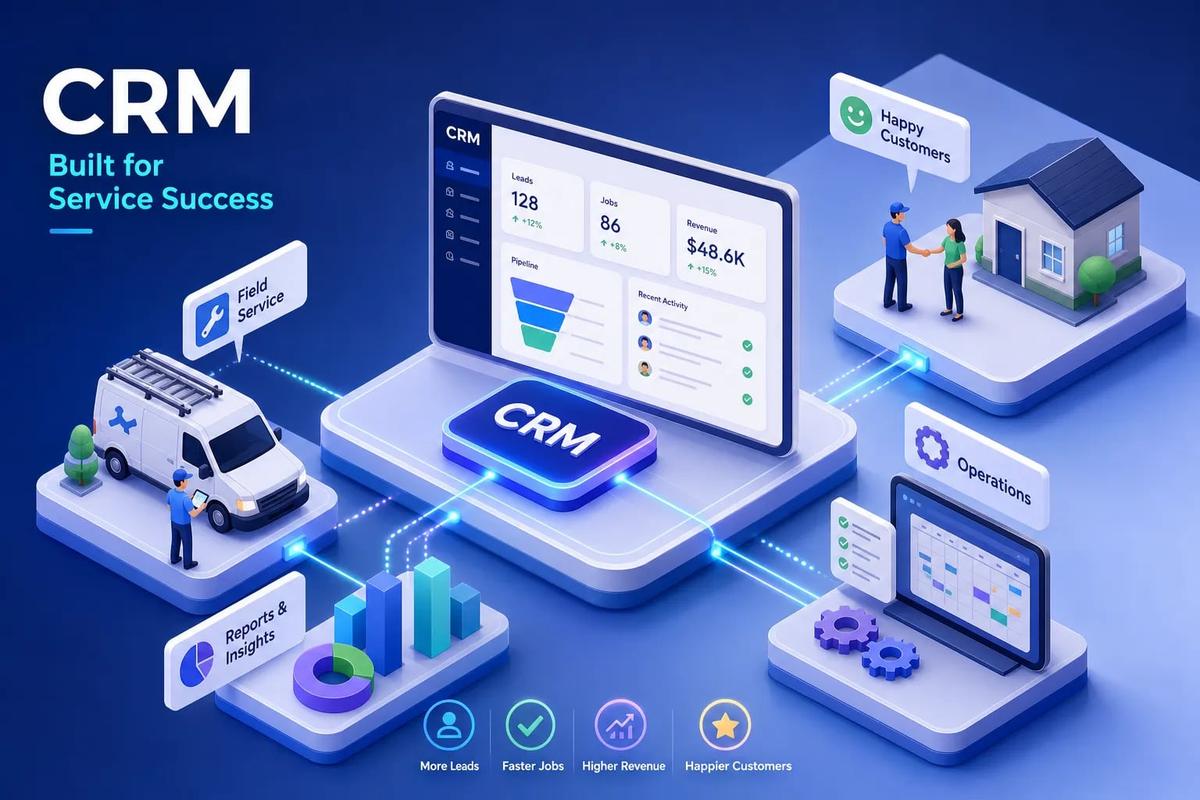
Choosing the best CRM for service industry businesses isn't a one-size-fits-all decision. For field service and home service, the strongest options are URBLD, ServiceTitan, Jobber, and Housecall Pro. For professional services firms, HubSpot and Pipedrive fit better. For large installation businesses managing complex projects, URBLD and ServiceTitan lead the category.
Many general-purpose CRMs are built for sales teams. They track leads, move deals through a pipeline, and log calls, and that's where their job ends. A service business doesn't end at the close. It ends when the crew finishes the job, the invoice goes out, and payment clears. The gap between the signed deal and the final payment is exactly where most sales-focused CRMs fall apart.
This comparison covers eight platforms: ServiceTitan, Jobber, Housecall Pro, HubSpot, Pipedrive, Zoho, Salesforce Field Service, and URBLD. We evaluate each on features, pricing, native versus integrated capabilities, and real user feedback to help you build a shortlist of two or three platforms worth trialing. One platform in this list isn't really a CRM at all. URBLD is a full AI business operating system built natively for field service, and that distinction matters more than it might initially sound.
Key takeaways
- Field service vs. general CRM: Platforms like Jobber, ServiceTitan, and Housecall Pro are FSM tools with CRM features. HubSpot and Pipedrive are the inverse. Knowing which type you're buying changes everything about how the platform fits your operation.
- Native beats integrated: Third-party integrations increase points of failure and maintenance overhead. The fewer integrations your platform requires, the more reliable your operation.
- Scheduling and invoicing are the filters: If a platform can't handle both natively, it's not a complete solution for a field service business.
- Implementation cost is real: ServiceTitan averages about three months to implement according to G2 data. HubSpot Professional carries a one-time onboarding fee of $1,500 according to HubSpot's published pricing, before any data migration costs.
- Size is the deciding factor: Under 10 field staff, start with Jobber or Housecall Pro. Between 10 and 50, ServiceTitan or URBLD are the right conversations to have. Multi-location or 50-plus, Salesforce Field Service or URBLD.
What actually makes a CRM work for a service business?
Most CRM comparisons start with feature checklists and miss the real question. A sales CRM closes deals. A service business needs to execute jobs after the deal is done, a fundamentally different workflow. The platform that wins a lead isn't necessarily equipped to dispatch the crew, track the job, generate the invoice, and sync it to accounting without anyone manually moving data between systems.
The four capabilities that actually matter
Four criteria separate a useful service CRM from an expensive contact list. The first is lead management and follow-up automation: the ability to score leads by activity, route them to the right person, and follow up automatically without someone manually checking a spreadsheet. Second is native scheduling and dispatch, actual crew load balancing, appointment-to-job conversion, and mobile job updates for technicians in the field, not just a calendar sync. Third is invoicing connectivity, ideally triggered on job completion and synced natively to QuickBooks or Xero. Fourth is a mobile app that lets technicians receive, update, and close jobs without calling the office.
"Native" means the feature lives inside the platform without a third-party connection. Every integration you add is a sync job, a potential failure point, and someone's ongoing responsibility to maintain. That hidden labor cost adds up fast.
Why the CRM-vs-FSM distinction matters
ServiceTitan, Jobber, and Housecall Pro are primarily field service management platforms that include CRM features. HubSpot and Pipedrive are general-purpose CRMs that can layer on field service capabilities through integrations. Neither label is wrong, but the type of platform you buy determines how much you'll spend patching gaps.
A field service company that buys a sales CRM typically ends up adding a scheduling tool, a separate invoicing app, an accounting sync, and a contract tool. Each of those carries a monthly cost and creates a data handoff waiting to break.
How to choose the best CRM for service industry businesses
Before the picks, it helps to understand what separates platforms at each capability level. The details matter here, and getting them wrong costs real money.
Lead management and follow-up automation
Good lead management for a service business means activity-based scoring, automated follow-up sequences, and dead-lead recovery. The platform routes inbound leads to the right person and follows up without anyone having to remember to do it. Most general-purpose CRMs handle this reasonably well. Most field service platforms treat it as a secondary module, offering a basic contact list rather than a real pipeline with scoring and automation built in.
Scheduling, dispatch, and technician workflows
This is the hardest feature for a general CRM to replicate. Native scheduling means crew load balancing, one-click appointment-to-job conversion, GPS tracking, and mobile job updates where technicians can see their assignments, update job status, and close work orders from the field. Adding a scheduling integration to a sales CRM creates a two-system problem: customer data lives in one place, job data in another, and syncing them introduces delays that lose jobs and frustrate customers. Both HubSpot and Pipedrive require separate FSM software to cover this workflow, the most consistent complaint from field service owners who have tried running operations through either platform.
Invoicing and accounting sync
The final mile most platforms botch. The ideal is an invoice that generates automatically when a technician marks a job complete, syncs natively to QuickBooks or Xero, and requires no manual re-entry. What most CRMs actually offer is a third-party integration that someone configured, someone maintains, and no one notices when it breaks. That gap doesn't sound critical until you're chasing payment on jobs that never got invoiced because a sync failed quietly over a weekend.
The 8 best CRM options for service industry businesses in 2026
1. URBLD
URBLD isn't a CRM. It's an AI operating system built specifically for field service and installation businesses, covering the entire revenue cycle natively: lead intake through final payment, all without third-party integrations or manual data re-entry. The AI layer qualifies leads, books crews, generates invoices on job completion, and drafts purchase orders. There are no sync jobs to manage and no gaps between modules because everything runs on the same data layer. Built-in advertising and lead capture connect ad spend directly to leads, appointments, and jobs with full attribution. Best for roofing, HVAC, solar, and home improvement businesses managing high lead volume and multiple crews.
2. ServiceTitan
ServiceTitan is built for large, complex multi-trade operations. It handles advanced dispatch, technician management, pricebooks, job costing, inventory, and marketing automation in a single platform. The tradeoff is meaningful: implementation averages about three months according to G2 data, and pricing is quote-only across its Starter, Essentials, and The Works tiers. Estimates from contractor-focused review sites such as G2 and Capterra place costs at $245 to $500 or more per technician per month, though exact figures require a direct quote from ServiceTitan. Best for HVAC, plumbing, and electrical companies running 15 or more technicians that can absorb the implementation investment.
3. Jobber
Jobber is the practical choice for small-to-midsize home service companies. The quote-to-job-to-invoice workflow is clean and fast to learn. It offers scheduling, dispatch, mobile job management, online booking, automated reminders, and payments in a straightforward package. Published plans start at $29 per month for the Core tier and reach $399 per month for the Plus plan covering up to 15 users, according to Jobber's published pricing. It's generally operational within days rather than weeks or months. Best for landscaping, cleaning, pest control, and similar businesses under 20 field staff.
4. Housecall Pro
Housecall Pro is strongest on customer communication: automated texts, appointment reminders, online booking, technician tracking updates, and review generation after job completion. Invoicing and payments are solid for core use cases. It's a field service platform, not a general-purpose CRM, and it's designed for businesses where customer experience and communication speed drive repeat work and referrals. Best for home service businesses in HVAC, plumbing, cleaning, and electrical where the customer's experience between booking and job completion is a real reason customers come back and refer others.
5. Salesforce Field Service
Salesforce Field Service layers enterprise-grade resource scheduling and dispatch onto Salesforce's CRM foundation. It handles complex territories, assets, SLAs, and offline mobile work for technicians with strong configurability. It's the right fit for organizations already invested in the Salesforce ecosystem. Implementing it from scratch requires dedicated admin resources, a likely implementation partner, and significant time before the system runs smoothly. Best for enterprise organizations with complex service territories and existing Salesforce infrastructure already in place.
6. HubSpot CRM (with integrations)
HubSpot is the strongest option on this list for lead nurturing, marketing automation, and customer communication for office-based service firms. It is not a field service tool. Scheduling, dispatch, technician apps, and invoicing all require third-party integrations. It also becomes expensive quickly: the Professional plan carries a one-time onboarding fee of $1,500 and Enterprise carries $3,500, according to HubSpot's published pricing, before any data migration. Best for professional services firms where demand generation and client relationship management matter more than crew dispatch.
7. Pipedrive
Pipedrive is consistently praised for ease of use and fast pipeline adoption, particularly for activity and deal management. It has no native field service features: no scheduling, no dispatch, no technician app, and no native invoicing. For businesses with crews to manage, it requires integrations for everything that happens after the deal closes. Published plans start at $14 per user per month billed annually for the Lite tier, according to Pipedrive's published pricing page. Best for small professional services firms like consulting, IT services, and agencies with a clean sales pipeline and no technician dispatch requirements.
8. Zoho CRM + Zoho FSM
Zoho offers broad feature coverage at a lower price point, with the Standard tier at $14 per user per month billed annually according to Zoho's published pricing. The catch is configuration: combining Zoho CRM with Zoho FSM and Zoho Books to achieve what purpose-built field service platforms provide natively requires meaningful setup time. Capterra reviews place Zoho CRM's support scores near the lower end of the compared options at 4.08 out of 5. Best for budget-conscious teams willing to invest setup time in exchange for long-term flexibility and a lower per-seat cost.
How do these platforms compare side by side?
"Native" in the table below means the feature is built into the platform without a third-party connection. This reflects 2026 capabilities for small-to-midsize teams.
The pattern is consistent: platforms built for field service handle scheduling, dispatch, and invoicing natively. General CRMs handle leads and pipelines well but require integrations for everything that happens after the close. Every integration in that table represents a monthly cost, a configuration task, and a potential sync failure.
What do real users say about setup and support?
User reviews on G2 and Capterra give an honest picture of what buying and implementing each platform actually feels like, separate from what the vendor's sales page says.
Ease of use and learning curve
Among the platforms in this comparison, Pipedrive and Jobber receive the clearest praise for fast adoption and intuitive interfaces. Salesforce and full Zoho CRM are consistently described as having steep learning curves that require dedicated admin time or implementation partners. HubSpot sits in the middle: intuitive for ticketing and basic CRM tasks, but complex when businesses try to build advanced automation or connect field operations to the platform.
Implementation time by platform type
Small field service platforms like Jobber and Housecall Pro can be operational in days. ServiceTitan averages about three months for full implementation according to G2 data, with Capterra reviewers noting that onboarding can extend further when data migration or configuration issues arise. HVAC reviewers on Capterra specifically describe complicated estimate templates and a steep initial learning curve during ServiceTitan setup. Enterprise platforms like Salesforce Field Service often require months and an implementation partner before the system runs at full capacity. HubSpot Professional and Enterprise carry one-time onboarding fees of $1,500 and $3,500 respectively according to HubSpot's published pricing, before data migration. These costs don't show up in the monthly per-seat comparison, but they're real expenses that affect the true cost of adoption.
Which platform fits your business size and vertical?
The goal isn't to pick the most popular platform or the one with the most features. It's to pick the one that fits how your business actually operates today and where it's headed in the next two years.
By business vertical
Roofing and exterior installation businesses need lead management, multi-stage estimates, permit awareness, crew dispatch, and staged invoicing. ServiceTitan and URBLD are the strongest fit, with URBLD particularly suited to businesses that want the full revenue cycle running without maintaining a stack of separate tools.
HVAC and plumbing businesses run high job volumes with inventory complexity, scheduling demands, and fast invoicing cycles. ServiceTitan fits large operations. Jobber and Housecall Pro fit smaller teams. URBLD fits businesses that sit in between: too operationally complex for basic SMB tools, but not yet large enough to justify ServiceTitan's implementation overhead and per-technician pricing.
Solar and home improvement businesses deal with long sales cycles, multi-stage contracts, and complex project management that general CRMs simply aren't built to handle. URBLD and ServiceTitan handle this vertical better than anything designed for simple, single-visit service calls.
Professional services firms, including consulting, IT services, and agencies, don't dispatch crews. They manage client relationships and sales pipelines. HubSpot fits when marketing automation and customer communication are the priority. Pipedrive fits when pipeline simplicity and fast user adoption matter most.
Best CRM for service industry firms: picking by company size
Under 10 field staff: Jobber, Housecall Pro, or Pipedrive depending on whether your primary workflow is booking and dispatching jobs or managing a sales pipeline. These platforms are priced and scoped appropriately and don't require weeks of implementation before they're useful.
Ten to 50 field staff: this is where the cost of disconnected tools starts compounding. A business running 15 technicians across multiple crews needs real scheduling infrastructure, reliable invoicing automation, and lead management that doesn't drop follow-ups when someone's on a job site. ServiceTitan or URBLD are the right conversations to have at this size. An observed pattern in the field service industry is that mid-size operations often run four to six software platforms simultaneously, and at 10-plus technicians, the operational drag of managing that many systems becomes a growth ceiling.
Fifty-plus staff or multi-location: ServiceTitan for established trade businesses with complex dispatch needs. Salesforce Field Service for enterprise complexity with existing Salesforce infrastructure. URBLD for businesses running multiple crews across multiple locations that need centralized reporting, tenant isolation between locations, and role-based access control without shared customer data across units.
The real question is what you're actually buying
Most service businesses don't fail because they picked the wrong CRM. They fail because they picked a CRM and then bolted on a scheduling tool, a separate invoicing app, an accounting sync, and a contract tool. Each integration is a point of failure. Each sync is a delay. Each manual handoff is a dropped job or a missed follow-up.
Start with your core constraint. If you're losing leads, fix your lead management. If you're losing time between job completion and invoice delivery, fix your billing workflow. If both are true, stop patching and find the best CRM for service industry businesses that handles the full cycle natively. Reach out to our team and we'll help you figure out whether URBLD is the right fit for where your business is headed.
Frequently Asked Questions
Is URBLD a CRM or something else?
URBLD is not a CRM; it is an AI operating system built specifically for field service and installation businesses. It covers the entire revenue cycle natively, lead intake through final payment, without third-party integrations or manual data re-entry, with AI that qualifies leads, books crews, generates invoices on job completion, and drafts purchase orders.
How long does ServiceTitan typically take to implement?
ServiceTitan typically averages about three months to implement according to G2 data. Implementation can extend further when data migration or configuration issues arise, and HVAC reviewers note a steep initial learning curve with complex estimate templates during setup.
If we choose a general-purpose CRM like HubSpot or Pipedrive, will we need additional tools for field operations?
Yes, general-purpose CRMs require third-party integrations for scheduling, dispatch, technician apps, and invoicing to cover field operations. That creates additional monthly costs, configuration work, and potential sync failures that can delay job data and invoicing.
Which platforms should we consider if we have fewer than 10 field staff?
For teams under 10 field staff, consider Jobber, Housecall Pro, or Pipedrive depending on whether your primary workflow is booking and dispatching jobs or managing a sales pipeline. These platforms are priced and scoped to be useful quickly and typically require days rather than weeks or months to become operational.
Explore the URBLD platform
Found this useful? Share it with another contractor or service business owner.