Best CRM for Landscapers in 2026
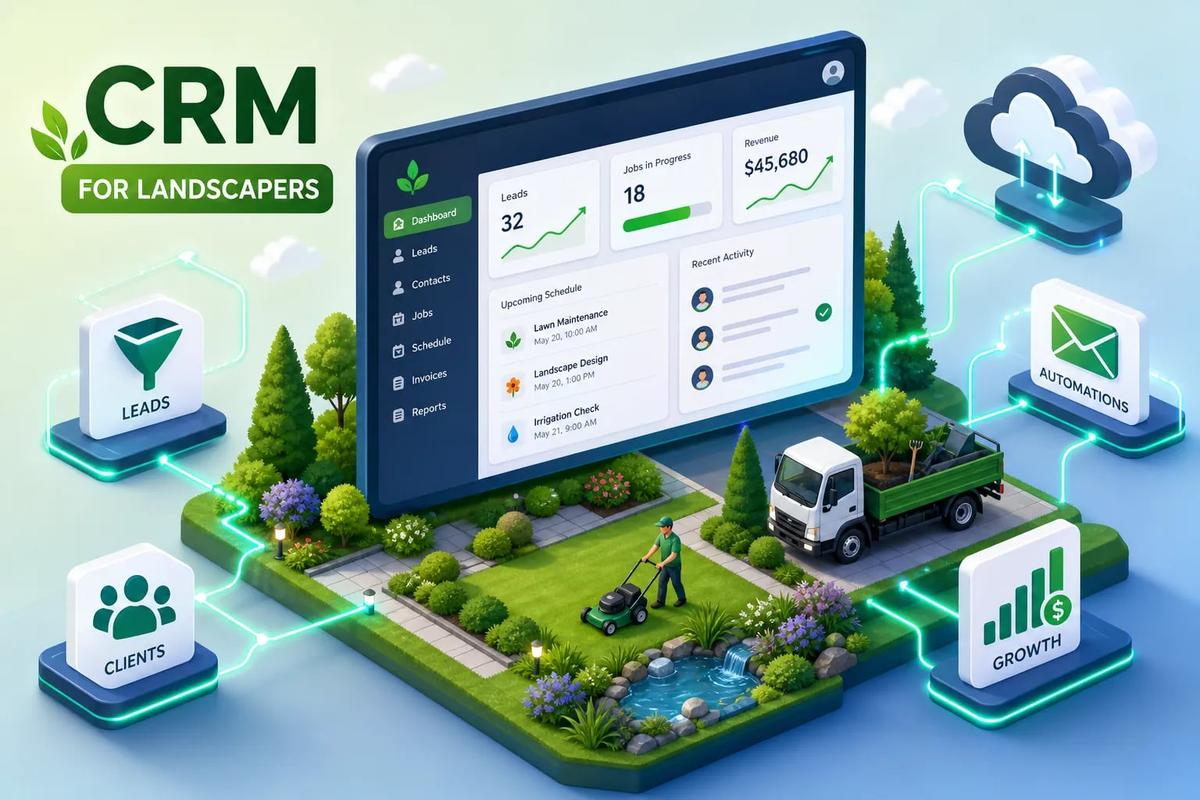
Right now, somewhere in a landscaping office, there is a stack of estimate requests that came in over the weekend. Nobody followed up on them because the crew supervisor is managing a no-show, the office coordinator is updating a spreadsheet with last week's jobs, and the owner is on-site answering a client call about an invoice that should have gone out three days ago. Often this is a workflow problem rather than a pure staffing shortage, and a good CRM for landscapers solves it at the source. The right platform connects lead tracking, job scheduling, and recurring billing so those three workflows feed each other instead of competing for someone's manual attention.
When those three workflows connect, your business runs. When they don't, you spend your days stitching together what fell through the cracks. Some platforms are built from the ground up so these workflows feed each other natively. Others bolt scheduling onto a contact database and call it field service software. The difference matters, especially during peak season when the margin for error is zero.
This article compares the top landscaping CRM options in 2026 by feature, pricing, and operational fit, then closes with a five-step checklist you can act on this week.
What landscaping businesses actually need in a CRM
Not every CRM is built for work that happens before 7 a.m. on a route. Most mainstream contact management tools were designed for inside sales teams working from a desk, and the gap shows up fast once you try to adapt them for field operations. There is no native job scheduling, no recurring billing logic tied to service visits, and no mobile experience a field crew member can realistically use while loading a truck.
Landscaping operations carry a specific layer of complexity that generic tools cannot absorb cleanly: crew routing across multiple properties, seasonal service windows that shift with weather, recurring maintenance agreements that need to auto-renew, and multi-property accounts where one client owns six commercial sites. A CRM that handles B2B software sales does not have the operational vocabulary for any of that.
The six features that actually move the needle for landscape operations
The baseline feature set for a genuinely useful CRM for landscapers covers six areas. Lead capture and automated follow-up keep prospects from going cold between first inquiry and estimate. Job scheduling and dispatch coordinate crews without creating a double-booking problem. Route optimization reduces drive time so crews fit more billable work into the same day. Recurring service billing handles maintenance agreements without manual invoice creation every month. Invoicing triggered by job completion closes the cash flow gap. A mobile app that field crews will actually use ties all of it together on-site.
Landscaping businesses that switch to purpose-built lawn care scheduling software consistently report meaningful reductions in admin overhead, faster billing cycles, and fewer missed appointments, outcomes that come from eliminating manual handoffs between disconnected tools, not from any single feature in isolation. (Specific results vary by business size and implementation; ask vendors for customer case studies before committing.)
Property data and service history: the underrated feature most owners ignore
Landscaping is property-centric, not just customer-centric. A client who owns three commercial properties is not one account with three notes, they are three distinct service records with different visit histories, crew requirements, and seasonal schedules. A lawn care CRM that stores everything under a contact name will mix those records together, which creates crew briefing problems, billing errors, and missed upsell opportunities. Platforms that store service history by property address give you a foundation for managing multi-site accounts, training new crew members on what a property needs, and identifying which sites are overdue for a service upgrade conversation.
Lead tracking: best practices for landscaping CRM software
Landscaping peak seasons are short. Losing a lead in April because nobody sent a follow-up for four days is not just an inconvenience, it is a recurring revenue account you will not recover until next spring. The best landscape estimating software handles this by automating the steps between first contact and signed estimate so no inquiry falls through without a response.
From first inquiry to signed estimate: mapping the lead workflow
A well-built lead workflow works like this: a web form submission or inbound call creates a lead record automatically, an auto-response goes out within minutes, the estimate is generated and sent, and if no response comes back within a defined window, a follow-up is scheduled without anyone manually triggering it. Contrast that with the manual version, someone takes a call, writes a note, emails the estimator, the estimator builds the quote in a separate app, sends it, and then hopes to remember to follow up. Every one of those steps is a place where the deal can stall.
Lead source attribution and why it matters for lawn care marketing spend
Landscaping owners who run Google ads or invest in yard signs need to know which channels are actually producing closed jobs, not just inquiries. Attribution tracking in a landscaping CRM connects marketing spend to revenue by tying each lead back to its source through the full pipeline, from first click to signed contract. The KPI that matters here is estimate acceptance rate by source. For example, if your Google leads accept estimates at a significantly higher rate than your door-hanger leads, you have a clear budget reallocation decision in front of you. Without lead source tracking built into your lawn care CRM, that data lives nowhere.
Job scheduling and crew coordination that keeps routes profitable
Scheduling is where most landscaping businesses lose money without a clear line item to trace it back to. Inefficient routing burns fuel and crew hours. Double-bookings damage customer relationships. A crew spending a large share of the day driving between jobs rather than completing billable stops is a direct drag on margin. The right lawn-care scheduling software eliminates these losses structurally, not by asking people to be more careful.
Recurring jobs, seasonal scheduling, and the challenge of flexible capacity
Weekly lawn maintenance routes are the backbone of many landscape operations, but they are genuinely complex to manage. Routes shift with weather delays, customer requests change mid-season, and crew availability fluctuates. A generic calendar cannot handle recurring jobs that need to reschedule automatically when a technician calls in sick. Purpose-built groundskeeping software treats recurring routes as a dynamic schedule rather than a static list of events, which is why it consistently outperforms adapted generic tools in this environment.
Route optimization and mobile crew apps: what good looks like in practice
Route optimization in a landscaping context is not just drawing the shortest path between stops. It is about geographic clustering, matching crew skills to job requirements, and GPS visibility so the office knows what is actually happening in the field. Real-time re-dispatch when a job runs long is equally important. The features to look for: drag-and-drop scheduling with a map view, live crew location, and the ability to reassign jobs without rebuilding the whole day.
On the mobile side, field crews need job details, clock-in and clock-out, photo capture, customer signature collection, and status updates that trigger back-office actions automatically. In practice, crews abandon apps that require multiple steps to log job completions, aim for one or two taps where possible. That friction threshold is a reliable indicator of whether field adoption will actually stick.
Recurring billing and service agreements: your revenue stability layer
Recurring revenue is what separates a landscape business with predictable cash flow from one that starts from zero every month. The problem is that most CRMs treat recurring billing as a secondary feature rather than a core workflow. Service agreements get managed in spreadsheets, invoices go out late, and clients who should be on auto-pay are still receiving paper bills.
Good landscaping software handles the full contract cycle: service agreement templates with defined scope and billing terms, e-signature collection without a third-party tool, billing frequency rules tied to the service calendar, and automatic invoice generation triggered by job completion or a scheduled date. The efficiency gains from well-implemented platforms come almost entirely from eliminating the steps between "job complete" and "invoice sent." When invoicing happens automatically, accounts receivable tightens without anyone chasing it. Auto-billing with card-on-file storage and automated payment reminders close the collection loop without an awkward follow-up call to a client who is already satisfied with the work.
The top CRM options for landscaping businesses in 2026
The platforms below represent strong options across different business sizes and operational models. Each one has a genuine use case it fits well and at least one scenario where it falls short. The comparison prioritizes the six core workflows covered above, lead tracking, scheduling, recurring billing, mobile usability, and accounting sync, so you can match platform strengths to your actual gaps rather than feature counts.
QuoteIQ, Jobber, LMN, and Service Autopilot: landscape-specific options worth evaluating
QuoteIQ starts at $29.99 per month on a flat-rate model with no per-user fees, which makes it one of the most cost-predictable options in this category. It bundles an AI estimator, route optimization, and recurring invoicing into a single plan, a strong value proposition for small-to-mid-size landscaping crews. Jobber starts at $39 per month and is a consistently recommended lawn care CRM for businesses that need a clean recurring-job workflow with visit-level scheduling and automatic payment collection. It handles recurring jobs on weekly, bi-weekly, or monthly cadences and lets you choose bill-per-visit or scheduled billing.
LMN sits in the $97 to $297 per month range and is built specifically for design-build and maintenance crews that need labor and equipment-based estimating tied to job costing. It is the right choice when your maintenance contracts are tightly connected to budgeting discipline. Service Autopilot is oriented toward high-volume route operations, with pricing in the $49 to $199 per month range, and is built for businesses running hundreds of recurring stops per week. (All pricing reflects publicly available plan tiers as of mid-2026 and may vary by tier or promotion, confirm current rates with each vendor.)
Yardbook and Housecall Pro: entry-level and mid-market options
Yardbook offers a credible free tier for solo operators and startups, with paid plans at $34.99 and $49.99 per month. It covers the basics: invoicing, scheduling, and a public business profile for lead generation. It is a reasonable starting point, but it will not handle the operational complexity of a multi-crew business. Housecall Pro starts around $59 to $69 per month and is a solid mid-market option with clean job management and automated marketing tools. Watch the pricing model carefully, it layers on paid add-ons for features like forms, reviews, and marketing tools, so the base price is not the full cost.
How each platform compares on the core workflows
When an all-in-one field service platform beats a landscape-specific CRM
Landscape-specific tools are built for the landscaping industry, but that specialization has a ceiling. When your business grows past a certain operational complexity, the tool that was perfect at three crews starts showing seams at eight. The real cost of tool sprawl is not the subscription fees, it is the manual re-entry, the sync delays, and the automation gaps that appear every time data has to move between a CRM, a scheduling app, a landscape estimating software tool, and an invoicing system.
The tool-stitching problem: what it actually costs to connect five platforms
A typical growing landscaping business runs something like this: HubSpot or a basic CRM for leads, Jobber for scheduling, QuickBooks for accounting, DocuSign for contracts, and Google Sheets for inventory or crew tracking. Each tool works fine in isolation. The problem is the space between them. A lead that closes in the CRM needs to be manually entered into the scheduling tool. A completed job needs someone to trigger the invoice in QuickBooks. A signed contract in DocuSign does not automatically update the job record in Jobber. Every one of those handoffs is a place where data gets dropped, delayed, or duplicated. At three crews, you can manage it. At eight crews, maintaining those connections becomes a full-time job.
URBLD: a field service operating system built for how the work actually flows
URBLD was designed to eliminate the handoff problem entirely. According to URBLD's product documentation, lead capture, scheduling, AI-powered estimating, e-signatures, job execution, and invoicing operate within one connected system, no third-party integrations or manual data re-entry required. The AI layer is designed to handle follow-ups, invoice generation on job completion, and crew coordination automatically, without waiting for a human to trigger the next step. For a landscaping business managing five or more crews, commercial contracts, and recurring billing across a large property portfolio, that architecture means the entire revenue cycle from first ad click to final payment runs on a single platform.
The practical difference shows up in day-to-day operations. When a job is marked complete in the field, the invoice generates automatically under the rules the owner configured. When a lead comes in from a web form, the qualification and follow-up sequence runs without anyone in the office manually processing it. When a crew's schedule changes, the dispatch updates without rebuilding the route from scratch. This is not automation bolted onto a CRM, it is the entire workflow running natively from one platform.
Who should consider a native field service platform over a landscape-specific tool
A solo operator running 20 weekly mowing accounts does not need this level of infrastructure. QuoteIQ or Jobber will serve that business well at a fraction of the cost. The business that needs a platform like URBLD is managing five or more crews, holding commercial service contracts, billing 200 or more properties on recurring schedules, and losing time every day to manual work that falls between tools. The decision point is not company size alone, it is operational complexity. When your current stack creates more coordination work than it eliminates, you have outgrown it.
How pricing structures actually compare at real headcount
Pricing in the landscaping CRM market is not straightforward, and the advertised starting price rarely reflects what you will actually pay once you add your team. The most important variable is whether the pricing model is flat-rate or per-user, because that choice determines how your costs scale as you hire.
Consider a realistic scenario: one office coordinator and six field technicians. On Jobber's team pricing, that configuration runs approximately $169 per month at five users and $349 per month at ten. QuoteIQ at $299 per month covers ten users on a flat plan, which means the same headcount costs roughly $50 less per month before per-user costs from other vendors enter the math. ServiceTitan at approximately $300 per user per month would run $2,100 per month for seven people, a reasonable enterprise investment for a company with 20 crews, but not for a seven-person landscaping operation. The flat-rate model becomes clearly more cost-effective once you cross roughly eight team members with system access, which means most growing landscaping companies hit that threshold within their first or second year of scaling.
Watch for add-on costs that inflate the actual monthly bill. Markate charges $39 per month plus $5 per employee plus $10 each for features like reviews, phone tools, booking, and forms. Housecall Pro's modular structure layers on similar per-feature charges. Before signing up for any platform, confirm whether estimating, routing, and contract management are included in the base plan or gated behind a higher tier. The true cost comparison is base plan plus the add-ons you actually need, not the headline price.
A 5-step checklist to choose and trial the right CRM
Before you watch a single demo, you need a clear picture of the problem you are solving. Skipping that step is the fastest way to end up paying for features you don't need while the gaps that are actually costing you money go unaddressed. These five steps give you a repeatable framework that works whether you are choosing your first lawn care CRM or replacing the one that stopped scaling with you.
Steps 1 and 2: audit your workflow and locate the revenue leaks
Step 1 is to map your current lead-to-invoice workflow and mark every manual handoff. Write down each step from the moment a lead arrives to the moment the invoice is paid. Circle every point where information has to be entered more than once, where someone has to remind someone else to take action, or where a delay regularly appears. This is not an abstract exercise, it produces a concrete list of the places your business is losing money or time.
Step 2 is to match those gaps against the six core features covered earlier: lead capture and follow-up, job scheduling, route optimization, recurring billing, invoicing automation, and mobile crew tools. Rank your top three gaps by revenue impact. This becomes your feature priority list, and it will save you from buying a platform with excellent landscape estimating software when your real problem is that recurring invoices go out four days late every month.
Steps 3, 4, and 5: evaluate, trial, and measure before you commit
Step 3 is to match your priority list to the platforms in the comparison table. You are not looking for the platform with the most features, you are looking for the one that solves your top three gaps cleanly at a price that makes sense for your team size. For many small landscaping operations, that is QuoteIQ or Jobber. For businesses managing multiple crews and commercial contracts, that evaluation should include URBLD alongside the landscape-specific options.
Step 4 is to run a 14 to 30-day trial with real operational data, not a demo account with test leads. Import your actual customers, set up a real recurring route, and process a real estimate through the workflow. A platform that feels smooth in a demo can reveal friction points quickly when it handles your actual job types and billing rules.
Step 5 is to measure the same KPIs before and after the trial period: estimate acceptance rate, average billing cycle time, and number of missed appointments per week. If your trial numbers are not moving in a meaningful direction on all three, the platform is either the wrong fit or it is not set up correctly. Platforms that handle these workflows natively consistently produce measurable improvements, the goal of the trial is to confirm that yours is one of them before you commit.
Choosing the right platform for where your business actually is
The best CRM for landscapers is not the one with the longest feature list or the lowest price. It is the one that handles your three core workflows in a connected sequence without creating more coordination work than it eliminates. That bar sounds simple, but most platforms fail it in at least one of the three areas.
For smaller operations with straightforward weekly routes, QuoteIQ and Jobber are proven, affordable choices that handle recurring billing and scheduling reliably. For mid-size landscaping companies that need landscape-specific job costing, LMN earns its higher price point. For businesses that have outgrown their patchwork stack and need one system to run the entire revenue cycle without manual handoffs, a native field service platform like URBLD removes the integration debt that landscape-specific tools cannot eliminate on their own.
Use the five-step checklist to identify your gaps before you look at a single demo. Run a real trial with real data. Measure the outcomes, recovered admin time, faster billing cycles, fewer missed appointments. Those are the numbers that tell you whether a platform actually fits your operation. The only question is whether your current tools can deliver them.
Explore the URBLD platform
Found this useful? Share it with another contractor or service business owner.