Best CRM for Plumbers in 2026: Ranked and Reviewed
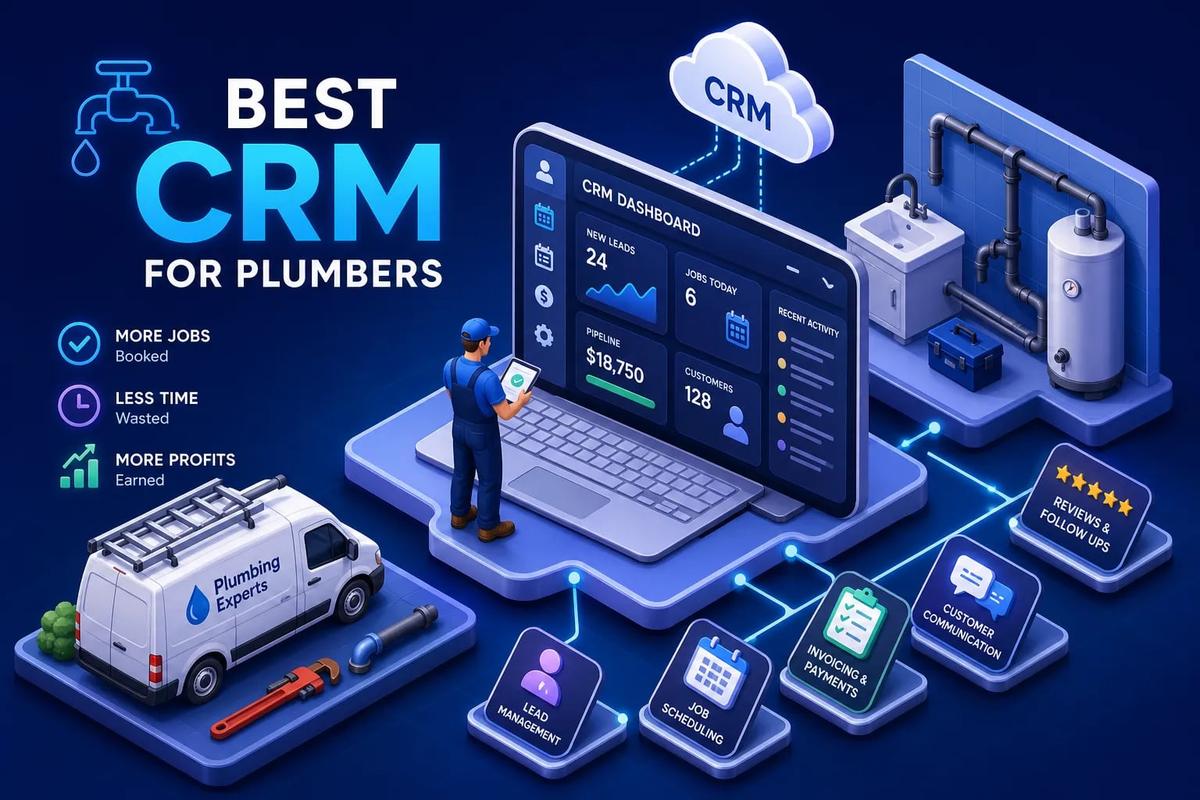
Many plumbing businesses don't lose jobs because of bad work. They lose jobs because the back office is held together with duct tape. A standalone contact database that doesn't talk to the scheduling app, a scheduling app that doesn't talk to QuickBooks, and QuickBooks that doesn't know a job was even completed. That's how leads fall through the cracks and invoices go out days late. The best CRM for plumbers in 2026 is no longer just a place to store customer names. It's the operational backbone of the entire business, from the first inbound call to the final payment confirmation.
Platforms have gotten a lot more capable over the past few years. Some have figured out how to connect the entire revenue cycle natively, no Zapier, no CSV exports, no manual re-entry. URBLD is built specifically for field service businesses that have outgrown patchwork software stacks, with AI-driven automation designed to run the entire revenue cycle without requiring third-party tools. But the right fit depends on your team size, your current pain points, and how much operational complexity you're willing to manage. This guide breaks down what features actually matter, how the major options compare, and which system makes the most sense for your shop.
Why a Generic CRM Won't Cut It for a Plumbing Business
The Mismatch Between Sales CRMs and Service Operations
Tools like HubSpot or Salesforce are designed for B2B sales pipelines: multi-touch deal stages, contact enrichment, and email sequences targeting enterprise accounts. A plumbing business runs on an entirely different set of needs. Same-day scheduling, live job status visibility, crew dispatch, and fast invoicing after a job closes, none of that exists out of the box in a sales-focused CRM. Forcing a sales pipeline tool to run field service operations means building workarounds on top of workarounds, which is exactly how businesses end up with four different software subscriptions and a spreadsheet duct-taped to all of them.
What "CRM" Actually Means for a Field Service Operator
For plumbers, a CRM is really a customer and job management system. It needs to capture leads, book appointments, assign techs based on skill and availability, give those techs job details in the field, and collect payment when the work is done. That definition maps more accurately to field service management software than to what most people picture when they hear "CRM." The category distinction matters when you're evaluating tools, because a platform built for service operations will handle dispatch, job costing, and mobile workflows natively, whereas a traditional CRM will require expensive integrations or custom builds to get there.
Best CRM for Plumbers: Lead Intake and Follow-Up Automation
How Fast Lead Response Decides Whether You Win the Job
Speed-to-lead is one of the biggest drivers of booking rates in home services. Industry benchmark data suggests that responding within two minutes converts at roughly 62%, while waiting around 42 minutes, close to the industry average, drops conversion to around 28%. Wait longer than an hour and you're competing with whoever the homeowner already called next. For plumbing in particular, where calls are often triggered by an active emergency, a burst pipe, a backed-up drain, a failed water heater, the window is even shorter. The business that responds first typically wins the job.
A solid lead intake workflow captures the form submission or inbound call, fires an automated SMS response within seconds, scores the lead based on activity, and routes it to the right person for follow-up. When that entire sequence runs automatically, a single admin can manage significantly more lead volume without dropping anything. When it runs manually, leads wait. And waiting leads book somewhere else.
Automated Follow-Up Sequences That Don't Require Office Staff
Effective plumber CRM follow-up isn't complicated, but it has to be consistent. A quote goes out, and within the hour an automated text checks in. Two days later, a follow-up email goes out if nothing was booked. A week later, a re-engagement sequence fires for leads who never responded. Appointment reminders go out 24 hours and again two hours before the scheduled window. Keep in mind this is an illustrative cadence, the right timing for your shop depends on your market and job type. What shouldn't vary is the principle: none of this should require a dedicated admin manually sending messages. The right plumbing business software handles all of it once you've configured the rules, and it runs the same way whether you're managing 10 leads or 300.
Job Scheduling and Dispatch: The Feature That Makes or Breaks Daily Operations
What a Real Scheduling Board Looks Like for Plumbing Teams
A basic calendar that shows who's scheduled on what day is a starting point, not a solution. Real plumbing dispatch software gives dispatchers a live board showing each tech's current location, active job status, skill set, and available windows for the day. Drag-and-drop reassignment handles cancellations and emergency calls without a phone tag spiral. Skill-based job assignment makes sure the right plumber goes to the right job rather than just whoever happens to be closest. When a slab leak call comes in at 2 PM and two techs are finishing up nearby, the dispatcher sees that immediately and can reassign in seconds.
GPS-based crew tracking isn't just for accountability. It helps dispatchers make smarter routing decisions in real time, and it gives customers accurate ETAs without anyone having to make manual calls. Platforms that do this well update job status automatically as techs move through their day, keeping the dispatch board accurate without requiring constant manual input from the office.
Mobile App Requirements for Techs in the Field
A job management app for plumbers has to do more than display the day's schedule. Techs need access to customer history, job notes, photos from previous visits, and parts information before they knock on the door. During the job, they need to capture photos, log parts used, update job status, and collect a signature when the work is complete. Offline capability matters more than most vendors acknowledge. Basements, crawl spaces, and older structures routinely kill cell signal, and a tech shouldn't have to wait for bars to submit job documentation. The best mobile apps buffer data locally and sync when connectivity returns.
Invoicing and Payment Collection: Turning Completed Jobs Into Cash Faster
Why Delayed Invoicing Directly Kills Cash Flow
Here's a scenario that plays out in plumbing shops every day: a tech completes a job at 4 PM, marks it done in the app, and then the office builds the invoice the next morning using information from a job sheet. That's a 16-hour delay on a single invoice. Multiply that across 10 jobs per day and you've got a systematic cash flow problem built directly into your process. Automated invoicing triggered on job completion eliminates that delay entirely. The job closes in the field, the invoice generates and sends within minutes, and the customer can pay from their phone before the tech drives away.
Some plumbing business software platforms handle this natively, with configurable rules that determine when invoices generate and what they include. Others require a manual step, or worse, a Zapier workflow that fires when certain conditions are met, which works until it doesn't, usually on a Friday afternoon. The difference between native automation and a patched-together workaround becomes very clear as job volume increases.
What to Look for in Payment Processing and Accounting Sync
Integrated payment links on invoices, card-on-file for repeat customers, and a reliable QuickBooks Online sync are baseline expectations for any contractor CRM worth paying for in 2026. What separates a genuine native sync from a shallow export is how much data actually transfers cleanly. A proper integration pushes customers, invoices, line items, products, payment status, and tax settings into QuickBooks automatically, with two-way sync keeping both systems aligned. A basic export dumps a CSV that someone has to import manually, map fields, and reconcile afterward. The former saves hours per week. The latter creates a second job that follows every first job.
What to Evaluate Before Committing to Any Plumbing CRM
Integration Depth Versus Native Coverage
The integration question is the most important one to ask before signing up for anything. Some platforms do scheduling well but require a third-party tool for contracts. Others have strong CRM features but need a separate invoicing product. Each integration you add is another monthly fee, another sync job that can fail, and another place where data can go wrong. Before committing, ask specifically: how many tools does this platform replace versus how many does it require? A platform that replaces six tools but requires three more is not a simplification. A platform that handles everything from lead intake to accounting sync without a single third-party dependency is a genuine operating system.
Pricing, Onboarding Time, and Migration Realities
Pricing in this market falls into a few distinct models. Jobber runs a tiered structure from about $29/month on the Core plan up to roughly $529/month for the Plus Team plan. Housecall Pro comes in at approximately $49/month for entry-level through $290/month for larger teams. Note that prices vary by billing frequency, seat count, and bundle, always confirm current rates directly with vendors. ServiceTitan uses custom-quoted pricing; expect a significant monthly investment, especially with implementation costs factored in. For a 5, 10 tech shop switching from spreadsheets or a basic tool, the realistic onboarding timeline ranges from a single day on lighter platforms like Jobber to several weeks on more complex systems. Before signing anything, ask the vendor: what does data import look like, does historical QuickBooks data transfer cleanly, and what does onboarding support actually include. The answers tell you a lot about what the first 30 days will feel like.
URBLD: The All-in-One System for Plumbers Who Are Done Stitching Tools Together
What Makes URBLD Different From a Standalone Plumber CRM
URBLD is not a CRM with bolt-on modules. It's an AI-powered operating system built to run the entire revenue cycle for field service businesses, including plumbing operations, without requiring third-party integrations. According to URBLD, the platform brings together lead intake with activity-based scoring, automated follow-up sequences, scheduling and dispatch with one-click appointment-to-job conversion, AI-generated estimates from photo input, native e-signatures, automated invoicing triggered on job completion, and real-time accounting sync, all inside one platform with one data model. No sync jobs failing at 2 AM. No re-entry between systems. Ask the URBLD team to demonstrate each of these capabilities directly during a walkthrough so you can validate them against your specific workflow.
The AI layer inside URBLD is designed to execute work, not just track it. Leads get qualified automatically. Crews get routed based on availability and skill. Invoices generate when jobs close. Purchase orders draft when inventory drops below threshold. For a plumbing operation, that means the handoffs that currently require admin intervention, from new lead to booked appointment, from completed job to sent invoice, from closed invoice to reconciled accounting, are handled without anyone having to initiate them manually.
Where URBLD Fits for a Plumbing Operation Specifically
URBLD is the right move for plumbing businesses that have hit the ceiling of lighter tools. If you're running five or more techs, losing leads because follow-up is manual and inconsistent, and spending admin hours reconciling QuickBooks with your scheduling app, the automation layer in URBLD is designed to handle those handoffs without human intervention. The cross-module automation engine replaces the patchwork of Zapier workflows that most growing plumbing shops rely on, with conditional rules and AI execution that run across every part of the business simultaneously.
This isn't a platform for an owner-operator booking five jobs a week who just needs a simple calendar and an invoice button. It's built for operators who are serious about running a tighter, faster business and want software that works as hard as they do. If your biggest daily frustration is the gap between your tools, the lead that didn't get followed up, the invoice that went out late, the tech who showed up without job notes, that's the exact gap URBLD is designed to close. Reach out to the URBLD team to book a walkthrough and see how it maps to your specific workflow.
Other Options: ServiceTitan, Jobber, and Housecall Pro
ServiceTitan: Enterprise-Grade Power With an Enterprise Price Tag
ServiceTitan is a feature-complete platform in the traditional FSM market. The dispatch board is polished, GPS technician tracking is robust, reporting is detailed, and service agreement management handles recurring maintenance contracts well. For a larger plumbing operation with dedicated office staff, complex multi-crew workflows, and the budget to absorb custom pricing plus implementation costs, it delivers real value. The problems show up for smaller shops: custom pricing that can run into thousands of dollars per month, a long onboarding ramp that can stretch weeks, and a learning curve steep enough to overwhelm teams without a dedicated systems administrator. A 2, 3 tech shop or an owner-operator will almost certainly be over-served and under-resourced for the platform's demands.
Jobber and Housecall Pro: Clean and Fast for Smaller Teams
Jobber earns its reputation for fast onboarding, most small plumbing shops are functional within a day, sometimes hours. The scheduling interface is clean, QuickBooks Online sync works reliably, and the mobile app covers the basics without a steep learning curve. Its limitation is depth: Jobber is service business scheduling software, not a full operating system. As your team grows, the gaps become more visible, limited automation, no native lead scoring, and workflows that require third-party tools or manual intervention at scale. Housecall Pro covers similar ground with a stronger consumer-facing booking experience, but runs into the same ceiling as volume and complexity increase.
FieldPulse is worth mentioning as a mid-market option for shops that want more dispatch depth than Jobber without committing to ServiceTitan's cost and complexity. It handles scheduling and field workflows more capably than lighter tools for teams in the 5, 15 tech range, though it won't replace your full software stack. Each of these platforms works, the question is whether it works well enough for where your business is headed.
How to Choose the Best CRM for Plumbers: Matching the Right System to Your Shop
Solo Tech or 2, 3 Person Crew: Start Simple, but Plan Ahead
For a very small plumbing operation, Housecall Pro or Jobber are reasonable starting points. Onboarding is fast, pricing is accessible, and the core scheduling and invoicing features cover what a small team needs without overwhelming anyone. The one thing to think about before signing: choose a platform you won't need to fully abandon in 18 months. Re-migrating customer data, job history, and accounting records is painful and expensive. Even at the small-shop stage, it's worth asking whether the platform can realistically scale to 10 or 15 techs before you commit.
5, 20 Technicians: The Threshold Where an All-in-One Matters Most
This is where the cost of disconnected tools becomes impossible to ignore. Dropped leads add up to real lost revenue. Invoicing delays compound into a cash flow problem. Scheduling conflicts between crews mean either double-booking or gaps in the day. Admin hours spent reconciling tools that don't talk to each other are hours not spent growing the business. At this size, the field service management software you choose isn't just an operational tool, it defines the ceiling of how fast and how cleanly you can scale. Platforms that run everything natively, with AI handling the handoffs between modules, can create a significantly tighter operation than systems stitched together from separate tools. That's exactly the scenario URBLD is built for.
The Clearest Decision Framework for Choosing the Best CRM for Plumbers
The best CRM for plumbers isn't the one with the longest feature list. It's the one that removes the most manual work between your first customer contact and the moment you collect payment. For small shops just getting organized, simpler tools like Jobber or Housecall Pro are a legitimate entry point. For operations running five or more techs and dealing with lead loss, invoicing delays, and tools that don't talk to each other, the smarter move is a platform that handles everything natively and runs the business autonomously between human decisions.
Start by identifying your single biggest operational gap right now. Is it lead follow-up? Dispatch visibility? Invoicing delays? Pick the system that closes that gap without requiring another tool to do it. If the answer keeps pointing back to a connected, automated operating system rather than another standalone CRM, that's a signal worth acting on.
URBLD is built specifically for that scenario. If your plumbing business is running five or more techs and you're losing time, leads, or revenue to disconnected software, book a demo with the URBLD team and see what a single connected system actually looks like in practice. The gap is there. Better software closes it.
Explore the URBLD platform
Found this useful? Share it with another contractor or service business owner.