Best Contractor CRM for Workflow Automation
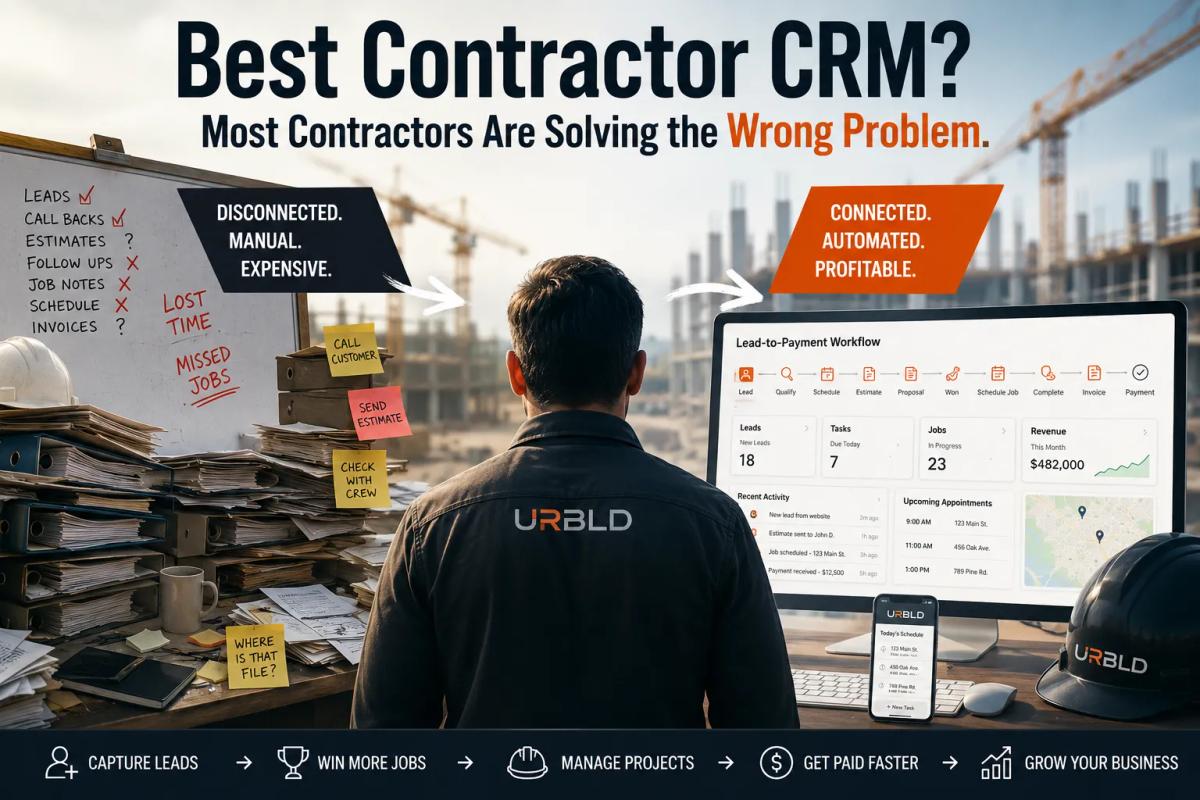
Best Contractor CRM for Workflow Automation
If you're searching for the best contractor CRM, you're probably comparing software features.
Dispatching.
Invoicing.
Reporting.
Mobile apps.
Automation.
That's exactly what most software companies want you to compare.
But the biggest problem in most contracting businesses is not the CRM.
It's the workflow.
A lead comes in.
Nobody calls it for three hours.
A salesperson visits the property and writes notes on a clipboard.
Photos get saved to a phone.
Measurements get written on paper.
Customer concerns get forgotten.
The estimate gets delayed.
The follow-up never happens.
The job doesn't get sold.
Then the owner starts shopping for another CRM.
The software wasn't the bottleneck.
The workflow was.
The Real Cost of Invisible Overhead
Every contractor tracks:
• Labor
• Materials
• Fuel
• Vehicles
• Insurance
• Software subscriptions
Very few contractors track invisible overhead.
Invisible overhead looks like:
• Re-entering customer information
• Searching for notes
• Calling customers twice because information is missing
• Missed follow-ups
• Delayed estimates
• Crews waiting for instructions
• Managers chasing updates
• Lost opportunities that should have been sold
None of these show up as a line item on a profit-and-loss statement.
But they consume hundreds of hours every year.
And those hours eventually become overhead.
That overhead quietly destroys profitability.
Why Most Contractor CRM Software Feels the Same
Most contractor CRM platforms are built around modules.
CRM.
Scheduling.
Invoices.
Dispatch.
Reporting.
Those are features.
Real businesses don't operate in features.
They operate in workflows.
A real contractor workflow looks like this:
Lead arrives.
Lead gets qualified.
Lead gets scored.
Appointment gets scheduled.
Property gets inspected.
Photos get captured.
Notes get recorded.
Measurements get documented.
Estimate gets generated.
Contract gets signed.
Crew gets dispatched.
Job gets completed.
Invoice gets sent.
Payment gets collected.
Customer gets followed up with.
If your software breaks that chain at any point, manual work appears.
Manual work becomes overhead.
Overhead becomes lost profit.
What Workflow Automation Actually Means
Many contractors hear the phrase workflow automation and think it means complicated software.
It doesn't.
Workflow automation simply means removing unnecessary manual steps.
Instead of writing notes on paper.
Instead of uploading photos later.
Instead of re-entering customer information.
Instead of manually creating invoices.
Instead of trying to remember follow-up tasks.
The system handles those actions automatically.
Every step connects to the next step.
Nothing gets lost.
Nothing needs to be copied.
Nothing needs to be remembered.
That is workflow automation.
Why Contractors Lose So Much Time in the Field
Most contractor software was designed around administration.
Not field execution.
Think about a typical inspection.
A salesperson walks a property.
They take photos.
They write notes on a clipboard.
They record measurements.
They talk with the homeowner.
Then they drive back to the office.
Then they attempt to remember everything.
Then they create the estimate.
Then someone else enters information again.
Then somebody follows up.
Or forgets.
That entire process creates friction.
Every piece of friction costs money.
For roofing companies, the problem becomes even larger.
Roof measurements.
Inspection photos.
Insurance documentation.
Field notes.
Estimates.
Contracts.
Production scheduling.
Invoices.
Customer communication.
When those processes become disconnected, teams spend more time managing information than completing jobs.
Why Field Notes Matter More Than Most CRM Features
One of the biggest workflow bottlenecks happens in the field.
Contractors still walk properties carrying:
• Clipboards
• Notepads
• Loose sheets of paper
Then they attempt to translate those notes later.
Information gets missed.
Photos become disconnected.
Customer concerns get forgotten.
Measurements get misplaced.
A modern workflow should allow a field rep to:
• Open the customer record
• Take photos
• Speak notes directly into the system
• Save everything instantly
No clipboard.
No transcription.
No duplicate work.
No lost information.
That single workflow improvement can save hundreds of hours every year.
What the Best Contractor CRM Should Actually Do
The best contractor CRM should do more than store customer information.
It should support the entire lead-to-payment workflow.
A modern system should help you:
✓ Capture leads automatically
✓ Score leads automatically
✓ Call leads immediately
✓ Automate follow-up sequences
✓ Schedule appointments
✓ Capture field photos
✓ Dictate field notes with speech-to-text
✓ Generate estimates
✓ Send contracts for e-signature
✓ Dispatch crews
✓ Track production
✓ Trigger invoices automatically
✓ Collect payments
✓ Continue customer follow-up after completion
The goal is not more features.
The goal is fewer interruptions.
Workflow Automation Benefits for Contractors
Contractors who improve workflow automation typically experience:
• Faster lead response times
• More estimates delivered
• Fewer missed follow-ups
• Less administrative work
• Better crew coordination
• Faster invoicing
• Improved cash flow
• Higher close rates
The goal of workflow automation is not replacing people.
The goal is removing repetitive manual work so people can focus on selling, serving customers, and completing jobs.
The Most Expensive Business Mistake Contractors Make
Most contractors already know where their process is broken.
They know leads are slipping through the cracks.
They know estimates are delayed.
They know follow-ups are inconsistent.
They know crews waste time waiting for information.
But they continue doing the same thing.
Not because it works.
Because it's familiar.
The longer a broken workflow stays in place, the more expensive it becomes.
Every day spent re-entering data.
Every day spent searching for information.
Every day spent fixing preventable mistakes.
That's time you'll never get back.
Contractor Workflow Checklist
Before evaluating any contractor CRM, ask yourself:
✓ Can leads be captured automatically?
✓ Can leads be scored automatically?
✓ Can leads be called immediately?
✓ Is follow-up automated?
✓ Can field reps take photos and dictate notes directly into the job record?
✓ Can estimates be generated from the same record?
✓ Can contracts be signed electronically?
✓ Can jobs be scheduled without re-entering data?
✓ Can crews see everything they need?
✓ Can invoices be triggered automatically after completion?
✓ Can customers be followed up with after payment?
If the answer is no to several of these questions, your biggest problem may not be your CRM.
Your biggest problem may be your workflow.
The Best Contractor CRM Is the One That Removes Friction
The best contractor CRM is not necessarily the one with the longest feature list.
It's the one that removes the most friction from the lead-to-payment process.
The fewer disconnected systems you manage, the easier it becomes to scale.
When the workflow works:
• Leads move faster
• Estimates go out sooner
• Follow-ups happen automatically
• Crews stay informed
• Invoices get paid faster
• Customers have a better experience
That is how businesses grow.
Next Steps
Compare your business against a modern lead-to-payment workflow.
Explore:
Roofing Workflow
https://urbld.com/workflows/roofing-lead-to-payment
ServiceTitan Alternatives
https://urbld.com/compare/servicetitan-alternatives
Jobber Alternatives
https://urbld.com/compare/jobber-alternatives
AccuLynx Alternatives
https://urbld.com/compare/acculynx-alternatives
Roofr Alternatives
https://urbld.com/compare/roofr-alternatives
Field Notes
https://urbld.com/features/field-notes
AI Follow-Up
https://urbld.com/features/ai-follow-up
AI Receptionist
https://urbld.com/features/ai-receptionist
SmartBoard
https://urbld.com/features/smartboard
Most contractor software was built around modules.
URBLD was built around the workflow of a real business.
From lead capture to qualification, scheduling, field inspections, roof measurements, voice notes, estimates, contracts, dispatch, invoicing, payments, and follow-up, every step stays connected.
Because growth doesn't come from adding more software.
It comes from removing friction.
If you're evaluating the best contractor CRM, start by evaluating your workflow.
Compare URBLD to your current platform
If this essay reflects where your operation is right now, the side-by-side comparison pages are the next read:
- Jobber alternatives — How URBLD compares to Jobber for contractors who outgrew lightweight scheduling and want real workflow automation across the whole business.
Found this useful? Share it with another contractor or service business owner.