HVAC Dispatch Software: Top Picks to Cut Drive Time in 2026
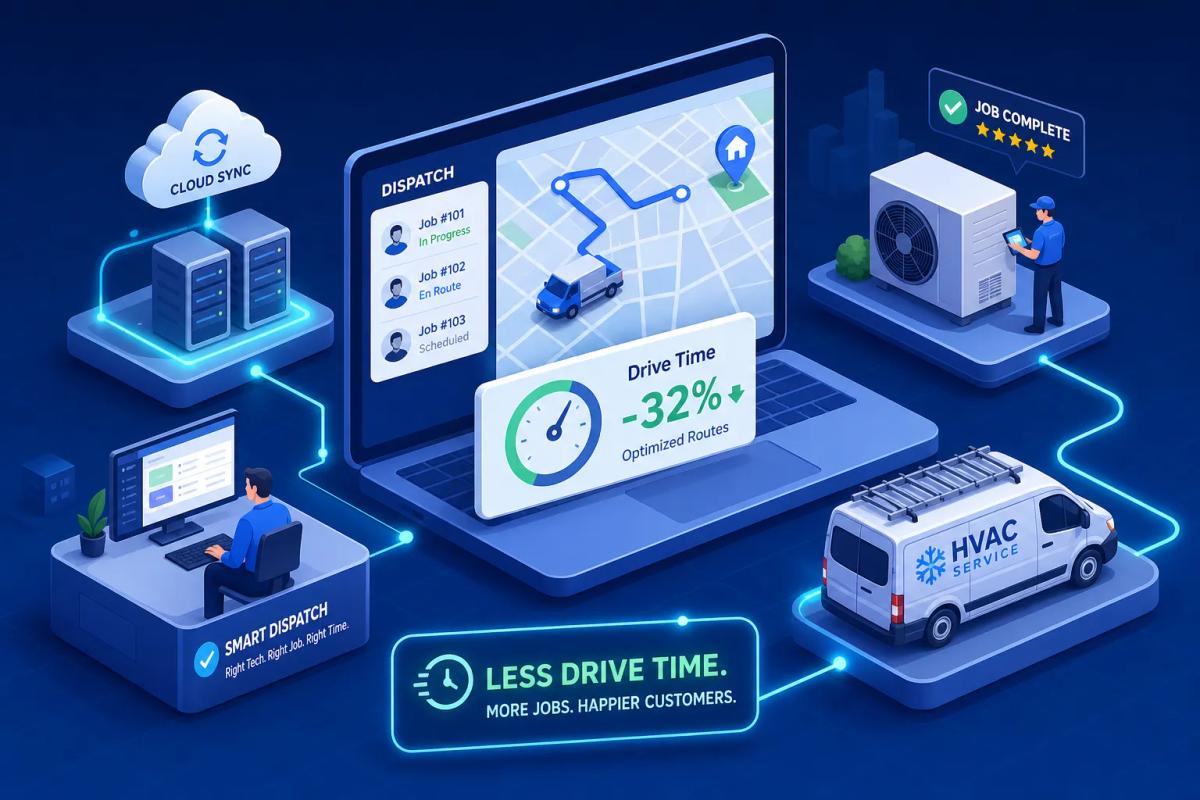
One regional HVAC company cut emergency response time from 4.5 hours to 1.8 hours and added $420,000 in revenue without hiring a single new technician. The change wasn't a hiring push or a pricing overhaul. It was a dispatch workflow fix. That number should stop you cold, because it means the wrong HVAC dispatch software setup isn't just inefficient; it's actively costing you jobs, fuel, and billable hours every single day your techs are in the field.
This guide breaks down what actually separates useful HVAC dispatch software from platforms that are just digital whiteboards with a monthly fee. You'll get a clear comparison of seven leading platforms by strengths, limitations, and realistic pricing, plus a simple framework for narrowing your list to two or three finalists worth trialing based on your crew size and the specific bottlenecks hurting your operation right now.
What separates useful HVAC dispatch software from the rest
Three pillars define platforms that actually move the needle: real-time crew visibility, automated job routing, and workload distribution across your technicians. Most platforms market "dispatch" as a core feature. In many cases, what they're selling is a digital version of a whiteboard where you drag a job onto a tech and call it done. That's scheduling with a better interface, not dispatch management.
Real-time crew visibility
Live crew visibility means GPS-tracked technician locations updating in near-real-time, not status flags that a tech manually taps when they remember. Platforms that rely on manual check-ins give you a lagging indicator: you know where someone was 20 minutes ago. Continuous location data is a leading indicator: you know where everyone is right now. For HVAC, where emergency calls spike and response time is a direct competitive differentiator, this distinction determines whether you route the closest available tech or whoever happens to be logged into the app.
Automated job routing
Automated routing does more than find the closest tech. It cross-references proximity, skill match, parts availability, and job priority simultaneously. Here's a practical scenario: an emergency call comes in at 2pm, three techs are in the field, one is wrapping up 40 minutes away but has the right EPA certification, and another is 12 minutes out but lacks it. A manual dispatcher gets this wrong regularly under pressure. Automated routing logic handles the tradeoff without guesswork, and it does it in seconds.
Workload distribution across the schedule
Load balancing distributes jobs so no tech idles while another runs ten calls in a day. Idle time costs the same as overtime on the P&L; it just shows up in different line items. Relatively few FSM platforms include built-in load balancing logic that proactively flags imbalances before the dispatcher has already sent everyone out. That gap is where revenue quietly leaks.
Five dispatch features your HVAC dispatch software must have
Use this as a checklist when you evaluate platforms. These are functional requirements that separate tools that improve field performance from tools that just digitize your existing problems.
A live technician map, not just a schedule board
A schedule board is time-based: it shows you who is assigned to what, in what order. A live map is location-based: it shows you where everyone physically is at this moment. Both are useful, but a schedule board alone won't tell a dispatcher which tech is closest to an emergency call at 3pm. As a best-practice baseline, a live map view should display tech location, current job status, estimated completion time, and next assignment on a single screen.
Skill-based and proximity-based job matching
The best platforms cross-reference certifications, equipment familiarity, and physical location when suggesting job assignments. This directly reduces the "wrong tech sent to the job" problem, which generates callbacks, customer complaints, and wasted drive time all at once. Sending an uncertified tech to a commercial refrigerant job doesn't just burn fuel; it burns the customer relationship.
Offline mobile access for field crews
HVAC techs work in basements, mechanical rooms, and rural service areas with spotty cell coverage. That's not an edge case; it's Tuesday afternoon. Platforms that require a live connection to update job status create data sync gaps and dispatcher blind spots. Hellotracks, for example, explicitly supports offline functionality with full form completion and job access when there's no signal. Contrast that with platforms that show a spinner and a blank screen the moment signal drops.
Drag-and-drop scheduling with real-time conflict detection
Manual drag-and-drop scheduling is fine for simple setups, but the platform should flag conflicts automatically: double-booked techs, travel time violations, and assignments to techs without the right tools or certifications. Without conflict detection, dispatchers only catch errors after they've already sent someone to the wrong job. That's a reactive system dressed up as a software solution.
HVAC work order software that connects to the field
HVAC work order software that stays siloed on the office side creates the same friction as a disconnected dispatch board. Work orders need to flow from job creation through tech assignment, parts usage, and job close without manual re-entry at each step. When work order data feeds directly into dispatch, your dispatcher sees job scope before routing, not after.
Why most HVAC businesses still lose jobs to dispatch gaps
Most HVAC businesses don't have a dispatch problem in isolation. They have a data flow problem. The dispatch tool doesn't talk to the CRM. The CRM doesn't talk to inventory. Invoicing gets triggered manually after the fact. Each handoff between systems is a place where jobs fall through, data goes stale, and revenue gets delayed.
According to URBLD, this is the exact problem the platform was built to solve. Rather than treating dispatch as a standalone module bolted onto the side of a CRM, URBLD is designed to operate as a single connected system running from lead intake through job completion, invoicing, and accounting sync. Dispatch isn't a feature add-on; it's one connected piece of a platform where every other operational function lives alongside it.
The tool-switching tax on your dispatch workflow
Walk through a single job cycle and count the tool switches: CRM to find the customer history, dispatch board to assign the tech, a separate system to log parts used, then another to trigger the invoice. Each switch introduces latency, manual re-entry risk, and the real possibility that something doesn't get updated. One HVAC operation improved same-day call closure from 41% to 78% in 30 days after switching to AI-assisted dispatch. The gain wasn't a smarter algorithm; it was removing the friction between systems so the workflow could actually run.
What native dispatch integration actually looks like
Native integration means dispatch data, CRM data, and inventory data all live in the same database. Assigning a job pulls the full customer history automatically. Closing the job triggers the invoice without a second action. Contrast that with platforms described as "integrated" via API or Zapier, where there's always a sync delay, a failure mode, and a data discrepancy to track down at the worst possible time, usually during a billing cycle or a busy Friday afternoon.
The URBLD approach: dispatch built into the operating system
According to URBLD's product documentation, the platform handles dispatch as a native layer alongside CRM, invoicing, inventory, and workforce management. Crew load balancing, one-click appointment-to-job conversion, and GPS clock-in all exist in the same system where customer records, estimates, and parts levels live. When a job closes, the invoice is configured to trigger automatically within owner-set rules and sync to accounting in real time, with no manual steps between "job done" and "invoice sent." That's what a fully connected HVAC service management software environment looks like in a production field service operation.
The 7 best HVAC dispatch software tools for 2026
Each platform below is assessed by best fit, core dispatch strength, notable limitation, and pricing range. These are honest assessments, not vendor talking points.
1. URBLD
Best for mid-to-large HVAC operations that want dispatch, CRM, invoicing, inventory, and workforce tracking in one platform. Core dispatch features include crew load balancing, inbound and outbound coordination, GPS clock-in/out, and one-click conversion from appointment to job. The standout advantage is that the dispatch module is inventory-aware by default, so tech assignments factor in parts availability from the start rather than as a separate lookup step. Pricing: contact for a quote, positioned for growing operations that have outgrown a patchwork stack.
2. ServiceTitan
Best for large, enterprise-level HVAC operations with a dedicated implementation budget. The dispatch functionality is deep, with skill-based routing, a well-developed mobile app, and strong reporting. The limitation is real: it's complex to configure and expensive to run, with estimates ranging from $245 to $698+ per technician per month depending on plan and add-ons. Smaller HVAC operations regularly find it over-engineered for their scale. Pricing: custom enterprise quote.
3. Housecall Pro
Best for small to mid-size HVAC businesses moving off spreadsheets and Google Calendar. The dispatch board is clean, GPS technician tracking works well, and the QuickBooks sync is solid. Inventory management and advanced routing logic are less developed than what you'd get from a purpose-built FSM platform. If you're running five or fewer techs and your main pain point is visibility, this is a reasonable starting point. Pricing: starts at $59/month billed annually.
4. FieldEdge
Best for QuickBooks-heavy HVAC shops that need tight accounting integration, including support for both QuickBooks Desktop and Online. The QuickBooks sync is among the deepest in the category. The limitation is the mobile app: user reviews report slow load times, blank invoices appearing at the office, and prices not displaying correctly in the field. Those issues are frustrating under normal conditions; during a migration window, they become a serious problem. Pricing: custom quote.
5. FieldPulse
Best for smaller HVAC operations that want real-time GPS tracking and basic route optimization without a large software investment. The routing and tracking features are functional. The mobile app, however, is reported as glitchy by technician users, which creates dispatch blind spots during peak periods when you can least afford them. Pricing: varies by plan.
6. ServiceFusion
Best for HVAC businesses that need GPS fleet tracking with route optimization on a mid-range budget. Automatic QuickBooks sync is available, and GPS routing is included on higher-tier plans. The important caveat: route optimization is not available on entry-level tiers, so confirm which plan includes it before signing. Pricing: custom quote.
7. Workiz
Best for smaller HVAC teams focused primarily on communication and job status visibility. Real-time technician location tracking is solid, and the customer communication tools are a genuine strength. Route optimization and advanced load balancing are not core features here, so if those are your primary dispatch needs, this platform will fall short as your team grows. Pricing: varies by plan.
How to shortlist based on your company size and pain points
Skip the generic "it depends" advice. Here's a direct framework based on three company profiles that map directly to the tools above.
Solo operators and small crews (1, 5 technicians)
At this stage, your dispatch challenge is usually straightforward: see where your techs are and manage a job board that beats a shared Google Calendar. Housecall Pro or FieldPulse are solid starting points. The bigger risk at this stage isn't picking the wrong tool; it's picking a platform you'll outgrow in 12 to 18 months and then facing a full data migration right when your business is trying to scale.
Mid-size operations (6, 20 technicians)
This is where dispatch complexity compounds fast: overlapping schedules, skill-based assignments, and load imbalances across a crew large enough that no one dispatcher can hold it all in their head. At this tier, you need automated routing logic, not just a better whiteboard. Evaluate URBLD and ServiceFusion at this stage. URBLD's native CRM and inventory integration becomes a material operational advantage around the 10-tech mark, when tool fragmentation starts directly hurting revenue through dropped leads and invoicing delays.
Choosing HVAC dispatch software for multi-location teams (20+ technicians)
Past 20 technicians or across multiple service locations, the platform requirements go well beyond dispatch. You need tenant isolation, role-based access, centralized reporting, and consistent operational controls across locations without customer data bleeding between units. URBLD is built to support this type of growth without requiring additional tools. ServiceTitan is an alternative for operations already running at enterprise scale with the implementation budget to match.
What to expect from onboarding and when ROI kicks in
Most vendors will quote a 2-to-4-week onboarding. In practice, the first meaningful performance improvement typically shows up around 30 days, with full operational lift visible at 60 to 90 days. The case study data backs this up: same-day call closure rates nearly doubling in 30 days, 60% faster response times, and 38% reduction in windshield time are all reported outcomes, but they take a full dispatch cycle to materialize.
Typical setup timeline for HVAC dispatch and scheduling tools
For a 10-to-30-technician shop, expect the first 30 days to cover data migration (customer records, job history, tech profiles), dispatcher training, mobile app rollout to field crews, and routing rule configuration. The biggest time sink is almost never the software setup itself; it's data migration and field tech adoption. Both take longer than anyone estimates at the start of the project.
Common migration mistakes to avoid
The mistakes that consistently damage implementations fall into three areas. Deploying the mobile app to technicians without training leads to poor adoption and data gaps that make the dispatcher's view unreliable. Going live without configuring routing rules first forces dispatchers to route manually during the transition and defeats the purpose of the switch. And failing to sync accounting before the first billing cycle creates invoicing chaos precisely when your team's attention is already split.
User reviews of FieldEdge and FieldPulse report blank invoices and app performance issues under normal operating conditions. During a migration window, those issues compound. Build buffer time into your rollout plan and test mobile app performance in your most problematic signal areas before you go live.
ROI benchmarks to set realistic expectations
These figures come from vendor case studies, so use them as ballpark targets, not projections for your specific operation. Reported results include: a 42% increase in jobs per technician per day, 35% reduction in drive time and fuel costs, 18 additional service calls per week generating $14,000 in estimated additional monthly revenue, and dispatcher handling time dropping from 4 minutes to 45 seconds per call. Businesses with the most manual processes see the biggest lift. Shops already running tightly see more incremental gains. Either way, the direction is consistent.
The case for dispatch software that runs everything together
The dispatch features covered in this guide are only as effective as the platform they sit inside. If your HVAC dispatch software doesn't talk to your CRM, you're assigning jobs without full customer context. If it doesn't connect to inventory, your techs are showing up to jobs without the parts they need. If it doesn't trigger invoicing automatically, your cash flow is delayed by the manual step at the end of every completed job.
The dispatch-to-invoice gap most tools miss
When dispatch and invoicing live in separate systems, the job closes in the field, a dispatcher has to manually trigger the invoice, and accounting sync runs on a delay, pushing cash flow back by a day or more on every completed job. URBLD's automated invoicing is designed to trigger on job completion within owner-configured rules, with real-time accounting sync and no manual steps between "job done" and "invoice sent." That gap adds up to real dollars when you're closing 80 to 160 service calls per week.
Inventory awareness that prevents same-day callbacks
An HVAC tech arrives on site, discovers they need a specific capacitor that isn't on the van, and has to reschedule or make an extra trip. That's not a dispatch failure; it's an inventory failure that shows up as a dispatch failure. Platforms with native inventory management flag low-stock items, track parts used per job, and generate PO drafts automatically when stock drops below threshold. The best route in the world is useless if the tech gets there without the right parts. Inventory awareness is a dispatch optimization, not just a warehouse feature.
When an all-in-one platform makes more sense than a best-of-breed stack
If you're running five or more technicians, billing more than $500K annually, and currently stitching together three or more tools to manage your operation, the all-in-one argument is strong. The hidden cost of a patchwork stack isn't just the subscription fees; it's the data re-entry, the sync delays, the dropped leads between systems, and the manual steps that slow every job cycle down. URBLD markets itself as a platform built specifically for HVAC and field service businesses that have hit that ceiling: one system covering dispatch, CRM, invoicing, inventory, and workforce management, with no third-party integrations sitting between the core functions.
Pick your finalists and start narrowing
The right HVAC dispatch software isn't the one with the longest feature list. It's the one that fits your crew size today and your growth goals for the next two years. Real-time crew visibility, automated routing, load balancing, and native integration with the rest of your business are the four criteria worth weighing every option against.
Take two or three tools from the comparison section that match your company profile, request demos, and ask each vendor four specific questions: How does dispatch automation work without manual triggers? Does the mobile app function offline? How does dispatch data connect to invoicing? And how does the platform handle inventory awareness at the job level? The answers will surface the gaps faster than any feature checklist.
If you're running a growing HVAC operation and you're tired of stitching together five tools that never quite talk to each other, URBLD is worth a close look. One platform, no integrations between the parts that matter, and HVAC dispatch software built into the same system where your leads, jobs, invoices, and parts levels already live.
Found this useful? Share it with another contractor or service business owner.