Best Housecall Pro Alternatives for Home Service in 2026
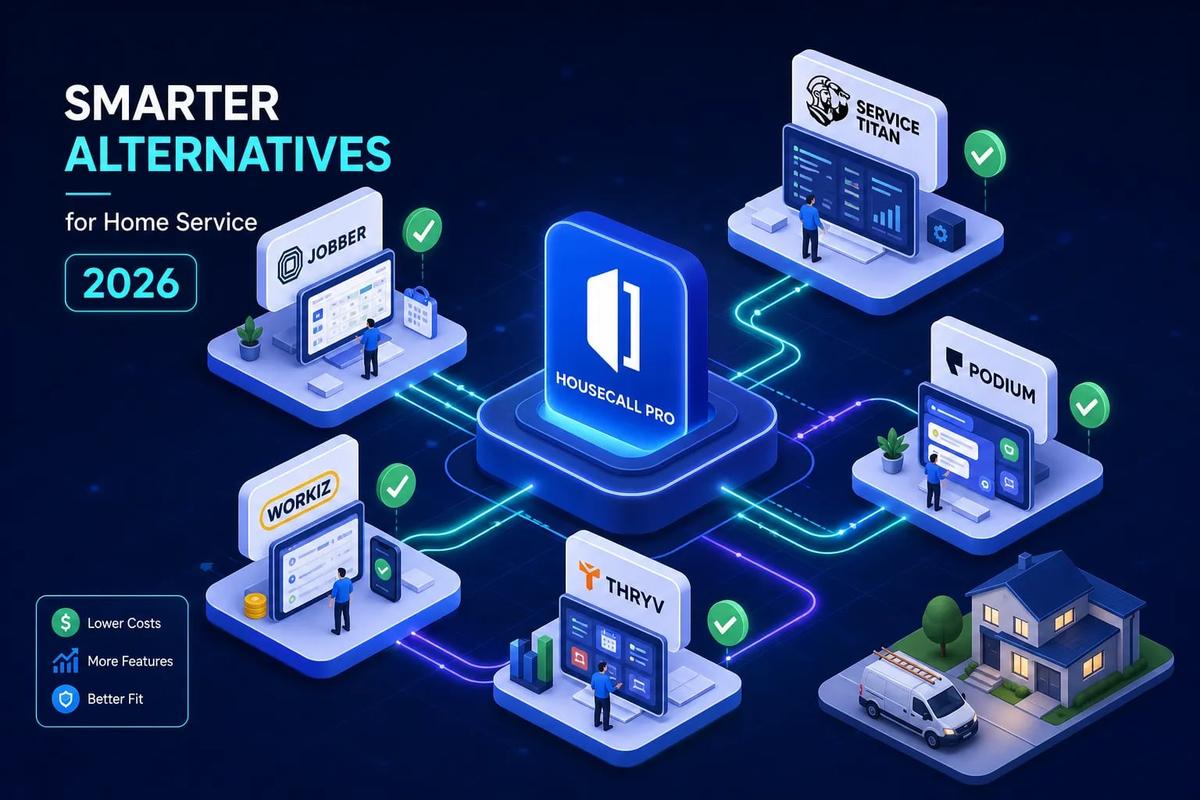
If you're searching for a housecall pro alternative that actually scales with your business, you're not alone. Housecall Pro does its job when your operation is small. It keeps jobs organized, sends invoices, and handles the basics. But at some point, the volume picks up and the cracks appear: invoices going out a day late, leads falling through because nobody followed up, scheduling chaos every time you add another crew. The software stops keeping up.
The market has real options now, ranging from Jobber for leaner two-to-five person crews to ServiceTitan for established high-volume contractors. URBLD takes a different approach entirely: rather than replacing just Housecall Pro, it replaces the whole fragmented stack, QuickBooks, DocuSign, a separate CRM, with one AI-driven system that executes work instead of just tracking it.
This article is for contractors who feel like their software is slowing them down more than it's helping. You'll walk away with a clear shortlist, real pricing context, and a practical path for migrating off Housecall Pro without losing jobs or momentum.
Why contractors outgrow Housecall Pro faster than they expect
The frustration usually creeps in gradually. One month you're handling 20 jobs a week and things feel fine. Then you add two techs and suddenly you're spending two hours a day managing the gaps the software doesn't fill. The platform didn't change. Your volume did.
The invoicing bottleneck that stalls cash flow
Housecall Pro's invoice workflow leans heavily on manual steps. When a tech wraps a job at 6 PM, that invoice often doesn't go out until the next morning, if someone remembers to trigger it. In a shop running 30 to 50 jobs a week, that lag stacks up fast. A modern platform handles invoicing automatically on job completion, triggered by the field event itself, not by someone remembering to click a button. That difference can tighten your cash cycle by several days.
Review data from 2025 and 2026 on Capterra backs this up. Users specifically cite invoice workflow friction as a top complaint: invoice resends blocked for 24 hours when multiple recipients are involved, images that no longer bundle cleanly into the PDF, and billing gaps when a job wasn't assigned a dollar amount at the start. These aren't minor annoyances. They're real cash flow delays.
A CRM that tracks contacts but can't close jobs
The lead management in Housecall Pro stores contacts, but it doesn't score them, route them by priority, or follow up automatically. For a roofing company running Google ads and pulling in 30 leads a week, that gap is expensive. A new inquiry comes in on a Friday afternoon, gets entered into the system, and sits there until a sales rep checks the queue on Monday. Meanwhile, the homeowner has already called two other contractors.
That's not a discipline problem. It's a system problem. The platform was built to manage jobs that already exist, not to close leads that haven't converted yet. If your lead volume is high enough to run paid advertising, you need a CRM that actually works, one that qualifies, follows up, and routes without a human in the middle of every step.
No real automation means more admin with every new hire
Administrative overhead in Housecall Pro tends to grow with headcount. Add a tech, add more scheduling calls. Add a crew, add more status check-ins and invoice reviews. The platform doesn't offset growth with automation. It just gives you more rows in the same spreadsheet. Most contractors don't see the ceiling until they've already hired past it, and then they're managing the tool as much as they're managing the business.
How to pick a housecall pro alternative that won't hold you back
The temptation is to search for a feature list and compare checkboxes. That approach usually leads to picking the wrong tool. The better question is: what does this platform actually do on its own, and how much of your current manual work will it eliminate?
Automation that executes, not just notifies
Most platforms advertise automation. What they usually mean is that they'll send you a reminder or ping your phone when something needs attention. That's notification, not execution. Real automation sends the invoice, routes the lead, books the follow-up, and drafts the PO without a human touching it. A tool that tells you what to do still requires you to do it. A tool that executes removes the step entirely.
Ask any vendor directly: when a job is marked complete, what happens automatically? If the answer involves a human pressing a button, it's a notification tool dressed up as automation.
Whether the platform consolidates your stack or just adds to it
Most Housecall Pro alternatives swap out one tool while keeping QuickBooks, DocuSign, and a separate CRM running alongside. That means more integrations to maintain, more sync failures to troubleshoot, and more data re-entry when something breaks. Before committing to any platform, count how many tools it actually replaces versus how many it still requires. A true all-in-one system handles lead capture, CRM, scheduling, estimating, contracts, invoicing, and accounting sync natively. Most FSM platforms handle three or four of those things and hand the rest off to integrations. The subscription cost looks lower until you add up everything else you're still paying for.
Top housecall pro alternatives compared: features, pricing, and fit
Use this table to narrow your shortlist quickly. The columns that matter most are native e-sign and AI automation, because those two features reveal how much of your stack each platform actually replaces. If a tool is missing both, you're still managing contracts and workflows through third-party tools.
How to read this comparison
Starting price reflects the lowest published tier unless the platform is quote-only; prices vary by billing term and plan, so confirm current rates on each vendor's pricing page. The "Best For" column reflects operational fit, not just company size. Pay close attention to which platforms include AI automation natively, because there's a meaningful operational difference between tools that run work automatically and tools that wait for you to trigger it.
Comparison table: 12 alternatives side by side
*Pricing varies by plan and billing term. Verify current rates on each vendor's pricing page before purchasing.
The pattern worth noting: almost every platform handles scheduling and invoicing natively. The real differentiator is everything above the basic job management layer. Very few platforms on this list offer native CRM with lead scoring, built-in e-sign, and AI automation that executes without human triggers, and URBLD is the only one here that combines all three natively out of the box.
URBLD: the housecall pro alternative that replaces your entire software stack
Most alternatives on this list solve a narrow problem. They do scheduling better than Housecall Pro, or invoicing, or quoting. What they don't do is eliminate the fragmented stack underneath. You still need QuickBooks for accounting, DocuSign for contracts, and something else for marketing and lead capture. URBLD is built around a different premise: one execution graph from first lead to final payment, with no manual handoffs and no third-party sync jobs to babysit.
One execution graph from first lead to final payment
Here's what that looks like in practice, based on how URBLD describes its platform capabilities. A homeowner clicks an ad. The lead enters URBLD, gets scored automatically based on activity and profile, and receives a follow-up within minutes without anyone touching it. If the lead qualifies, it books into an available crew slot based on geographic routing and load balancing. A photo-based estimate is generated on-site using AI and converts to a signed contract through the built-in e-sign tool. The moment the job is marked complete, an invoice fires automatically under the owner's configured rules. The accounting sync updates in real time, no re-entry, no Zapier workflow to maintain, no "did QuickBooks sync?" conversation on Monday morning.
That's not a feature list. That's how work moves through URBLD when the system is configured correctly, no human required at each handoff.
Where URBLD stands apart from every other tool on this list
The other platforms on this list track work. URBLD is designed to execute it. That's the functional difference between a platform that waits for you to trigger the next step and one that runs the next step on its own. URBLD's AI layer is built to qualify leads, route crews, generate invoices, and draft purchase orders autonomously. When other FSM tools advertise automation, they're typically describing Zapier-style triggers that fire a notification or move a status field. URBLD's automation runs inside the workflow itself, not as a wrapper around it. For roofing, HVAC, solar, and home improvement businesses running five or more techs with meaningful ad spend, that's the operational difference between a platform that scales with you and one you'll outgrow in 18 months.
Jobber: the most popular step-up from Housecall Pro
Jobber is the most commonly considered housecall pro alternative when a contractor first starts shopping around, and it deserves a fair assessment. For the right-sized operation, it's a solid product.
What Jobber does well
Scheduling, client communication, and quoting are where Jobber earns its reputation. The UI is clean, the mobile app is reliable, and the client hub gives customers visibility into their jobs without requiring a phone call. Pricing starts at $29 per month per user for solo operators and scales to a Grow plan at $199 per month for up to 15 users (verify current rates on Jobber's pricing page, as billing terms affect the per-user cost). QuickBooks sync works well, and the quoting workflow, with packages, markups, images, and automated follow-ups, is a step up from what Housecall Pro offers at a comparable price point, according to many user and reviewer comparisons.
Where Jobber hits its ceiling
At the Grow plan level, which is where a 10-to-15 tech operation typically lands, the automation is still largely manual-trigger. There's no native AI layer, no built-in e-sign, and no lead scoring CRM. Contractors running paid advertising will hit the same lead-loss problem they had with Housecall Pro: inquiries come in, nobody follows up automatically, and jobs get lost in the gap. Jobber also doesn't consolidate the stack. You're still running QuickBooks and DocuSign alongside it, which means more subscriptions and more integration maintenance. It's a better version of Housecall Pro for smaller crews. It's not a different kind of platform.
ServiceTitan: built for volume, priced for it too
ServiceTitan is the name that comes up when contractors ask about enterprise-level FSM software. The capabilities are real, and so is the price.
The pricing and implementation reality
ServiceTitan runs roughly $245 to $400 per technician per month, and that's before implementation fees. For a five-tech roofing company, year-one costs including onboarding can run between $20,000 and $75,000 depending on the plan and setup complexity. There's no self-serve trial, no quick spin-up, and no single published price. The implementation timeline is measured in weeks, not days, and requires dedicated internal resources to manage. For a growing contractor who isn't yet running a dedicated ops function, that investment is a serious mismatch.
Who ServiceTitan is actually right for
ServiceTitan makes sense for established multi-location contractors running 25 or more techs with an operations team that can own the system. It's not a bad product. It's a product for a different stage of business. Contractors who are three to five years away from that scale are paying enterprise complexity and enterprise pricing for growth they haven't hit yet. If that's where you are, the operational overhead will create more friction than it solves.
Other housecall pro alternatives worth a serious look
Not every contractor needs an all-in-one platform or an enterprise suite. For smaller operations or specific trade verticals, several of the remaining options on the list are worth a genuine look.
Best for budget-first buyers: Kickserv, RazorSync, ServiceM8
Kickserv starts at $49 per month for five users and covers scheduling, invoicing, expense tracking, and a solid QuickBooks sync. It's simple, usable, and appropriate for a crew that's just crossing the threshold from solo to small team. RazorSync runs $85 per month for two users and is a lean option if all you need is scheduling, dispatch, and basic invoicing. ServiceM8 offers unlimited users starting at $29 per month, which makes it a standout value for a one-to-two person operation doing mobile-first work. All three fall short for any business with meaningful lead volume, because none of them offers real CRM, automation, or AI functionality. They're good starters. They're not growth platforms.
Best for HVAC and specialty trades: FieldEdge, Workiz, QuoteIQ
FieldEdge is the most explicitly HVAC-native option in this category. Its flat-rate pricebook and trade-specific workflows are built for HVAC and plumbing shops that bill by pricebook rather than time-and-materials. Pricing runs north of $100 per user per month, so it's a meaningful investment for a small shop. Workiz adds call recording and AI answering to its scheduling and dispatch core, which suits inbound-heavy HVAC and plumbing businesses where phone response time matters. QuoteIQ starts at $29.99 per month and offers satellite measurement, good/better/best estimate formats, and Stripe BNPL financing, a combination that works well for roofing and exterior contractors doing high quote volume. None of these consolidates a full stack, but within their respective trades, they do their core job well.
How to move off Housecall Pro without losing jobs or momentum
The migration feels bigger than it is. Most contractors stay on Housecall Pro longer than they should because switching feels risky. With the right sequence, it's manageable.
What to export from Housecall Pro before you do anything else
Start with three data sets: customers, job history, and your price book. Housecall Pro supports CSV exports for customers and jobs natively, and the files get emailed to you directly from the app. Export everything before you cancel, not after. Open invoices need special handling: export those separately and verify outstanding balances before you migrate, because invoice-to-job relationships break if you import invoices before the jobs they reference are in the new system.
How to sequence the import in your new platform
The order matters: customers first, then service locations, then job history, then invoices. Jobs reference customers by ID, and invoices reference jobs, so importing out of sequence breaks the relationships between records. Once the initial import is done, run a parallel period of two to four weeks where both platforms are live. That window lets you catch discrepancies, verify record counts, and spot any open invoices or jobs that didn't transfer correctly. Most platforms with guided onboarding will walk you through this step by step. The migration is the thing that keeps contractors stuck longer than the actual switch. Once you're through it, the operational difference is immediate.
Find the right housecall pro alternative before you outgrow another one
Housecall Pro served a purpose. At a certain volume, though, the manual work it creates costs more in wasted time and lost leads than the subscription saves. The question isn't just which housecall pro alternative is cheaper or has better reviews. It's which platform solves the problem you have today and scales to the one you'll have in two years.
For small crews running basic scheduling and invoicing, Jobber is a clean step forward. For established multi-location contractors with a dedicated ops team, ServiceTitan earns its price. For growing contractors who are done stitching tools together and want one connected system that runs from the first ad click to the final payment, URBLD is built for exactly that problem. Reach out to the URBLD team to see how it maps to your current stack and what a migration would actually look like for your operation. The leads you're losing to slow follow-up and the invoices going out late are already costing you jobs.
Found this useful? Share it with another contractor or service business owner.