Field service invoicing: how to get paid faster, every time
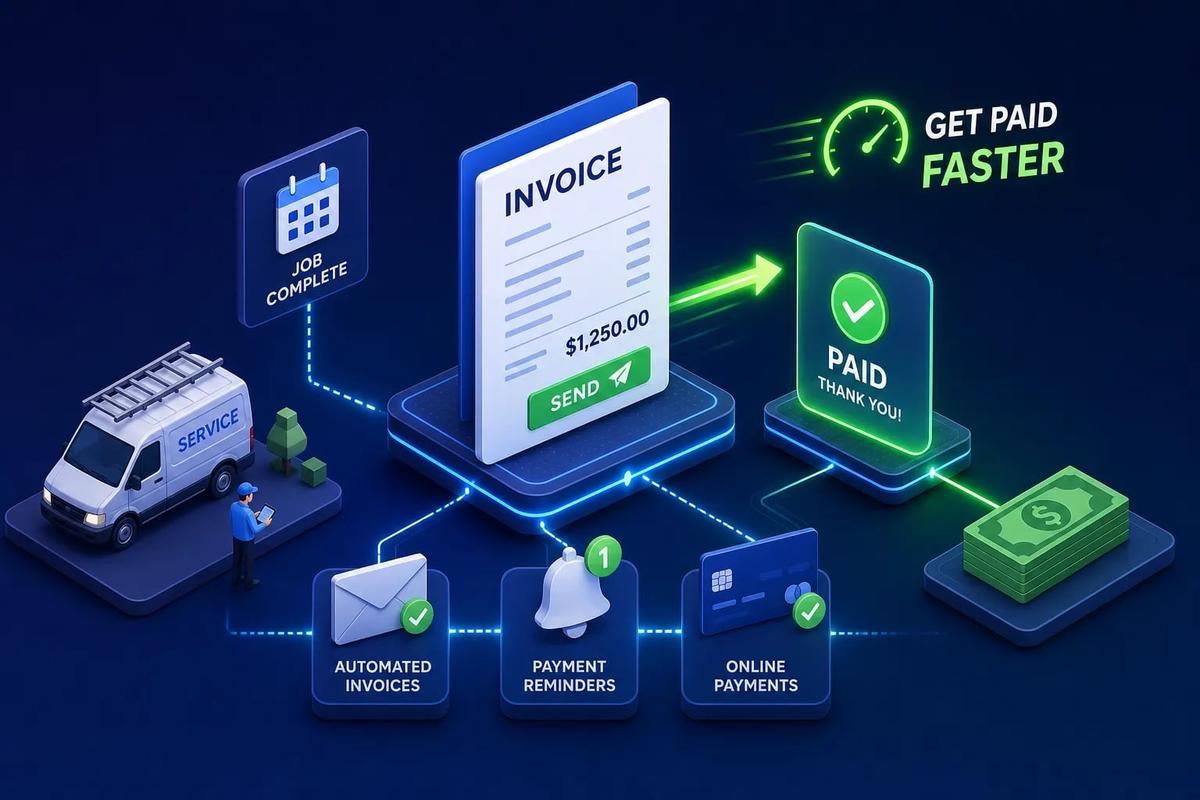
The job is done. The technician drives away, tools loaded, customer satisfied. And then nothing happens for two days. The invoice sits ungenerated somewhere between a technician's notes, a group chat, and an office inbox that nobody checked. By the time billing finally goes out, the customer has mentally moved on, the job details have blurred, and your cash flow has quietly taken another hit. This is where field service invoicing breaks down for most businesses, and it has almost nothing to do with careless people.
It has everything to do with systems that weren't built to work together. Field service invoicing is simple in concept: work is done, an invoice is generated from that work, the customer pays, and the money hits your books. The problem is that most businesses run that process across multiple disconnected tools, with a human manually bridging the gaps at every step.
This article breaks down exactly where that process breaks, what it costs you, and what modern software does to fix it. URBLD is built so that invoicing happens the moment a job is marked complete, without anyone in the office needing to initiate it. That's the standard worth understanding before you evaluate anything.
What field service invoicing actually is (and where it typically breaks)
The ideal billing cycle works like this: a technician completes a job, the system captures the labor hours, parts used, and service details from that job record, and an invoice is generated automatically. The customer receives it the same day. Payment is collected, and the data flows into accounting without anyone re-typing a single line. Clean, fast, accurate.
In most businesses, the actual workflow looks significantly different. The technician finishes the job and either writes something on paper or sends a text to the office. Someone in the office eventually pieces together an invoice in a separate billing tool, often working from incomplete information about what was actually done on site. That invoice goes out a day or two later, sometimes longer. The service call ran 45 minutes over the estimate, but nobody captured that. A part was used that wasn't on the original work order. Neither makes it onto the invoice.
This is a systems problem, not a people problem. When the tool where the job lives and the tool where the invoice gets created are two different places, manual translation is the only option. Manual translation means delays, errors, and revenue that quietly disappears.
The hidden cost of billing the manual way
The industry average for invoice delivery after job completion runs about two to three days for businesses relying on back-office batch billing. That gap might not sound significant on a single job, but across 20, 50, or 100 jobs per month, you're effectively extending interest-free credit to every customer you serve. Your days sales outstanding (DSO) grows with every billing delay, and the further the invoice is from the moment the work happened, the longer it takes to get paid.
The cash flow drag is just part of the problem. Manual field service billing creates consistent revenue leakage that can materially impact quarterly results. Technicians forget to log a part. A service call runs 30 minutes longer than the estimate but the invoice reflects the original quote. A callback or supplemental task gets done without anyone creating a new line item. Industry estimates suggest billing inefficiencies can drain between 5% and 15% of revenue in some service businesses. These aren't rare exceptions, they're predictable outcomes when job data and billing data live in separate places.
Five common pain points slowing your field service invoicing
Manual re-entry between field and office
The technician's job record lives in one app, on a form, or in their head. The invoice lives in a different system. Someone in the office has to bridge that gap by hand, translating field notes into billable line items. Every manual step introduces error, and every invoice takes longer to produce than it should. Multiply that time cost across a full team running multiple jobs per day, and you're looking at hours of administrative labor every week that serves no purpose except compensating for disconnected software.
Missed invoices and underbilling
In high-volume operations running multiple crews, some jobs never get invoiced at all. The work order gets closed, the next job starts, and no invoice is ever created. When it does get created, it's often partial: materials left off, labor hours understated, additional scope not captured. Partial billing is one of the most consistent and least-visible profit leaks in field service. Because no single missed item looks catastrophic, the pattern goes unnoticed until you run a quarter-end audit and the numbers don't add up.
Accounting that's always out of sync
When your billing platform doesn't connect directly to your accounting system, someone has to manually export data or re-enter it into QuickBooks. This creates a permanent lag between what your billing system shows and what your books reflect. Reconciliation becomes a monthly cleanup exercise instead of an ongoing reality check. Tax liability, accounts receivable, and job profitability are all harder to trust when data moves between systems on a manual schedule.
What modern field service invoicing software actually does for you
Converting job completion into an invoice automatically
Modern technician billing software ties invoicing directly to the job record. When a technician marks a job complete, the system generates a draft or final invoice using the labor hours, parts, and service details already captured during that job. There's no separate billing step and no re-entry. The invoice exists because the job was completed, not because someone remembered to create it.
Mobile invoicing for technicians in the field
On-site invoicing means the technician can present and send the invoice before leaving the job site. In practice, this looks like a technician reviewing line items on a tablet or phone, the customer signing off digitally, and the invoice arriving in the customer's inbox before the truck pulls away. Payment can be collected on the spot via card, ACH, or digital wallet. Collecting payment at the point of service is the fastest way to close the billing cycle, and it's only possible when the invoicing tool is in the technician's hand, not on a desktop back at the office.
Automation that removes the human handoff
The best platforms don't just make invoicing faster, they remove the decision point entirely. Instead of a human deciding when to create and send an invoice, the system executes it based on business rules the owner sets once. Job status changes to complete, the invoice fires, the customer gets notified, and the data pushes to accounting. No one pressed a button. This directly eliminates the pain points above, because there's no manual bridge to introduce errors or delays.
The features that matter most in a field service billing platform
Real-time accounting sync
This integration determines whether your books are trustworthy on any given day. A real accounting sync is not a nightly batch job or a CSV export you run on Fridays. It's bidirectional data flow: invoices posted in real time, payments updated as they're collected, customer records matched, tax codes applied, and account mapping maintained automatically. QuickBooks and Xero are the baseline integrations to require from any platform you evaluate. If a vendor describes their sync as "end-of-day" or "scheduled," that's a meaningful limitation worth understanding before you commit.
Payment collection and customer delivery options
Complete service billing and payments support means customers can receive invoices by email or SMS, pay through a customer portal, and use credit card, ACH, or digital wallet. It also means technicians can collect payment in the field before the job closes. This is the last-mile piece that closes the billing cycle without a follow-up phone call. If a platform handles invoicing but requires a separate payment processor or a manual step to send the invoice to the customer, you haven't solved the problem. You've just moved it downstream.
Automation rules and triggered workflows
Configurable billing rules are what separate truly automated platforms from tools that just make manual invoicing slightly faster. Look for the ability to set invoice auto-generation rules by job type or completion status, configure payment reminder sequences for overdue balances, and establish escalation rules for accounts that haven't responded. The key distinction to evaluate: does the platform require a human to trigger invoicing, or does the system execute it autonomously based on logic the owner configured? These are fundamentally different product philosophies, and only one of them removes the administrative bottleneck.
How URBLD automates field service invoicing from job done to books closed
Invoicing triggered automatically on job completion
URBLD's core differentiator in the billing workflow is that no one in the office initiates the invoice. When a technician marks a job complete, URBLD generates the invoice automatically based on owner-configured rules. Labor is captured from GPS clock-in/out and timesheet data. Materials are pulled from the job's inventory usage. Service line items come from the original work order. The result is an invoice that reflects everything that actually happened on the job, not just what someone remembered to write down afterward.
Real-time accounting sync with no manual steps
URBLD syncs invoices, payments, and customer records to accounting in real time rather than through nightly batches or file exports. The moment an invoice is generated and a payment is recorded, the data updates in the connected accounting system. There's no separate sync job to run and no mapping file to maintain. Your books reflect your actual business as it happens, which is what financial data is supposed to do. Reconciliation gaps at month-end become a problem of the past rather than a monthly ritual.
How invoicing connects to the full URBLD operating system
Because URBLD is designed to run the entire job cycle, from lead intake through scheduling, job execution, and accounting, the invoice draws on every data point captured upstream. Crew assignments, GPS timestamps, part usage from inventory, and customer signatures from the field all feed into the invoice automatically. This is the fundamental difference between a purpose-built operating system and a stitched-together tool stack. When you're running five separate platforms, billing data has to be manually pulled from multiple places. When everything lives in one system, the invoice is a natural output of doing the work.
How to compare your options and build a shortlist
Questions to ask before you commit to a platform
Every vendor will tell you their invoicing is automated. The questions that separate real automation from marketing copy are specific. Does invoice generation happen automatically, or does someone still trigger it? Is accounting sync real-time or scheduled? Can technicians collect payment in the field? Does the system track parts usage at the job level and carry that into the invoice? What happens to a sent invoice if the job scope changes after the fact? Each of these questions has a direct impact on whether you're actually removing manual work or just reorganizing it.
What to watch for in demos and trials
Vendors will show you the cleanest version of their workflow in a demo. What you actually want to see is what happens without any manual steps: create a job, mark it complete, and watch whether an invoice appears automatically and whether the accounting system updates in real time. Ask how the platform handles partial payments, credit memos, and invoice corrections after a dispute. Test the mobile experience yourself as if you were a technician. If a demo can't walk you through these scenarios cleanly, the product probably can't execute them cleanly in production either.
A practical checklist for getting your field service invoicing automated
Map your current billing workflow first
Before switching platforms, document exactly how invoicing works today: who creates invoices, from what source data, in what system, and how that data gets to accounting. Identify every handoff point where information changes hands manually. This exercise usually reveals two or three specific moments where errors consistently enter the process. Knowing exactly where your current workflow breaks makes it much easier to configure a new system correctly and verify that it's actually solving the right problems rather than just moving the friction around.
The implementation steps that actually matter
The setup sequence that makes automated invoicing reliable follows a clear order. Start by connecting your accounting system and mapping your service items to the correct income accounts, so every line item posts to the right place from day one. Then configure your invoice-trigger rules by job type and completion status, so the system knows exactly when to generate and send. Set up payment delivery options and customer communication templates so the customer experience is consistent from the first invoice. Finally, run a parallel period where both your old process and the new system generate invoices simultaneously, and compare them daily to verify accuracy before you go fully live.
The goal is to make billing invisible: it should happen as a natural result of doing the work. When invoicing requires no deliberate human action, it never gets delayed, never gets forgotten, and no gap opens between what was done and what was billed. That's the operational state worth building toward, and it's achievable with the right platform configured correctly from the start.
Getting paid faster starts with the right system
Field service invoicing isn't complicated in concept. It only becomes painful when the systems handling scheduling, job execution, and accounting don't talk to each other. The fix isn't hiring more office staff or building elaborate workarounds in spreadsheets. It's using a platform where invoicing is a built-in outcome of completing a job.
URBLD is built exactly for this: one system that runs the full job cycle, so the invoice is a natural output of marking a job done. From the moment a lead comes in to the moment payment hits your books, every data point flows through the same system, no re-entry, no delays, no one manually bridging the gaps.
If you're still generating invoices manually, or if your billing consistently lags your job completions by more than a day, it's worth seeing how fully automated field service invoicing works in practice. Reach out to the URBLD team to walk through the billing workflow and see what it looks like when invoicing runs itself.
Explore the URBLD platform
CRM
Feature pages
CRM with Inventory Management
Glossary
Unsold Estimate
Glossary
How to Automate Field Service Billing
Solutions
FieldPulse Alternatives for Growing Service Teams
Comparisons
Invoicing & Billing
Feature pages
How to Reduce Lead Loss in Service Businesses
Solutions
ServiceTitan Alternatives for Growing Service Businesses
Comparisons
Found this useful? Share it with another contractor or service business owner.