Invoice Automation: How It Works for Service Businesses
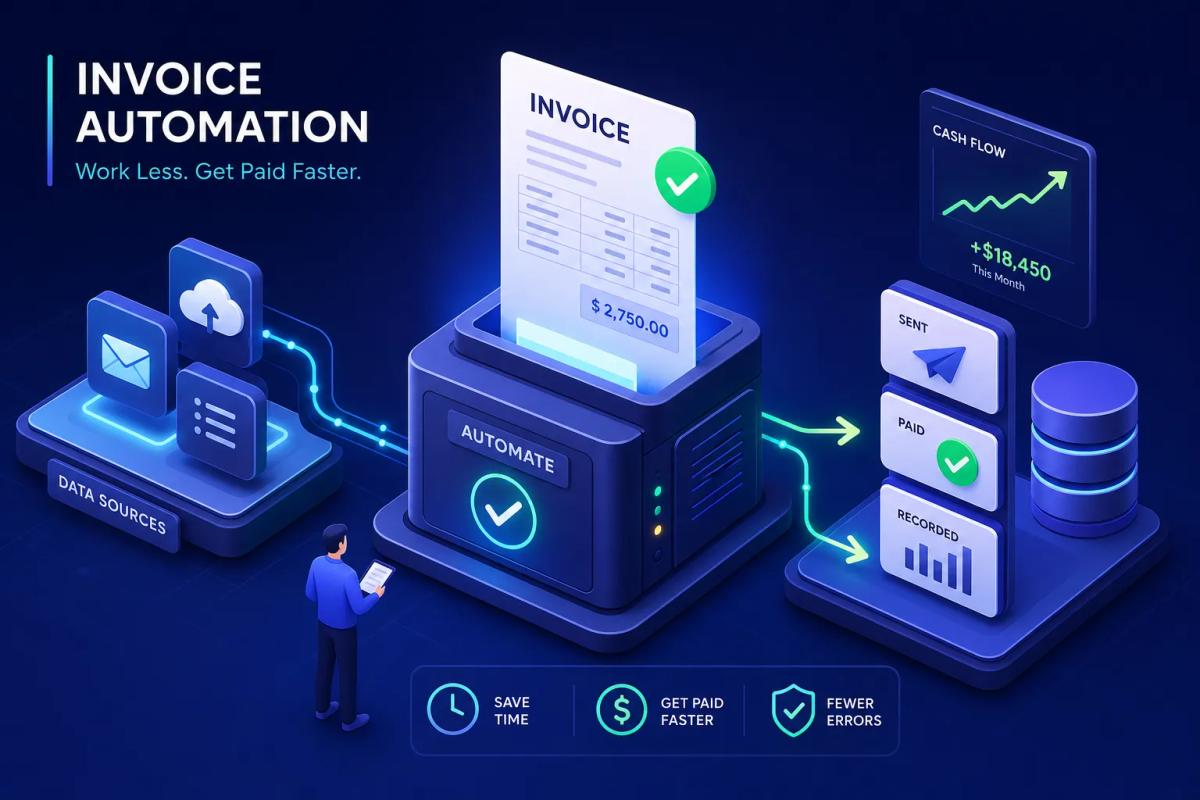
Most service business owners finish a job, drive home, and then sit down to type an invoice. That gap between the work being done and the bill going out is where cash flow quietly dies. Invoice automation can materially reduce or largely eliminate that gap when implemented with clean data and integrated workflows, in many cases compressing a multi-day billing cycle down to hours. Some platforms built specifically for field service operations, like URBLD, are designed to trigger the invoice the moment a job closes, without manual intervention. This guide explains what billing automation actually is, how it works, what fires it, and how to figure out whether your current setup is costing you money you don't realize you're losing.
This isn't about enterprise accounts payable systems or procurement software for Fortune 500 companies. It's about contractors, HVAC operators, roofing companies, and installation businesses who close dozens of jobs a week and still process billing manually. If that describes your operation, read carefully.
What invoice automation actually means for service businesses
The phrase gets thrown around a lot, and it usually means different things depending on who's selling you something. For a service business owner, invoice automation means the software generates, sends, and records the invoice without you or anyone on your team initiating any of those steps. That's the definition that matters. Everything else is just digital paperwork with extra steps.
Digital invoicing vs. true automation
Emailing a PDF from your laptop is not automation. It's faster than printing and mailing, but you're still creating it, attaching it, and sending it manually. True invoice automation means the invoice is created, sent, and logged without a human deciding to start any of those actions. The system does it because a defined event happened. Nobody has to remember to send it, nobody has to re-enter the job details, and nobody has to check that it went out.
This distinction matters for a business running 20, 50, or 100 jobs a week. At that volume, manual billing isn't just slow. It consumes hours that belong in actual operations, time that adds up fast when you're managing multiple crews and dozens of active jobs.
Why the AP automation frame doesn't apply here
When you search for information on automating invoices, most of what you find is written for corporate accounts payable teams. AP automation, sometimes called P2P automation or purchase-to-pay automation, is about paying your vendors faster and more accurately. That's a legitimate problem, but it's not your problem. Your problem is getting paid by your customers. The underlying technology overlaps, but the workflow is completely different.
Keep that distinction clear when you're evaluating tools. A lot of invoice processing software is built for one direction and retrofitted for the other, and the difference shows up in how billing triggers are designed and where the workflow actually starts.
The real cost of manual billing for service contractors
The hidden cost of manual billing isn't just the time you spend typing invoices. It's the time you spend hunting down job notes, cross-referencing labor hours, checking what materials were pulled, and re-entering everything into QuickBooks after the fact. Every manual step is a chance for an error and a delay in getting paid. According to APQC benchmarking data, the cost per manually processed invoice runs between $12 and $20 for small to mid-size businesses, with error rates around 39% that pile rework costs on top. That's the baseline you're working against.
How automated invoice processing works, step by step
The mechanics are simpler than most vendors make them sound. You don't need a tech background to understand this. The basic idea is that the invoice data already exists inside your platform before the job is finished. The invoice automation workflow is just the system using that data at the right time instead of waiting for someone to manually assemble it.
Capturing job data automatically
In a connected field service platform, the data that belongs on an invoice is being collected continuously during job execution: labor hours from GPS clock-ins and clock-outs, materials pulled from inventory, scope confirmed against the original estimate, customer details from the CRM record. Some platforms also use OCR invoice capture to pull in supplier documents or receipts without manual entry. There's nothing to re-enter because it was never separate to begin with. The technician documents the work as they do it, and the system holds that data in a structured format ready for billing.
Invoice automation triggers: validation, matching, and approval routing
Before the invoice goes to the customer, the system checks the job data against the original estimate or work order. This is the service-business equivalent of what enterprise AP teams call two-way or three-way matching, adapted for field operations instead of procurement. If the numbers match and the job is fully documented, the invoice proceeds. If something's off, the system routes it for review based on rules the owner configured. No one has to manually check every invoice; the platform flags only the ones that need attention.
Invoice automation and accounting sync
Once validated, the invoice goes to the customer by email or through a customer portal. Payment is processed through an integrated payment gateway. If the platform offers native real-time integration, the accounting record can update immediately; otherwise sync may run in scheduled batches, confirm integration depth with vendors before committing. Either way, a well-built invoice automation workflow means no batch export at the end of the day and no manual entry into your accounting system. This is what a genuinely connected billing process looks like when it's built correctly.
What actually triggers an automated invoice
The trigger mechanism is the most important thing to understand when evaluating any billing automation tool. It determines how automatic the automation actually is. A lot of platforms advertise automated invoicing but still require a human action somewhere in the chain. That human action, no matter where it sits, is the bottleneck.
Time-based triggers and their limitations
Some platforms send invoices on a schedule: every Friday, the last day of the month, or 24 hours after a job status changes. These are better than fully manual billing, but they still require someone to make sure the job data is accurate before the clock runs out. If a technician forgot to log materials or didn't close the job correctly in the app, the invoice still goes out wrong. Time-based triggers reduce manual effort but don't eliminate the risk of errors or delays.
Invoice automation triggers: the job completion model
The cleanest trigger for a service business is job completion. The moment a technician marks a job complete or clocks out via GPS, the system already has everything it needs: the labor hours, the materials, the agreed-upon scope, the customer's information. It can generate an accurate invoice immediately, without waiting for anyone to review a queue or hit a button. This model removes the single biggest bottleneck in the billing cycle, the gap between when the work is done and when someone in the office gets around to processing it.
For a business running multiple crews across multiple jobs simultaneously, this isn't a convenience. It's a structural advantage. According to industry benchmarks, billing cycles that average 10 to 17 days under manual processing can compress to 3 to 4 days with automated, event-based invoicing, a shift that hits cash flow directly.
Why manual triggers undermine the whole point
If someone has to open the platform and click "create invoice," you haven't automated invoicing. You've just moved where the manual step happens. A lot of FSM platforms advertise automated billing but bury a human trigger in the workflow. The technician marks the job done, the job moves to a "ready to invoice" queue, and then someone in the office has to process that queue. That's not automation. That's a more organized version of the same manual problem. It's worth asking vendors directly: what fires the invoice, a human action or a system event?
The real numbers: what invoice automation saves
Multiple industry benchmarks show consistent ranges for the cost and time savings from switching away from manual billing. A roofing company running 400 jobs a year or an HVAC business processing 600 service calls is looking at real, measurable financial impact.
Cost per invoice drops dramatically
Manual invoice processing costs between $12 and $20 per invoice for small to mid-size service businesses when you account for labor, errors, and rework, figures consistent with APQC and Levvel Research benchmarks. Automated processing brings that down to $2 to $5. For a business running 500 jobs a year at a $15 manual cost versus a $4 automated cost, that's $5,500 in annual savings from billing alone. For businesses running higher volumes, the math gets significantly more interesting. A company processing 5,000 invoices annually, at those same per-invoice assumptions, is looking at roughly $55,000 in recoverable cost.
Faster invoicing means faster cash flow
Manual billing cycles average 10 to 17 days from job completion to payment received. Automated billing cuts that to 3 to 4 days. For a service business managing weekly payroll and ongoing material costs, shaving 10 days off the cash cycle isn't just an operational metric, it determines whether you're drawing on a line of credit to cover payroll or funding operations from revenue that's already collected.
Invoice automation ROI: a simple estimate for your business
The formula is simple. Take your manual cost per invoice (typically $12 to $15 for most service businesses), subtract your automated cost (roughly $4), and multiply by your annual invoice volume. That's your gross savings. Subtract the annual software cost. What's left is your net return. A business running 500 invoices per year at $15 manual versus $4 automated saves $5,500 gross. AP automation software for small service businesses often runs well below that in annual cost, and industry data from multiple benchmark studies puts typical payback at 30 to 50 days when the automation targets billing and collections directly.
Where invoice automation breaks down
Automation doesn't fix a broken process. It accelerates whatever process you have. If the underlying data is disorganized, the automation will generate wrong invoices faster. If the platform isn't built for your workflow, you'll end up with a more complicated version of the manual problem you started with.
Garbage in, garbage out: the data quality problem
If job notes live in a technician's text messages, materials are tracked on paper, and labor hours are estimated rather than recorded, the automated invoice will still be wrong. It'll just be wrong instantly instead of wrong after a 15-minute manual process. Billing automation requires clean, structured job data captured during the job, not reconstructed after the fact. This means your field team needs to use the platform consistently. The automation is only as accurate as the data feeding it.
Disconnected tools that create new manual steps
Many businesses bolt an invoicing tool onto a separate FSM platform, a separate CRM, and a separate accounting system. The invoice might generate automatically, but someone still has to manually move data between those tools or maintain a Zapier workflow that breaks without warning. That's not automation. That's a fragmented process with more points of failure. If your billing tool doesn't share a data layer with your scheduling, estimating, and job management tools, you're still re-entering data somewhere.
Approval workflows that stall in email
Multi-step approval chains routed through email threads kill the speed benefit. If a project manager forwards an invoice to an owner for review and that owner is on a job site, the cycle time grows back toward the manual baseline. Approval routing needs to live inside the platform with mobile-accessible notifications, not in someone's inbox. Email-based approvals are among the most common reasons businesses implement billing automation and then wonder why their cycle time didn't improve.
How URBLD makes invoice automation native to the job workflow
Many platforms treat invoicing as a separate module. You finish the job in one part of the system, then navigate to another to generate the invoice. URBLD is built differently. Invoicing isn't a separate step; it's one output of a connected execution graph that starts when a lead comes in and ends when payment is received and reconciled.
The job closes, the invoice fires
In URBLD, invoice automation is triggered on job completion based on rules the owner configures once. When a technician marks the job done, the system already has the approved estimate, the labor hours from GPS clock-out, and the materials pulled from inventory. The invoice generates, formats, and sends based on those rules, no queue to process, no batch to run at end of day. The customer receives the invoice promptly after the job closes, without anyone in the office initiating the send.
This isn't a feature that requires a specific integration or a third-party tool. It's built into the job workflow from the start, which means the data is always where the billing system expects to find it. Verify the specific trigger behavior and delivery timing with an URBLD demo to confirm it fits your operation.
Accounting sync built into the workflow
URBLD is designed so that every invoice generated syncs to the accounting layer without a manual export step. There's no end-of-day QuickBooks entry and no reconciliation ritual that someone has to remember to perform. For businesses managing multiple crews and dozens of jobs per week, this means your books reflect current reality throughout the day rather than waiting on a batch sync. Confirm native vs. third-party integration depth during your evaluation to understand exactly how sync behaves in your accounting setup.
Built for high-volume service operations
For a roofing company running 50 or more jobs per week or an HVAC business managing multiple crews across multiple service zones, the volume of invoicing quickly overwhelms any manual process. URBLD's invoice automation for service businesses is designed to scale with volume. The same rules that fire one invoice fire five hundred, without adding administrative headcount. The business grows without the back office growing at the same rate, a claim worth validating with a pilot or reference customer at your target volume.
What to look for when evaluating invoice automation tools
Most vendors will tell you they do automated invoicing. The right questions separate the tools that actually automate from the ones that just make the manual process digital. Ask these three things before you commit to anything.
Ask about the trigger mechanism first
The most important question is simple: what fires the invoice? Is it a human action or a system event? If the answer is anything other than a definable business event, job completion, milestone reached, contract signed, the automation is partial at best. A lot of FSM platforms will say "automated billing" and mean "we make it easy for someone to click the invoice button." That's not the same thing. Get a specific answer about the trigger before moving on to any other feature comparison.
Integration depth vs. integration dependence
A tool that "integrates with QuickBooks" via a third-party sync service is not the same as a platform where accounting sync is native. Ask whether data flows in real time or in scheduled batches. Ask what happens when the sync fails. Ask whether a failed sync can leave your invoice records out of balance with your accounting records. Integration dependence is one of the most common sources of data problems in service businesses that have stitched together multiple tools.
Does the platform understand your workflow or just your invoices?
Standalone e-invoicing software doesn't know what happened on the job. It only knows what you tell it after the fact. FSM platforms with native billing automation have the job context already: the scope, the labor, the materials, the customer approval. Evaluate whether the tool treats invoicing as an isolated transaction or as one step in a connected job workflow. That answer will tell you more about long-term fit than any feature checklist.
Getting started without overcomplicating it
The biggest mistake businesses make when implementing billing automation is trying to automate everything at once. They map every invoice type, every approval path, every edge case, and then get paralyzed before anything goes live. Start smaller. One workflow done well beats five workflows done badly.
Map your current billing process before touching any software
Write down every step from "job complete" to "payment received." Count the number of people who touch the process and the number of tools involved. Include the informal steps: the technician texting job notes, the admin copy-pasting from a spreadsheet, the owner reviewing before sending. This map shows you exactly where the friction is and what a good automation solution needs to replace. Without this map, you're buying software to solve a problem you haven't fully defined yet.
Start with one trigger and one workflow
Pick your most common job type. Define the trigger, job completion is the right starting point for most service businesses. Set the invoice rules for that job type and run it for 30 days. Fix what breaks. Then expand. Complexity is the enemy of adoption. If your team can't consistently execute the process in the platform, the automation won't fire correctly, and you'll be back to manual corrections. A simple, reliable workflow that your whole team actually uses beats a sophisticated one that nobody fully follows.
Measure before and after
Before switching, track three numbers: average time from job close to invoice sent, cost per invoice (estimate it honestly), and error rate. After 90 days on a new system, pull those same numbers. The comparison tells you whether the tool is actually working or whether you've just traded one set of manual steps for another. If the cycle time isn't shorter and the error rate isn't lower, the implementation isn't working and you need to diagnose why before adding complexity.
The gap is the problem
Invoice automation isn't really about technology. It's about removing the gap between doing the work and getting paid for it. For service businesses, that gap is almost always a manual process problem in disguise: someone forgot to send it, someone had to re-enter the data, someone was waiting for approval from someone else who was on a roof in another zip code. Every day that invoice sits unsent is a day the cash isn't in your account.
The path forward is clear. Understand what actually triggers your invoices. Look for platforms where invoice automation is native to the job workflow, not bolted on as a separate module. URBLD is built on that model, invoicing is part of job execution from the start, not layered on top of it. Start simple, measure the results, and expand from there.
Look at your last week of invoicing and count how many manual steps it took from job close to invoice sent. That number is your starting point. If it's more than one, you have room to improve.
Found this useful? Share it with another contractor or service business owner.