Best Dispatch Software for Contractors: 2026 Guide
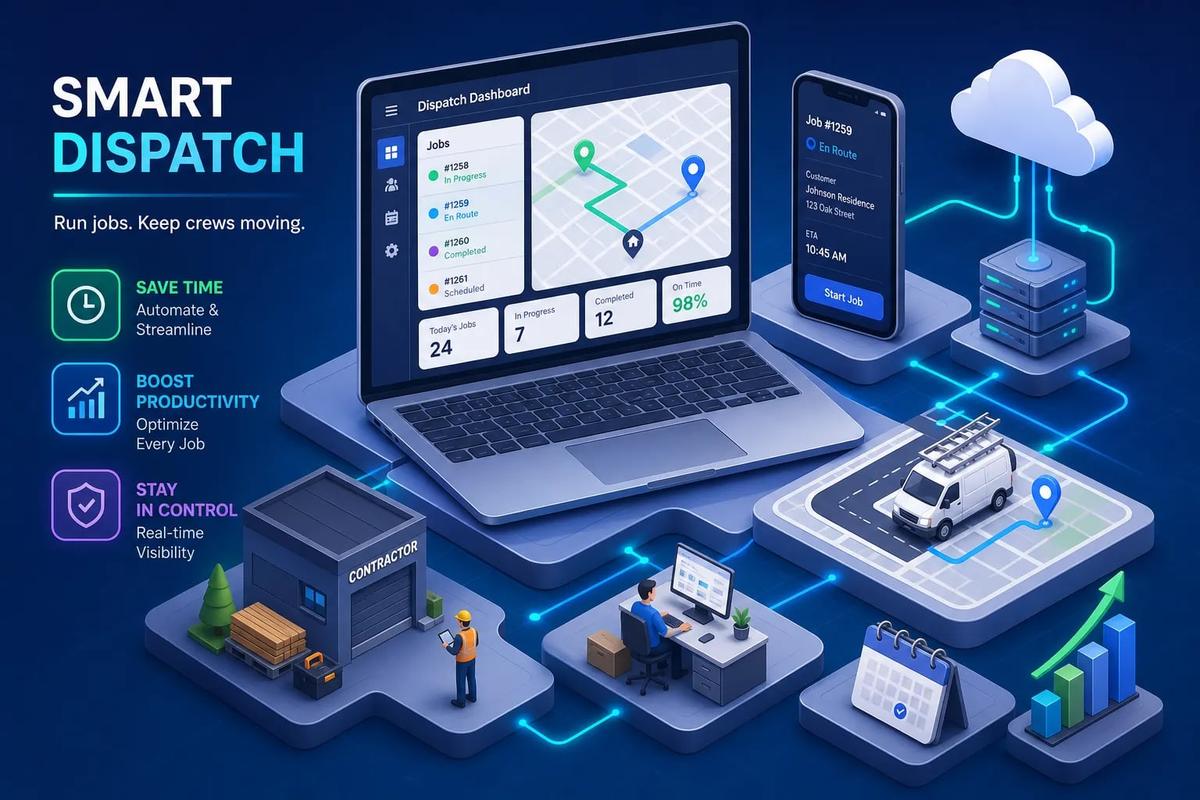
Most contractors don't have a scheduling problem. They have a visibility problem. Jobs get missed, crews sit idle, and the person handling dispatch is on the phone trying to track down a technician who's already at the wrong address. That's the real problem that dispatch software for contractors was built to solve, and it's a fundamentally different challenge than managing a shared calendar.
The market for these tools is crowded, which makes choosing harder than it needs to be. Some platforms are standalone schedulers with a dispatch board and not much else. Others, like URBLD, connect dispatch directly to your CRM, invoicing, crew management, and AI-driven workflow automation. Knowing which category you actually need is more valuable than comparing feature lists. This guide covers the features that matter, how pricing actually works, trade-specific recommendations, and a clear framework for shortlisting the right platform for your crew.
What dispatch software actually does for your crew
Most contractors assume dispatch software is a fancier version of Google Calendar. It's not. The actual function is matching the right technician to the right job at the right time, based on location, skill set, current workload, and availability. That's a significantly different problem than blocking off a time slot in a shared calendar.
The core problem it eliminates
Consider a 6-crew HVAC operation running on group texts and spreadsheets. When a job runs long, nobody knows until the next customer calls to ask where the technician is. When a crew finishes early, they sit and wait instead of pulling the next job. Double-bookings happen because two people each confirmed a slot without checking the other's updates first. That's not a staffing problem. It's a coordination problem, and purpose-built dispatch software fixes it at the source.
How it differs from basic calendar tools
The gap between a shared calendar and a real technician dispatch system is substantial. A dispatch board shows live crew status: which jobs are in progress, which are pending, and which have gone cold. A calendar shows you what you planned to do, not what's actually happening. On top of that, purpose-built contractor scheduling software handles the job-to-invoice handoff, gives field techs mobile access to job details, and lets the dispatcher see everything from one screen without making a phone call. That's what you're actually paying for.
The features that separate useful tools from expensive calendars
GPS tracking and real-time crew visibility
Live GPS tracking changes how dispatch decisions get made. Instead of guessing who's closest to the next job, the dispatcher sees exactly where each technician is and assigns accordingly. That reduces drive time, gives customers accurate arrival windows, and removes the guesswork from same-day scheduling adjustments. Platforms like Workyard have built their product around continuous GPS tracking tied directly to the dispatch board, that tight connection is what makes real-time assignment practical rather than theoretical.
Load balancing and smart job assignment
Crew load balancing is the difference between burning out your best technician and running an even, efficient schedule across your whole team. Without it, work naturally gravitates to the same people while others have open slots. Smart job assignment either flags the imbalance automatically or, in AI-assisted platforms, redistributes work without the dispatcher having to intervene. Platforms with drag-and-drop dispatch boards put that control in the dispatcher's hands manually. AI-assisted platforms make those adjustments algorithmically across multiple technicians and regions, which matters more as your crew count grows.
Real-time updates and mobile dispatch app access
A field crew that has to call the office to get a job update is costing you time on both ends of that call. A mobile dispatch app for contractors eliminates that back-and-forth by pushing job changes, reassignments, and customer notes directly to the technician's phone. Real-time updates also matter on the customer side: when a tech gets reassigned mid-route, the customer's ETA notification updates automatically rather than requiring someone to pick up the phone. In 2026, this isn't a premium feature, it's a baseline expectation.
Route optimization and AI-driven job assignment
Route optimization is the feature most contractors underestimate until they calculate what manual routing actually costs them. Industry benchmarks suggest contractors who implement route optimization software can see fuel savings in the range of 15 to 20 percent and drive-time reductions of 20 to 35 percent. Across a 10-tech crew running five jobs per day, those numbers add up fast.
How AI dispatch cuts drive time and idle gaps
The mechanic is straightforward. The system calculates the optimal job sequence across multiple stops, factoring in real-time traffic, estimated job duration, technician location, and job priority. Logistics-focused platforms like Onfleet and Route4Me illustrate what strong route optimization looks like as a standalone capability. Most FSM platforms embed similar logic directly into their dispatch boards, so you don't need a separate routing tool if your field service software is already doing this job well.
What happens when jobs change mid-day
This is where AI-powered re-dispatch earns its value. When a technician runs long on a job, a customer cancels, or an emergency call comes in, the schedule needs to adjust immediately. In a manual dispatch environment, that falls on a person to sort out under pressure and with incomplete information. An AI-powered system re-sequences the downstream jobs automatically, reassigns based on updated availability and proximity, and pushes new assignments to the field without anyone in the office having to chase it down. That's the real capability gap between traditional scheduling tools and modern AI dispatch systems.
Top dispatch platforms for contractors compared in 2026
Here's a trade-relevant breakdown of the platforms that consistently rank at the top of this market. The goal isn't to list every option, it's to give you a clear read on fit and tradeoffs so you can build a real shortlist.
Workyard: strong fit for construction crews and GPS-verified labor
Workyard is built specifically for construction and field service contractors who need GPS-verified dispatch tied to job costing and payroll. If you're managing a crew where labor verification matters as much as job sequencing, this is where Workyard earns its place. It handles live GPS dispatch, work order tracking, and payroll integrations in a way that most general-purpose scheduling tools don't prioritize. Pricing runs approximately $6 to $13 per user per month plus a base fee, which makes it one of the more accessible options for teams of 5 to 50 workers.
Jobber and Housecall Pro: solid options for small-to-mid residential service teams
Jobber and Housecall Pro are reliable choices for smaller residential service businesses that need a clean dispatch board without a steep learning curve. Jobber's strength is its drag-and-drop scheduling interface combined with solid customer communication tools. Housecall Pro is built around a simple, service-business-friendly workflow with automated client notifications baked in. Both work well for teams under 15 technicians, and their clarity of purpose is genuinely a feature rather than a limitation.
ServiceTitan: built for larger, multi-trade operations
ServiceTitan is the enterprise-tier option in this market. It covers AI-powered job matching, a full field service management suite, and deep mobile dispatch capabilities. It's also expensive. Pricing runs $245 to $400 or more per technician per month, with implementation fees that can reach $50,000 depending on configuration. That cost structure is justifiable for a large multi-trade operation with high job volume and complex reporting needs. For a growing 10-tech shop trying to get off spreadsheets, it's likely overkill.
QuoteIQ: worth a look for contractors who need dispatch plus sales tools
QuoteIQ bundles dispatch with AI-assisted quoting, a live dispatcher screen, real-time technician GPS, and live call answering. For trades where dispatch and sales estimation happen close together, the combination removes a layer of tool-switching that most platforms leave in place. It surfaces regularly in electrical-specific comparisons for exactly that reason, and it's worth evaluating for any trade where the dispatcher and the estimator are working the same jobs simultaneously.
What you'll actually pay: pricing tiers across the market
Pricing in this category is deliberately hard to compare. Flat monthly fees, per-technician pricing, and enterprise quotes all coexist across the same market tier. Here's a practical map so you can filter by budget before wasting time on demos that don't fit.
Budget tier: $20 to $50 per technician per month
This is the entry-level range for lightweight field service dispatch software. Tools in this tier handle basic scheduling and job assignment, often with a mobile app and a simple dispatch board. What you typically give up is AI-assisted job matching, deep automations, and meaningful integrations beyond QuickBooks. For a solo operator or a 2 to 3 person crew, that tradeoff often makes sense.
Mid-market tier: $50 to $150 per technician per month
This is where most growing service businesses should be looking. Jobber, Housecall Pro, and FieldPulse-style platforms land in this range when their monthly plan cost is spread across a crew. For that spend, you get real dispatch boards, customer management, mobile access, and basic automations, including route optimization software built into the workflow for many platforms at this tier. The per-tech cost also tends to drop as headcount grows, so mid-market platforms become more affordable at scale, not less.
Enterprise tier: $245 to $500+ per technician per month
ServiceTitan sits in this range, and so do comparable enterprise platforms. The pricing reflects what it covers: AI-powered dispatch, a full FSM suite, deep reporting, and significant implementation support. The implementation cost alone can run $5,000 to $50,000 depending on the size of the operation. If you're running a large multi-trade operation at high job volume, that investment can pay back. If you're a 10-tech roofing company getting off spreadsheets, it probably doesn't.
Best dispatch software picks by contractor trade
The right platform depends on what your crews actually do, not just how many technicians you have. A residential service shop and a multi-crew roofing company have different dispatch requirements even if they're the same size.
Electrical contractors
QuoteIQ is a strong pick for electrical contractors because it bundles dispatch directly with quoting and call handling. Electrical dispatch tends to involve quick job sequencing, same-day emergency calls, and close coordination between what was estimated and what the technician is walking into on site. ServiceTitan, Jobber, and BuildOps are solid alternatives depending on team size. BuildOps is worth evaluating for larger commercial electrical operations that need more project-level visibility than standard service-call platforms provide.
HVAC and plumbing contractors
HVAC and plumbing dispatch has layers that simpler scheduling tools don't handle well. Multi-visit jobs, seasonal demand spikes, parts availability tied to dispatch decisions, and warranty-driven service calls all add operational complexity. ServiceTitan handles that complexity at the enterprise level. Workyard is a practical choice for HVAC and plumbing teams that need GPS-verified labor tied to job costing, especially when payroll accuracy is as important as scheduling efficiency. For teams that have outgrown standalone dispatch but aren't ready for enterprise pricing, the mid-market FSM tier also covers the core technician dispatch system requirements without the implementation overhead.
Roofing and installation contractors
Roofing dispatch is a fundamentally different problem than service-call dispatch. A job spans multiple days, involves multiple crews, requires material delivery coordination, and tracks through distinct phases: inspection, tear-off, install, punch list, and final sign-off. Standard dispatch boards were built for same-day appointments. The practical gap shows up in weather-driven rescheduling, crew-to-job-site assignment across simultaneous projects, and tying dispatch status to project milestones rather than just arrival and completion. This is where standalone dispatch tools tend to hit their ceiling fastest.
When standalone dispatch starts costing you more than it saves
There's a point where efficient dispatching stops being the bottleneck in your operation. That point comes when the real friction is in everything that happens after the job is dispatched: invoicing, customer record updates, crew timesheets, and back-office reporting. Dispatch software doesn't fix those problems, and the cost of leaving them unfixed compounds as your volume grows.
The gap between dispatch and the rest of your business
The most common pattern among contractors who switch from standalone dispatch tools to full FSM platforms follows the same story. They dispatch jobs in one tool, invoice in QuickBooks, manage customers in a spreadsheet, and track crews in a separate app. Each handoff between those systems is a point of failure: an invoice doesn't get generated because nobody triggered it, a customer record doesn't update because the sync failed, or a timesheet gets submitted wrong because someone had to enter hours manually after the fact. Efficient dispatching doesn't offset that kind of operational drag.
Why the next generation of FSM connects everything in one system
This is where URBLD takes a different approach than standalone dispatch tools. Instead of treating dispatch as an isolated module, URBLD connects scheduling directly to CRM, invoicing, crew management, inventory, and AI-driven workflow execution. When a job is dispatched in URBLD, the downstream work happens automatically: the invoice trigger fires based on your configured rules, the crew timesheet populates from GPS clock-in data, the customer record updates, and the accounting sync runs without anyone initiating it manually.
That's a category distinction, not just between features, but between dispatch software and a true business operating system for field service contractors. If your operation has grown past the point where one tool can cover one problem at a time, that distinction matters more than any individual feature comparison.
How to pick and implement the right platform for your crew
At this point you have enough information to narrow the field. Here's how to turn that into an actual decision rather than another round of demo calls that go nowhere.
A shortlisting framework based on trade, team size, and budget
Start with team size. Under 10 technicians, Jobber or Housecall Pro cover most residential service needs without overcomplicating the setup. Between 10 and 50 technicians, you need a real dispatch board, mobile access, and at least basic automations. Choose Workyard if construction or GPS labor verification is central, QuoteIQ if electrical, and mid-market FSM platforms for most other trades.
Above 50 technicians, or if you're running multi-trade or multi-location operations, the conversation shifts toward ServiceTitan or a connected platform like URBLD. Then apply a second filter: decide whether you need dispatch-only or a connected FSM system. If invoicing, CRM, and crew management are each living in separate tools right now, adding a standalone contractor scheduling software solution just creates another disconnected piece rather than solving the underlying problem.
Implementation steps that don't derail your operations
The platforms with the steepest learning curves also tend to have the most implementation support baked into their onboarding fees, and that's not coincidental. The practical rollout for any of these platforms follows the same basic sequence: migrate your customer and job data first, run dispatch in parallel with your current system for two to four weeks, and train crews on the mobile dispatch app before you cut over completely.
Don't try to configure every automation in the first month. Get the core dispatch workflow running cleanly, then layer in the rules and automations. Trying to configure everything at once is how implementations fall apart mid-rollout.
The right tool is the one that closes the gap
Dispatch software for contractors isn't about technology for its own sake. It's about knowing where your crews are, eliminating phone tag, and making sure no job falls through because someone missed a text. The right platform depends on your trade and your team size, not on which software has the longest feature list.
If you're running a small residential team, Jobber or Housecall Pro give you what you need without overcomplicating things. If you're scaling past 15 to 20 technicians and the cracks are showing across scheduling, invoicing, and crew management simultaneously, that's when a connected platform like URBLD makes more sense than stacking another standalone tool on top of the ones you already have. The goal isn't perfect software. It's fewer gaps between the job and the invoice.
If you're ready to see what a connected field service operating system looks like for your operation, reach out to the URBLD team and book a walkthrough.
Found this useful? Share it with another contractor or service business owner.