CRM With Inventory Management: The 2026 Field Service Guide
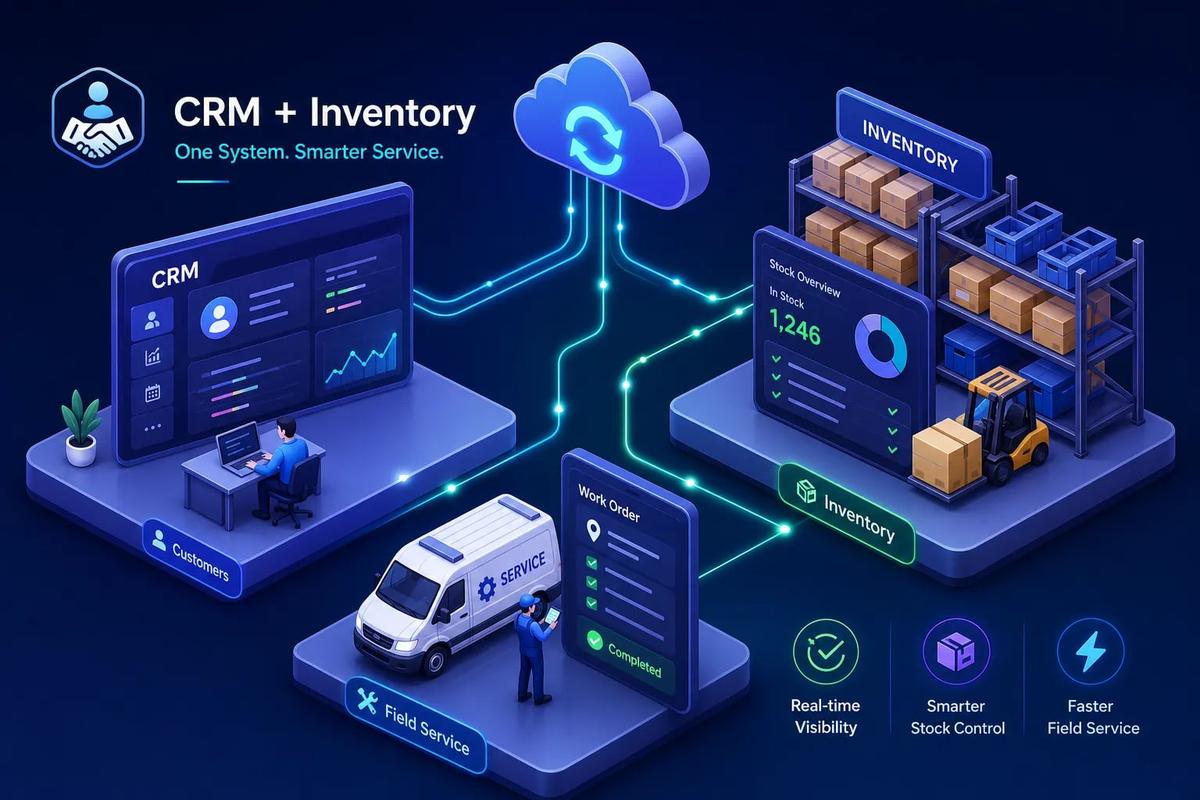
If you're evaluating a CRM with inventory management for your field service business, start with this scenario: a technician pulls up to a job, the customer record shows everything confirmed and ready, and then the tech realizes the part isn't on the truck. It wasn't staged. It wasn't checked. The CRM had no idea what inventory looked like when the job was booked. That one failure doesn't just cost you the job. According to Aberdeen Group's Field Service research, parts availability failures account for 51% of repeat visits in field service, meaning the callback, the second crew dispatch, the delayed invoice, and the one-star review are all downstream of a single data gap between your customer records and your stock levels.
Most field service businesses treat this as a logistics problem. They add more checklists, call more morning meetings, and ask dispatchers to verify parts manually before each job. That works until the volume gets too high. What looks like a planning problem is actually a software architecture problem: your CRM doesn't know what's in your warehouse, and your inventory system doesn't know what jobs are scheduled. They're two separate databases living separate lives.
This guide covers what a system that connects both actually looks like in practice, which platforms are worth shortlisting in 2026, what they cost, and how to make the switch without grinding operations to a halt. URBLD, the all-in-one field service operating system built around this problem, is referenced throughout as a benchmark for what genuinely integrated CRM inventory software looks like.
The real cost of running a CRM and inventory system separately
Field service operators tend to frame their CRM problem and their inventory problem as two separate issues. They're not. They're one problem with two symptoms, and treating them independently is what keeps both problems alive.
How stockouts happen when your CRM can't see your inventory
The cause-and-effect chain is straightforward once you trace it. A job gets booked in the CRM. Parts are ordered or assigned separately, in a spreadsheet or a standalone inventory tool. No automated connection exists between the booking and the stock check. When the truck rolls out, the dispatcher might have verified parts availability through a phone call or a manual lookup, but that step depends entirely on process discipline, and process discipline degrades under volume.
The downstream cost is real. When a technician leaves a job without completing it because the right part wasn't on the truck, the first-time fix rate drops. Industry benchmarks place the average first-time fix rate in field service between 75% and 80%, with parts availability identified as the leading driver of that gap. Real-time inventory visibility before dispatch can improve first-time fix rates by roughly 15 points in many implementations, moving a business from 75% toward 90% completion on the first visit, though results vary depending on baseline data accuracy and operational factors. That's fewer callbacks, faster invoicing, and fewer customers who decide to call someone else next time.
Billing errors and missed upsells from siloed data
When customer records and stock levels live in separate systems, invoicing accuracy suffers consistently. A technician uses two extra parts on a job, but the CRM has no record of it. The invoice goes out without those line items, or a billing administrator catches it after the fact and manually corrects it. That correction introduces delay, and sometimes it doesn't happen at all. Field service billing inefficiencies can reach 5% to 15% of annual revenue, and disconnected systems that force manual data transfer between platforms are a significant contributing factor, data that has to move by hand is data that gets lost or distorted.
The upsell angle is equally concrete. A technician standing in front of a customer who just had a system serviced has a real sales opportunity. If the tech can see that the warehouse has a complementary product in stock, or that the customer's equipment is approaching end-of-life based on job history, that's a conversation worth having. Without inventory visibility tied to the customer record, that conversation never happens because the tech doesn't have the information to start it.
What a CRM with inventory management actually does
A lot of platforms advertise "CRM and inventory" and mean something much thinner than what field service businesses actually need. One concrete example of "thinner": a product catalog attached to a contact record with no connection to actual stock levels, purchase orders, or job consumption. Clarifying the distinction upfront saves a lot of wasted demo time.
The core features that matter for field service and installation businesses
The non-negotiables for field service CRM with inventory integration are straightforward:
- Real-time stock visibility tied to job records
- Low-stock alerts that trigger before a crew is dispatched
- Parts consumption tracked against specific jobs rather than just deducted from a global count
- Purchase order creation connected to actual demand rather than a static reorder threshold
These aren't advanced features. They're the baseline for a system that actually prevents the scenarios described above.
What separates a useful inventory module from a basic product list is the operational detail. Multi-location tracking that covers both warehouse stock and truck-level inventory becomes essential as crew count grows. Serial or lot tracking matters if you're installing equipment that needs to be tied to a specific customer record for warranty or service history. Automated reorder thresholds that factor in upcoming job demand, not just current stock counts, prevent the stockout from happening in the first place rather than alerting you after it does.
How inventory data connects to the customer record
The operational picture looks like this: when a job is created, the system checks available stock against what the job requires. When a technician closes out the job in the field, the parts used are deducted automatically from inventory. When stock falls below threshold, a purchase order draft is generated without anyone having to notice and act. None of this requires a human to move data between systems. The job record, the stock count, and the supplier order are all connected on the same execution layer.
Contrast that with the spreadsheet-plus-CRM setup that most field service companies are still running. In that model, every handoff between a customer record and a stock level is a manual step, and every manual step is a potential error. The spreadsheet is always slightly behind. The CRM has no idea what's in it. Someone finds out a part is missing when the truck is already on the road.
Built-in inventory vs. bolted-on integrations
This is the decision most buyers don't think hard enough about before signing a contract. Getting it wrong means paying for two platforms, a middleware tool, and ongoing maintenance to keep them synchronized.
Why integrations break under real operating conditions
CRM-to-inventory integrations look clean in a demo. In production, they develop friction. CRM-to-ERP integrations can cost $20,000 to $80,000 to implement, with ongoing maintenance costs on top. Even lighter integrations between a CRM and a standalone inventory tool introduce lag, sync failures, field mapping mismatches, and duplicate data entry. As job volume scales, that lag stops being a nuisance and becomes a scheduling and invoicing liability.
The failure mode is predictable: the integration works fine for the first few months, then a platform update on one side breaks a field mapping, someone starts entering data in a format the sync doesn't recognize, and the inventory count in the CRM drifts from the actual stock count in the warehouse. By the time anyone notices, the error has propagated into several invoices and a few job records. Cleaning it up takes longer than the integration saved in the first place.
When a separate inventory system actually makes sense
A bolted-on inventory system is the right call when the business has complex ERP requirements: multi-entity accounting, advanced manufacturing workflows, or highly specialized warehouse operations that no field service CRM is designed to handle. Those are real use cases, and forcing them into a purpose-built field service platform creates a different set of problems.
For most roofing, HVAC, plumbing, solar, and general installation businesses, that level of complexity doesn't exist. The need is simpler: know what's on every truck and in every warehouse, connect that stock count to the job record, and automate the reorder when levels get low. A purpose-built all-in-one platform handles that without the integration tax, for many small to mid-size trades businesses, it's sufficient without adding ERP complexity. Paying for two systems, a sync tool, and an IT resource to maintain it is a significant overhead cost for a problem that doesn't require that much architecture.
Platforms for CRM with Inventory Management in 2026
The honest shortlist depends on what kind of business you're running. Field-service-native platforms and general-purpose CRM suites serve different needs, and the distinction matters before you spend time in demos.
All-in-one platforms built for field service (start here)
URBLD is built specifically for field service and installation businesses. Inventory management is native to the platform, covering single and multiple locations, purchase order drafting, vendor tracking, low-stock alerts, and parts consumption tied directly to job records. Because the CRM, scheduling, dispatch, inventory, invoicing, and accounting sync all operate on the same execution layer, there's no integration to maintain and no sync job to monitor. When a job closes, the parts deduct. When stock falls below threshold, the PO drafts. The customer record, the stock count, and the invoice are always referencing the same data.
ServiceTitan is worth evaluating for larger contractor operations. It has solid field service inventory functionality, including multi-warehouse support, and it's built around the trades. The price point and implementation complexity are higher, making it a better fit for larger teams than for businesses just starting to consolidate their software stack. QuoteIQ takes a contractor-focused approach with truck-by-truck and warehouse-by-warehouse stock tracking, purchase order creation, and transfer logging. It's a workable option for smaller operations that need solid inventory basics without enterprise pricing.
General-purpose CRM and inventory suites for broader needs
Odoo is highly modular and flexible, with strong multi-location warehouse support and a CRM-to-inventory connection that lives natively within the same platform. The trade-off is implementation effort. Odoo requires configuration work that most field service businesses will need outside help to complete correctly. Zoho CRM paired with Zoho Inventory offers tight native integration within the Zoho ecosystem at pricing that works for smaller teams. It's not field-service-specific, but for businesses that also need broader CRM functionality across departments, it's a reasonable stack.
Cin7 stands out for lot and serial tracking among the platforms reviewed here, with explicit multi-location warehouse control and replenishment-oriented workflows. It fits product-heavy businesses better than pure service operations. NetSuite rounds out the list for mid-market and larger businesses that need a full ERP: real-time multi-warehouse inventory, order management, and accounting in a single system. The implementation cost and complexity are proportionally higher. For most field service businesses under 50 employees, it's more platform than the problem requires.
What these platforms actually cost
Entry-level CRM and inventory combinations start around $9 to $25 per user per month for basic plans. A practical small-business setup with inventory automation and reporting typically lands in the $50 to $150 per month range once you factor in the plan tier required to access actual inventory features. Mid-market field service platforms with native inventory run $150 to $400 per month on flat-rate plans. Higher-end contractor platforms can reach $382 per month or above before enterprise pricing applies. Zoho Inventory as a standalone add-on runs $29 to $249 per month depending on tier, which gives you a reference point for what CRM with order and inventory tracking costs when it's not already bundled into your platform.
The subscription is the visible cost. The hidden costs are what move the real number. Implementation and data migration can take weeks and require outside help for any setup beyond the basic. Integration middleware, if you're connecting separate systems, adds a recurring cost on top of both platform subscriptions. Hardware for warehouse operations adds to first-year spend: barcode scanners, label printers, and mobile devices all need budgeting. And the ongoing cost of manual workarounds when the system doesn't fully connect is the most expensive hidden cost of all, because it compounds every week it goes unaddressed.
A practical total cost of ownership range for a small field service business (five to fifteen users) runs $150 to $750 per month once platform tiers and add-ons are included. Mid-size teams with 15 or more users and more complex inventory requirements move above $500 per month quickly. CRM-to-inventory integration projects, when separate systems are being connected rather than replaced, run $10,000 to $25,000 for a standard implementation, with more complex projects reaching $50,000 or more. An all-in-one platform with native inventory-enabled CRM eliminates that integration project entirely, which changes the math significantly in year one.
A 5-step plan to switch without losing a month of productivity
Field service businesses don't have time for a 12-week theoretical implementation. The steps below reflect what actually breaks during these transitions and what prevents it.
Steps 1 and 2: Clean your data before you migrate anything
Step 1 is data cleanup, and it's the most skipped step in platform migrations. Remove duplicate SKUs. Standardize item names and units of measure across the entire product list. Reconcile current stock counts against physical inventory before importing anything. Flag obsolete inventory that shouldn't move to the new system. Bringing bad data into a new platform doesn't fix it. It just makes the new platform reflect the same errors faster and in more places.
Step 2 is SKU and field mapping. Decide which system owns each data type before the cutover, not after. Map CRM fields to inventory fields and resolve edge cases: lot or serial tracking requirements, multiple units of measure for the same item, multi-location bin logic, and how returns will be handled. These aren't edge cases in field service; they're regular operating conditions. Resolving them before go-live prevents the most common post-launch problems, specifically stock counts that don't match reality and invoices that miss parts.
Steps 3, 4, and 5: Pilot, train, and go live with a plan
Step 3 is a controlled pilot. Pick one workflow, receiving or job-to-invoice is ideal, one crew, and one location. Run it for two to four weeks. Measure stock accuracy and error rates before expanding to other crews and workflows. The businesses that skip the pilot and try to enable everything at once are the ones that spend 30 days putting out fires instead of operating.
Step 4 is role-based training. Train warehouse staff, dispatchers, and technicians separately, using process checklists rather than general platform walkthroughs. Each role interacts with the system differently, and a single all-hands demo leaves everyone slightly confused about their specific steps. Step 5 is a structured go-live: publish a support runbook before the launch date, assign clear data owners for CRM records and inventory records, and monitor exception queues closely for the first 30 days. Experience with these rollouts shows that most post-launch problems surface in the first two weeks, catching them early keeps them from becoming permanent bad habits.
What to check before you commit to a platform
Vendor demos are optimized to show you what the platform does well. These questions are designed to surface what it doesn't.
Feature requirements specific to field service inventory
Confirm that multi-location tracking covers both warehouse stock and truck-level inventory, not just one or the other. Verify that parts consumption is tied to the job record automatically when a technician closes out the job, not manually entered after the fact. Ask whether low-stock alerts trigger based on upcoming job demand or just static quantity thresholds. The distinction matters because a static threshold doesn't account for a week with unusually high job volume scheduled against a particular part. Check whether purchase order creation is native to the platform or requires a separate purchasing tool. For businesses tracking serialized equipment installed at customer sites, confirm that serial or lot tracking is included in the specific plan being quoted, not just available on a higher tier.
Integration, scalability, and migration questions to ask every vendor
Ask directly: what happens to data if the connection between the CRM module and the inventory module fails? If inventory is a separate add-on rather than a native module, who owns the sync logic and what is the error handling when records don't match? How long does a typical data migration take for a business with your SKU count and job volume? The answer to that question tells you a lot about how often they've done it and how well they've documented it.
Ask which accounting systems are supported natively, and whether the inventory module pushes real-time data or batched syncs. A batched sync that updates every hour means your stock count is always up to an hour behind reality. For a business dispatching crews throughout the day, that lag creates exactly the kind of parts-availability blind spot this entire guide is about solving. The answers separate platforms that are genuinely integrated from platforms that are marketed as integrated but are actually two products connected by a sync job.
The gap is structural, and closing it changes how you operate
A CRM with inventory management isn't a feature upgrade for field service businesses. It's the baseline requirement for operating without constant firefighting. Stock shortages, billing errors, and missed upsells aren't random bad luck. They're structural outcomes of keeping customer records and parts availability in separate systems, and they repeat predictably until the systems are connected.
The businesses that close that gap with a genuinely integrated platform, where the job record, the stock count, and the invoice all live in the same system, run tighter crews, faster billing cycles, and fewer callbacks. They also stop paying the hidden tax of manual data entry, sync maintenance, and integration consultants just to keep two platforms talking to each other.
URBLD was built for exactly that operating model. If you're currently stitching together a CRM, a scheduling tool, a separate inventory system, and an invoicing app, put URBLD on your shortlist before evaluating anything that requires more integration work just to get to the starting line. Talk to our team about how the inventory and job management layers work together for a business running your volume and crew size.
Explore the URBLD platform
CRM with Inventory Management
Glossary
CRM
Feature pages
Unsold Estimate
Glossary
How to Automate Field Service Billing
Solutions
FieldPulse Alternatives for Growing Service Teams
Comparisons
Inventory
Feature pages
How to Reduce Lead Loss in Service Businesses
Solutions
ServiceTitan Alternatives for Growing Service Businesses
Comparisons
Found this useful? Share it with another contractor or service business owner.