Best HVAC Business Software of 2026: The Buyer's Guide
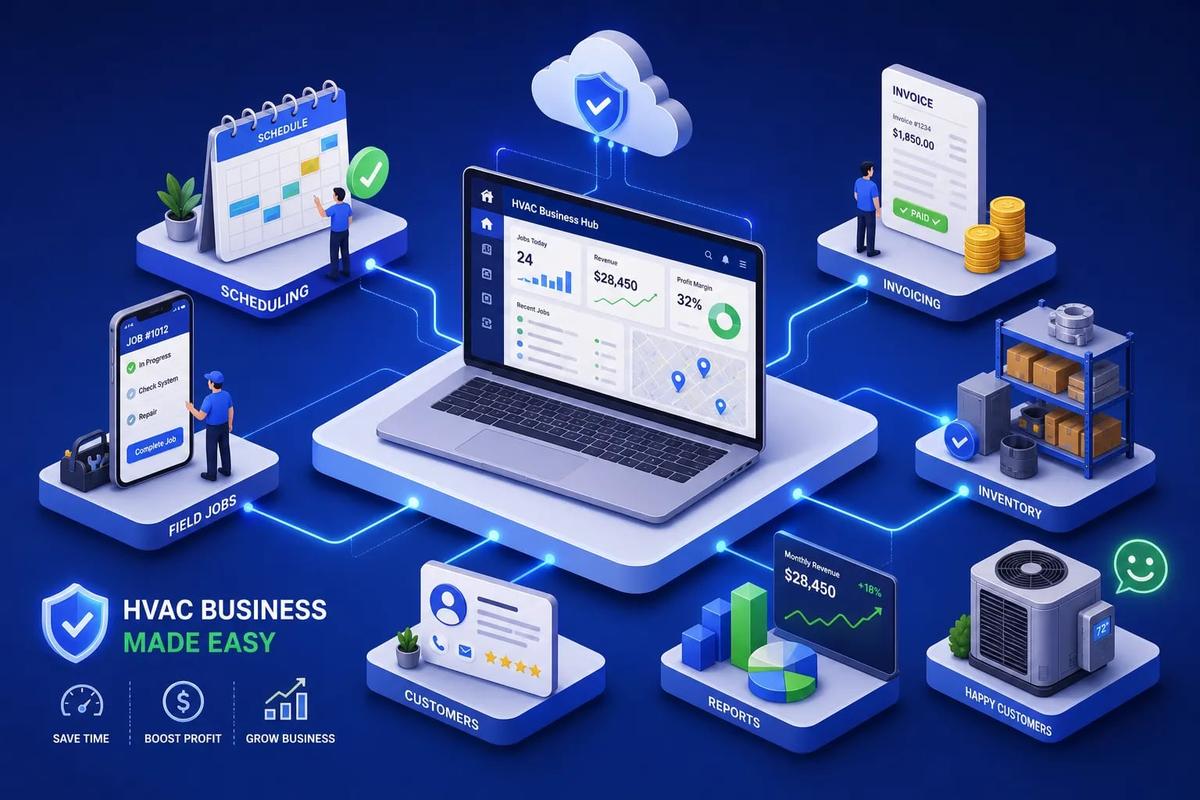
The best HVAC business software in 2026 is not one name. It depends on your company size, operational complexity, and how many tools you're currently stitching together. For small residential teams, Jobber and Housecall Pro cover the basics well. For larger or commercial operations, ServiceTitan and BuildOps have the depth. For operators who are done managing four separate platforms and want one AI-powered system that runs the entire business, URBLD is the platform worth serious attention.
Many HVAC operators aren't running one tool. They're running a CRM, a scheduling app, a separate invoicing system, and a spreadsheet for inventory, all connected by manual data entry and good intentions. That stack has a ceiling. This guide evaluates the leading platforms on the five capabilities that matter most and gives you a clear shortlist based on your actual situation.
Key takeaways
- Match the platform to complexity: Small residential teams (1–10 techs) fit Jobber or Housecall Pro. Mid-market and enterprise operators need Service Fusion, FieldEdge, ServiceTitan, or URBLD.
- Process complexity beats headcount: A five-technician commercial contractor with SLAs and recurring contracts may need enterprise capabilities more than a 30-technician residential shop.
- Native vs. integrated matters: "Supported" does not mean native. A platform that generates invoices on job completion is a different tool than one that syncs data to QuickBooks after the fact.
- Hidden costs are real: Implementation fees, add-ons, and third-party subscriptions can significantly increase what you actually pay in year one, sometimes well beyond the advertised monthly rate.
- All-in-one has measurable ROI: Switching from a disconnected stack to one platform typically produces positive ROI in 3 to 12 months, with 6 to 9 months as a reasonable planning estimate.
- AI dispatch is not just for enterprise: Platforms like URBLD bring AI-powered crew routing and workflow automation to operators of any size who have outgrown manual handoffs.
What to look for in the best HVAC business software
Five capabilities determine whether software actually helps: scheduling and dispatch, CRM and lead management, invoicing and payments, inventory tracking, and mobile field tools. Get those five right and most other operational problems solve themselves.
The five capabilities that actually move the needle
Dispatch inefficiency costs you service calls. When a technician drives across town to a job that a closer, more qualified tech could have handled, you've burned time, fuel, and a customer relationship. Slow invoicing delays cash flow, a completed job that sits unbilled for three days is a loan you didn't agree to. Weak inventory tracking means technicians arriving on site without the right part, which costs you a callback, a second trip, and customer trust.
HVAC CRM and lead management matter more than most operators admit. Leads that aren't followed up rapidly often convert at much lower rates. If your CRM is a spreadsheet or a disconnected platform your office manager checks once a day, you're leaving jobs on the table. Mobile tools close the loop: a technician who can pull up equipment history, document work, collect a signature, and take payment on site doesn't need to call the office once.
Small contractor vs. enterprise: why the right answer is different
A five-technician residential team needs speed, simplicity, and low overhead. A 40-technician commercial operation needs SLA management, multi-site asset records, compliance tracking, and automated dispatch. The dividing line isn't headcount. A small commercial contractor with complex maintenance agreements and strict service-level obligations may need enterprise capabilities, while a larger residential team running standardized, predictable jobs may not.
Choose based on process complexity, not company size. That's the honest framing, and it's why the platform comparison below is organized around use cases rather than feature checklists.
The best HVAC business software platforms of 2026, compared
Here's a direct look at the major platforms. Starting prices are sourced from industry guides including WrenchStack and BDR. Actual costs for a 10-technician operation will typically run higher once add-ons and per-user fees are factored in.
What the table tells you (and what it doesn't)
A checkmark in the invoicing column doesn't tell you whether invoicing is native or requires a QuickBooks sync to function. That distinction matters more than most buyers realize during evaluation. A platform that automatically generates an invoice when a job is marked complete is a fundamentally different workflow from one that exports job data to accounting software and requires someone to reconcile the numbers manually.
The same logic applies to HVAC CRM functionality: a contact list isn't a CRM, and a basic CRM isn't a lead management system. When you evaluate any platform, ask this directly: is this feature native, or does it require a third-party integration or a paid add-on? That one question will save you a lot of frustration after you've signed a contract.
URBLD: one system instead of a stack of four
Why many HVAC operators are running too many tools
The most common HVAC software stack looks like this: a CRM like HubSpot for lead management, a scheduling tool like Jobber for dispatch, QuickBooks for invoicing, and DocuSign for contracts. Zapier connects them. Manual data entry fills the gaps. The result is repeated data entry across systems, delayed invoicing, lost leads between handoffs, and a reporting problem because no single system has the complete picture.
This isn't a people problem. The team is doing exactly what the tools require them to do. It's an architecture problem. Every handoff between systems is a place where information can be delayed, duplicated, or dropped entirely. As you add technicians, trucks, and locations, those gaps compound into a growth ceiling.
How URBLD's AI operating system changes the workflow
URBLD was built as a single execution graph. One platform takes a lead from ad click to signed contract to scheduled crew to completed job to paid invoice, with no manual re-entry and no sync jobs between external systems. The AI layer doesn't surface suggestions for a human to act on later, it acts: leads get scored and followed up automatically, crew assignments get routed based on availability and location, and invoices trigger on job completion within owner-configured rules.
Contracts are drafted, sent, signed, and stored natively inside URBLD, without DocuSign or any other third-party tool. Inventory levels update as parts are consumed on jobs. Customer records reflect every interaction from the first ad click forward. For HVAC operators who've outgrown patchwork stacks, this eliminates the administrative overhead that comes with managing four separate systems. The fix isn't better integrations. It's replacing them entirely.
How scheduling and dispatch actually differ across these platforms
What small-business scheduling tools get right (and where they stop)
Jobber and Housecall Pro offer drag-and-drop calendars, basic route visualization, and appointment notifications. For a small residential team with predictable jobs and a steady schedule, that's genuinely enough. The limitation shows when you're rescheduling multiple crews mid-day, balancing technician skill sets against job requirements, or trying to prevent conflicts across a growing team. These platforms require a dispatcher to make those judgment calls manually, which is the right tradeoff for operations that don't yet need more complexity.
As crew count and job complexity grow, manual dispatch often becomes a daily bottleneck, missed jobs, overtime, and customer callbacks pile up in ways a drag-and-drop calendar simply can't prevent. The dispatcher managing 10 technicians is working a fundamentally different job than the one managing 3, and the tools need to reflect that difference.
AI dispatch and what it actually means in practice
AI-assisted dispatch works by treating a service request as a constrained scheduling problem. The system applies hard constraints first: required certifications, shift availability, service zone boundaries. Then it optimizes across softer criteria simultaneously, skills, travel time from current GPS location, existing workload, job priority, parts already loaded on the truck, and expected job duration. FieldCamp notes that systems supporting machine-learning optimization can also factor in historical outcomes like first-time fix rate and job duration accuracy.
URBLD's dispatch layer handles both inbound and outbound coordination with crew load balancing built directly into the scheduling engine. When cancellations, emergencies, or job overruns occur mid-day, the schedule rebalances automatically rather than waiting for someone in the office to notice a conflict and make manual reassignments. For HVAC teams operating at volume, that's the difference between a reactive dispatcher firefighting all day and a system that stays ahead of the schedule without constant intervention.
Which platforms handle invoicing, inventory, and CRM without add-ons?
The hidden cost of "supported" features
Many HVAC platforms list CRM, invoicing, and inventory as supported features. "Supported" is doing a lot of work in that sentence. FieldEdge's accounting integration is genuinely two-way with QuickBooks, which makes it a strong choice for shops that run on QuickBooks and need tight financial sync. ServiceTitan's inventory connects to supplier catalogs and pricebooks, which is meaningful for larger operations managing significant parts volume. Housecall Pro handles customer history well but relies on third-party tools for deeper lead management and marketing automation. Jobber is strong on quoting and HVAC estimating and invoicing for simple, standardized jobs but less capable for complex estimates or multi-stage billing.
None of this makes any platform wrong. It means the match between what you need and what each platform natively provides is what actually determines whether the software helps or adds overhead.
What native coverage actually saves you
When invoicing, CRM, and inventory live inside the same platform rather than connected to it, you eliminate the data reconciliation cycle that consumes hours every week. A technician records a part used on a work order, and that single action simultaneously adjusts inventory, updates job cost, and prepares the invoice line item. No exports, no reconciliation, no confusion about which system has the authoritative number.
URBLD operates this way by design. Every module sits on the same data layer, so a completed job triggers the invoice, updates the customer record, adjusts inventory, and syncs to accounting without anyone touching three separate systems to make it happen. That's the operational difference native architecture creates.
What does HVAC business software cost in 2026?
Pricing tiers from budget to enterprise
Jobber starts at $29 per month, making it the most accessible entry point in the category (per WrenchStack). Housecall Pro starts at $59 per month billed annually (WrenchStack and Guideflow). Service Fusion runs $208 per month billed annually with unlimited users (WrenchStack), strong value for teams with higher technician counts where per-user pricing would otherwise compound quickly. FieldEdge runs approximately $100 per office user plus $125 per technician monthly, per BDR. ServiceTitan is priced at approximately $245 per technician per month (per BDR) and is generally sold on a negotiated contract rather than a published rate.
These are starting prices, not all-in prices. Any team with 10 or more technicians should request a fully loaded quote that includes add-ons, modules, and per-user fees before comparing platforms side by side.
The hidden costs most buyers overlook
Implementation fees, data migration, training, and onboarding support add real cost to year one. According to Contractor Tool Stack, ServiceTitan implementations commonly include a setup fee in the thousands of dollars. Factor in the ongoing cost of third-party contractor software for HVAC functions your platform doesn't natively cover, CRM, inventory, or both. A platform that costs more per month but eliminates two or three paid subscriptions often comes out cheaper over 12 months when you do the full accounting.
For planning purposes, model a 6- to 12-month payback period when building your business case for switching platforms. Track baseline metrics before you migrate: invoice turnaround time, technician utilization, overtime hours, and lead-to-job conversion rate. Those numbers give you something concrete to measure improvement against after go-live.
How long does onboarding take?
Small teams: go live in days, stable in 30
Jobber and Housecall Pro can be operationally configured in one to three days for a basic setup, per MSI Data's implementation benchmarks. Realistic go-live for a small team, including data migration and basic staff training, runs one to two weeks. Full organizational comfort usually takes about 30 days. If you're switching mid-season, plan for a phased rollout rather than a hard cutover. Starting with one crew and expanding is less disruptive than flipping every technician to a new system simultaneously.
Mid-market and enterprise: plan for weeks, not days
A 15-to-50-technician operation using FieldEdge, Service Fusion, or Housecall Pro at the upper end should plan four to eight weeks from contract to go-live, according to implementation planning guidance from SkillMammoth and B2B Sales Tools. ServiceTitan implementations are commonly quoted at 12 to 16 weeks, covering data migration, pricebook configuration, accounting sync, and training, per Full Stack HVAC. Complex multi-location rollouts can extend beyond 20 weeks.
Three practical rules apply regardless of platform: assign an internal project owner before you sign a contract, clean your customer data before migration starts, and resist the urge to configure every feature on day one. Start with the workflows that directly affect revenue, scheduling, invoicing, and customer communication, then build from there once the team is comfortable with the core system.
Which platform fits your HVAC business right now?
Matching the shortlist to your situation
Here's a direct recommendation for the most common scenarios:
- 1–10 technicians, residential, straightforward jobs: Jobber or Housecall Pro. Fast setup, low cost, handles the basics well without overwhelming a small team with features they don't need yet.
- 10–50 technicians, mixed residential and commercial, growing complexity: Service Fusion for unlimited-user pricing; FieldEdge if a tight QuickBooks integration is non-negotiable; URBLD if you're ready to replace multiple tools with one AI-powered system that connects the full revenue cycle.
- Commercial HVAC, SLAs, multi-site assets, recurring contracts: ServiceTitan or BuildOps. The cost and implementation timeline reflect the operational depth, so budget accordingly and plan for a longer rollout.
- Operators currently running three or more separate tools and hitting a growth ceiling: URBLD is the most direct path out of that stack.
Your next step: trials, demos, and what to ask
Most platforms offer a free trial or guided demo. Before any demo, prepare three specific questions: Does this platform handle scheduling, invoicing, and CRM natively, or through integrations? What does the onboarding process look like for a team my size, and who owns it on your side? What does the all-in price look like after 12 months, including add-ons and any implementation fee?
The platform that answers those questions clearly, without redirecting to "it depends" or promising to follow up later, is the one worth your time. Vague answers at the demo stage tend to become expensive surprises after implementation.
The bottom line
Choosing the best HVAC business software comes down to an honest assessment of your current operations: how many tools you're managing, where the handoffs break down, and how much complexity your team is absorbing that the software should be handling instead.
Simple residential operations run well on Jobber or Housecall Pro. Commercial and larger-scale work fits ServiceTitan or BuildOps. Operators who've outgrown disconnected stacks and want one system running the full revenue cycle, from lead to payment, have a clear option in URBLD.
AI-driven field service management is available now, and the gap between operators using it and those still managing four-tool stacks continues to widen. The question isn't whether the technology works. It's whether your current setup is holding you back from the next level of growth.
If URBLD made your shortlist, request a demo and bring your current stack with you. The URBLD team will walk you through what the workflow looks like when it's all connected in one place. If another platform matched your situation better, bring those same three questions to their demo and make sure you get straight answers before you commit.
Frequently Asked Questions
How should we evaluate whether a feature is native or just an integration?
Native features are preferable because they eliminate data reconciliation and manual handoffs that add overhead. Ask vendors explicitly whether scheduling, invoicing, and CRM functions live on the same data layer or require third-party syncs, since a native invoice generated on job completion is a fundamentally different workflow than an export to accounting. That one question will save you a lot of frustration after signing a contract.
How long will it take for us to see a return on investment after switching platforms?
You can typically expect positive ROI within 3 to 12 months, with 6 to 9 months a reasonable planning estimate. Model a 6–12 month payback when building your business case and track baseline metrics like invoice turnaround, technician utilization, overtime, and lead-to-job conversion before you migrate. Those metrics give you concrete measures to compare against after go-live.
Can AI dispatch actually help a small residential team, or is it only for enterprise operations?
AI dispatch can help operators of any size who have outgrown manual handoffs. Platforms like URBLD bring AI-powered crew routing and workflow automation to teams that need automated load balancing and rescheduling, and AI dispatch optimizes assignments using hard constraints and softer criteria like travel time and skillset. For small teams that still rely on drag-and-drop calendars, AI becomes valuable once reschedules, multi-crew coordination, or parts-on-truck considerations create consistent bottlenecks.
What should our team do before starting migration to a new HVAC software platform?
Assign an internal project owner and clean your customer data before migration begins. Start by configuring and rolling out only the workflows that directly affect revenue, scheduling, invoicing, and customer communication, then expand once the team is comfortable with the core system. Resisting the urge to configure every feature on day one reduces disruption during onboarding.
Found this useful? Share it with another contractor or service business owner.