Workforce Management for Field Service Teams: A 2026 Guide
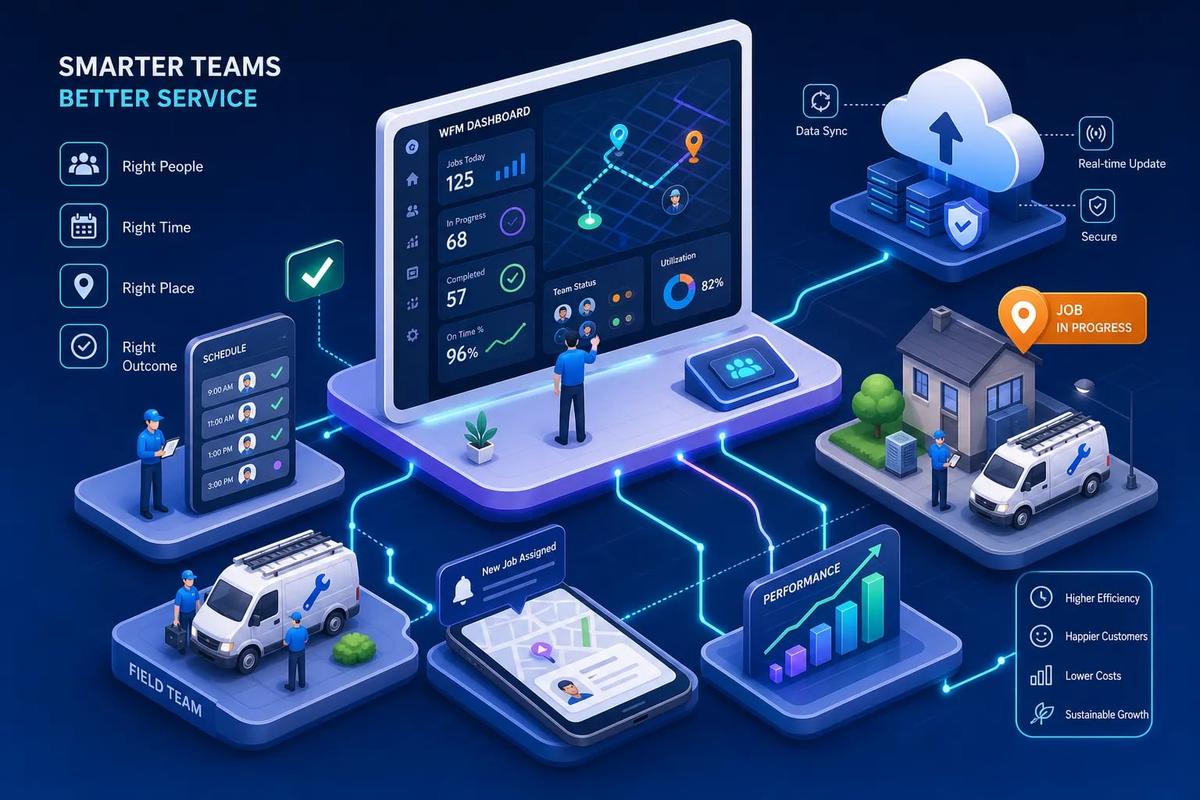
Many contractors managing 10 or more crews are still running multiple disconnected tools at the same time. A scheduling app. A separate time tracker. A spreadsheet for payroll hours. Maybe a standalone dispatch board that someone updates manually when they remember to. The result is the same every time: data re-entry errors, missed hours, crew confusion, and an office manager drowning in administrative follow-up that should have been automated six months ago. Workforce management for field service teams doesn't have to work this way.
Platforms like URBLD embed crew scheduling, GPS clock-in/out, timesheets, and productivity tracking directly inside the same system that handles dispatch, job execution, and invoicing. That's a fundamentally different approach from bolting a workforce module onto a generic HR platform built for call centers. This guide walks you through what to look for, how to evaluate vendors, and how to build a shortlist that holds up under real operational scrutiny.
WFM vs. FSM: Why the Distinction Matters for Contractors
Many buyers enter this search using "workforce management" and "field service management" interchangeably. They're not the same thing, and confusing them leads to buying software that solves the wrong problem.
What Workforce Management Actually Covers
Traditional workforce management is people-focused. It handles shift scheduling, time and attendance, labor forecasting, overtime tracking, and compliance with labor rules. It was built for offices, retail floors, and call centers where workers come to a fixed location and clock in at the door. The tool is optimized for headcount planning, not job execution.
Where Field Service Management Takes Over
Field service management is operations-focused and location-agnostic. It coordinates who goes where, manages work orders from creation to close, tracks assets and parts in the field, routes technicians to customer sites, and handles on-site job execution. FSM assumes the work is always somewhere else, and it's built around that assumption. The customer record, the job site, and the crew are the central objects, not the shift or the headcount.
The Overlap That Burns Growing Contractors
The overlap is scheduling, dispatch, real-time crew visibility, and productivity tracking. Both systems claim to handle these things, but neither does it completely on its own. Traditional workforce platforms track time but can't manage a work order. Traditional FSM platforms handle dispatch but lack labor compliance and payroll-ready timesheets. Contractors who buy them separately spend more money and still end up with data gaps, because the handoff between the two systems is always a manual one.
Why Disconnected Workforce Tools Cost More Than You Think
This isn't theoretical. Running separate tools for scheduling, time tracking, and field service dispatch creates real operational drag that shows up in your cash flow, your crew performance, and your office staff's sanity.
The Hidden Cost of Manual Data Re-Entry
Every time a field technician's hours logged in one app have to be manually entered into payroll software, you're paying for that friction twice: once in the labor cost of re-entry and again in the errors that come from it. Operators who consolidate workforce data into a single system typically report 20 to 30 percent drops in administrative overhead compared to fragmented setups. Manual time tracking errors typically account for 2 to 8 percent of payroll when tools aren't connected. That's a quiet and ongoing tax on every pay period.
Where Crew Visibility Actually Breaks Down
The most damaging visibility gap isn't in scheduling. It's in the hour between "job marked complete" and "office finds out." Without live status updates connected to dispatch, you can't reassign technicians quickly, you can't invoice promptly, and you can't spot underperforming crews until the week is already over. Field service companies that automate invoicing directly from job completion data report invoice cycle times dropping from 23 days to 4 days (an 83 percent reduction). That kind of improvement doesn't happen when your job completion data and your invoicing system are living in different tools.
The 7 Must-Have Features for Field Service Workforce Management
Not every platform advertises these features the same way. Some bury them in marketing copy. Some list them as available and then charge extra for access. These are the seven capabilities that separate a functional field workforce management system from one that creates more problems than it solves.
1. Intelligent Crew Scheduling and Skills-Based Assignment
Scheduling is table stakes. What separates good from average is whether the system matches jobs to technicians based on skills, certifications, current workload, and location, not just who happens to be available. Misassignment is one of the leading causes of low first-time fix rates. Field service implementations combining scheduling with technician matching have reported first-time fix rates rising from roughly 70 percent to 95 percent. A platform that auto-balances crew load while respecting skill requirements eliminates a whole category of dispatch errors before they happen.
2. Route Optimization and Mobile Technician Access
Route optimization reduces drive time, which directly cuts fuel costs and increases the number of jobs a crew can complete in a day. Deployments that prioritize route optimization have reported drive time reductions of up to 50 percent after implementation. Equally important is mobile enablement: technicians need to see their schedule, job details, and customer information from the field, with offline access when connectivity is unreliable. If your crew is still calling the office to confirm a job address or get customer notes, your mobile workforce management experience is broken and your dispatcher is doing work the software should be doing.
3. GPS-Based Time Capture and Compliance Controls
Manual timesheets are where payroll errors live. GPS clock-in and clock-out tied to job location eliminates buddy punching, reduces payroll disputes, and creates an audit trail for labor compliance. Systems with GPS verification consistently report accuracy above 95 percent, compared to 85 to 90 percent for manual timesheet entry. The system also needs to enforce your own rules: overtime thresholds, double-booking prevention, certification requirements for specific job types, and PTO policies. These controls should be configurable by you, not hardcoded by the vendor in a way you can't adjust.
4. Real-Time Performance Dashboards and Labor Forecasting
Managers need to see what is happening now, not what happened last week. Real-time dashboards showing technician utilization, job completion rates, average drive time, and callback rates let you catch problems on Tuesday instead of in Friday's end-of-week report. Forecasting tools go one step further by using historical job volume and crew capacity data to help you staff correctly for next month, not just today. Businesses using automated scheduling consistently report 15 to 25 percent technician productivity improvements compared to manual dispatch approaches, and utilization rates of 60 to 75 percent versus 40 to 55 percent for fragmented legacy setups.
5. Native System Connectivity, Not Integrations
This is the most overlooked item on any feature checklist. Many workforce platforms connect to field service tools through third-party integrations or APIs that break during updates, require IT maintenance, and create sync delays that cost you data accuracy at exactly the wrong moment. When workforce data lives natively in the same platform as dispatch, invoicing, and job execution, there's no sync delay and no data gap. The scheduling decision and the payroll calculation draw from the same source of truth, at the same time, without any configuration required.
6. Work Order Lifecycle Management
A workforce platform built for field service needs to track the job itself, not just the person assigned to it. Work order management covers creation, assignment, field updates, completion confirmation, and documentation capture. When time tracking is connected to work order status, you know when a technician clocked into a job, how long they spent on site, what was completed, and what materials were used. That data feeds payroll, invoicing, and performance reporting simultaneously, no additional configuration required.
7. Self-Service Availability Controls for Field Staff
Field technicians have scheduling preferences, availability constraints, and PTO needs. A workforce system that requires every scheduling change to go through an office manager creates unnecessary administrative bottlenecks. Self-service tools let technicians flag availability, request time off, and view their upcoming schedule without a phone call. The system enforces coverage rules and approval workflows automatically, so flexibility for the technician doesn't mean chaos for the dispatcher. This matters more as you scale: at 20 or 30 technicians, manual availability management becomes a full-time job on its own.
What ROI Looks Like in the First 90 Days
Buyers often expect ROI to take a year or more. The reality for field service workforce management is faster, because the inefficiencies are operational and show up immediately once you remove them.
Productivity and Utilization Benchmarks
Field service implementations consistently report 15 to 25 percent gains in technician productivity and improvements of 25 or more percentage points in first-time fix rates within months of going live. In one published FSM deployment analysis, organizations saw a 50 percent reduction in billed repair hours and 20 percent fewer service calls per customer, because problems were being resolved on the first visit instead of requiring callbacks. Back-office productivity gains often exceed 50 percent when scheduling, time tracking, and invoicing run on a single platform.
Field Service Workforce Management KPIs to Track from Day One
Set these up before you launch, not after. Without a pre-launch baseline, any improvement looks like noise and any failure looks like a fluke, and you won't know whether the platform is working or just adding new complexity.
- Technician utilization rate (billable hours vs. available hours)
- First-time fix rate
- Average drive time per job
- Administrative hours per work order
- Invoice cycle time from job completion to payment
- Callback rate within 30 days of service
If these numbers don't improve within 60 to 90 days, that's a signal worth taking seriously. It may indicate a configuration issue, a gap in field adoption, or a poor platform fit. Run through an implementation diagnostics checklist, check pilot KPIs, configuration settings, and technician adoption rates, before drawing final conclusions or committing your full operation to a broader rollout.
Vendor Tradeoffs: Native Platforms vs. Point Solutions
The market breaks into two camps, and the choice between them is more consequential than most buyers realize before they sign a contract.
What "Native" Actually Means in Practice
A native platform means workforce management, dispatch, invoicing, job tracking, and customer records all live in the same database. There's no webhook, no Zapier flow, and no nightly sync job that may or may not complete correctly. When a technician clocks out on a job in URBLD, that data is immediately available to the invoicing module, the payroll summary, and the job performance dashboard, no additional configuration required. That's native. Many platforms marketed as "all-in-one" are actually acquired point solutions connected by internal APIs, which behave like external integrations and carry the same failure modes.
The Real Cost of Bolt-On Modules
Adding a workforce management module to a field service platform that wasn't built with it natively means paying for both products, managing two sets of configurations, and troubleshooting integration failures when they inevitably occur. The per-seat cost looks manageable until you factor in implementation time, IT overhead, and the hours your operations manager spends reconciling data discrepancies every pay period. When you account for implementation time, IT overhead, and ongoing reconciliation labor, the true operational cost of a disconnected stack is often materially higher than the license fees suggest, contractors who have consolidated to a native platform frequently describe the savings in staff hours alone as exceeding their original software cost estimates.
Where Generic WFM Platforms Fall Short for Contractors
The workforce platforms built for retail and call centers, the ones that dominate most software comparison lists, are optimized for fixed-location shift workers. They handle time and attendance well. They struggle with job-site-based clock-in, work order status, route optimization, and crew dispatch. If you buy one of those platforms hoping to cover your field operations, you'll end up either buying a separate FSM tool anyway or living with the gaps permanently. The problem isn't the software quality. It's that the software was built for a fundamentally different type of workforce.
How to Build Your Vendor Shortlist in 3 Steps
Most buyers shortlist vendors based on demos and price. The contractors who regret their software purchase usually skipped a more important step: mapping their actual workflow before evaluating any vendor.
Step 1: Map Your Current Workflow Gaps
Before you open a single demo, write down every place in your current process where data has to be manually transferred, re-entered, or communicated verbally. Track where hours are logged, where job status is updated, where invoices are generated, and where payroll data goes. Every manual handoff is a gap that the right platform should close. This map becomes your evaluation rubric, and it's far more useful than any feature checklist a vendor provides you.
Step 2: Score Vendors on Native Capability, Not Feature Count
Feature lists are marketing. What matters is whether the capability is native or integrated. Ask each vendor directly: "Is your time tracking module built on the same database as your dispatch and invoicing?" If the answer involves "seamless integration" or "our partner ecosystem," it isn't native. Score vendors on how many of your workflow gaps they close without requiring a third-party connection. A platform with fewer features that handles your core workflow natively will consistently outperform a feature-rich platform that requires five integrations to function, the operational drag from managing those connections adds up fast.
Step 3: Run a 30-Day Pilot with Your Highest-Friction Crew
Don't go company-wide on day one. Pick your busiest, most chaotic crew and run the platform live for 30 days. Track the KPIs you set up before launch. If utilization improves, invoice cycle time drops, and administrative hours decrease, you have proof of concept. If they don't, you find out before you've committed your entire operation to the wrong tool. A vendor unwilling to support a structured pilot is telling you something important about how they treat customers after the sale.
The Implementation Mistakes That Derail Good Platforms
Even the right platform fails if implementation is handled poorly. The patterns that lead to failed deployments are consistent and avoidable, and they show up in field service operations more than almost any other industry because the workforce is distributed and the feedback loop is slow.
Going Company-Wide Before Going Stable
The most common mistake is a full company rollout before the platform is configured correctly, roles are set up, and the field team actually knows how to use it. A phased approach, starting with one crew, one location, or one job type, gives you time to fix configuration issues before they multiply across the entire operation. Problems that affect one crew are manageable. The same problems affecting 12 crews simultaneously create an operational crisis and erode trust in the platform before it has a chance to prove itself.
Skipping Field Tech Adoption as a Formal Process
A workforce platform is only as good as the data entering it. If your technicians don't use the mobile app consistently, GPS clock-in data is incomplete, job statuses are stale, and the dashboards your managers rely on are inaccurate. Training isn't a one-hour session on launch day. It's ongoing reinforcement and clear SOPs for field updates, plus a feedback loop so technicians can flag when the tool is working against them. That feedback loop matters more than hoping they'll speak up instead of silently reverting to old habits. The office team sees the value immediately. The field team needs to be shown it specifically in terms of how it makes their workday easier.
Defining Success After Implementation Instead of Before
If you don't establish baseline KPIs before you go live, you'll spend the first three months debating whether the platform is working instead of measuring it. Set your benchmarks during evaluation, confirm them before launch, and review them at 30, 60, and 90 days. This also protects you in conversations with your vendor: if the implementation isn't delivering, you have data to support that conversation rather than a general sense that something feels off.
The Operational Decision That Compounds Over Time
Workforce management in field service isn't a feature you add. It's an operating decision that affects every other part of your business. The contractors who manage their crews well aren't necessarily running more people or completing more jobs. They're running tighter systems where scheduling, time capture, job execution, and invoicing feed each other without gaps, without manual handoffs, and without someone in the office spending two hours every Friday reconciling data from three different tools.
The platform you choose either supports that or undermines it. Buying a standalone workforce management tool and expecting it to connect cleanly to your FSM, your payroll, and your invoicing is an optimistic bet that rarely pays off the way the integration demo suggested. Buying a platform where field service workforce management is native to the rest of the business is a structural decision that compounds over time, every efficiency you gain in scheduling feeds into faster dispatch, which feeds into faster invoicing, which feeds into better cash flow.
Use the seven features in this guide as your evaluation framework. Use the three-step shortlist process to cut through the vendor noise. And before you sign anything, make sure you understand whether the platform you're buying is genuinely integrated or just marketed that way. If you want to see how URBLD handles workforce management natively alongside dispatch, invoicing, and job execution, reach out to our team and we'll walk you through a live workflow, not a slideshow.
Explore the URBLD platform
CRM with Inventory Management
Glossary
CRM
Feature pages
Unsold Estimate
Glossary
FieldPulse Alternatives for Growing Service Teams
Comparisons
How to Automate Field Service Billing
Solutions
Workforce
Feature pages
How to Reduce Lead Loss in Service Businesses
Solutions
ServiceTitan Alternatives for Growing Service Businesses
Comparisons
Found this useful? Share it with another contractor or service business owner.