Best Dispatch Software for Service Businesses in 2026
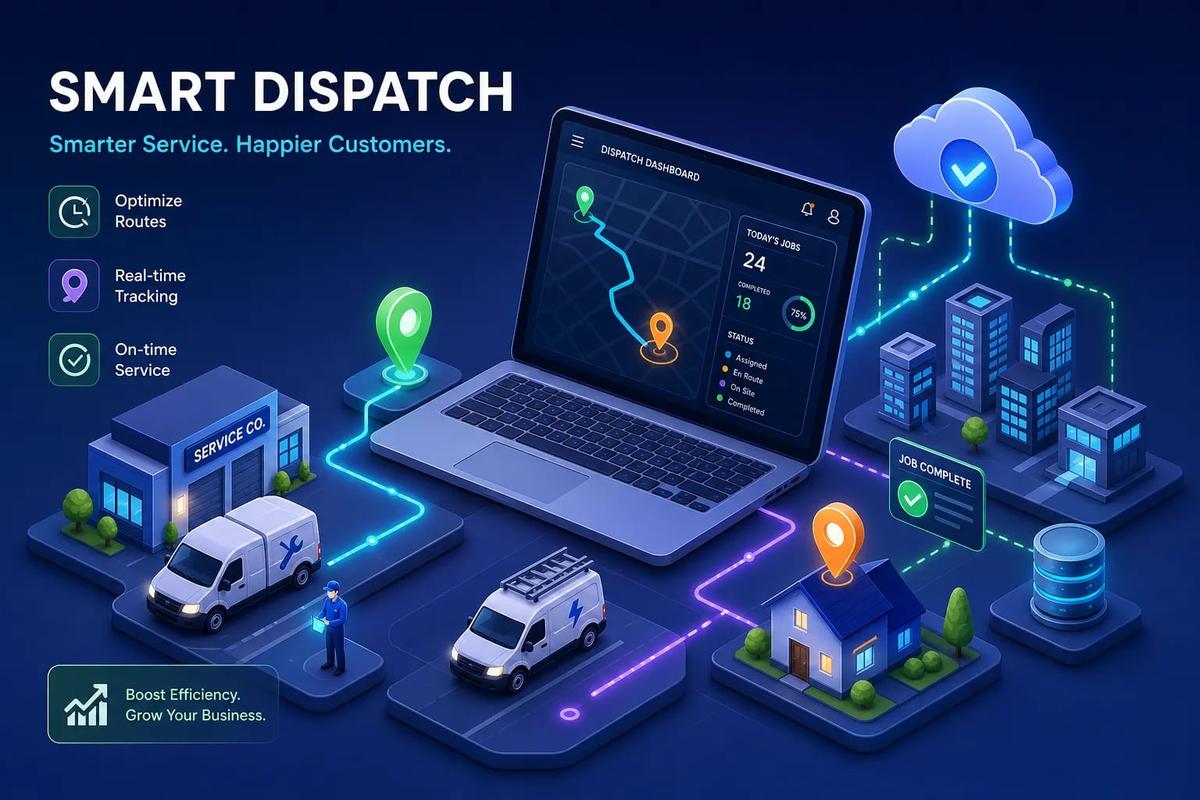
Picture a dispatcher on a Tuesday morning: one eye on a whiteboard covered in sticky notes, one hand on the phone, and a text coming in from a technician stuck on the interstate twenty minutes from their first job. Three more calls are waiting. A customer from yesterday is calling back about a no-show. The afternoon schedule hasn't been touched. This is the dispatch problem that costs service businesses real money every day, and it's not a people problem. It's a systems problem, and the right dispatch software for service businesses is what closes the gap.
The financial weight of that chaos is measurable. Industry estimates put the average revenue loss per missed service call at roughly $1,200. Unoptimized routing alone costs a 10-technician operation around $62,400 per year in preventable overtime, calculated at three overtime hours per driver per week at $40 per hour. Multiply that across scheduling conflicts, late arrivals, and manual re-entry between your dispatch board and your invoice system, and the numbers get painful fast.
The good news is that field service dispatch software in 2026 has moved well past the digital whiteboard era. Leading platforms now connect job assignment, GPS tracking, route optimization, and crew load balancing to the rest of your business systems. This guide covers which features actually matter, how pricing works, which platforms are worth shortlisting, and how to match the right tool to your crew size and operational needs. If you're evaluating dispatch software for service businesses, the sections below explain the features, pricing, and integrations that matter most.
How dispatch went from whiteboards to AI-driven routing
Manual dispatch worked when a business had five technicians and a dispatcher who knew every job, every customer, and every crew member's quirks by heart. The whole system lived inside one person's head, backed up by a paper job card and a phone call. It was slow, but it held together because the volume was manageable.
What broke down with manual dispatch first
The failure points are predictable and consistent across every service business that outgrows manual coordination. Knowledge silos are the first crack: when the dispatcher is out sick, no one knows why certain jobs are scheduled the way they are. Double-bookings follow, because two people making schedule changes without a shared system will eventually conflict. The third failure is invisible inefficiency, technicians driving past each other on opposite ends of town because no one has visibility into real-time locations or workload distribution.
What the first wave of field service dispatch software actually fixed
Early digital scheduling tools replaced the whiteboard with a shared drag-and-drop calendar. That was a real improvement. Dispatchers could see all open jobs in one place, and technicians could get job details on a mobile device instead of waiting for a phone call. But these first-generation tools were still reactive. They didn't balance load intelligently, they didn't optimize routes, and they weren't connected to the rest of the business. A completed job still required someone to manually trigger the invoice.
How AI routing changed the equation
Modern dispatch management systems use AI to do what a skilled dispatcher does mentally, but faster and at scale. Predictive load balancing distributes jobs based on proximity, skill match, and current workload rather than open calendar slots. Real-time rerouting adjusts a technician's sequence of stops mid-day when a job runs long or a new urgent call comes in. According to industry benchmark studies on field service operations, AI route optimization can cut planning time by up to 95% and reduce fuel costs by 10 to 25 percent compared to manual routing. That's not a marginal improvement, it represents a genuine operational shift for businesses managing multiple technicians across a service area.
Choosing dispatch software for service businesses: features that matter
Not every feature marketed on a dispatch platform's pricing page solves a real problem. The ones worth evaluating remove a specific bottleneck in your daily workflow. Here's what to prioritize and why each feature matters in practice.
Load balancing and intelligent crew assignment
A good dispatch management system doesn't just fill open calendar slots. It matches jobs to the right technician based on skill set, current location, and how much work they already have assigned for the day. As teams grow beyond a handful of technicians, this distinction matters significantly. Without load balancing, your top tech ends up overloaded while a qualified crew member nearby sits under-utilized, and no one notices until overtime kicks in at the end of the day.
Real-time GPS tracking and live job status
Real-time visibility changes the dispatcher's entire workflow. Instead of calling technicians to find out where they are, a dispatcher can see every crew member's location on a live map, what job they're currently on, and how long they've been on-site. That single capability substantially reduces status calls and phone traffic, giving dispatchers the information they need to handle last-minute job additions or cancellations without guessing.
Route optimization for multi-stop service teams
There's an important difference between static routing and dynamic routing. Static routing sets a technician's job sequence at the start of the day and doesn't adjust. Dynamic routing recalculates the most efficient sequence in real time as conditions change, traffic delays, job duration overruns, and new inbound calls. For service teams running multiple stops per day, dynamic routing can meaningfully reduce total drive time and the fuel costs that come with it. The savings grow proportionally as stop density increases.
Mobile dispatch apps that keep field workers in sync
Technicians need more than a list of addresses. A solid mobile dispatch app delivers full job details, customer history and notes, navigation integrated into the workflow, clock-in and clock-out, and the ability to update job status without calling the office. When field workers can close out a job directly in the app and trigger the next step automatically, the gap between the field and the back office shrinks to almost nothing.
The real cost of running dispatch the old way
Inefficient dispatch tends to hide in budget line items that don't look like dispatch problems on the surface. Overtime, customer complaints, and rescheduling costs get absorbed into overhead without anyone connecting them back to the scheduling and routing decisions that caused them.
Missed jobs and the revenue drain they create
Industry estimates put the average missed service call at around $1,200 in direct revenue lost, a figure that accounts for the labor, overhead, and margin typically tied to a completed job. That number compounds when you factor in the labor cost of rescheduling, the likelihood that the customer books a competitor while waiting, and the reduced lifetime value of a customer who had a bad first experience. A business missing four appointments per month is losing close to $5,000 monthly from that single failure point, before accounting for any downstream churn.
Overtime creep from inefficient routing
Unoptimized routing is one of the most consistent drivers of overtime in field service operations. When technicians are assigned jobs based on open slots rather than proximity, they spend more time in transit. Longer field days translate directly into overtime hours. For a 10-technician team averaging three overtime hours per driver per week at $40 per hour, the annual cost reaches $62,400. That's money spent on hours that better route optimization would have eliminated without reducing a single billable job.
How scheduling failures turn into customer churn
From the customer's side, a botched dispatch looks like this: they were given a two-hour arrival window, the technician showed up an hour late with no notification, and no one followed up afterward. That experience has a measurable churn impact. Service businesses with high rescheduling rates and low on-time performance consistently see lower repeat booking rates, the clearest signal that the dispatch layer is leaking revenue through the customer relationship.
Top dispatch software platforms to consider in 2026
The market for field service management software includes a wide range of platforms at different price points and complexity levels. Below is a practical look at the options that consistently earn consideration in 2026, organized by where they fit best.
ServiceTitan: enterprise-grade for larger operations
ServiceTitan is the full-suite option for larger residential and commercial trades businesses. Its technician scheduling, job management, reporting depth, and AI-assisted tools make it one of the more capable platforms in the category. The tradeoff is complexity and cost: ServiceTitan requires meaningful onboarding time, and pricing is custom-quoted at the enterprise level. It tends to be a better fit for businesses with 50-plus technicians that need deep operational controls and have the internal resources to manage implementation.
Jobber: the SMB starting point
Jobber is frequently the first real dispatch platform for small home service businesses. It combines quoting, scheduling, payments, and basic CRM in one system with a clean interface and a manageable learning curve. Where Jobber starts to show limitations is at team scale: as crew size grows past 10 or 15 technicians, the absence of advanced load balancing and the dependency on manual handoffs between modules becomes noticeable. It's a solid entry point, but many businesses outgrow it.
Housecall Pro: fast setup for residential service teams
Housecall Pro earns its place on shortlists for one primary reason: speed of onboarding. For residential service teams that need scheduling, automated customer notifications, and a dispatch board without a lengthy implementation process, Housecall Pro is worth evaluating. It's best suited to smaller operations where simplicity and ease of adoption matter more than deep workflow automation or advanced crew management.
URBLD: when dispatch needs to connect to everything else
URBLD is built on a different premise than standalone technician scheduling software. Its dispatch module isn't a separate tool that syncs with your CRM and invoicing through an integration, it's part of the same system. When a lead converts to an appointment, it becomes a dispatched job. When a technician marks a job complete in the field, the invoice generates automatically based on the estimate already in the system, and accounting updates without anyone re-entering data. That's the difference between a connected platform and a stack held together with integrations.
The dispatch-specific features are native to the platform: crew load balancing that accounts for proximity, skill, and current workload; GPS clock-in and clock-out directly from the mobile app; real-time job status visible to the dispatcher without a phone call; and role-based access that keeps field crews, dispatchers, and office staff in the same system with appropriate permissions. For growing service businesses that have accumulated disconnected tools, URBLD is designed to consolidate that stack rather than extend it.
What dispatch software actually costs in 2026
Pricing in this category is genuinely varied, and the differences aren't arbitrary. They reflect real differences in what each platform does and who it's built for. Here's how to read the market before you start talking to vendors.
The three main pricing models you'll encounter
Most platforms use one of three structures. Per-user, per-month pricing charges for each dispatcher, technician, or manager on the platform, typically ranging from $50 to $350 per user per month depending on feature depth. Flat monthly subscriptions cover the whole account regardless of user count, with entry-level plans starting around $29 to $190 per month for small teams. Enterprise pricing is custom-quoted and often reaches $1,000 or more per month for a full team, with implementation costs on top. Some lighter tools use per-job pricing at roughly $2 to $15 per completed work order, which works for low-volume operations but gets expensive fast as job counts scale.
What actually drives cost higher
The variables that push pricing up are predictable once you know what to look for: number of users, whether GPS tracking is included or add-on, integration depth with accounting systems, the level of onboarding support included versus billed separately, and whether AI-powered routing and load balancing are on the plan. A basic work order dispatch system with manual scheduling costs significantly less than a platform with native AI routing, accounting sync, and crew GPS. The question is whether the cheaper platform's limitations cost you more in labor and errors than the price difference.
ROI indicators worth tracking before you buy
Before you sign anything, baseline three specific metrics: your average technician utilization rate (how much of each field day is billable versus transit or idle), overtime hours per week across the team, and the number of jobs missed or rescheduled per month. These become your before numbers. After three to six months on a new platform, they become your after numbers. When a platform is delivering real value, utilization climbs, overtime drops, and missed jobs and reschedules decrease materially. Those are the numbers that justify the subscription cost at any price point.
Why dispatch can't live in a silo
Good dispatch software that doesn't connect to the rest of your business creates a different version of the same problem. You've solved the scheduling layer, but the handoffs between dispatch and invoicing, between the field and accounting, still require human intervention at every step.
The gap between a dispatched job and a sent invoice
The typical handoff chain in a business using separate tools looks like this: a technician completes a job in the field, notes get texted or emailed to the office, someone manually creates an invoice in the accounting system, then accounting gets updated separately. Every step in that chain is a delay and a potential error. If the technician's notes are incomplete, the invoice is wrong. If the office is backed up, invoicing lags by days. That lag directly affects cash flow.
What native connectivity actually changes
When dispatch and invoicing share the same data layer, that chain compresses to a single event. In URBLD's design, when a technician marks a job complete in the mobile app, the invoice generates automatically based on the estimate that was already in the system when the job was booked. Accounting updates without anyone logging into a separate tool. The dispatcher sees the job as closed, the customer receives the invoice, and the numbers are already in the accounting ledger, no re-entry, no lag, no error introduced by a manual transfer.
Integration vs. native: the practical difference
An integration means two separate systems talking to each other through an API or a middleware connector like Zapier. Integrations can work, but they introduce sync delays, data mismatch risks, and a hidden labor cost: someone has to monitor and maintain those connectors when they break, and they do break. A native architecture means dispatch, CRM, estimating, and invoicing all read from and write to the same data model. There's nothing to sync because nothing is separate. That's the practical difference between a unified platform and a field service management software stack held together with integrations.
Implementation timelines and questions to ask every vendor
Switching platforms mid-growth is always disruptive. Knowing what you're actually signing up for before you start a free trial saves you from committing to a timeline that doesn't fit your operation.
What rollout actually looks like by business size
Small teams typically go live in four to eight weeks when the platform is straightforward and data migration is minimal. Mid-market businesses should plan for three to six months for a full transition that includes importing historical data, training staff across multiple roles, and configuring automation rules. Enterprise deployments run six to twelve months or longer, especially when permitting workflows, multi-location isolation, or complex accounting integrations are involved. The main driver of timeline variability is not the platform itself but the complexity of what you're migrating from and how many users need to change their daily workflows.
The questions that reveal how ready a platform really is
Every vendor will tell you their platform is easy to implement. The questions that surface real answers are more specific. Ask these before you commit:
- Is dispatch natively connected to invoicing, or does it require a third-party sync?
- How does the platform handle crew reassignments or cancellations mid-day?
- What does data migration from our current system look like, and what's included versus billed separately?
- What's included in onboarding support, and what triggers an additional fee?
- How does the mobile app handle GPS outages or spotty field connectivity?
A platform that can answer each of these questions with specifics is ready. A platform that deflects to vague promises about "flexibility" and "configurability" is telling you something important about the gaps it hasn't solved yet.
How to shortlist dispatch software for your business size
The goal of this section is to get you from the full market to two or three real options. The decision criteria shift significantly based on crew size, so start there.
Small teams running under 10 technicians
At this stage, the priority is a platform that handles scheduling, basic dispatch, and customer communication without a long implementation runway or a steep learning curve. Advanced AI routing and cross-module automation matter less when your dispatcher can still see the whole schedule at a glance. Housecall Pro or Jobber are reasonable options to evaluate here, both offering fast setup and the core functionality a small team needs to get organized and stay consistent.
Growing teams between 10 and 50 technicians
This is the stage where manual load balancing breaks down and the re-entry problem between dispatch and invoicing gets expensive fast. The priority shifts to a dispatch management system with intelligent crew assignment, real-time GPS visibility, and a native connection to invoicing and accounting. URBLD is built for this growth stage: every module shares the same data, so the operational complexity of managing 15 or 30 technicians doesn't require additional tools or manual coordination layers. The platform grows with the business without adding integration overhead.
The shortlist checklist before you sign anything
Before committing to any platform, run through five criteria:
- Does the platform's crew management depth match your current team size and your projected size in 18 months?
- Is the architecture native or integration-dependent?
- Does the pricing model make sense as your user count grows?
- Does the vendor's implementation timeline fit your operational calendar?
- Can the vendor demo dispatch connected to invoicing in a single workflow, without switching tools?
If a vendor can't show you that last point in a demo, you won't see it after you sign either.
Dispatch software for service businesses in 2026: a business infrastructure decision
The platforms worth using in 2026 aren't scheduling boards with a mobile app bolted on. They're operational systems that connect job assignment, GPS tracking, crew load balancing, customer communication, and invoicing in a continuous workflow. The dispatcher still matters, but they should be spending their time on judgment calls, not re-entering job data or chasing technician locations by phone.
Use the shortlist framework here as your starting point: match platform depth to your current crew size and where you're headed in the next year, baseline your overtime hours and missed-job count so you have real numbers to measure against, and ask every vendor pointed questions about native connectivity before you commit to a trial.
If the re-entry problem sounds familiar, that's the exact gap that URBLD's service business dispatch software is designed to close. The dispatch module, the CRM, the estimating tool, the invoicing engine, and the accounting sync all run on the same data, no connectors to maintain, no handoffs to manage manually. Request a live demo from the URBLD team and ask them to walk through the full workflow from dispatched job to sent invoice. That single demonstration will tell you more about native connectivity than any feature comparison chart.
Found this useful? Share it with another contractor or service business owner.