Jarvis AI for Contractors: Separating Hype From Reality
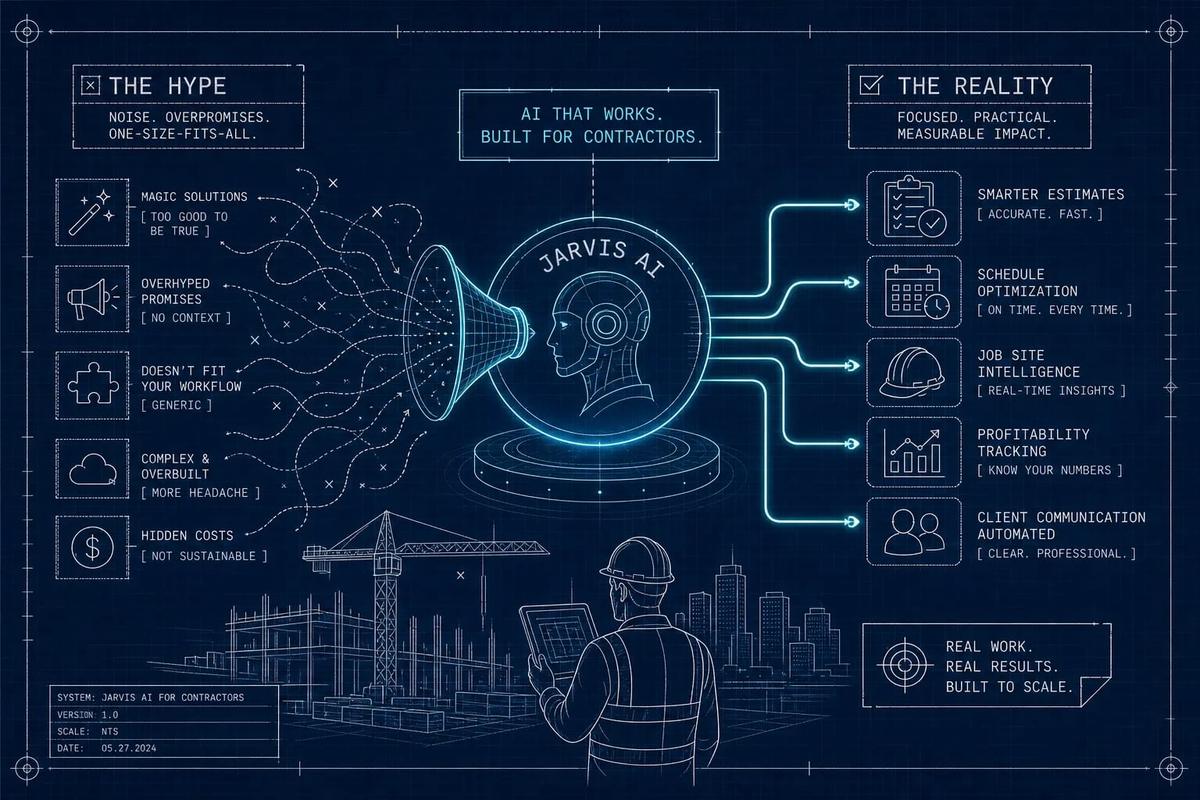
Jarvis AI for contractors promises to book the job, assign the crew, and generate the invoice without anyone telling it to. That technology exists today. The gap between the marketing and the reality is not whether AI can execute field service workflows autonomously; it is whether the specific platform you are evaluating actually does it or just helps you do it manually a little faster.
Most tools marketed as AI assistants for contractors help you draft a report, search a document, or organize site photos. That is useful work. It is not autonomous execution. The distinction between an AI that assists and an AI that acts is the only one that matters when you are deciding whether a system can replace a dispatcher, eliminate invoice lag, or follow up on a lead at 11 p.m. without anyone in the office. This article explains where that line sits, what is genuinely available today, and how to make a clear-headed decision about what your operation actually needs.
Key takeaways
- Execution vs. assistance: Most contractor AI tools accelerate manual tasks. A true autonomous layer completes workflows without human approval at each step.
- Three core workflows: Job booking, crew routing, and automated invoicing are the defining tests of whether a system qualifies as genuinely autonomous.
- Build costs are high: A DIY production AI assistant typically runs $40,000–$150,000 to build and $1,000–$8,000 per month to operate, based on figures from sources including intercode.com's "Running An AI Agent At Scale" and construction AI implementation guides published in 2026.
- Commercial platforms deploy fast: Purpose-built platforms can run first autonomous workflows in two to four weeks and cost $10,000–$50,000 annually for mid-size contractors, per the Construction AI Implementation Guide 2026 (contractsconnected.com).
- 57% report measurable gains: According to ZDNET, 57% of U.S. field service organizations using AI-powered scheduling and dispatch reported higher revenue per job and improved worker productivity in 2026.
- Start narrow: Pilot one workflow end-to-end before expanding. The contractors who run into trouble are the ones who try to automate everything at once.
What Jarvis AI for contractors actually means
The pop-culture reference is useful because it sets the right expectation: an AI that acts, not just answers. For a contracting business, that resolves to three specific autonomous workflows. The system monitors incoming leads and books them into jobs without a dispatcher reviewing each one. It routes crews based on real-time location, load, and skill requirements without a scheduler rebuilding the board manually. It fires an invoice at job completion without anyone opening a billing screen. Those three functions are the definition. Everything else is either upstream or downstream of them.
A chatbot is not Jarvis. A chatbot can tell you which crew has availability on Thursday. A true autonomous system books that crew, updates the schedule, and notifies the customer. The distinction matters because most platforms marketed as AI assistants stop at the information layer. They surface a record for you to act on. The action still requires a human.
Voice commands are not Jarvis either. Dictating a note or searching a document hands-free is convenience, not autonomy. The defining characteristic of a Jarvis-style execution layer is that it initiates and completes workflows based on events, not commands. Something happens in the business, a lead comes in, a job closes, and the system moves without being told to.
Why the contractor industry is moving this direction now
The timing is not accidental. The labor math for running an office has broken down. The margin on a missed lead or a delayed invoice is real money. When a system can absorb those workflows reliably, it is not a luxury purchase. It is a correction to a structural problem that has been there for years.
The technology finally caught up between 2023 and 2026 in ways that matter for field service specifically. Large language models, computer vision, and workflow automation engines matured enough to make autonomous execution reliable in constrained domains. Routing a crew and generating a structured invoice are rule-based, bounded problems. AI handles bounded problems well. The technology risk that would have sunk a project three years ago is largely gone for these specific use cases.
The cost of manual handoffs is also now measurable in a way it was not before. A lead comes in after hours, nobody follows up, it goes cold. A job closes on a Friday, the invoice sits in draft until Tuesday, cash flow stalls. Fieldpromax data shows manual invoicing commonly takes two to three days for delivery, with the full processing cycle running 14.6–17.4 days. Automated billing brings that to minutes after job completion. That gap is now easy to put a dollar figure on.
What most AI contractor tools actually do today
The honest answer is that most of them help with documentation. That is genuinely valuable, and it is not the full Jarvis AI picture. Tools like PlanRadar, CompanyCam, and OpenSpace are strong at site capture, punch lists, daily reports, and photo organization. CompanyCam can turn a voice note into a structured daily recap. OpenSpace maps 360° site imagery to plans automatically. PlanRadar generates a ticket from a voice description. These construction automation tools save real time: contractors have reported 70–80% less time on report preparation and RFI response cycles dropping from 8–14 days to 1–2 days using AI-assisted workflows, according to Banamind's 2026 construction AI analysis.
These documentation tools do not book jobs, route crews, or generate invoices. They sit at the field reporting layer of the operation, which matters, but they leave the business operating layer untouched. A contractor using any of them still needs a separate CRM, a separate scheduling tool, a separate invoicing system, and someone to move data between all of them. The workflows remain manual. Only the documentation step got faster.
The right frame here is assisted versus autonomous. Assisted AI helps you do something faster. Autonomous AI does it without you. The construction documentation category is almost entirely in the assisted column. The tools generate a draft you review, surface a record you act on, or flag an issue you resolve. That is a meaningful upgrade. It is not an autonomous execution layer, and it should not be evaluated as if it were.
What an autonomous contractor workflow actually looks like
An autonomous field service workflow has no gaps between stages where a human has to pick up the baton. The sequence runs as a single connected chain. A lead comes in from an ad or a web form. The AI qualifies it based on service type, location, and job size. It schedules an appointment into an available slot, sends the confirmation, and converts that appointment to a job record, all without any human reviewing the lead first. The office manager sees a booked job, not a raw lead sitting in a queue waiting for someone to get to it. That is what URBLD is built to do: its AI layer handles lead qualification, activity scoring, and appointment-to-job conversion inside one connected system, with no manual re-entry between stages.
Crew routing
Crew routing in an autonomous system is not static scheduling. The system knows current job status, crew location via GPS, load balance across the roster, and the skill requirements of each upcoming job. When conditions shift, it adjusts the schedule in real time without dispatcher intervention. A delay on one job does not require a dispatcher to spend 45 minutes rebuilding the board. The system recalibrates, updates the crew, and moves on. Modern routing algorithms treat dispatch as a constrained optimization problem, filtering out unqualified or unavailable technicians first, then balancing travel time, job duration, skill fit, and SLA requirements simultaneously across the whole roster.
Automated invoicing
When a job closes, the invoice should not require someone to open a billing screen. An autonomous system fires the invoice based on the completed job record, applies the correct line items from the estimate, and sends it to the customer, all triggered by the job status update. URBLD's invoicing layer works inside owner-configured rules, with real-time accounting sync. That means the invoice exists before the crew has driven back to the shop, not three days later when someone finds time to process it.
Should you buy a platform or build your own?
Most contractors who ask this question have already answered it without realizing it. Building a production-grade autonomous AI system is a software engineering project, not a software purchasing decision.
The practical decision rule is straightforward: build only when your workflows are so proprietary, or your data so restricted, that no commercial platform can serve you. Otherwise, configure and adopt. A working commercial system running in month two beats a custom build still in testing at month nine. For autonomous job booking, crew routing, and invoicing specifically, a purpose-built platform will outperform a DIY build in almost every case because those workflows are already solved and tested inside the product.
The one exception worth naming is a voice-first system. If voice interaction is central to your use case, that layer adds speech recognition, telephony, latency management, and per-minute operating costs that make DIY dramatically more expensive. SaaS voice deployments can launch faster, but the all-in operating costs are frequently higher than headline platform pricing suggests. Unless voice is genuinely the core of your business case, solve the execution layer first and evaluate voice as an extension, not a starting point.
What to look for, and what to ask about security
Not every platform that uses the word "AI" delivers autonomous execution. The clearest test is this: can the system complete a workflow end-to-end without a human approving each step? If every AI-generated output requires a manual review and a button click before anything happens, you have an AI-assisted tool. Both have value. They are not the same thing, and you should know which one you are buying.
The data architecture question matters as much as the AI question. Tools that sync data between apps via integrations introduce gaps, lag, and failure points. The most common failure modes in stitched-together stacks are not API coding errors: they are mismatched data models, broken job-lifecycle logic, incomplete completion data, and silent sync failures that nobody catches until month-end numbers refuse to reconcile. In practice, a single connected data model is the most reliable architecture for genuine autonomous execution, one where the job record is also the billing record, the scheduling record, and the crew assignment record, all updated in real time. URBLD's architecture works this way: one connected data model from lead to payment, with no sync jobs and no re-entry.
On the security side, get specific answers before you go live with any AI execution layer. Ask the vendor to map every region where your data is stored, processed, backed up, and used for model improvement. The primary database location is not the full answer: inference, embeddings, and support access may happen in different regions. Require contractual clarity on secondary use: your prompts, job records, and customer data should not be used to train shared models or serve other customers without your written authorization. Define permissions for employees, subcontractors, and the vendor's support team before deployment, and require automatic deprovisioning when staff turns over. Finally, get clear contractual terms on deletion at contract termination, covering source files, transcripts, outputs, logs, and backups. The data you put into an AI execution platform should be yours to retrieve and yours to delete.
How to start without overcommitting
The practical path is a narrow pilot, not a full platform migration. Pick one workflow and run it to completion. Job booking, invoicing, or crew routing: choose one, not all three. Run the chosen workflow in parallel with your current process for four to six weeks. Compare the output quality, the time saved, and the error rate before you make it the primary system. The contractors who run into trouble are the ones who try to automate everything at once and end up with a system nobody trusts because it was never fully validated on any single process.
Define what success looks like before the pilot starts. Pick a specific metric: lead response time, invoice turnaround, scheduling error rate, or dispatcher hours per week. Industry data from 2026 shows contractors reporting 15–25% fewer administrative hours per project manager and 70–80% less time on reporting after adopting AI-assisted workflows, according to Banamind. Know your own baseline so you can verify whether your deployment is performing to those standards or below them. If you do not measure before you start, you cannot honestly evaluate whether the system is working.
Per the Construction AI Implementation Guide 2026 (contractsconnected.com), a commercial AI execution platform, properly configured, can run its first autonomous workflows within two to four weeks of deployment. Ninety days is enough time to pilot one workflow, measure results, train the team on edge cases, and make an informed decision about expanding to a second workflow. That is the realistic sequence: pilot, measure, expand. The goal is a contractor AI software deployment you trust, not one that covers everything on paper but fails in practice because the rollout moved faster than the team could absorb it.
The bottom line on Jarvis AI for contractors
Jarvis AI for contractors is not a single product you buy off a shelf. It is a specific capability: an AI layer that executes job booking, crew routing, and invoicing autonomously, without manual handoffs between stages. That capability exists today inside purpose-built platforms. It is meaningfully different from the documentation and field reporting tools that dominate most "AI for construction" conversations, and it is worth being precise about which category you are evaluating.
If your operation is losing leads after hours, carrying invoice lag that delays cash flow, and paying a dispatcher to rebuild the schedule every time something shifts, the technology to address all three of those problems is available now. According to ZDNET, 57% of U.S. field service organizations using AI-powered scheduling and dispatch already report measurable productivity gains. The question is not whether the category works. The question is whether the jobsite AI assistant or platform you adopt actually executes those workflows or just helps you execute them.
That distinction is worth asking directly, in every demo, before you commit to anything. Ask the vendor to show you a lead flowing through to a booked job without a human touching it. Ask where the invoice comes from when the job closes. Ask what happens when the system fails mid-workflow. The answers will tell you more than any feature comparison sheet. If you want to see how URBLD handles that sequence, reach out to our team and we will walk you through it in your context, with your workflows, not a generic demo script.
Frequently Asked Questions
What exactly counts as a true Jarvis AI workflow for contractors?
We define a true Jarvis AI workflow as the system booking jobs from incoming leads, routing crews in real time, and firing invoices automatically at job completion without human handoffs between stages. Those three autonomous capabilities, lead-to-job booking, dynamic crew routing, and automated invoicing, are the tests that separate assistive tools from execution platforms.
How should we run a pilot so we don't overcommit and lose trust in the system?
We advise picking one workflow, running it end-to-end in parallel with your current process for four to six weeks, and defining success metrics up front (for example lead response time, invoice turnaround, scheduling error rate, or dispatcher hours per week). Compare output quality, time saved, and error rate to your baseline, and use a ninety-day window to validate the pilot before expanding to additional workflows.
Found this useful? Share it with another contractor or service business owner.