The 2026 Buyer's Guide to Field Service Management Software
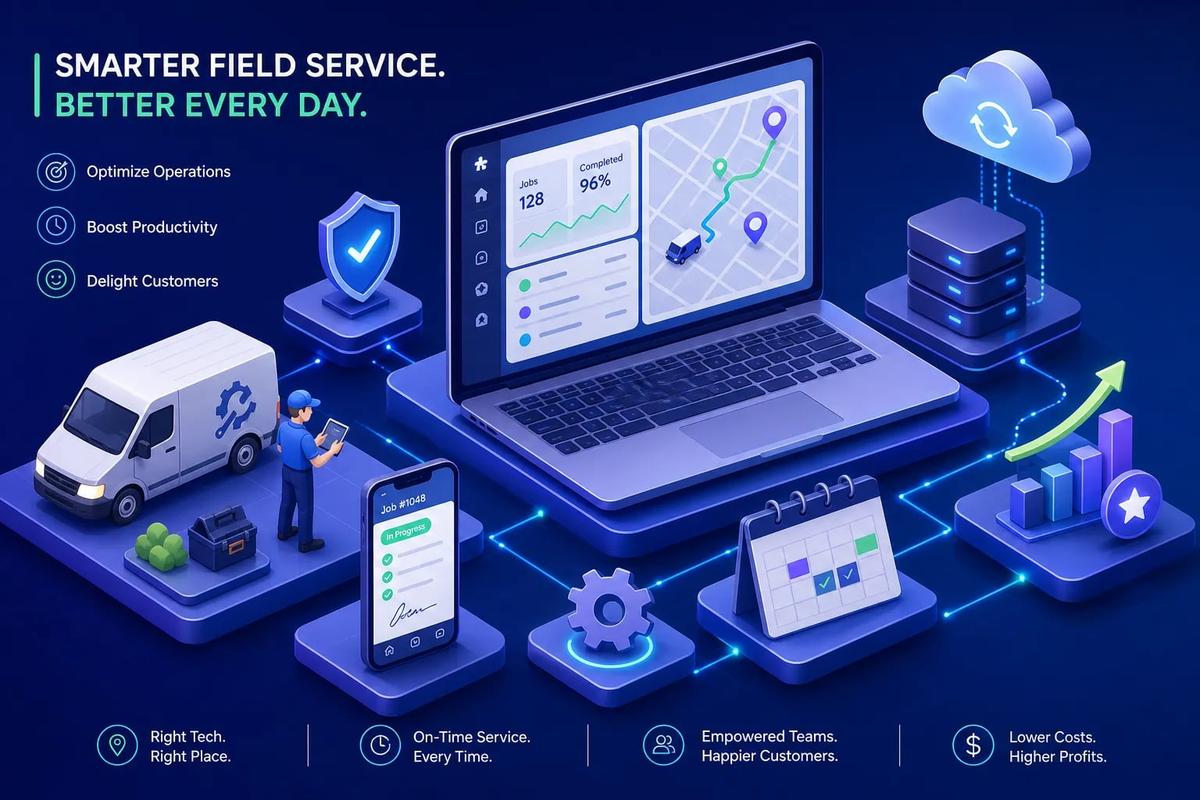
Most field service businesses are stitching together multiple tools and calling it a system. There's the scheduling app. The spreadsheet for crews. The separate invoicing tool. QuickBooks, DocuSign, and a group text chain holding it all together. It works, mostly, until it doesn't. If you've felt that friction, you already know why field service management software has become one of the most consequential buying decisions a service business can make.
In 2026, the best platforms can genuinely consolidate that stack, but the category has matured and splintered at the same time, which makes buying the wrong tool easier than ever. There are SMB scheduling apps, enterprise asset management suites, AI-native operating systems, and everything in between, all calling themselves FSM software. This guide cuts through that.
By the time you finish reading, you'll have a clear shortlist of platforms matched to your size and industry, a grounded understanding of what separates genuinely useful field service software from impressive demos, and a practical checklist to audit where your current setup is failing you.
What field service management software actually does
The core problem FSM software solves is simple: work orders, job status, and customer data live in different places, and your people spend their days bridging the gaps. The actual work, the installation, the repair, the service call, is rarely where time and money get lost. It's the handoffs. The job that got scheduled but never dispatched. The estimate that sat in an email thread for three days. The invoice that didn't go out until someone remembered to send it.
A modern field service platform covers the entire workflow end to end: lead or work order intake, scheduling and dispatch, technician mobile access, job execution and documentation, invoicing, and reporting. That's the intended scope. The reality is that most legacy tools handle two or three of those steps well and leave you patching the rest.
The mistake most buyers make is thinking of FSM as scheduling software. It's not. The best platforms connect every step of the revenue cycle without requiring a human to bridge the gaps between them. A job gets booked, a crew gets assigned, the tech shows up with the right information, the work gets documented, an invoice goes out, and payment syncs to accounting. No re-entry. No reminders. No one manually triggering each step. That's the standard you should be evaluating against.
How FSM platforms evolved: from route sheets to AI operating systems
Not long ago, field service ran on paper, whiteboards, and a dispatcher who kept the whole schedule in their head. Most service businesses still have muscle memory from that era, which is partly why they underinvest in software. The tools feel like an overhead cost rather than the thing that actually runs the business.
The second generation of FSM tools, platforms like Jobber and Housecall Pro, modernized scheduling and billing for small and mid-size businesses. That was a genuine improvement. But the underlying architecture is still built around human-triggered actions. The dispatcher decides. The invoice requires a click. The data still lives in separate modules. These platforms organize work better than a whiteboard. They don't run it.
The third generation is where the real shift is happening. The premise is different: the software should execute the workflow, not just organize it. That means autonomous lead qualification that fires without a human reviewing every form submission. Crew routing that accounts for skill, load, and location without a dispatcher manually solving that puzzle. Invoices generated at job completion based on rules configured once by the owner. Cross-module automation connecting the CRM to the schedule to the invoice to the accounting sync, no middleware required. Tracking work and running work are not the same thing, and the best platforms in 2026 are built around that distinction.
The core features worth evaluating in any field service management software
Every FSM platform should handle scheduling, dispatch, a technician mobile app, invoicing, and basic reporting. These are table stakes. If a platform you're evaluating is weak on any of these five, remove it from your list and move on. There's no shortage of tools that cover the basics.
The features that separate good platforms from great ones are harder to demo but easier to feel once you're using them. The top-tier platforms offer capabilities that actually save time at scale, and they're worth asking about directly during your evaluation:
- AI-assisted scheduling that accounts for travel time, crew skill, and job history rather than just filling open calendar slots
- Photo-based estimating that converts job site photos into structured estimates, an emerging capability in select platforms, so confirm availability before assuming it's included
- Native e-signatures so the contract doesn't require a third-party tool (note that some vendors still rely on DocuSign integrations depending on the plan)
- Real-time job status without depending on the technician to manually check in
- Inventory awareness so a tech knows before leaving the warehouse whether they have the part they need
IoT telemetry and full ERP integration are worth mentioning only because vendors love to demo them. For a utilities company or a telecom managing thousands of assets, those features matter enormously. For a 10-crew roofing company or a 15-tech HVAC operation, they're largely irrelevant. Don't buy for the demo. Buy for the business you're actually running today and the one you'll be running in 18 months.
Scheduling, dispatch, and mobile workforce management: the operational core
When vendors say "AI scheduling," they don't always mean the same thing. Rule-based automation, which is what most platforms have, assigns jobs based on preset conditions: if a tech is available and in the right zip code, it assigns the job. It's better than manual dispatching, but it's still brittle. Change one variable and the whole plan breaks. True AI scheduling learns from outcomes: how long jobs actually take, which technicians work fastest on specific equipment, where traffic patterns cause delays. Platforms like Oracle Field Service have built predictive scheduling on this model, and Microsoft Dynamics 365 Field Service runs a continuous optimization engine that replans as conditions change in the field.
Think of dispatch and scheduling software requirements in terms of volume. Small crews need simplicity: a clear view of the day, easy reassignment, and a mobile app that works without reliable cell service. High-volume operations need something closer to a dispatcher workspace, real-time visibility across multiple crews and the ability to reassign a job without cascading failures across the rest of the schedule. ServiceTitan and IFS Cloud are built for that kind of scale. Jobber and Housecall Pro are optimized for simplicity, which is a genuine strength at small team sizes and a real limitation as you grow.
The mobile app question is practical: what do your techs actually need in the field? The best FSM mobile apps show the full schedule, job details, customer history, and job checklists without requiring a strong internet connection. Offline functionality is not a luxury for contractors working in basements, attics, or rural service areas, it's a baseline requirement. If the app breaks when the signal drops, your techs are back to calling the office.
Asset tracking and integrations: where enterprise needs diverge
Asset management for field service matters most when your business is built around maintaining specific equipment over time. Think elevators, medical devices, commercial HVAC units, utility infrastructure. Platforms like IFS Cloud and ServiceMax are built around this model. For residential roofing, plumbing service calls, or general home improvement work, asset tracking adds complexity without adding much value. Know which category you're in before you get sold on a feature you'll never use.
Integrations are where most buyers get into trouble. Here's a practical breakdown of what actually matters by business size:
- SMBs under 25 techs: QuickBooks or Xero for accounting, Stripe or a comparable payment processor, basic CRM contact sync. That's the core.
- Mid-market businesses: ERP connections (NetSuite, Dynamics), deeper CRM integration, inventory system sync, and more sophisticated reporting tools like Power BI.
- Enterprise operations: SAP or Oracle ERP, IoT telemetry feeds, GIS platforms, full asset and contract management. Implementation timelines are measured in months, not weeks.
The integration trap is real, and it catches a lot of growing businesses. They build a stack: Jobber for scheduling, QuickBooks for accounting, DocuSign for contracts, HubSpot for the CRM, and Zapier to connect it all. It works until one integration breaks, a sync fails, or someone enters data in the wrong place. Every connection point is a failure point. The direction leading platforms are moving is toward fewer integrations, not more, as they handle more capabilities natively. That's a better architecture, and a better day-to-day experience for everyone who touches the system.
Matching field service management software to your business size and industry
For businesses under 10 technicians, Jobber, Housecall Pro, and Service Fusion are among the most common choices at that scale. Setup is fast, pricing is straightforward (typically $49 to $299 per month based on published pricing tiers), and the learning curve is manageable. The trade-off is real: automation is limited, and most of these tools will hit a ceiling as your operation grows. That's not a knock, it's just a fact about tools built for simplicity.
Mid-market and growth-stage businesses face a harder decision. ServiceTitan is the dominant platform for high-volume trades, HVAC, plumbing, and roofing at scale. It's genuinely powerful. It's also a significant commitment: typical deployments run $2,400 to $5,000 or more per month, and implementation is a real project, not a weekend setup. This is the tier where AI-driven, all-in-one platforms become a compelling alternative, platforms designed to cover the full revenue cycle natively, from lead intake through invoicing and accounting sync, without the enterprise tech stack complexity that larger incumbent platforms typically require. For a contractor who has outgrown a basic scheduling tool but doesn't want to sign up for a six-month enterprise implementation, that's a meaningful option worth evaluating.
Enterprise and asset-heavy operations have a clear set of category leaders: IFS Cloud, ServiceMax, Salesforce Field Service, and Microsoft Dynamics 365 Field Service. These platforms are built for large field operations, complex asset management, and ERP-connected service delivery. They're the right tools for utilities, telecom, and multi-region enterprise service organizations. They're also serious implementations: timelines of 6 to 18 months and costs that can run well into six figures are the norm, not the exception. Go in with clear eyes about what that commitment involves.
What FSM software costs and what it actually takes to implement
Pricing in this market follows three main models. SMB tools use tiered flat monthly plans, typically $49 to $499 per month, often with user caps that affect what the plan actually covers. Mid-market and enterprise platforms shift to per-tech or per-user pricing; published ranges run roughly $25 to $75 per tech per month for many vendors, with enterprise-tier platforms reaching $125 to $400 per tech depending on the platform and modules included. Enterprise vendors like ServiceTitan, Salesforce Field Service, and Dynamics 365 are largely quote-only, with pricing tied to technician count, modules, integrations, and onboarding scope.
The number most buyers miss is not the subscription. It's everything underneath it. Implementation fees range from zero for self-serve SMB tools to $100,000 or more for enterprise deployments. Data migration from a legacy system is almost always underestimated. Internal team time during rollout is a real cost even if it doesn't show up on an invoice. Training, ongoing administration, and customization requests add up. Payment processing fees, SMS charges, GPS tracking add-ons, and premium support tiers can significantly change your total cost of ownership within the first 12 months.
A practical budget framework by business size (estimated ranges based on published market data; costs vary by vendor, feature set, and region):
- Under 5 techs: $50 to $250 per month, minimal setup cost, live within a few days to two weeks.
- 5 to 25 techs: $300 to $2,000 per month, budget for 4 to 12 weeks of implementation, including data migration and training.
- 25-plus techs: $2,500 to $10,000 or more per month, plan for a formal implementation engagement, phased rollout, and dedicated internal ownership of the project.
The FSM comparison checklist: audit your current setup
Before you demo anything, run through this audit on your current setup. Your answers will tell you more about what you need than any vendor pitch.
Part 1: Operational gaps. Ask yourself:
- Do you have a single place where leads, jobs, invoices, and payments all live?
- Can a job be created, scheduled, executed, invoiced, and synced to accounting without manual re-entry at any step?
- Does your dispatch process require a human to manually assign every job?
- Can your field techs see job history, generate estimates, and collect signatures on-site without calling the office?
If the answer to most of these is no, you have a platform problem, not a feature gap.
Part 2: Scale and automation readiness. Consider:
- Are you running any automations at all, or does every workflow step require a human to trigger it?
- Does your software handle multi-crew operations, or do you default back to spreadsheets past a certain crew count?
- Can your current platform run follow-up sequences, invoice reminders, and lead nurturing without a separate tool handling each one?
These questions matter more as your volume grows. They're also the ones that reveal whether your current stack can scale with you.
Part 3: Using the checklist to shortlist vendors. If you answered "no" to more than three questions in Part 1, you need a platform replacement, not a feature add-on. Bring these questions into your demos. Use them as your evaluation scorecard rather than letting the vendor control the narrative with their best slides. The platforms that answer "yes" to all of them are the ones worth putting on your shortlist. The ones that hedge or promise it's "on the roadmap" are telling you something important.
Making the right call
When evaluating field service management software, start with the decision framework that actually matters: match the platform to your size, your industry, and your operational complexity. Don't buy enterprise software if you run a five-person crew. Don't expect a basic technician scheduling tool to carry you past 20 technicians without showing its limits. The market has genuinely good options at every tier, and the worst outcome is buying the wrong tier for where you are right now.
If you've outgrown your current stack and need field service management software that runs the full revenue cycle without five supporting tools underneath it, URBLD is built for that transition. Designed for field service and installation businesses that have hit the ceiling of disconnected tools, it's a single system that handles everything from the first ad click to the final accounting sync, with AI that executes the workflow, not just schedules it. Reach out to the URBLD team directly to walk through your current setup and identify where the gaps are.
The right next step is simple: run through the checklist against what you're using today, identify your biggest operational gap, and let that gap drive your demo list. The platforms that solve your actual problem are the ones worth your time. Everything else is noise.
Explore the URBLD platform
CRM with Inventory Management
Glossary
CRM
Feature pages
Unsold Estimate
Glossary
How to Automate Field Service Billing
Solutions
FieldPulse Alternatives for Growing Service Teams
Comparisons
How to Reduce Lead Loss in Service Businesses
Solutions
ServiceTitan Alternatives for Growing Service Businesses
Comparisons
Found this useful? Share it with another contractor or service business owner.