AI Service Software in 2026: Real Automation vs. AI Hype
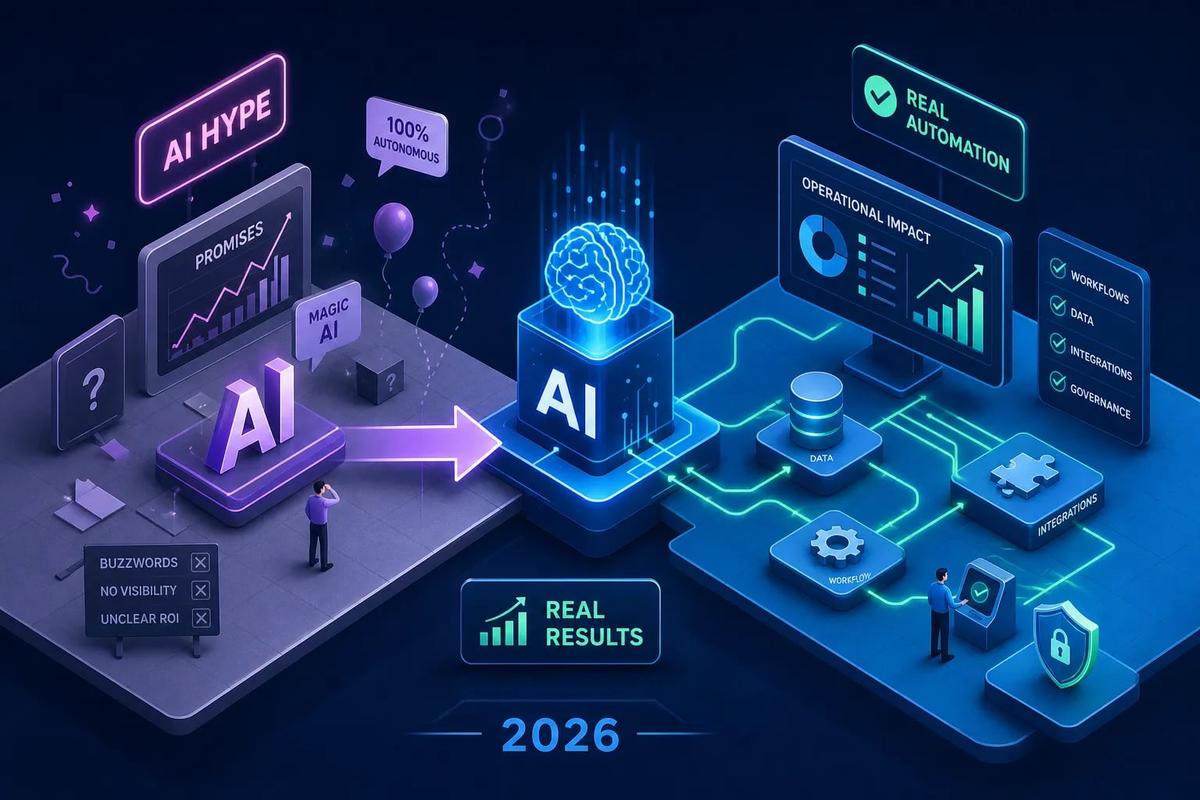
AI service software has become a vague label in 2026, stretched so thin it no longer tells you anything useful. Most vendors call their product "AI-powered." Most demos show a chatbot handling a customer query. Most sales decks promise deflection rates and cost savings. What actually matters is a much simpler question: when a customer sends a message at 11 p.m. on a Friday, does your platform handle it, or does it queue it for a human to deal with Monday morning?
That distinction, AI that suggests versus AI that executes, strongly influences which platform you should buy, what you'll pay, and what ROI you can realistically expect in the first 12 months. Many buyers miss this distinction entirely because vendors don't make it obvious. They lead with feature counts and resolution rate claims without being clear about what "resolved" actually means in their pricing model.
This article cuts through that. It maps the real categories of AI service software, covers the platforms worth shortlisting, breaks down pricing structures honestly, and gives you the ROI benchmarks to build your own model before you sign anything.
AI Service Software: What "AI-powered" Actually Means in 2026
The label has lost its meaning. Not because AI isn't real, but because it now describes everything from a spell-checker to a system that resolves customer issues end-to-end without a single human step. When a word applies to that entire range, it stops functioning as a useful descriptor. The only question worth asking is: at what point in the workflow does a human have to intervene?
AI service software sits on a spectrum. At one end, the AI surfaces a suggested reply or flags a ticket as high priority, but a human still reads it, edits it, and hits send. At the other end, the AI reads the incoming request, pulls context from the knowledge base or a connected system, takes the action, and closes the case. Most platforms on the market today sit somewhere in the middle, closer to the first end than the second. Knowing where a specific platform lands is the only comparison that matters when you're building a shortlist.
Two Real Categories: AI That Assists vs. AI That Acts
The majority of AI customer service platforms available today fall into the assistant category. The AI analyzes incoming messages, suggests replies, routes tickets by intent or sentiment, and summarizes conversation history for the next agent who picks up the thread. It makes human agents faster and more consistent. But the human is still the one who acts. If your team logs off, the workflow stops.
Assistive tools are genuinely useful. Response times improve, agent burnout drops, and consistency across shifts gets better. The research on AI-assisted tools consistently documents average handle time reductions and modest CSAT gains. But this model has a ceiling on ROI because headcount still scales with volume. If your ticket volume doubles, you need more agents, maybe fewer than before, but still more. The cost structure doesn't fundamentally change.
The smaller but faster-growing category is platforms where the AI doesn't suggest: it acts. It reads the issue, queries the knowledge base or a connected system, takes the action, and closes the loop without waiting for a human to approve any of it. This is sometimes called agentic AI or autonomous resolution, and it represents a true virtual customer service agent operating at scale. Deflection rates in the 50 to 80 percent range are achievable for well-scoped deployments when the AI is truly executing, not just assisting, though independent evaluations may report lower numbers depending on workload complexity. That's not a speed improvement; that's a structural change to your cost model.
What AI Execution Actually Looks Like Inside an Operation
Most AI support tools layer their automation on top of an existing helpdesk. The helpdesk runs the same way it always did; the AI sits in front of it doing triage. A ticket comes in, the AI categorizes it and maybe suggests a response, then a human handles it from there. Architecturally, this is AI bolted on. It's useful, but it doesn't change how the work flows.
Execution-oriented platforms are built differently. The AI is embedded directly into the workflow logic. It doesn't wait for a ticket to be created and assigned; it acts the moment a trigger fires. That's a harder system to build, which is why fewer vendors actually deliver it.
URBLD is an AI operating system built specifically for field service and installation businesses, designed on this second principle. Rather than surfacing insights for operators to act on later, it qualifies inbound leads, routes crews, generates invoices on job completion, and drafts purchase orders autonomously, all inside a single connected platform, with no human trigger required for routine steps. The field service context differs from traditional customer support, but the architectural principle is the same: the AI acts inside the operation, not on top of it. Disclosing that upfront is worth doing, URBLD is one of the vendors discussed in this piece, so weigh that accordingly. The principle itself, however, is what separates truly autonomous AI customer support platforms from the assist tools that dominate most vendor demos.
The Platforms Worth Shortlisting and Where They Actually Fit
For large teams already inside enterprise ecosystems, several platforms stand out. Zendesk AI is the natural choice for teams already running on Zendesk who want native AI triage and reply automation without migrating their entire support infrastructure. Salesforce Agentforce targets organizations already deep in the Salesforce stack, connecting CRM data directly to case handling and workflow automation. LivePerson is a leading choice for large messaging-driven contact centers that need omnichannel automation at scale. All are mature, deeply integrated into enterprise IT environments, and best evaluated when you already have the underlying infrastructure they depend on.
For SMB, ecommerce, and B2B SaaS teams, other platforms tend to deliver faster time-to-value. Intercom Fin is a strong option for B2B SaaS teams that want end-to-end AI conversation resolution with solid in-app messaging and resolution-based billing. Gorgias is purpose-built for Shopify and ecommerce brands that need order-aware support automation directly connected to the storefront. Ada fits high-volume operations that need no-code multilingual self-service at scale. These options are faster to implement and tend to show deflection ROI more quickly than the enterprise tier above.
Then there's a newer generation worth watching closely: Decagon, Sierra, and Forethought. These platforms were designed from the ground up for autonomous resolution, not agent assist, making them closer in philosophy to a true AI service desk solution than a traditional helpdesk with AI added on. Decagon publicly claims around 80 percent average deflection across its customer base, though independent evaluations in controlled tests have put the number closer to 49 percent depending on workload. Sierra focuses on policy-driven AI with high configurability. Forethought targets complex support operations with multi-step AI agent workflows. These platforms tend to show higher resolution rates because autonomous execution was the design goal from day one, not a feature added later. They're earlier-stage than Zendesk or Salesforce, but that also means they're more willing to customize.
Feature Tradeoffs That Actually Matter
Routing quality separates good platforms from great ones. The best systems route by intent, sentiment, language, and customer history simultaneously, not just keyword matching. If a platform's routing logic relies primarily on keywords or simple category tagging, you'll see misroutes at scale, especially with multilingual or emotionally charged tickets.
Knowledge-base grounding is equally critical and often underexplained in demos. Platforms that answer directly from approved content have dramatically lower hallucination rates than those relying on raw model inference. The tradeoff is maintenance burden: that knowledge base needs to stay current. Vendor guidance on active deployments estimates roughly 30 hours per week of content writing and updating for product changes, plus periodic audits for stale articles. That's a real operational cost that rarely shows up on the pricing page. Before you commit to any platform, ask clearly: who maintains the knowledge base, how often does it need updating, and does the vendor's team support that process or does it fall entirely on yours?
Escalation handling is where most platforms reveal their real maturity. Every autonomous AI system will eventually hit a case it can't resolve. Strong platforms pass full conversation context to the live agent so nothing is repeated. Weak platforms hand off a cold start, and customers have to explain their problem again. Escalation controls, including configurable confidence thresholds and mandatory human review for specific case types, are non-negotiable for regulated industries or high-stakes environments. Always test the escalation path in the demo, not just the resolution path. Vendors will show you their best cases; you need to see what happens when the AI fails gracefully.
AI Service Software Pricing Decoded: How the Three Main Models Actually Work
Per-Seat Pricing
Per-seat pricing charges a fixed monthly rate per agent, typically $15 to $150 or more per agent per month. It's predictable and easy to budget. It can get expensive, though, when your goal is to reduce headcount through automation. You're paying for seats even as the AI handles more volume.
Per-Resolution Pricing
Per-resolution pricing, commonly around $0.60 to $2.00 per resolved issue, aligns cost with automation value. This model is increasingly common among newer platforms and makes the ROI math more transparent. The catch is in how "resolution" is defined. Some vendors count an AI response as a resolution even if the customer reopened the ticket or emailed back the next day. Others count containment, where the conversation ended without a human, as a resolution, even if the customer simply gave up. Always ask the vendor for their exact contractual definition of a resolved interaction before signing.
Usage-Based Pricing
Usage-based pricing charges per conversation, session, or action, usually $0.10 to $2.00 per unit. This scales with volume and favors high-throughput operations, but it can produce unpredictable monthly costs if your volume spikes. The critical thing to understand across all three models is that the base seat cost rarely reflects the total cost once AI metering is added. Model your total cost against actual expected volume, not the per-seat headline on the pricing page.
ROI Benchmarks: What to Expect and How to Model It Yourself
Ticket deflection rate and resolution rate are the two primary indicators. Industry benchmarks in 2026 put achievable deflection rates at 40 to 65 percent for mature deployments, with leading autonomous platforms claiming 80 to 96 percent resolution on eligible ticket types in vendor-reported figures. Independent tests tend to be more conservative, so use the lower end of that range when building your own model.
Average handle time reduction matters even for cases that aren't fully deflected. AI-assisted agents close issues faster, and that compounds over high ticket volumes. The cost-per-contact math is where these gains become concrete: human agent costs run $8 to $15 per interaction, while AI-resolved contacts cost $0.50 to $2.00. At any meaningful scale, the deflection economics are straightforward.
Vendor-reported case studies cite returns of 148 to 200 percent within 12 months for well-implemented deployments, with some claiming $8 returned per dollar invested. Those figures come from vendors with a strong financial incentive to publish their best outcomes, so treat them as upper-bound targets. A more conservative baseline is a 30 to 40 percent reduction in support costs in year one, with CSAT holding steady or improving as AI handles routine volume and human agents focus on complex cases. On CSAT specifically, autonomous platforms that handle escalations well can produce 10 to 20 point gains in documented deployments, while AI-assisted tools more often deliver modest 3 to 10 point improvements. Build your own model using your current cost per ticket, your actual ticket volume, and a conservative deflection rate. That number will tell you more than any vendor's slide deck.
How to Shortlist and Trial the Right AI Service Software
Start with two foundational questions before you talk to any vendor. First, does your current support volume justify autonomous resolution, or do you need AI assistance for a smaller team? Autonomous platforms pay off fastest at scale. For very small teams, an AI copilot often delivers better near-term ROI with lower implementation complexity. Second, what does your existing tech stack look like? Platforms native to your CRM or helpdesk environment reduce integration complexity significantly. Salesforce integrations are typically the most complex and admin-intensive, often requiring three to six months and certified Salesforce resources. HubSpot integrations are generally faster to stand up, usually in two to four weeks with less IT involvement.
In the demo, test the escalation path, not just the resolution path. Ask the vendor to show you what happens when the AI hits a case it can't handle. Watch whether the full conversation context transfers to the live agent or whether it's a cold start. Ask them to show you a case where the customer was dissatisfied with the AI's response and how the system handled it. Vendors will gravitate toward their strongest demos; your job is to stress-test the edges.
On the contract side, scrutinize how "resolution" is defined if you're on per-resolution pricing. Ask whether an AI response that results in a customer follow-up within 48 hours counts as a billable resolution. Check whether the knowledge base is maintained by your team or requires vendor involvement to update. Ongoing content dependency is a hidden operational cost that almost never appears on the pricing page. The vendor that earns your business should be able to show you the automation running in a real environment, with real edge cases, before you commit.
The Bottom Line
The real dividing line in AI service software isn't feature counts or vendor reputation. It's whether the AI is doing work or just suggesting it. Most platforms on the market today are accelerating human agents. A smaller group is replacing human steps entirely for routine cases. Both models have legitimate use cases, and the right one depends on your ticket volume, team size, and tolerance for workflow change.
Use the pricing models, ROI benchmarks, and feature tradeoffs in this article to narrow your shortlist to three or four platforms. Then test escalation handling and integration depth in a real trial, not a curated demo, before committing. Whether you're evaluating enterprise AI service software or a lightweight AI service desk solution for a small team, the standard is the same: the technology should be doing the work, not just describing how it might.
If you're running a field service or installation business and want to see what it looks like when AI executes the entire revenue cycle, from lead intake through invoicing, reach out to the URBLD team. The platform was built specifically for operations that have outgrown patchwork software stacks and need something that actually runs without constant human intervention.
Explore the URBLD platform
AI Receptionist
Feature pages
AI Follow-Up
Feature pages
AI Follow-Up
Glossary
Jarvis AI
Glossary
How to Reduce Lead Loss in Service Businesses
Solutions
How to Automate Field Service Billing
Solutions
ServiceTitan Alternatives for Growing Service Businesses
Comparisons
Jobber Alternatives for Service Businesses
Comparisons
Found this useful? Share it with another contractor or service business owner.