The Complete Guide to Service Business Software in 2026
Most service business owners are great at their trade. Running five different software platforms simultaneously is another matter. On any given Monday morning, there's a CRM tracking leads, a scheduling app managing jobs, QuickBooks holding the invoices, and a spreadsheet somewhere with crew timesheets. None of those tools are bad on their own. Together, they create a coordination problem that quietly costs you time, leads, and cash flow every single week. Choosing the right service business software determines whether your operation runs smoothly or becomes a weekly coordination headache, and in 2026, the options have changed significantly.
This guide cuts through the noise on service business software. You'll see which modules actually matter, what to look for inside each one, and why a growing number of operators are consolidating onto a single platform instead of stitching tools together with Zaps and manual data entry. Platforms like URBLD represent a new generation of field service software built specifically for this problem, not adapted from a generic CRM or scheduling tool, but designed from scratch to run the entire revenue cycle.
If you're evaluating your options right now, this guide will help you shortlist the right platforms for your business size and trade, understand what features you actually need, and know exactly what to do next.
What "service business software" actually means in 2026
The category has quietly expanded
Not long ago, service business software meant a digital work order book or a basic calendar for scheduling technicians. That definition no longer fits. In 2026, the category covers everything from the first ad click that generates a lead all the way through payment collection and accounting sync. The expansion happened because service businesses stopped tolerating the friction of fragmented tools. Roughly 54% of small field service firms still rely on spreadsheets or disconnected job management software for crew coordination, and the businesses growing fastest are the ones replacing that patchwork with integrated platforms.
It's really a question of scope
When buyers evaluate platforms today, the question isn't just "does it do scheduling?" It's "how many tools does it replace?" The real comparison is about coverage. A platform that natively handles lead management, scheduling and dispatch, invoicing, and workforce tracking eliminates the coordination cost between each of those functions. A platform that does one of those things well and requires integrations for the rest just moves the complexity somewhere else.
The four modules that make or break any service business software
Why these four modules matter above everything else
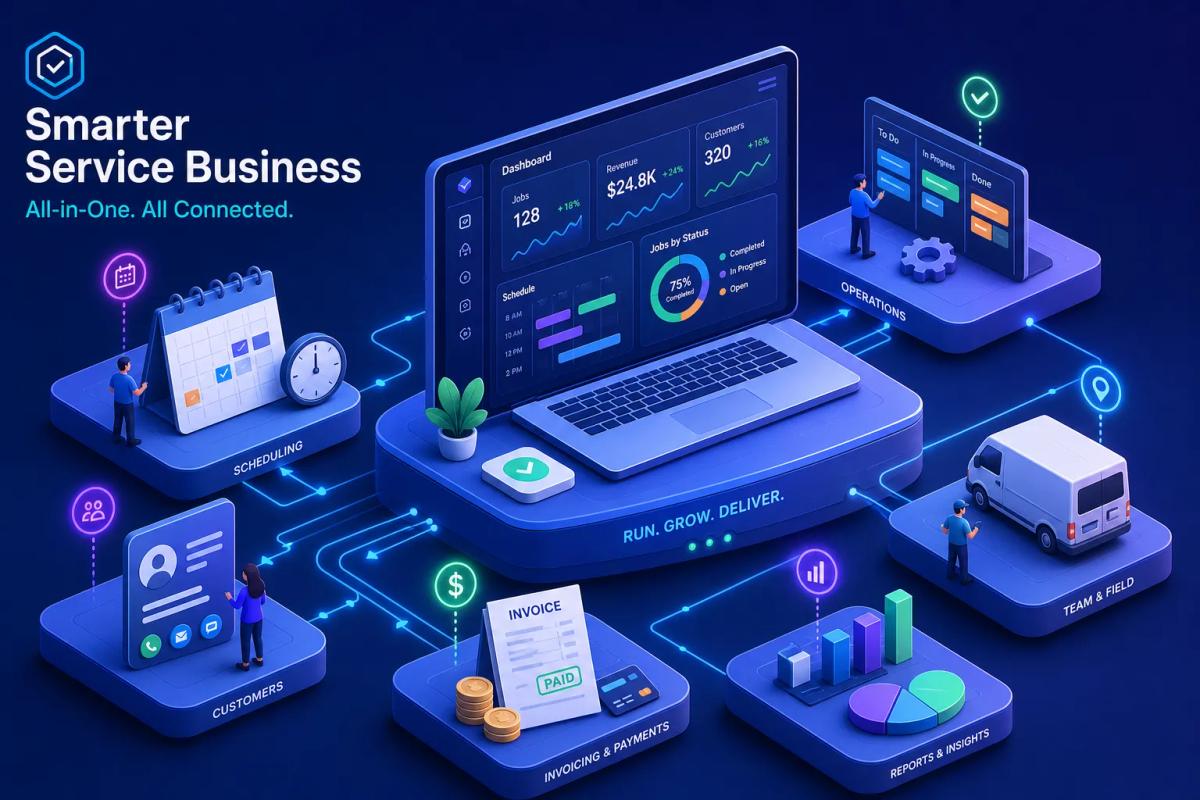
Every service company runs on four core functions: CRM and lead management, scheduling and dispatch, invoicing and payments, and workforce management. That's true whether you're running two trucks or fifty crews. These aren't nice-to-haves. They are the operating system of your business, and how well they work together determines how fast you can grow without adding headcount to manage the gaps.
What "connected" actually looks like
When a lead converts to a job in the same system that schedules the crew and triggers the invoice, nothing falls through the cracks. When that same workflow requires three logins and a Zap, it breaks whenever someone is too busy to follow the process exactly right, and that's most days in a busy operation. Native data sharing between modules isn't a technical detail. It's the difference between a system that works and one that requires constant babysitting.
CRM and lead management: where your revenue cycle starts
Most FSM platforms treat leads as an afterthought
The majority of scheduling and job management tools were built to manage existing work, not capture new work. That creates a gap where leads come in through a form, a call, or an ad and then sit in a spreadsheet until someone remembers to follow up. In home service, speed-to-response is the single biggest predictor of winning a job, hours-later callbacks rarely convert. A lead management gap isn't just an inconvenience. It's direct revenue loss.
HVAC and roofing contractors routinely flag CRM depth as a top frustration when reviewing their current field service management software. Specifically, they want lead source tracking, visual pipeline management, automated follow-up sequences, and two-way SMS tied to the customer record. Most FSM tools handle operations well but treat the sales side as a lightweight add-on, which means businesses end up running a separate CRM anyway.
What a real service CRM looks like
Lead management inside service business software should do a few specific things: automate follow-up sequences based on lead type and urgency, score leads so your team knows which ones to prioritize, convert a qualified lead to a scheduled appointment in one click, and track the original source of that lead all the way to the closed job. When you can see that a specific ad campaign generated $40,000 in jobs last month, you make better decisions about where to spend your marketing budget. That's the layer that separates a business operating system from a basic job tracker.
Scheduling, dispatch, and the art of coordinating crews
Basic scheduling versus intelligent dispatch
Most service platforms offer a calendar view where you can drag and drop jobs. That's scheduling. Actual dispatch is something different. It accounts for crew skill sets, travel time, parts availability, job priority, and workload balance across multiple technicians simultaneously. For a business running five or more crews, the difference between those two approaches shows up directly in jobs completed per day and overtime costs. A dispatcher manually adjusting a calendar all day is a cost center, not a scalable process.
What multi-crew coordination actually requires
Think about what's happening at 10am on a Tuesday in a busy operation. Inbound calls are booking new appointments while existing jobs are running. A crew calls in with a conflict. A customer reschedules at the last minute. Someone needs to match the right technician with the right job type and still keep everyone's day full. Good scheduling and dispatch software handles this without a dispatcher manually adjusting everything. The best platforms use AI to auto-assign, balance loads, and flag conflicts before they create problems in the field. That's not a future feature, it's available now in platforms built for modern field service operations.
Invoicing, cash flow, and why manual billing is a leak in your business
The billing gap most service businesses ignore
In most field service businesses, there is a gap between when a job gets completed and when the invoice goes out. Field service benchmarks put the average billing lag at 3 to 5 days for manual operations, and closer to a week for businesses still running paper-based processes. That gap is both a cash flow problem and a professionalism problem. It signals to customers that your back office doesn't match the quality of your field work, and it delays payment collection for no good reason.
When you're running 10 crews completing jobs every day, a 3-day billing lag means you have a rolling backlog of uninvoiced work. Multiply that by your average job value and you'll see exactly how much cash is sitting in limbo at any given time. The fix isn't hiring a faster billing person. It's removing the manual step entirely.
What automated invoicing looks like in practice
Modern work order software handles billing without anyone typing anything twice. An invoice triggers automatically when a job is marked complete. Line items pull from the original estimate. A payment link goes directly to the customer. The transaction syncs to QuickBooks or your accounting system without manual entry. Platforms like URBLD build this into the core workflow so that invoicing is a rule you configure once, not a task you repeat for every job. That's not an enterprise-only feature, it's table stakes for any service business software serious about helping operators run efficiently.
Workforce management and what actually happens in the field
The visibility gap between office and field
One of the most common complaints from service business owners is that they have no reliable way to know what their crews are actually doing at any given moment. Crew A said they finished a job at 2pm, but the next job wasn't scheduled until 4pm. Where did those two hours go? Without GPS clock-in, time tracking, and productivity data, that question has no answer. That uncertainty compounds across a growing team, and the cost shows up in labor efficiency, overtime, and the inability to hold anyone accountable for how time is actually spent.
What good workforce management software actually tracks
The core capabilities here are GPS-verified clock-in and clock-out, crew-level timesheets that feed directly into payroll, productivity metrics by technician and job type, and role-based permissions so crew members only see what's relevant to them. The technician mobile app layer matters as much as the back-office view. Field teams need a clean, fast interface that works offline and doesn't require a training session to use on day one. If the app is complicated, crews won't use it consistently, and you're back to not knowing what's happening in the field.
Why software stacks fall apart as your business grows
The hidden cost of integration-dependent workflows
Most growing service businesses arrive at the same realization around the 10 to 20 employee mark. The tools that worked fine individually have become a full-time coordination problem. Someone has to maintain the Zaps, reconcile data entry between the CRM and the invoicing tool, and manually cross-reference the scheduling app with the timesheet spreadsheet. That work doesn't show up on a job card, but it costs 5 to 6 hours every week for the average small business operation, time an office manager or business owner is spending on software maintenance instead of growing the business.
Operators who've outgrown platforms like Jobber or Housecall Pro typically cite the same driver: per-seat pricing climbs faster than revenue, key features sit behind higher tiers, and the total stack cost eventually stops making sense.
Where data loss actually happens
Consider a common workflow in a fragmented stack. A lead comes in through a website form and lands in a CRM. Someone manually enters that lead into the home service software to create the job. The invoice gets created in QuickBooks from information copied out of the scheduling platform. The contract gets sent through a third-party e-signature tool using a PDF someone built manually. At each of those handoff points, there is a real chance for error, delay, or omission. A lead gets missed. An invoice has the wrong line items. A contract never gets sent because someone forgot. Each gap is exactly what field service management software is supposed to eliminate, but only does if the modules are native to the same platform.
What a true all-in-one platform looks like in practice
Native coverage versus integration coverage
The distinction between a platform that "integrates with" your CRM and invoicing tool and one that natively includes those capabilities is larger than most buyers realize at demo time. Integration-based coverage still requires data to move between systems. It creates sync dependencies that break when an API changes or a plan tier gets updated. Native coverage means all modules live inside one data model. A lead, a job, a crew assignment, and an invoice all reference the same record without any translation layer, and that's what keeps your workflow running without babysitting.
Enterprise platforms like ServiceTitan offer deep operational coverage, but their pricing and complexity reflect an enterprise positioning that doesn't fit most growing field service businesses. Platforms built for smaller operators are easier to onboard but tend to hit a ceiling as businesses grow and need more connected workflows. The gap in the market has been the absence of service business software that combines native module coverage with the usability and pricing that scaling field service businesses actually need.
How URBLD illustrates this in the field
URBLD was built specifically to close that gap. When a lead comes in through an ad, the platform scores it, routes it to the right workstation, and triggers a follow-up sequence automatically. No one has to remember to send the text or make the call. When the appointment is booked, it converts directly to a dispatched job with crew assignment and route optimization. When the job is completed in the field, the invoice generates automatically against the estimate and syncs to accounting. Nobody typed anything twice. Nobody maintained a Zap. Nobody reconciled a spreadsheet at the end of the week.
That's not a workflow built with automation tools layered on top of each other. It's one system with one execution graph running from demand to payment. The AI layer inside URBLD doesn't just suggest actions, it executes them: qualifying leads, booking crews, generating invoices, and drafting purchase orders without waiting for a human to trigger each step. For a business running multiple crews with high lead volume, that changes what's possible with the same team size.
How to match a platform to your business and next steps
Narrowing your options comes down to four questions, one for each core module. Start with CRM and lead management, scheduling and dispatch, invoicing and payments, and workforce management. For each one, ask whether the platform you're evaluating covers it natively or through integration.
Then layer in your business size and trade. A solo plumber needs something fast to onboard with clean mobile access and simple invoicing. A 20-crew roofing company needs dispatch intelligence, contract workflows, multi-location reporting, and a CRM that actually manages the sales pipeline from ad to close. Those are different requirements, and not every platform scales across both ends of that range.
When you're comparing options, pay close attention to what the platform handles natively versus what requires a third-party connection. Integration counts look impressive in a feature list, but each one is a potential break point in your workflow. The platforms worth shortlisting are the ones where the modules you depend on every day are built into the same system, not bolted on.
From here, the path is short: identify which modules your current stack handles poorly, map those gaps to platforms that cover them natively, and book demos or trials with two or three options. Most platforms will walk you through a live workflow during a demo, which is the fastest way to see whether the system actually matches how your business runs. The right service business software should feel like relief, not another platform to manage. When you find a system that runs your operation instead of just tracking it, you'll know you've found the right one.
Found this useful? Share it with another contractor or service business owner.