Recurring Billing Software for Field Service Contracts
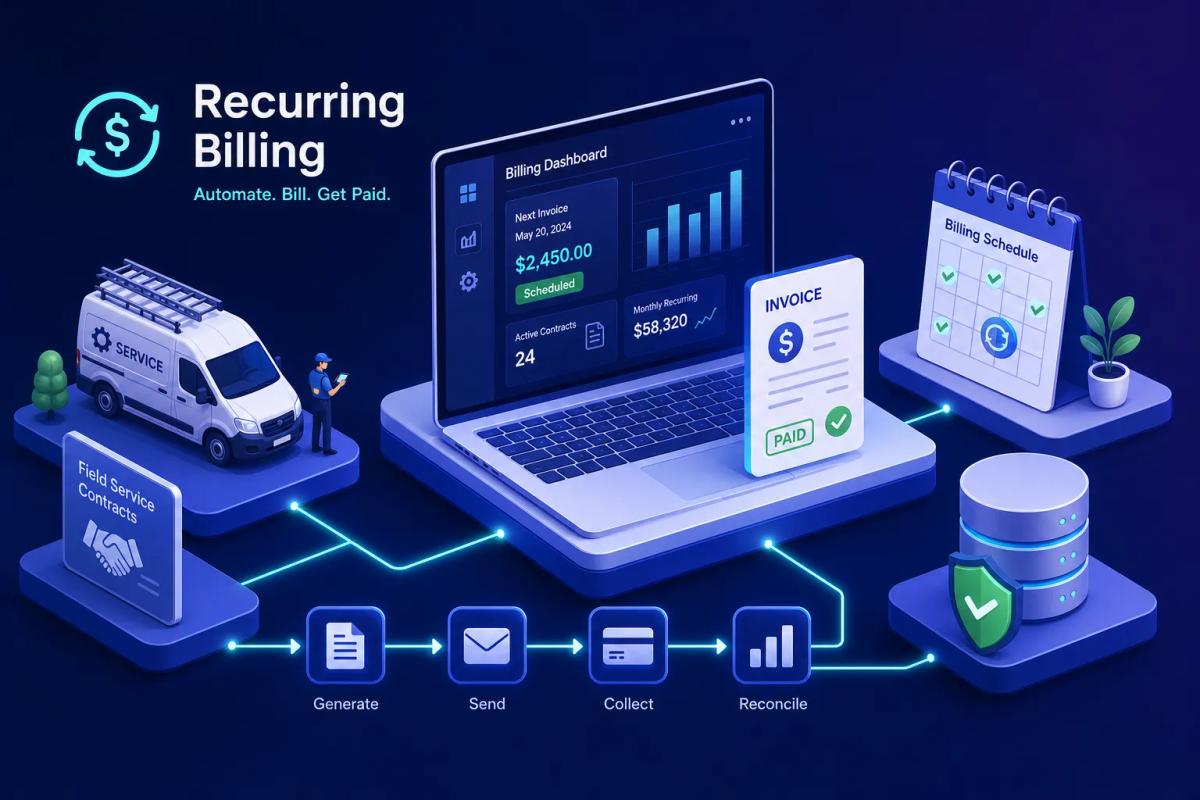
Picture an HVAC business owner at the end of the month, spreadsheet open on one screen, a stack of unsigned invoices on the other. The maintenance visits happened. The technicians did the work. The agreements are all signed and filed. But without recurring billing software to automate contract invoicing, the invoices haven't gone out, because someone has to match each completed job to the right contract, pull the correct rate, generate the invoice, and send it. The work is done. The money isn't collected. This is the maintenance contract billing problem, and it doesn't get solved by adding another software subscription to the pile.
Here's what most field service owners don't realize until they're deep into an evaluation: recurring billing software built for SaaS companies and billing automation that actually fits field service workflows are two fundamentally different products. One fires invoices on a calendar. The other needs to fire invoices when a technician closes a job ticket. That gap is larger than it appears, and it's why so many contractors end up with a billing platform that technically works but still requires someone in the office to monitor every invoice cycle. Businesses that connect field operations to billing directly report cutting invoice delays from 7 to 14 days down to same-day delivery.
URBLD approaches this differently. Rather than positioning billing as a separate module or a third-party integration, it treats invoicing as a native workflow inside a field service operating system that already knows your jobs, your contracts, and your crews. This article walks through what field service businesses actually need from a billing platform, why generic tools fall short, and what a built-in solution looks like when it's working the way it should.
Why field service invoicing is uniquely hard to automate
A SaaS company bills its customers on the 1st of every month. The trigger is a date. An HVAC company bills when a technician completes a seasonal tune-up, when a maintenance visit passes inspection, or when a contract milestone is reached. The billing event is tied to work in the field, not a subscription clock. That structural difference is why most recurring payment platforms are a poor fit from the start: they're designed for time-based triggers, not job-completion triggers.
The gap between subscription cycles and service agreements
SaaS subscriptions are predictable and calendar-driven. Maintenance contracts in field service are variable, milestone-based, and tied to physical job completion. A quarterly HVAC tune-up might be scheduled for March 15, but the technician completes it on March 17 after a permit delay. A billing platform running on a calendar fires the invoice on March 15 regardless. Any billing automation that doesn't connect to actual job status will always require a human in the loop to decide when to send the invoice, which is exactly the overhead you're trying to eliminate.
How manual handoffs accumulate real overhead
The real workflow failure looks like this: the technician closes a job, someone in the office checks the contract terms, generates the invoice manually, sends it, and logs the payment separately in an accounting tool. Each step introduces delay, error, and time. According to industry time-use analyses of field service operations, businesses managing active maintenance agreements spend between 5 and 12 hours per week on manual invoicing and billing, with 8 hours being a commonly cited midpoint. For a business managing 50 or 100 active maintenance agreements, that's effectively a part-time administrative role dedicated entirely to getting paid for work that's already been done.
Why "good enough" billing systems get expensive over time
The real cost isn't the software subscription fee. It's human time, late payments, and missed billing cycles. Field service industry analyses of small-to-mid-size operations estimate revenue leakage from billing inefficiencies at roughly 1 to 5% of annual revenue, with 4% representing a realistic midpoint for businesses without automated invoicing. For a company doing $3M a year, that's $120,000 walking out the door annually, not because jobs aren't being completed, but because the invoicing process has gaps. A company that misses just two maintenance contract invoices per month at $250 each is leaving $6,000 per year on the table purely from process failure.
Recurring billing software: what it's actually built to handle
Most recurring billing platforms on the market were architected for subscription businesses: SaaS products, memberships, and digital services. Platforms like Stripe Billing, Chargebee, and Recurly are capable tools in that context. Stripe handles metered usage billing, 135+ currencies, and intelligent retry logic. Chargebee manages tiered pricing, dunning workflows, and subscription lifecycle management. These tools do exactly what they're designed to do. The problem is that context isn't field service.
Subscription billing versus service billing: a real difference
Walk through the feature set of a typical subscription billing platform and you'll find proration on plan changes, usage-based billing tiers, card updater flows, and multi-currency support. These features are genuinely valuable for a software company managing thousands of recurring card charges. For a roofing company or an HVAC contractor, they're almost entirely irrelevant. A roofing company doesn't need tiered usage billing. It needs an invoice to fire automatically when a maintenance inspection is marked complete in the field. That's a fundamentally different product requirement, and most subscription management software isn't built around it.
Where generic platforms hit their ceiling for contractors
The critical gap is awareness. Generic recurring billing platforms typically lack native knowledge of job status, crew assignment, or contract terms tied to physical work. They can fire invoices on a schedule. They cannot fire an invoice because a technician just completed a 17-point HVAC inspection and closed the job ticket, at least not without an integration layer connecting your field operations data to the billing platform. That trigger requires a connection between field operations and billing that a standalone recurring invoicing software or subscription management platform doesn't provide natively. The platform does its part; the human does the rest.
Maintenance contracts are a billing trigger problem, not a payment problem
Most field service owners frame their invoicing challenge as a payment collection problem. The customer isn't paying fast enough, or the payment terms aren't enforced consistently. But that framing skips the real issue upstream: the billing trigger. Knowing when, why, and how much to charge, and having that happen automatically, is where the breakdown occurs. If the invoice doesn't go out promptly and accurately, the payment collection problem is just a symptom.
The anatomy of a field service maintenance contract
A typical maintenance agreement in roofing, HVAC, or plumbing includes a defined scope of work, a visit frequency (quarterly, semi-annual, or annual), a flat or per-visit rate, and sometimes a materials component. Annual HVAC maintenance agreements are most commonly billed either as a lump-sum upfront payment or as a fixed monthly autopay spread across 12 months. Each of those variables needs to inform when and how an invoice is generated. That complexity doesn't fit neatly into a subscription cycle designed for software licenses.
What actually needs to be automated inside a service contract
The real billing triggers for field service automation include job completion status, scheduled visit cadence, contract start and end dates, partial payments on multi-visit agreements, and automatic sync to accounting software. If the billing system can't read job data, it can't automate any of these without a human bridging the gap between the field operations tool and the billing platform. That bridge, however well-intentioned, becomes the single point of failure that keeps manual overhead alive.
Why standalone billing platforms create more overhead than they remove
When a field service company adds a standalone recurring billing platform to their existing stack, they're adding a new integration point. Job data lives in the FSM tool. Payment data lives in the billing platform. Contract terms might live in a CRM or a document folder. The business owner or office manager becomes the integration layer, manually transferring information between systems that were never designed to talk to each other. The administrative work doesn't disappear. It just gets reorganized.
The real cost of integration-first billing tools
In practice, the disconnects compound quickly. The billing platform fires an invoice, but it doesn't know the job was delayed by a permit. A technician marks a job complete in the FSM tool, but the billing platform is running on a calendar schedule, so it fires two days early. A customer receives a duplicate invoice because a sync ran twice during a system update. These aren't edge cases. They're the predictable result of systems that don't share a data model, and they damage customer trust in ways that take longer to repair than the technical issue itself.
Data re-entry, sync failures, and billing errors
Every manual data transfer between systems is a chance for error. Industry analyses of manual invoicing processes indicate that between 15 and 20% of manually generated invoices contain data-entry errors, and 15 to 25% of billable work in time-and-materials field service environments is never invoiced at all. For a business managing 75 or more active maintenance contracts, this overhead doesn't just slow things down. It actively damages cash flow and creates a reconciliation problem that grows larger every month it goes unaddressed. A purpose-built recurring payment gateway or SaaS billing software alone won't close that gap if the job data isn't connected at the source.
The billing features field service businesses actually need
Before evaluating any recurring billing solution, field service businesses need a clear picture of which features will actually reduce overhead versus which ones look impressive in a demo but don't connect to how the business runs. The shortlist is shorter than most vendors would suggest.
Job-completion triggers and configurable billing rules
The single most important feature for field service billing automation is the ability to trigger an invoice based on job status, not just time. A configurable rule that says "when job status changes to complete and contract type is maintenance, generate and send invoice at contract rate" eliminates the manual step that creates most of the overhead. Without this capability, every billing platform on the market requires a human to decide when the invoice should fire. That's the step that accounts for the bulk of manual billing hours each week.
Contract-level payment scheduling and multi-visit management
Field service businesses often bill maintenance contracts in stages: a deposit upfront, a payment after the first visit, and a final payment at annual review or contract renewal. The billing system needs to understand the contract structure and schedule payments accordingly, not just fire a flat recurring charge on a fixed interval. A subscription management platform that handles this natively removes the manual tracking of where each customer sits in their payment schedule.
Accounting sync without manual export
Any solution that requires a manual export to QuickBooks or Xero at the end of the month is not fully automated. It's delayed manual work with a software interface in front of it. True billing automation for field service means payments and invoices sync to the accounting layer in real time, the moment they're generated, so the financial record is accurate without anyone running an export or reconciling a spreadsheet at month-end.
How URBLD's recurring billing software runs as a native workflow
URBLD's approach is structurally different from any standalone billing platform. URBLD isn't a billing tool that connects to your FSM software. It's a field service operating system where billing automation is built into the same platform that manages your jobs, crews, contracts, and customer records. The billing trigger and the job data live in the same system, so the automation runs without anyone bridging a gap between tools, and without a separate integration to maintain or troubleshoot.
Rule-based automated invoicing inside the job workflow
URBLD's automated invoicing is triggered by owner-configured rules tied directly to job status and contract terms. When a technician completes a maintenance visit and closes the job in URBLD, the rule fires. The invoice is generated at the correct contract rate, sent to the customer, and synced to the accounting layer, without anyone in the office doing anything. The operator sets the rules once; the system executes them every time. No one needs to check whether the invoice went out, because there's no manual step that could prevent it.
Maintenance contract setup and recurring payment scheduling
A maintenance agreement inside URBLD is a connected record, not a siloed document. The contract is created and signed natively within the platform, the visit schedule is configured, the billing rules are attached to the contract, and the system manages the payment schedule from first visit to final renewal. Everything from the signed agreement to the last invoice lives in one connected record, so there's no cross-referencing between a document folder, a CRM, and a billing platform to understand where a customer stands.
Real-time accounting sync without middleware
Unlike standalone subscription management platforms that require a scheduled sync or a separate integration with QuickBooks or Xero, URBLD's invoicing syncs to accounting as part of the same transaction. No export file, no nightly sync job, no reconciliation step at month-end. The financial record is accurate the moment the invoice is generated, which means the business has a live view of cash flow without anyone maintaining an integration or running a manual process to keep two systems in agreement.
Setting up maintenance contract automation without a separate billing tool
To make this concrete, consider an HVAC business managing 80 annual maintenance agreements. Before moving to a connected platform, the office manager was spending roughly 10 hours per week matching job completion reports to contracts, generating invoices manually, and logging payments across multiple systems. The workflow was functional, but fragile: any disruption to the manual process meant invoices went out late, and late invoices meant slower cash collection. This kind of scenario is common among field service businesses that haven't yet connected their job data to their recurring invoicing software.
The trigger chain: contract to job to invoice to payment
Inside URBLD, the workflow moves through these steps in sequence:
- The customer signs a maintenance agreement natively in the platform.
- The contract terms set the billing schedule.
- The scheduler creates the recurring job visit.
- The technician completes the visit and closes the job ticket.
- URBLD's rule fires the invoice automatically at the contract rate.
- The customer receives the invoice and the payment is logged and synced to accounting.
No human hand touches the billing at any step after the initial contract setup. The manual invoicing overhead that once consumed 10 hours a week collapses to a dashboard review.
What changes when billing is native versus bolted on
With a standalone billing platform, the office manager is checking three or four systems constantly: the FSM for job status, the billing tool for invoice status, the accounting software for payment status, and often a spreadsheet tying them all together. With URBLD, the operator reviews a single dashboard that shows which contracts are active, which invoices have been sent, which are outstanding, and which have been paid, all from one view with no cross-referencing required. The reduction in daily friction is substantial, even before counting the hours saved on manual entry.
Questions to ask before committing to any billing solution
Vendors across the recurring billing space will all tell you they handle maintenance contracts and automated invoicing. The right questions during evaluation separate platforms that genuinely automate field service billing from those that automate parts of it and leave the rest to your office staff.
Questions about trigger logic and job integration
Does the billing platform know when a job is complete? Can it pull contract terms and rates directly from your field service records? Or does it only fire invoices on a time-based schedule? If the answers to the first two questions are no, the platform will require a human bridge between your field operations and your billing, and that bridge is exactly the overhead you're trying to eliminate. A platform that fires invoices on a schedule is not the same as a platform that fires invoices because a specific job was completed.
Questions about your current tech stack and integration risk
How many tools will this billing platform need to connect to? What happens when a sync fails at 11pm on a billing cycle date? Who is responsible for keeping the connection current when your FSM updates its API? Every integration between systems is a potential point of failure. A platform with four integrations has four points of failure. A built-in billing system like URBLD carries significantly lower integration risk because the billing logic lives inside the same system that runs your jobs and contracts.
The real test: can it run a full maintenance contract without human intervention?
Give every vendor you evaluate the same litmus test. Describe your most complex maintenance agreement: the scope, the visit frequency, the billing structure, the contract terms, and any partial payment schedule. Ask them to walk through exactly how their system handles every billing event from contract signature to final payment renewal, step by step, without any manual input from your team. If the answer includes a human step at any point in the chain, that's partial automation. It's better than a fully manual process, but it's not the elimination of billing overhead that the vendor's marketing promised.
Closing the gap between work done and money collected
Recurring billing software designed for SaaS subscriptions and recurring billing automation designed for field service contracts are fundamentally different products, and the distinction matters more as your contract volume grows. Field service businesses don't have subscription cycles. They have maintenance agreements, job completion events, and payment schedules tied to physical work done by real technicians in the field. A standalone subscription billing platform or generic recurring payment gateway doesn't close that gap; it adds complexity by creating another system that needs to stay in sync with the tools that actually run the operation.
URBLD's approach treats billing as a native workflow inside the same operating system that manages jobs, contracts, crews, and customer records. The result is invoicing that fires correctly every time a job closes, without a human in the loop and without a separate tool to maintain, update, or troubleshoot. For a business managing dozens of active maintenance contracts, that's not a marginal improvement. It's the difference between a process that runs itself and a process that quietly fails every time someone's attention is elsewhere.
If you're managing maintenance contracts today and you're still touching invoices manually, that's the gap worth closing first. The work is already being done. The recurring billing software that handles payment for it should run just as reliably as the technicians who complete it.
Explore the URBLD platform
CRM
Feature pages
CRM with Inventory Management
Glossary
Unsold Estimate
Glossary
How to Automate Field Service Billing
Solutions
FieldPulse Alternatives for Growing Service Teams
Comparisons
Contracts & E-Sign
Feature pages
How to Reduce Lead Loss in Service Businesses
Solutions
ServiceTitan Alternatives for Growing Service Businesses
Comparisons
Found this useful? Share it with another contractor or service business owner.