Scale Your Home Service Business Without Adding Office Staff
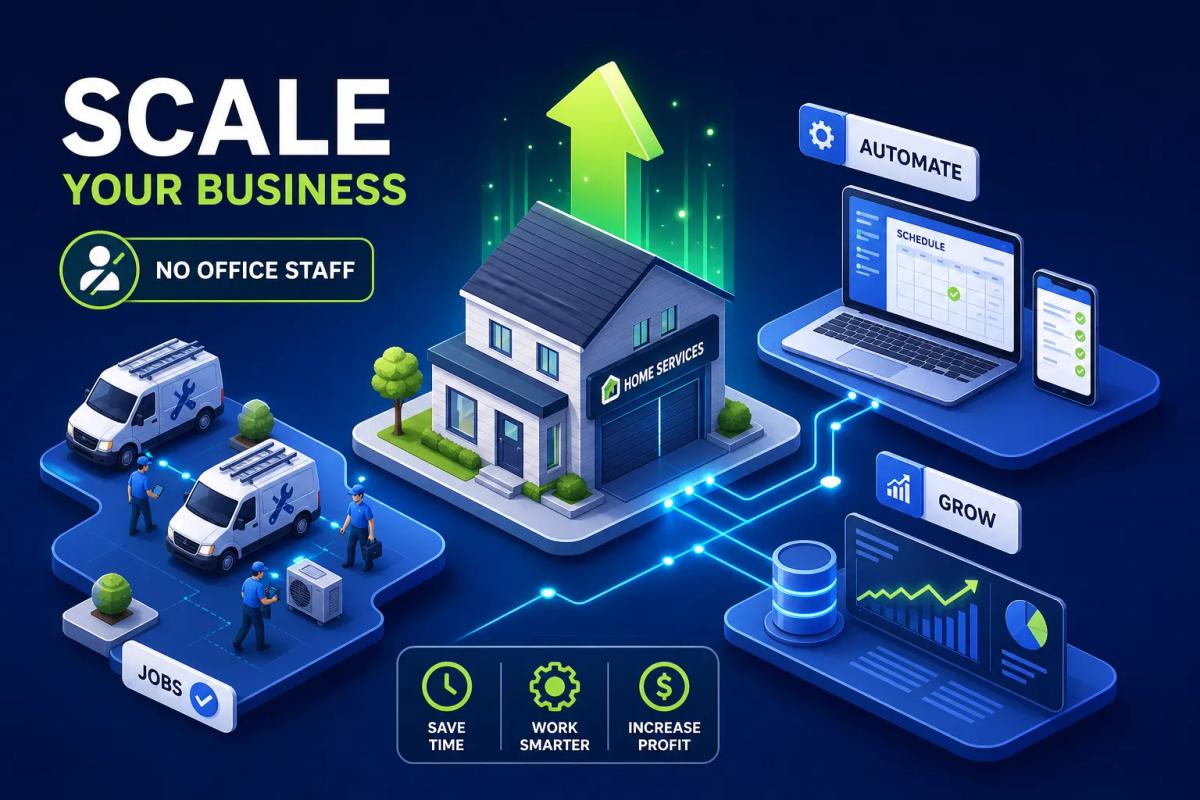
If you've ever asked yourself, how do I scale my home service business without hiring more office staff?, you already know the moment that question is born. Jobs are coming in, the phone keeps ringing, your crews are busy, and yet somewhere between the lead form and the final invoice, things are slipping. Someone forgot to follow up. A dispatch call took forty-five minutes. An invoice sat in a draft folder for three days after the job closed. The natural response is to hire another office person, and most owners do exactly that. But that hire drops a fixed cost of $65,000 to $90,000 per year onto your P&L before it produces a single dollar of new capacity. It solves the symptom, not the system.
The businesses that grow from $500K to $2M and beyond without proportional headcount growth share a common trait: they've replaced manual, repetitive workflows with systems that execute automatically. They still have office staff, but those people handle exceptions, relationships, and judgment calls, not the mechanical back-and-forth that software can do faster and more consistently than any person. This article breaks down the specific systems, structures, and sequences that make scaling your home service business without adding office staff genuinely achievable.
Most of these implementations take two to twelve weeks for core workflows, with larger platform rollouts running somewhat longer. The path forward is straightforward: identify where your operations depend on a person doing something a system could do instead, then replace those dependencies one at a time. Start with the highest-volume workflows first, and the ROI compounds quickly.
The trap most service owners fall into when they try to grow
The instinct to hire when overwhelmed is understandable. Work is piling up, the current team is stretched, and adding a person feels like the most direct fix. The problem is that every new office hire creates a dependency: a single point of failure, a fixed cost, and a new management responsibility that lands on the owner immediately. More often than not, the business gets a little more capacity and a lot more complexity.
Why the "hire first" reflex costs more than it saves
The true loaded cost of a full-time office admin in 2026 runs between $65,000 and $90,000 per year once you factor in base salary, employer payroll taxes, health insurance, paid time off, recruiting costs, onboarding time, and the inevitable turnover cycle. Most owners anchor on the base salary number and miss the rest. That full loaded figure lands before the hire is productive, before they know your systems, and before they've reduced your workload in any measurable way.
There's a second cost that rarely gets counted: management overhead. Every new hire needs direction, feedback, coverage when sick, and a documented process to follow. If your processes aren't written down, the hire requires you to explain everything verbally. The bottleneck doesn't disappear, it shifts from "not enough hands" to "the owner is the only one who knows how anything works." That's a different problem, and a more expensive one to fix.
How do I scale my home service business without hiring more office staff?
The answer starts with recognizing which workflows are consuming your team's hours. Lead intake and follow-up, scheduling and dispatch, and invoicing account for the bulk of what growing service businesses need back-office personnel to handle. These tasks grow in direct proportion to job volume, which means every new job adds a small but real amount of admin work across all three areas.
At 10 jobs a week, that's manageable. At 40 jobs a week, the combined admin load across those three workflows can consume what amounts to multiple full-time positions worth of hours, a burden that isn't always visible until the wheels start coming off. The good news is that all three follow predictable, repeatable logic that software handles reliably. Once you stop seeing these as permanent roles and start seeing them as automatable workflows, the math of scaling changes completely. You're no longer asking "how many people do I need to handle more volume?" You're asking "what system handles this so my people don't have to?"
Automate lead intake and follow-up before you lose another job
Most home service businesses lose revenue silently at the lead stage.
A form gets submitted after hours. Nobody sees it until morning. The homeowner has already booked a competitor who called back first. Speed-to-response is the most critical variable in lead conversion, and it's the one thing a human-dependent system consistently fails at during peak periods and off-hours.
Automating intake to grow your home service business without adding office staff
An automated intake system captures the lead, logs it into your CRM, scores it based on criteria you define, job type, zip code, estimated value, urgency, and triggers an immediate response without a coordinator touching anything. Web forms, online booking widgets, and CRM auto-capture eliminate the manual logging step entirely. The lead arrives, the system routes it, and the prospect gets a response within minutes rather than the next morning.
Platforms built to handle the full intake-to-booking cycle natively, where intake forms, CRM records, and follow-up sequences all live in the same system, remove the coordination gaps that appear when tools don't talk to each other. When your intake form, CRM, and follow-up sequences are connected only by Zapier or manual export, leads fall through every time a sync fails or someone skips a step. URBLD is designed around exactly this kind of unified intake workflow, with lead routing, follow-up assignment, and CRM logging built into a single system rather than stitched together from separate tools. The result is fewer gaps, faster response times, and no coordinator watching an inbox deciding who to call next.
Follow-up sequences that keep prospects warm automatically
Most leads don't book on first contact. Multi-channel follow-up over 7 to 14 days is well-documented as a way to capture jobs that would otherwise go cold after the first unanswered response. A practical sequence might look like this: an immediate text acknowledgment within five minutes, a same-day call attempt, a day-two SMS nudge, a day-five estimate reminder with a specific call to action, and a day-ten close-the-loop message.
That sequence, running automatically through your platform, can meaningfully recover leads that would otherwise go dark, vendor case studies in this category report recovery rates in the range of low-to-mid double digits, though results vary by business type and follow-up quality. The messages should be brief, specific, and action-oriented. A generic "just checking in" text converts poorly. A message that references the specific service requested and offers a direct booking link converts significantly better because it reduces friction at the moment the prospect is ready to move.
Replace manual dispatch with a scheduling system that runs itself
Manual dispatch is manageable at three crews. At seven crews it becomes a job on its own, consuming hours of coordination time daily across phone calls, schedule checks, route planning, and back-and-forth with technicians. Automated dispatch doesn't just save time, it removes the bottleneck that caps how many crews you can effectively operate.
How automated scheduling assigns the right crew without back-and-forth
Crew load balancing, geo-based routing, and one-click appointment-to-job conversion allow the system to assess open jobs, crew availability, location, and skill assignments and make dispatch decisions automatically. The dispatcher's role shifts from "figure out who goes where" to "review exceptions and handle escalations."
According to Jobber's independent estimates, businesses using scheduling automation typically recover around 6 to 8 hours of admin time per week; vendor case studies from platforms like Workiz report figures ranging up to 20 hours per week at higher job volumes. At the higher end of that range, you're reclaiming half a workweek of coordinator time every week. GPS clock-in and clock-out, real-time crew visibility, and automated schedule-to-dispatch in a single click mean that a field status update in the app becomes an office schedule update instantly. Nobody calls the dispatcher to say the job is done. The status change triggers the next step automatically.
What to look for in a dispatch platform at your scale
The features that matter most at 15 to 50 jobs per week are real-time crew visibility, geo-based assignment logic, a scheduling interface that doesn't require a separate calendar tool, and direct integration between the job record and the dispatched appointment. Platforms that require three tools to do what one should handle natively create new admin work instead of eliminating it. Every integration point is a potential failure point and a manual step waiting to break. Evaluate platforms on how many handoffs they eliminate, not just how many features they list.
Make invoicing an automatic output of job completion
Billing delays compress cash flow. When invoicing depends on someone remembering to send it after a job closes, it gets batched, delayed, or skipped entirely during busy weeks. For a business running 30 to 50 jobs per week at average ticket values of $300 to $600, a two-day average billing delay can mean carrying a meaningful block of unbilled receivables at any given time, a drag on cash flow that compounds across weeks.
Triggered invoicing that goes out the moment a job closes
The fix is to make the invoice a triggered output of the completed job rather than a separate manual task. When a technician marks a job complete in the field, the system generates and sends the invoice automatically within parameters the owner has configured: line items from the job record, payment terms, accepted payment methods, and delivery channel. No one has to touch it.
URBLD is built around this kind of native job-to-invoice workflow, eliminating the separate export step that most businesses run as a daily manual process. Whether you use URBLD or another all-in-one platform, the principle is the same: the job record, invoice, and accounting entry should be the same object in the same system, not three separate manual handoffs.
Eliminating the duplicate data entry loop
The typical disconnected stack looks like this: job completed in field software, manually re-entered into QuickBooks, invoice drafted and sent from a billing tool, payment logged back into the job record. Every handoff in that chain is a chance for error, delay, or data mismatch. Billing automation that runs natively eliminates that loop entirely. The downstream effect on accuracy and speed is significant: fewer errors, faster payment requests, and cleaner books without an accounting clerk reconciling discrepancies every week.
Payment reminders without anyone chasing receivables
Automated payment reminders, sent on day one, day seven, and day fourteen post-invoice, can substantially reduce average collection time without a staff member managing accounts receivable. Reported reductions vary by business and dataset, but the directional effect is consistent: faster reminders mean faster payment. Most small service businesses either skip reminders entirely or rely on the owner to batch-send them manually every few weeks. Automating this sequence is one of the highest-ROI operational levers available because it accelerates cash inflow with no ongoing labor cost attached.
Keep customers informed without lifting a finger
Customer communication consumes a disproportionate share of office time in service businesses: appointment confirmations, arrival window updates, job completion notices, invoice deliveries, and post-job follow-ups. Most of these touches follow a completely predictable sequence tied to job status changes that a system can trigger automatically.
Appointment confirmations, reminders, and status updates on autopilot
The standard communication sequence for a field service job covers five touchpoints: booking confirmation immediately after scheduling, a reminder 24 hours before the appointment, a technician-en-route notification when the crew departs, a completion summary when the job closes, and invoice delivery with a payment link. When this runs automatically, the customer is never left wondering about timing or status. The office stops fielding "when is someone coming?" calls all day. That alone frees up meaningful inbound call volume for your team to handle more complex customer interactions instead of status updates a system could deliver in seconds.
Review requests and post-job follow-ups that run themselves
A review request sent within an hour of job completion captures significantly more reviews than a manual request sent two or three days later, when the positive experience has faded. Building this into the job closeout workflow, where completion triggers the review request automatically, is one of the easiest reputation-building systems a service business can implement. Similarly, automated check-ins at seven and thirty days post-service surface warranty issues early and create upsell opportunities without a salesperson involved. The customer feels cared for; the business gets actionable data and repeat revenue pipeline, all from a sequence configured once.
Virtual receptionist vs. AI answering: when to use which
Missed calls are one of the biggest revenue leaks in home service businesses. A lead who can't reach you on the first try often calls the next company on their list.
The cost comparison between coverage options is stark. Based on current pricing guides, a live virtual receptionist runs $2,400 to $9,600 per year depending on call volume and provider. An AI answering service costs roughly $300 to $6,000 per year with 24/7 coverage. Both are a fraction of the $65,000 to $90,000 fully loaded cost of an in-house receptionist.
The right fit depends on call complexity. AI handles scripted booking and intake calls efficiently. Live virtual receptionists perform better on nuanced scheduling conversations, upset customers, or complex scope discussions. Many growing service businesses use both, routing standard booking calls to AI and escalating complex calls to a live service.
Build a subcontractor network that adds capacity without adding payroll
Automation handles the back office. Subcontracting handles field labor surge without converting variable demand into fixed payroll. A structured subcontractor network lets you absorb peak volume, expand into new service areas, and take on specialty work without the full overhead of additional employees. This is one of the most underused strategies for businesses looking to grow a home service operation without hiring additional office staff, because it extends field capacity while keeping your administrative footprint lean.
The core + flex model for home service operations
The operating structure used by most successfully scaled service businesses is a small core crew for brand-defining, high-frequency work, supported by a vetted subcontractor bench that absorbs overflow and specialty jobs. Keep two to three reliable subs per trade type so you always have a backup when your first choice is unavailable. Treat subcontractors like vendors: written work orders, defined scope, clear payment terms, and fast payment. Subs who get paid within seven days stay loyal to the businesses that pay quickly. Subs who wait 45 days take better-paying work elsewhere.
A repeatable vetting and onboarding process that doesn't require hand-holding
The vetting pipeline should be a fixed checklist, not a memory-based process. Run license verification, proof of insurance, and reference checks from at least two prior jobs, then complete a sample job before bringing someone into full-volume rotation. Build a one-to-two page onboarding packet that covers your company standards, communication expectations, job documentation requirements, and payment process. Once documented, you can onboard a new sub in hours instead of days, and the office isn't reinventing the process every time you bring someone new into the network. That's the difference between a subcontractor system and a subcontractor list.
Productizing your services to make subcontracting (and everything else) easier
One underrated lever for scaling without adding office staff is productizing your most common service offerings. When a "standard HVAC tune-up" or "basic irrigation startup" has a fixed scope, fixed price, and a documented checklist, it can be handed off to a subcontractor with almost no explanation. The job runs the same way every time. Callbacks drop. Invoicing is straightforward because the line items are predetermined. And when a sub finishes the job, there's nothing left to interpret or negotiate. Productized services reduce the coordination overhead that typically requires a person in the middle, which makes them one of the most effective ways to scale output without scaling your office.
SOPs and KPIs: the guardrails that keep growth from breaking things
Automation and subcontracting create capacity, but without operational guardrails, faster volume just means faster chaos. SOPs and KPIs are the infrastructure that allows you to scale intake and output without adding management headcount to supervise every step.
The SOPs to write before anything else
The minimum viable SOP stack for a scaling service business covers the three highest-risk failure points: lead intake and booking, job delivery checklist, and quality control with callback handling. Each SOP should include a clear purpose, defined scope, a step-by-step procedure, decision rules for common exceptions, escalation criteria, and a revision date. Keep them short and operational. A one-page SOP that every team member actually uses beats a ten-page document that lives in a folder. Write for the person doing the job, not the person who created it.
The lead intake SOP covers how a lead becomes a booked job: what fields get captured, how the appointment is confirmed, and what happens when a customer doesn't respond. The job delivery SOP turns your most common job type into a repeatable checklist with sequence, tools, and completion criteria. The callback SOP defines how rework gets logged, prioritized, and root-caused so recurring problems get fixed at the process level rather than case by case.
The dashboard metrics that tell you when to act
Three dashboard views give you a daily operational read without requiring a data analyst to interpret them. An intake conversion dashboard shows leads by source, booking rate, missed calls, and speed-to-response. A capacity and scheduling dashboard shows utilization, unassigned jobs, and lead time to the next available appointment. A quality and callback dashboard shows first-time fix rate, callback rate, and rework frequency. These six to eight metrics surface problems before they become expensive, and they let you manage growth by numbers rather than by gut feel.
Most service business owners don't build these dashboards until something breaks. The businesses that successfully scale past significant revenue thresholds without adding proportional office staff share a habit: they treat these numbers as weekly operating checkpoints, not post-mortem reports.
A 90-day rollout sequence that doesn't require a full team to implement
The implementation sequence matters as much as the tools themselves. Weeks one and two focus on lead intake automation: get your CRM, web form, and follow-up sequences running so no lead goes uncontacted. Weeks three and four address dispatch and job management: configure your scheduling rules, crew assignments, and appointment-to-job workflow. Weeks five and six cover invoicing and customer communication automation. Weeks seven through twelve layer in SOPs, dashboard configuration, and subcontractor structure.
This sequenced rollout prevents the mistake of trying to change everything simultaneously while the business is still running. Fix the highest-revenue-impact workflows first, measure the time returned, and use that momentum to build the next layer.
Build the system, then grow into it
If you're still asking how do I scale my home service business without hiring more office staff, the answer is already in front of you. Scaling without growing your office headcount isn't about working harder or expecting more from the same people. It's about identifying the workflows that currently depend on someone's manual attention and replacing that dependency with a configured system that executes consistently. Lead intake, dispatch, invoicing, customer communication, and quality control can all run on well-configured automation, leaving your existing team focused on decisions that genuinely require human judgment.
URBLD is built to serve as exactly that kind of virtual operations layer, executing workflows from the first lead to the final payment within a single unified system rather than across disconnected tools. The goal is no Zapier glue holding things together, no daily export to QuickBooks, and no coordinator watching a shared inbox. The platform runs the mechanical execution; your team runs the business.
Pick one system from this article and implement it this week. Measure the time it returns. Use that ROI to build the next layer. The service businesses running lean and growing fast aren't doing it by adding more people to a broken process. They're building a process that doesn't need people to hold it together, and that's exactly how you grow your home service business without adding office staff.
Frequently asked questions
How do I scale my home service business without hiring more office staff?
Start by automating the three workflows that consume the most office hours: lead intake and follow-up, scheduling and dispatch, and invoicing. Each can be configured to run automatically based on job status changes, eliminating the need for a coordinator to manage them manually. Layer in SOPs, a subcontractor bench for field capacity, and dashboard metrics to manage the whole operation proactively.
What software do home service businesses use to automate operations?
All-in-one field service management platforms handle lead routing, scheduling, invoicing, and customer communication in a single system. URBLD is built specifically for this use case, offering a unified workflow from first lead to final payment. Other platforms in this category include Jobber, Housecall Pro, and ServiceTitan, each with different strengths depending on trade type and business size.
Can I outsource office tasks instead of automating them?
Yes, and many growing service businesses do both. Bookkeeping, customer support, and inbound call handling can be outsourced to virtual assistants or specialized services at a fraction of the cost of a full-time hire. Virtual receptionists ($2,400 to $9,600 per year) and AI answering services ($300 to $6,000 per year) are the most common outsourced functions. Pair outsourcing with automation for the highest leverage: automate the predictable, repeatable tasks and outsource the ones that require human judgment but not a full-time employee.
How long does it take to implement scheduling and invoicing automation?
Core workflows like intake automation and triggered invoicing typically take two to four weeks to configure and test. A full platform rollout covering scheduling, communication, SOPs, and dashboards generally runs eight to twelve weeks when implemented in a sequenced order. Trying to implement everything simultaneously usually extends the timeline and disrupts operations.
Found this useful? Share it with another contractor or service business owner.