Digital Invoices for Contractors: Setup, Send, and Get Paid
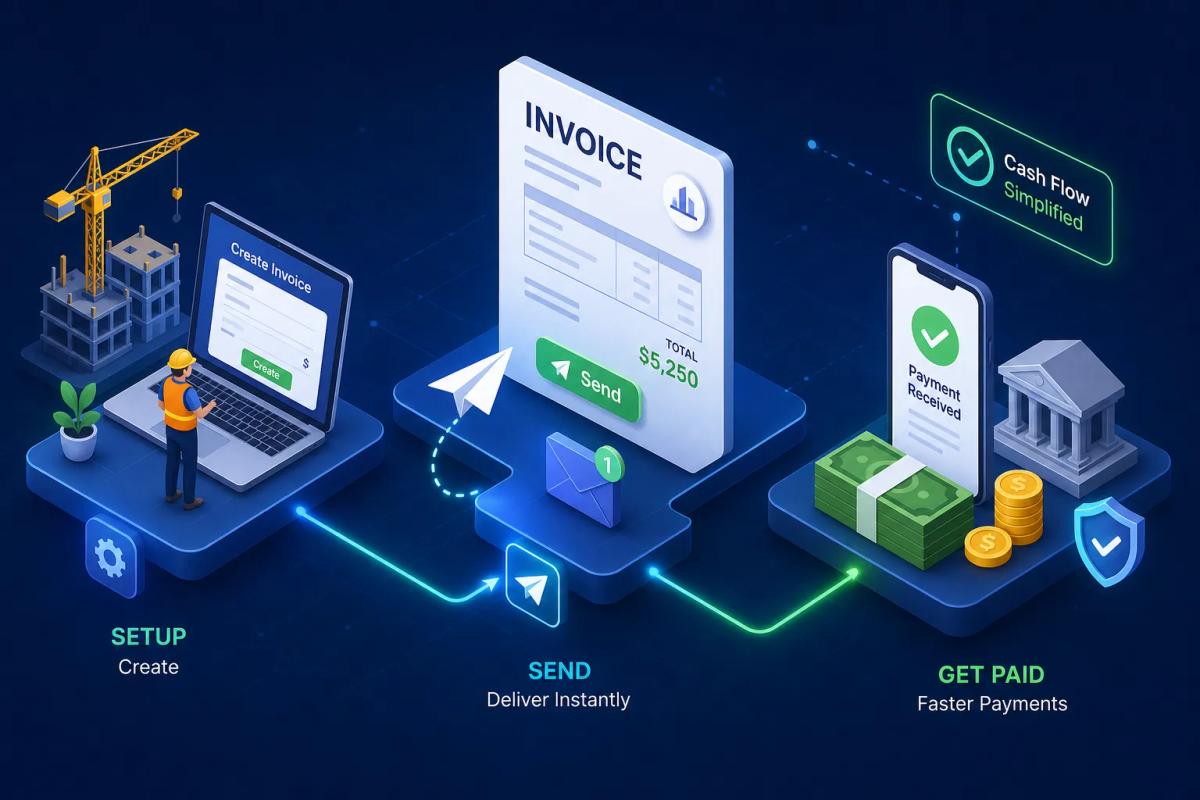
A contractor finishes a $12,000 roofing job on a Friday afternoon, drives home, and spends 45 minutes Monday morning typing up an invoice in Word. He emails it as a PDF. Three weeks later, he's still waiting on payment and chasing a customer who claims they never received it. The billing delay isn't just an inconvenience: it's a cash flow problem that compounds across every job on the board.
Digital invoices solve this directly. They're sent the moment the job is done, include a pay-now link, and automatically log the payment in your accounting software. Research backs this up: construction businesses that still rely on paper and manual processes average roughly 83 days from invoice submission to cash receipt, while businesses using automated digital billing collect in a fraction of that time. Switching to a true online invoicing workflow substantially reduces manual re-entry and the time you spend chasing payments.
This guide covers the full setup: what actually makes an invoice digital (a PDF doesn't qualify), required fields for US contractors, how delivery and payment collection work, and where automated invoicing tools like URBLD change the math entirely for growing contracting businesses. Whether you're starting with a free tool or ready to automate invoicing at the job-completion trigger, here's exactly how to build that system.
What digital invoices actually are (and why a PDF doesn't count)
A digital invoice isn't just an invoice that lives on a screen. The real definition is narrower: a digital invoice exists inside a cloud-based system, carries a unique identifier, has an embedded payment link, and can be tracked at every stage from delivery to payment. The system records when the customer opens it, when they pay, and posts that payment to your accounting ledger automatically. That's e-invoicing in practice.
Contrast that with the common contractor workaround: exporting a Word document to PDF and emailing it. That's still a manual, paper-era process wearing digital clothing. Nothing about it is trackable, automated, or connected to your books. If the customer disputes a line item two months later, your only record is a PDF buried in a sent folder. A real digital invoice creates a timestamped, auditable trail tied to the customer profile, the job record, and the accounting ledger.
For contractors specifically, this distinction carries real weight. You're dealing with large invoice amounts, staged payments, materials plus labor splits, and customers who sometimes revisit what was agreed upon weeks after the job wraps. A true electronic invoice gives you a verifiable record with a clear timestamp, and cloud invoicing lets you see, in real time, which invoices are open, viewed, overdue, or paid across your entire job pipeline.
Required fields every contractor invoice must include
The US has no single federal invoice format requirement, but there's a clear set of fields that protect you in disputes and satisfy bookkeeping standards. Every invoice you send should include your business name and address, the customer's name and address, a unique invoice number, the invoice date, the payment due date and terms, a description of the work performed, line-item quantities and unit prices, the subtotal, applicable sales tax shown separately, and the total amount due. Clean line items also speed up the customer's internal approval process, which matters when you're billing a property manager or commercial client.
Generic invoice templates fall short for contractors because they don't account for the billing complexity your jobs actually involve. You need separate line items for materials versus labor, permit fees, subcontractor costs, mobilization charges, and draw schedules on multi-phase projects. A single "services rendered" line item is the fastest way to trigger a payment delay: the customer doesn't know what they're approving, and their bookkeeper will ask questions before cutting the check. Breaking these out protects you in insurance claims, supports clean accounting sync, and removes the ambiguity that causes customers to stall.
Payment terms also belong on every invoice. Net 15 and Net 30 are the most common in US contractor work. Data shows Net 15 invoices are paid about 8.6 days faster on average than Net 30, which adds up across dozens of jobs per month. Include your late fee policy in the invoice footer so it's disclosed in writing before work begins. A common format is "1.5% per month on outstanding balances after 30 days," but late-fee enforceability varies by state under usury and consumer-protection laws, so confirm the allowable rate with local counsel before specifying a number.
How to set up and deliver digital invoices to customers
Setup starts with choosing a platform and configuring a reusable invoice template. Upload your logo and business details once, save your standard line items, and set your default payment terms, late fee percentage, and applicable tax rates by state. This one-time configuration is what separates contractors who spend 30 seconds sending an invoice from those who spend 45 minutes rebuilding one from scratch after every job. Most platforms walk you through this during onboarding, and many vendors complete basic setup in under an hour.
Standalone tools vs. field service platforms
Where platforms diverge is in what happens next. Standalone tools like Zoho Invoice, FreshBooks, and Wave offer solid customizable templates, but someone still has to initiate the process manually after every job. You open the app, confirm the job details, and hit send. That manual step is fine when you're handling two or three invoices per week. At fifteen to twenty jobs a week, it becomes a bottleneck. Platforms built for field service, like URBLD, pull job details directly from the completed work order, so the invoice is pre-populated before it ever reaches the contractor's attention.
Choosing your delivery method
Delivery method is the other variable that affects how fast you get paid. Email with a branded PDF attachment is standard, but email alone carries a slow open-to-pay timeline. SMS delivery can substantially shorten time-to-pay for many customers: they see a text, tap a payment link, and act on it far sooner than they would an email sitting in a crowded inbox. Using both email and SMS as your default reduces follow-up time considerably. Some platforms also track whether the customer opened the invoice, which changes how you handle collections when a due date passes without payment.
Online payment collection: methods, fees, and what to look for
The practical cost difference between card and ACH payments is significant for contractors. Card payments typically run 2.9% plus $0.30 per transaction. On a $5,000 invoice, that's $145.30 in processing fees. ACH bank transfer is considerably cheaper: platforms like Stripe and QuickBooks typically charge 0.8% capped at around $5, so on that same $5,000 invoice you're paying roughly $5 rather than $145. The math is clear: offer both payment options, but set ACH as your default and present it first in the payment flow. Some customers prefer ACH once they understand the fee structure, so making the difference visible in your payment portal is worth the extra configuration step.
Staged billing for large jobs
For large jobs, digital invoices can be configured to collect a deposit upfront and a final balance upon completion. Payment links can be tied to specific invoice stages rather than a single total, so the customer pays 30% before materials are ordered and the balance when the job is marked complete. An e-billing platform generates a separate invoice or payment request for each milestone, tracks partial payments against the total job value, and updates the accounting ledger with each transaction. This is an area where general freelancer invoicing tools often fall short. Contractor-specific platforms handle staged billing natively, without workarounds or manual tracking on your end.
When evaluating platforms, look at how they handle partial payments against the original invoice record. Some platforms create a new document for each milestone; others apply partial payment against the original invoice and update the balance. Either can work, but you need to know which behavior your platform uses before a payment dispute arises. The accounting sync behavior for partial payments also varies, and a mismatch between what the platform shows and what QuickBooks records is how reconciliation errors start.
Automated reminders and late fees that run without you
Manual follow-up on unpaid invoices is one of the biggest time drains in a contracting business. You send the invoice, wait a week, send a follow-up email, wait another week, call the customer, and repeat. Automated reminders replace that entire sequence. Configure a series that sends a friendly reminder at day 7, a firmer notice at day 14, and a final demand with late fee notice at day 21. The system sends these without any action from you, and they go out consistently regardless of how busy your schedule is.
Open-tracking makes this even more useful. If you can see that a customer opened the invoice three times but still hasn't paid, you're dealing with a different situation than a customer who never opened it at all. That visibility changes how you approach the follow-up conversation. Platforms like Refrens and Invoicera support both automated reminders and late-fee rules that apply automatically when an invoice crosses the due date, adding the fee as a new line item or updating the existing invoice balance depending on the platform's configuration.
Late fees need to be disclosed in writing at the time of invoicing. Adding the terms to the invoice footer satisfies that requirement. What you want to confirm before relying on the automation is exactly how your platform applies the fee: does it add a new line item on the next billing cycle, or does it update the original invoice? Knowing the platform's behavior before a dispute arises is the difference between a clean enforcement process and a confusing conversation with a customer who received two different documents showing different totals.
Accounting sync: keeping your books accurate without manual entry
When a customer pays a digital invoice, that transaction needs to flow into your accounting system without anyone typing it in manually. Real-time accounting sync means the invoicing platform communicates with QuickBooks Online or Xero the moment a payment is recorded, updating the accounts receivable ledger, categorizing the revenue, and matching it to the correct job and customer record. The alternative is batch sync, where transactions export at the end of the day as a file you import manually. Real-time sync is worth requiring because it gives you accurate cash flow visibility across active job sites, not just a snapshot from last night.
What a solid QuickBooks integration does automatically
QuickBooks Online dominates US small business accounting, and most contractor invoicing platforms support it. A solid integration handles the following automatically: it creates the customer record if it doesn't exist, maps invoice line items to the correct income accounts, records the payment to the appropriate bank account, and marks the invoice closed when payment is confirmed. These aren't nice-to-haves; they're the baseline. Without them, your bookkeeper is doing manual reconciliation work that the integration should eliminate.
Common sync problems to screen for before you commit
The most common sync issues worth knowing before you choose a platform are duplicate customer records, mismatched chart of accounts, and invoices that sync but don't close when payment is collected. These gaps create reconciliation headaches at tax time and undermine the whole point of digital invoicing. Before committing to a platform, ask specifically how it handles partial payments in QuickBooks, what happens when a customer name in the invoicing tool doesn't exactly match the QuickBooks record, and whether payment sync is real-time or batch. Those three questions will surface the edge cases that only show up after you've been using the tool for six months.
How URBLD auto-generates invoices the moment a job is done
URBLD's invoicing works differently from any standalone tool because it's not a separate invoicing step: it's a direct output of the job being completed. In FSM platforms designed around job-completion triggers, marking a job done initiates the invoice automatically, pulling labor hours, materials used, and the full scope of work directly from the work order, then delivering it to the customer via the configured method (email, SMS, or both) without anyone in the office taking action. The invoice syncs to the connected accounting software in real time. URBLD is built on this model, which means the invoice lifecycle is tied to the job lifecycle rather than a manual administrative step that runs parallel to it.
There's no manual invoice creation step, no delay between job completion and billing, and no risk of a job falling through the cracks unbilled because someone forgot to create the invoice before the weekend. For contractors running fifteen to twenty jobs per week, that automatic trigger can eliminate hours of administrative work and removes the most common source of billing errors: manually re-entering job data that already exists in the system.
The reason this matters more than a standalone invoicing tool comes down to where the data lives. Standalone tools require a human to initiate every invoice. Even with strong templates and automation features, someone still has to open the app, confirm the job details, and hit send. When invoicing lives inside the same platform that manages scheduling, work orders, crew GPS tracking, and inventory, every data point that belongs on the invoice is already there. Eliminating the re-entry layer means fewer billing errors, faster turnaround, and cleaner books from the first invoice you send.
Choosing the right digital invoicing solution for your contracting business
The right tool depends on where your business is today, not where you want it to be in three years. For solo contractors or very small operations just getting started with digital billing, Zoho Invoice and Wave are solid free options that get the job done without a monthly cost. FreshBooks works well for service-based contractors who bill hourly and want a polished invoice generator with strong payment options. QuickBooks Online and Xero are built for accounting first, with invoicing as a feature inside a broader financial platform. Invoice Simple is fast and mobile-friendly for quick billing on the go. These tools all have legitimate use cases, and at lower job volumes, they do exactly what they advertise.
The limitation they share is that they're disconnected from your job workflow. They don't know when a job is done. They don't pull from a work order. They don't manage the upstream job cycle that determines what belongs on the invoice. Once a contracting business is running multiple crews and managing a high volume of jobs per week, that disconnection tends to become the bottleneck. The question stops being "which invoicing tool is cheapest?" and becomes "which platform handles the entire job cycle so invoicing is a byproduct of the work, not a separate task?"
That's where an integrated FSM platform like URBLD changes the math. The invoicing feature isn't an add-on bolted onto a separate system: it's wired into the same platform that tracks the job, the crew, the materials, and the customer from the first lead to the final payment. For growing contracting businesses that have outgrown a patchwork of separate tools, that integration is what closes the gap between work getting done and cash hitting the account.
Get paid faster by closing the gap between job completion and billing
Digital invoices are not a format upgrade. They're a workflow change. Getting paid faster as a contractor comes down to three things: sending the invoice the moment the job is done, making it easy for the customer to pay digitally with a payment link they can act on immediately, and keeping your accounting synced without manual re-entry. Everything else, reminders, late fees, ACH defaults, open tracking, follows from getting those three fundamentals right.
If you're just starting out, a free tool like Zoho Invoice or Wave gets you there. Configure your template once, set your default payment terms, and start sending electronic invoices the same day jobs are completed instead of days later. That change alone will shorten your average collection time noticeably. If you're running crews, managing multiple jobs per week, and still manually creating invoices after every job, the smarter move is a platform where digital invoices are generated automatically the moment the work is marked complete.
That's the practical difference between invoicing software and a real operating system for your contracting business. URBLD is built for that second category. If you're ready to stop treating invoicing as a separate administrative task and start treating it as an automatic output of work getting done, it's worth seeing how the full job-to-payment cycle works inside a single connected platform.
Found this useful? Share it with another contractor or service business owner.