Best CRM for Contractors in 2026: The Honest Buyer's Guide
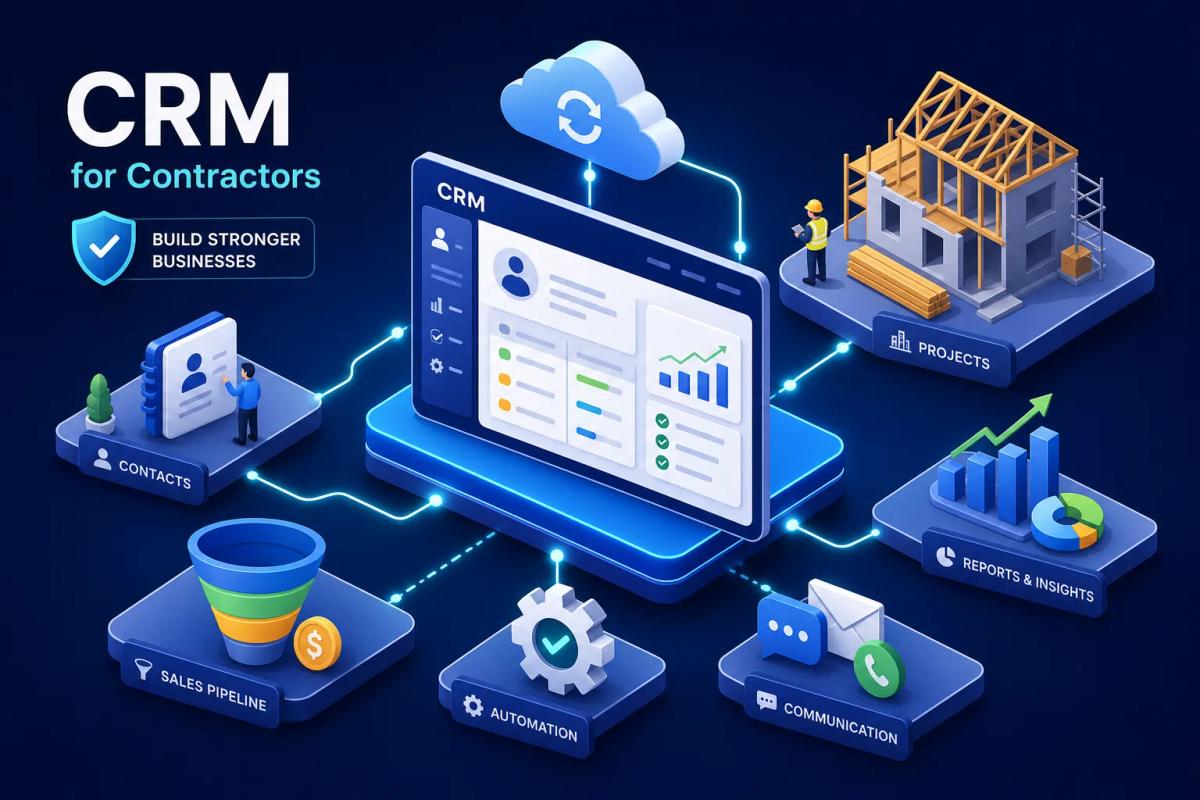
A CRM for contractors needs to do more than store contact records, it needs to close the gap between "lead comes in" and "crew gets dispatched." That gap, often just a few hours of slow follow-up, missed callbacks, and manual handoffs between disconnected tools, is where most of the revenue bleeds out. Studies consistently show that 78% of inbound leads go to the first contractor who responds, and most contractors don't get there fast enough.
After watching this pattern repeat across field service businesses for years, it became clear that the tools most contractors were using weren't built for this problem. HubSpot, Salesforce, Pipedrive: excellent software, wrong use case. That observation is part of what drove the development of URBLD, a platform built specifically to close the loop from first lead to final invoice without the manual chain that breaks everything. This guide isn't a pitch. It's a straight look at what contractor CRM software actually needs to do, which platforms come close, and how to make a decision that doesn't cost you six months and a botched migration.
Why generic CRMs keep failing contractors
The problem with using a standard CRM for a field service business isn't that the software is poorly built. HubSpot is a genuinely capable product for what it was designed to do: manage a B2B sales cycle with multiple stakeholders, email sequences, and deal stages measured in weeks. That's not what a roofing contractor is doing. A roofer is managing inbound calls from storm events, booking estimates within 24 hours, dispatching four crews to different zip codes, and trying to collect payment before the next job starts. Those workflows don't map onto a contact database with a pipeline view.
The failure points are specific. Generic CRMs have no concept of a job or work order. They have no scheduling layer. They have no field visibility. Their follow-up sequences were designed for email nurture campaigns, not for recovering a missed call from a homeowner who is calling three other contractors simultaneously. Using one of these tools for field service doesn't simplify the operation; it adds process overhead on top of the actual work.
The contact database trap
Generic CRMs are good at storing contacts and logging activities. But a contractor doesn't just need to know where a lead is in a funnel. They need to know whether that lead turned into an estimate, whether the estimate was accepted, and whether a crew is now booked for the job. Without that chain visible in one place, the CRM becomes another tab to check rather than a system that runs the operation. Most office managers end up using the CRM for early-stage leads and reverting to spreadsheets or phone calls once the job actually gets scheduled.
What happens when leads need to become jobs
Here's a realistic scenario: a roofing contractor gets 30 inbound leads after a hail storm. In a generic CRM, those are 30 contacts sitting in a pipeline. In a contractor-specific platform, each one has a pipeline stage, an estimated job value, an automated follow-up sequence triggered by response time, and a direct path to converting into a scheduled job with an assigned crew. The difference isn't cosmetic. One setup converts a majority of those leads. The other recovers only the ones where the homeowner happened to be patient enough to wait for a callback, because automated sequences consistently outperform manual follow-up on conversion rate.
What separates contractor CRM software from generic tools
A field service CRM for contractors has to handle the full revenue cycle, not just the front end. Lead storage and pipeline views are table stakes. The evaluation framework that actually matters covers four areas: lead scoring and follow-up automation, job pipeline visibility, field-focused features (estimates, photos, mobile access), and accounting sync. Any platform worth evaluating should cover all four without requiring a third-party integration stack to fill the gaps.
The field service workflow a CRM must support
The contractor's actual workflow goes like this: an ad or referral generates a lead, the lead needs a response within minutes, a qualified lead books an estimate, the estimate converts to a job, the job gets assigned to a crew, the crew completes the work, an invoice goes out, and payment syncs to accounting. A CRM that only handles the first two steps forces the business to stitch together five other tools for the rest. That stitching is exactly where leads fall through, invoices get delayed, and the bookkeeper ends up doing manual reconciliation every Friday.
Why integration stacks break down at scale
The "just connect HubSpot to Jobber via Zapier" approach works until it doesn't. Zaps fail silently. Data maps break when either platform pushes an update. The contractor ends up with leads in one system and jobs in another, and no one notices when records fall out of sync until a customer calls about a missed appointment. At low volume, these gaps are annoying. At high volume, they're expensive. The businesses that hit a growth ceiling fastest are almost always the ones running the most elaborate integration stacks.
Lead scoring and automated follow-up: closing more jobs with a CRM for contractors
Contractors don't have time to manually sort which leads are hot. A platform that scores leads based on activity, response time, job type, and estimated value tells the office manager exactly where to focus without requiring them to read through every contact record. Pair that with automated follow-up, and the response gap that loses revenue nearly disappears. According to data compiled across multiple field service studies, automation accounts for a majority of lead nurturing impact, and contractors using automated three-to-five step follow-up sequences typically achieve significantly higher conversion rates than those relying on manual workflows.
How activity-based lead scoring works for contractors
Good lead scoring in a field service context looks different from B2B scoring. A lead that requested an estimate, opened two follow-up emails, and called back within 24 hours scores higher than one who submitted a form and went quiet. What matters for contractors isn't company size or job title, it's urgency signals, job type, geographic proximity, and response behavior. A platform that understands these inputs surfaces the right leads automatically rather than leaving that judgment call to whoever picks up the phone.
What contractor-specific automated follow-up looks like
A contractor needs a follow-up sequence built around the specific triggers of a field service sale: an immediate missed-call text, an estimate-sent reminder, and a follow-up if no response comes within 48 hours. Generic CRM automation can approximate this, but it requires significant manual setup and has no native understanding of what a job or estimate even is.
The follow-up sequence should fire from job-stage triggers, not from sales-stage tags someone manually updates. That distinction matters because native job-stage triggering reacts to what actually happened in the operation, a crew was dispatched, an estimate expired, rather than depending on a rep remembering to move a card in a pipeline.
Job pipeline visibility: from first call to scheduled crew
Job pipeline visibility means a contractor can look at a single screen and see how many leads are in each stage, how many estimates are pending, how many jobs are scheduled this week, and which crews are loaded. Without this, the business runs on gut feel, whiteboard schedules, and frantic morning check-ins. That works with one crew. It stops working with three.
The gap between your CRM and your dispatch board
When CRM data and scheduling data live in separate tools, every deal close creates a manual handoff. A sales rep marks a lead won in the CRM. Someone else manually creates the job in the scheduling tool. A third person notifies the crew. If the customer calls to reschedule, the change has to be updated in two places. Every one of those handoffs is a chance for something to fall through. Multiply that by 15 jobs a week and the administrative load becomes unsustainable.
What it looks like when leads connect directly to scheduled jobs
The connected workflow eliminates those handoffs entirely. A lead comes in, gets scored and followed up automatically, converts to an estimate with one click, an accepted estimate triggers job creation, and job creation triggers crew scheduling based on availability and location. The contractor doesn't manage this chain manually; the system executes it. Closing that distance between the CRM and the dispatch board, without manual steps in between, is the core architectural advantage a purpose-built platform like URBLD offers over a generic CRM bolted to a scheduling tool.
Accounting sync: what "QuickBooks integration" actually means
Not all QuickBooks integrations are built the same. Some platforms push invoices one way and stop there. Some sync customers but not payments. Some require a manual CSV export at the end of the week. For contractors, the quality of this sync matters because accounting data is how they know whether individual jobs are profitable, not just whether the bank account looks healthy at month end.
Two-way vs one-way sync and why it matters
One-way sync means you can push an invoice from the CRM into QuickBooks, but if the bookkeeper updates something in QuickBooks directly, the CRM doesn't reflect that change. Two-way sync means changes flow in both directions, and neither system falls perpetually behind the other. For contractors running multiple jobs per week, one-way sync creates reconciliation headaches within months. The practical difference shows up when a customer pays a partial invoice, the bookkeeper records it in QuickBooks, and the CRM still shows the invoice as unpaid because the data never came back across.
Which contractor CRMs get accounting sync right
Platforms with strong native two-way sync include Buildertrend, Knowify, and Method CRM, all well-documented for their QuickBooks Online integration. URBLD also offers real-time QuickBooks sync as a core feature; verify the specifics directly with their team during your demo. The key data types to confirm are invoices, customers, payments, and estimates. For contractors still on QuickBooks Desktop rather than QuickBooks Online, the options narrow considerably. Method CRM, Builder Prime, Knowify, and FieldEdge have the strongest Desktop support. Most other platforms sync natively to QuickBooks Online but require additional configuration or third-party connectors for Desktop, and that matters because many established contractor businesses haven't migrated to Online and aren't planning to.
Top CRM for contractors options in 2026
This is a practical shortlist, not a ranked tournament. The goal is to match business profiles to tools so you can narrow your evaluation to two or three options and get into real demos with real questions. The platforms below cover the most common contractor segments without padding the list with options that don't earn a serious look.
URBLD: built for contractors who need more than a CRM
URBLD is designed for contractors who have outgrown Jobber, disconnected their HubSpot from three other tools, or are running a patchwork stack that strains every time the business grows. It functions as a full business operating system rather than a standalone CRM: AI-powered follow-up fires without manual triggers, leads convert to jobs in one click, native scheduling and dispatch handles crew load balancing, photo-based AI estimating generates structured estimates on-site, and real-time QuickBooks sync closes the accounting loop automatically. The core distinction from most options on this list is that URBLD is built to execute workflows rather than simply track them, reducing the manual steps between a new lead and a dispatched crew.
JobNimbus: strong choice for roofing and exterior contractors
JobNimbus has built a solid reputation as a specialty CRM for roofers. The EagleView integration, Kanban pipeline management, and roofing-specific workflows make it a capable tool for that niche. Pricing starts at roughly $225/month as a base with per-user fees on top, which climbs quickly as the team grows. It covers the front-end sales process well but requires supplemental tools for deeper accounting sync and multi-trade operational complexity.
Buildertrend: the residential construction pick
Buildertrend is purpose-built for residential builders and remodelers handling new-build workflows, client portals, and change order management. It excels at construction project management and has solid QuickBooks Online sync. The tradeoff is that it's optimized for construction timelines, not field service dispatch. An HVAC company or roofing contractor focused on high-volume service calls will find it over-engineered for project management and under-built for scheduling throughput. Custom home builders are a much better fit than trade contractors.
When a simpler tool is enough
A contractor with one crew and fewer than 10 leads per month doesn't need a full platform. Jobber at $29-39/month handles basic quoting, scheduling, and invoicing with a clean interface that's easy to learn. The ceiling is real: it doesn't scale smoothly past five technicians, and follow-up automation and accounting reconciliation require manual processes. That's a fine tradeoff for a small operation. It becomes a growth limiter once the business starts pushing past that threshold and the manual work starts compounding.
What contractor CRM pricing actually looks like in 2026
Contractors evaluating CRM software often encounter real sticker shock at the enterprise end of the market. ServiceTitan runs $245-500 per technician per month, plus implementation fees that can reach $50,000 according to industry pricing analyses, making it a significant commitment before you've dispatched a single crew. That's not the realistic range for most contractors. The more useful breakdown is by company size: solo operators are looking at $29-60/month, small crews of 2-5 people typically spend $150-350/month, and mid-market teams of 5-20 people run $300-600/month all-in. The trend toward flat-rate unlimited-seat pricing is real and makes growth planning significantly cleaner.
Flat-rate vs per-user: which model fits your growth stage
Per-user pricing works fine when the team is small. At six users on a $50/user platform, you're paying $300/month and rising. Flat-rate platforms charge a fixed monthly fee regardless of how many users you add, which removes a variable from an already complicated growth equation. For a contractor simultaneously adding office staff and field crews, flat-rate pricing means the software cost doesn't spike every time you hire someone. Service Fusion operates on a flat-rate model; URBLD's pricing structure is worth confirming directly, but it's designed to avoid per-seat cost escalation as your team grows.
What you're actually paying for at each price point
The $30-60/month range covers basic pipeline management and scheduling. The $150-350/month range adds automation, a mobile app, and basic accounting sync. At $300-600/month, the expectation should be a full CRM plus dispatch, estimating, invoicing, and real QuickBooks sync without add-ons stacking on top. Any platform charging enterprise rates above $500 per technician per month should have the feature depth to justify that number. Most small-to-mid contractors don't need what those platforms offer, and they pay the price in both dollars and implementation complexity.
How to evaluate a CRM for contractors: trade fit and crew size
The right platform depends on the trade, the crew size, and the most urgent operational problem. Those three factors narrow the field faster than any feature comparison spreadsheet. Get clear on those inputs before you sit through a single demo.
Matching CRM features to your specific trade
Roofing contractors need strong pipeline visibility, photo estimating or EagleView integration, and a system that can handle sudden lead volume spikes from storm events without dropping follow-ups. HVAC and plumbing operators need scheduling efficiency, inventory awareness, and fast invoicing because cash flow turns on quick payment cycles. Solar and home improvement companies need multi-stage contract workflows, long sales cycles, and permit coordination built into the process.
URBLD is designed to handle all three trade profiles within a single platform, which matters if your business spans more than one trade or you want room to expand. JobNimbus serves roofing specifically. Buildertrend serves residential construction specifically. Both require supplemental tools once the operation expands beyond their core use case.
Three steps to take before you pick a platform
- Map where your current process breaks. Is it lead response time? Follow-up consistency? Estimate conversion? Invoicing delays? The answer tells you which feature to prioritize. Don't buy a platform with deep project management capabilities if your actual problem is that leads go cold before anyone calls them back.
- Test the CRM-to-job connection in the demo. Ask specifically: how does a new lead become a scheduled job, and how many clicks and people does that require? The answer tells you more about the platform than any feature list.
- Run a QuickBooks sync test during the trial. Have a real invoice flow through the system and confirm it lands in your accounting software without a manual export step. If it requires CSV files or Zapier, that's not native sync regardless of what the marketing says.
Pick based on the problem, not the features
A CRM for contractors needs to do more than store contact records. The business operates in the field, and the software has to work the same way. Generic tools create more process overhead, not less. The platforms worth serious evaluation in 2026 are the ones that close the loop between a new lead and a completed job without requiring the contractor to manage five different tools to make it happen.
URBLD was built for that handoff. If your biggest problem is lead response time and follow-up, start there. If it's the gap between your sales pipeline and your dispatch board, that's a system architecture problem, a patchwork stack won't solve it. And if it's accounting reconciliation, find out exactly what "QuickBooks integration" means before you sign anything.
Start with the problem you're trying to solve. Test whether the platform solves it natively, without add-ons, without Zapier, and without a six-month implementation project. The right construction lead management software or field service CRM for contractors won't just check feature boxes; it'll eliminate the manual work that's currently costing you jobs. The shortlist above is a reasonable place to start your demos.
Found this useful? Share it with another contractor or service business owner.